00197499-05_VD_Material_Manager_2.2_DE_EN.pdf - 第8页
Material Manager / Software Ver sion Description Ausgabe 01/2016 Edition 8 2 Brief Descriptio n The following most important f unctions can be perf ormed with the S IPLACE Material M anager: – MSD handling – Controlling …

Material Manager / Software Version Description Ausgabe 01/2016 Edition
7
1.1 Scope of Delivery
SIPLACE Material Manager Server V2.2, item no. [00117400-xx] contains:
– 1 SIPLACE Material Manager Factory License (without Machine Connections)
SIPLACE Material Manager Media Package V2.2, item no. [00117409-xx]. This package
contains:
– Software CD-ROM SIPLACE Material Manager V2.2
– DVD SIPLACE NET Support Media Version 2.2, item no. [00117951-xx]
– Software Installation Manual SIPLACE Material Manager V2.2, item no. [00197500-xx]
NOTICE
To Support Media DVD:
Please use the Navigation Guide button of the Support Media Launcher to navigate
through the documentation.
The navigation guide and all related documents are available on the Support Media DVD
that is shipped with the installation package.
1.2 Languages
The GUI and the Online Help are available in German, English and Simplified Chinese.
Material Manager / Software Version Description Ausgabe 01/2016 Edition
8
2 Brief Description
The following most important functions can be performed with the SIPLACE Material Manager:
– MSD handling
– Controlling automatic storage systems, such as Shuttle, Paternoster or Material Tower
– Managing high bay rackings
– Configuring plant layout
– Creating master data
– Receiving incoming materials
– Storing, picking and requiring materials
– Searching for materials and checking the material stock
– Performing inventories
– Performing IC programming to transfer a packaging unit to another part number, e.g. through
flashing.
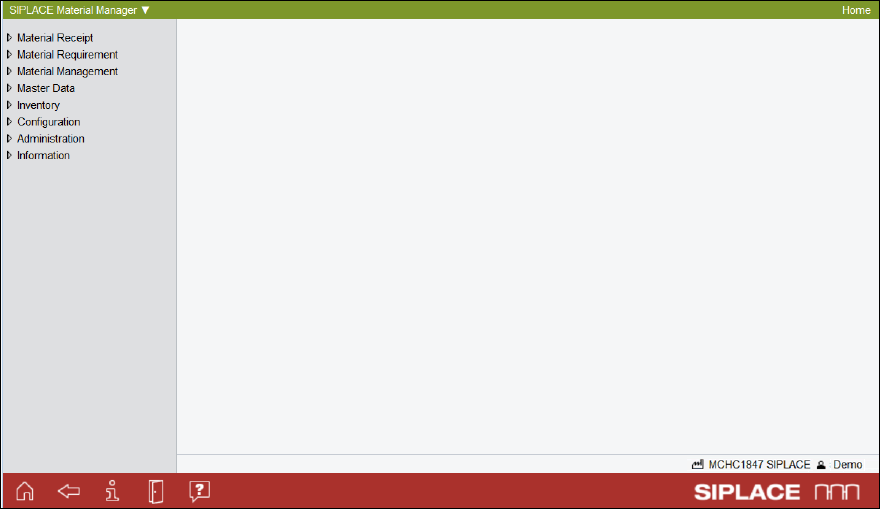
The following figure displays the main window of the SIPLACE Material Manager.
Figure 2-1: Main window of the SIPLACE Material Manager

Material Manager / Software Version Description Ausgabe 01/2016 Edition
9
The following tasks can be performed within the dialogs:
Dialog Task
Material Receipt
– Entering all material packaging units that do not yet exist in the
system.
– Displaying all existing notifications that have not yet been processed.
– Storing an already existing packaging unit wherever you choose.
Material
Requirement
– Displaying an overview of all current material reorders
– Managing material requirements lists.
– Forecasting whether sufficient material is available.
– Displaying an overview of all scheduled material reorders.
– Viewing and checking pick lists and tranport lists.
Material
Management
– Correcting the location of a packaging unit and/or the quantity of
components contained in it.
– Performing IC programming to transfer a packaging unit to another
part number, e.g. through flashing.
– Starting, stopping (pausing), or resetting the MSD open time of a
packaging unit with a limited floor life.
– Managing existing packaging units.
– Locking or unlocking packaging units or packaging unit chain
components for production.
– Splitting a packaging unit into two packaging units.
Master Data
– Managing material definitions, material categories, material classes
and data for manufacturers, together with their barcode patterns.
Inventory
– Starting and performing perpetual inventories.
– Starting an end-of-period inventory for a storage zone.
– Finishing the end-of-period inventory for the entire site.
Configuration
– Configuring the plant layout.
– Managing storage bins and storage bin sizes.
– Configuring the contents of identifiers, such as list names.
– Managing user and user groups.
Administration
– Displaying existing monitor records on various topics.
Information
– Searching for specific materials or packaging units.
– Displaying manufacturer data.
– Displaying packaging unit history and even deleted packaging unit
data.
Table 2-1: Dialogs and tasks