YSM10_Mainte_E.pdf - 第119页
4-10 4 Maintenance of options n [Unit] - [Auto TC] screen If an operation failure of sA TS15 occurs, chec k the displayed error messages and the sensor status on the [Unit] - [Auto TC] screen. Sensor status display area …
4-9
4
Maintenance of options
4.1 Daily inspection
4.1.1 Checking the pallet and the setting conditions
Check the pallet and the setting when replacing tray components everyday.
n
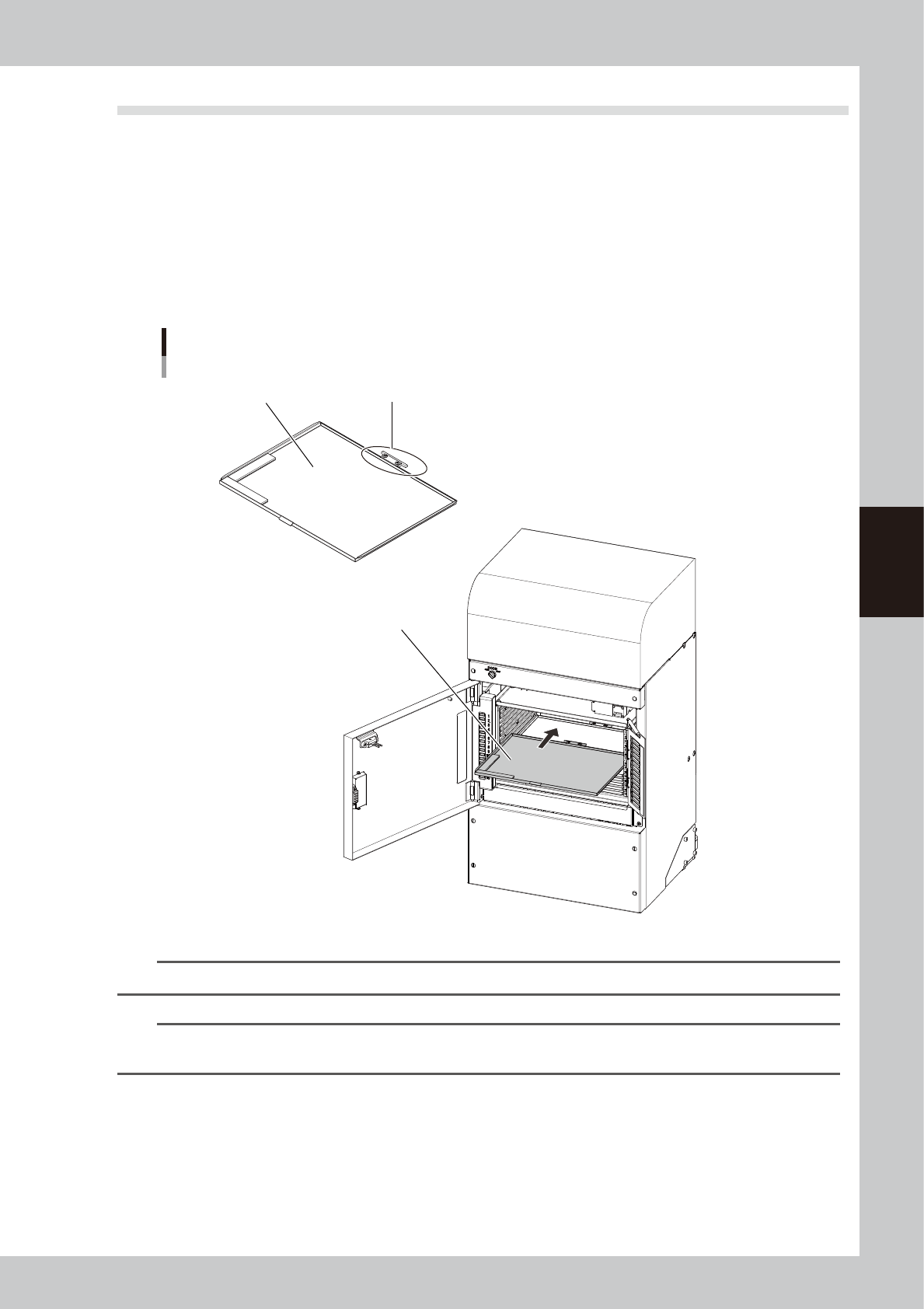
Checkpoints
• The pallet is not bending.
• The drawing of the pallet is not worn out or damaged.
• The pallet is inserted into the rack correctly.
• The pallet can be set and pulled out correctly without abnormal noise and errors during the actual production.
sATS15
Daily inspection points
Drawing of pallet is not worn out or damaged.Pallet is not bending.
Pallet is inserted into
rack correctly.
53405-KMG-00
n
NOTE
If deformation is found in the pallet, stop using it and replace it with other pallet.
n
NOTE
If an operation failure of sATS15 occurs, check the displayed error messages and the sensor status referring to "Sensor
list" described on the next page.
4-10
4
Maintenance of options
n
[Unit] - [Auto TC] screen
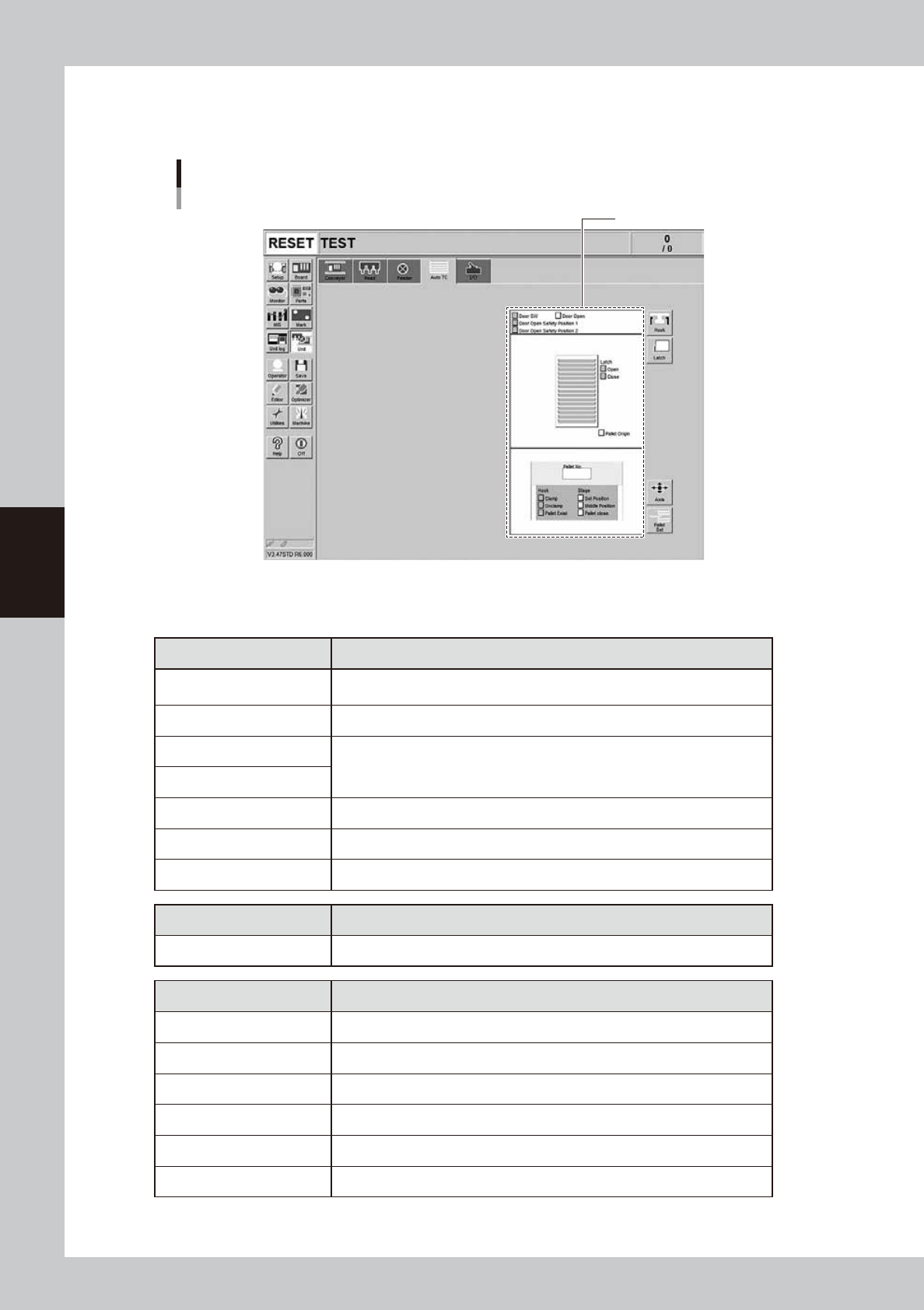
If an operation failure of sATS15 occurs, check the displayed error messages and the sensor status on the
[Unit] - [Auto TC] screen.
Sensor status display area
[Unit] - [Auto TC] screen
54405-KMG-00
The status of each unit in the sATS15 is monitored by the each sensor.
n
Sensor list
Sensor display When sensor display is ON (lit up), this indicates:
Door SW The door switch is in the “CLOSE” position.
Door Open The rack door is open.
Door Open Safety Position 1
Pallet is in safe position to allow the rack door to be opened.
Door Open Safety Position 2
Latch Open The latch for preventing pallets from being jutted out is open.
Latch Close The latch for preventing pallets from being pulled out is closed.
Pallet Origin Pallet is protruding from rack.
Indicator Description
Pallet No. Shows the pallet number that is currently pulled out on the main machine.
Sensor display When sensor display is ON (lit up), this indicates:
Hook Clamp Pallet pullout hook is closed (clamping).
Hook Unclamp Pallet pullout hook is open (unclamping).
Hook Pallet Exist Pallet pullout hook is gripping a pallet.
Stage Set Position A pallet is pulled out towards the machine.
Stage Middle Position A pallet is on the way pulled out towards the machine.
Stage Pallet close
A pallet is set up on the row of rack shelf at the height where a pallet is pulled out.
4-11
4
Maintenance of options
4.2 Monthly inspection
4.2.1 Checking the rack and the guide rail
Check the rack and guide rail once a month.
n
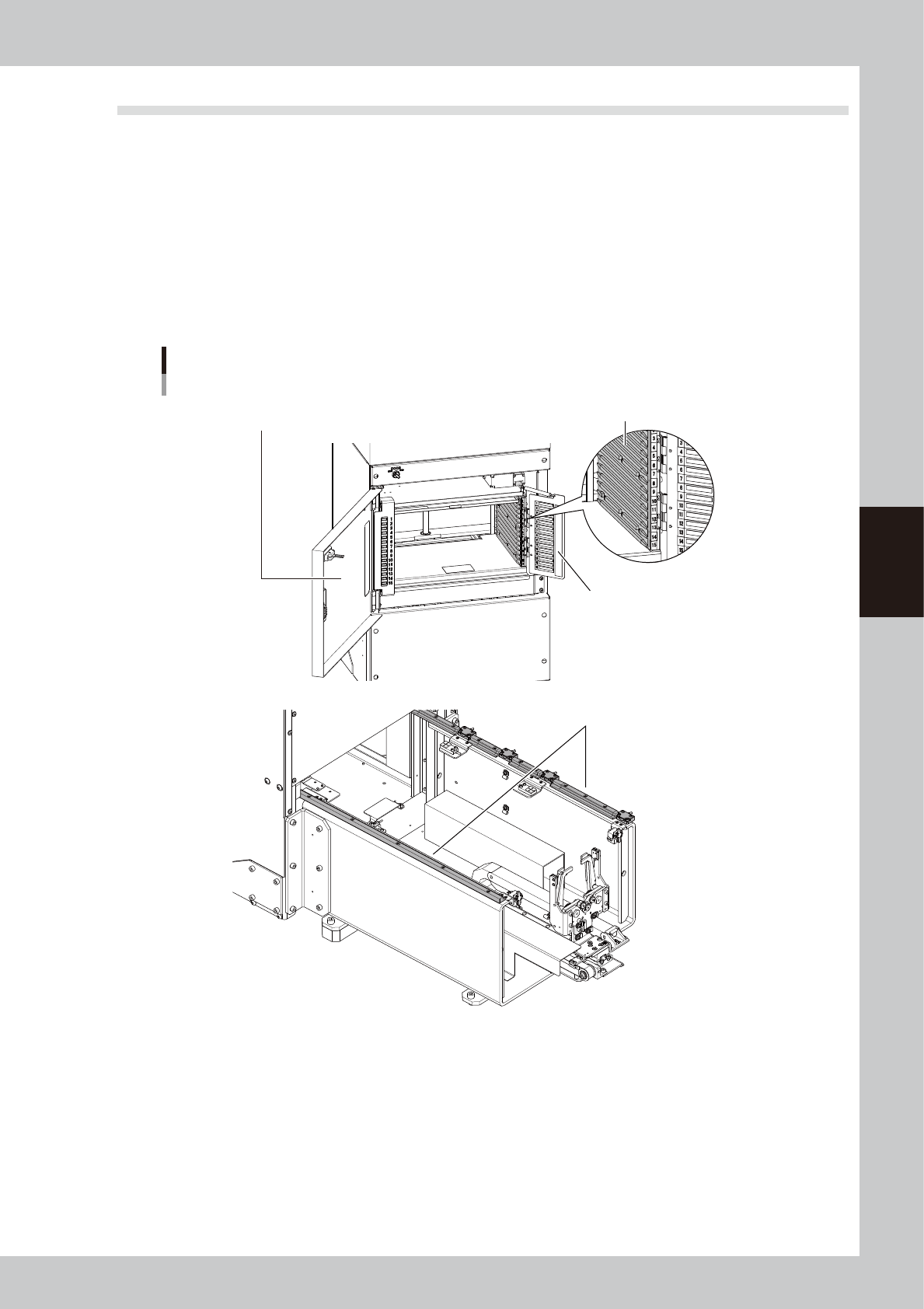
Checkpoints
• The pallet guide section of the rack is not worn out.
• No backlash of the pallet retainer door is found.
• The rack door is not deformed.
• The guide rail section is not worn out.
• If dust or foreign objects are found in the guide rail section, remove them with the vacuum assembly.
sATS15
Checking rack and guide rail
No backlash of pallet retainer door
is found.
Guide section is not worn out.
Pallet guide section is not worn out.
No foreign objects or dust are not found in guide section.
Rack door is not deformed.
53406-KMG-00