JUKI_KE-2070-2080_MAINTE_CH.pdf - 第196页
维修调整要领书 13 - 22 6 ) BI OS 设置的结束 请用←→键显示“ Exit ”菜单画面。 请用↑↓键将光标对准“ Exit Saving Changes ”并按< ENTER >键,保存 BIOS 设置后结束。 Phoenix TrustedCore (tm) Setup Utility Main Advanced Security Boot Exit Item Specific Help Exit Saving Cha…
维修调整要领书
13-21
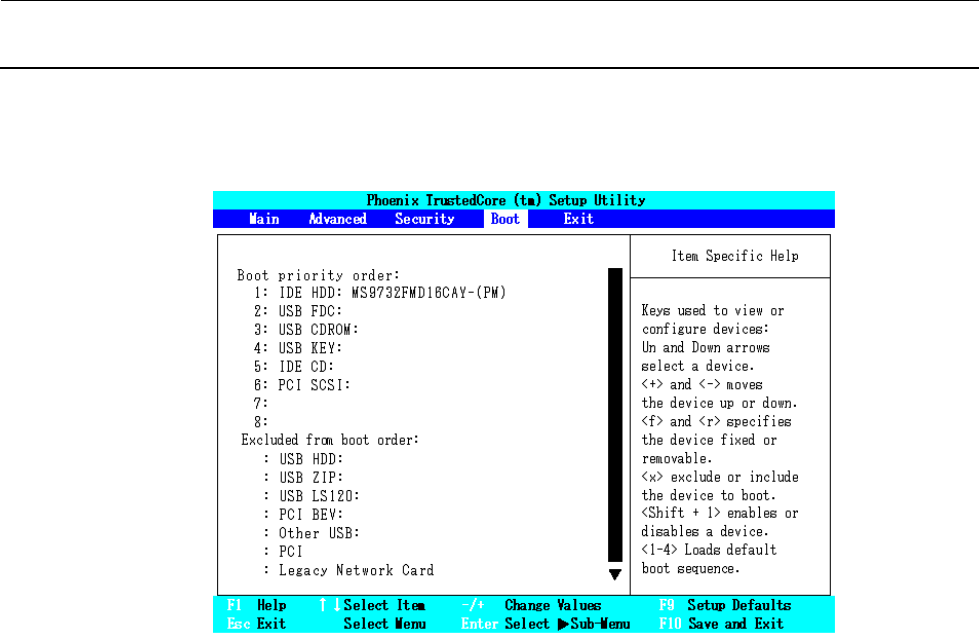
5) BOOT 识别順序的设置
请用←→键选择“Boot”菜单画面,参照操作方法将“Boot priority order:”设置为下图所示的
顺序。
・“Boot”菜单画面的操作方法
(1) 怎样变更“Boot priority order:”内的順序
① 用↑↓键将光标对准要移动的项目。
② 可用<+><->键使之上下移动。
(2) 怎样从“Excluded from boot order:”移动到“Boot priority order:”
① 用↑↓键将光标对准要移动的项目。
② 可用<X>键移动到“Boot priority order:”。
※ 从“Boot priority order:”移动到“Excluded from boot order:”的操作方法也相同。
维修调整要领书
13-22
6) BIOS 设置的结束
请用←→键显示“Exit”菜单画面。
请用↑↓键将光标对准“Exit Saving Changes”并按<ENTER>键,保存 BIOS 设置后结束。
Phoenix TrustedCore (tm) Setup Utility
Main Advanced Security Boot Exit
Item Specific Help
Exit Saving Changes
Exit Discarding Changes
Load Setup Defaults Exit System Setup and
Discard Changes save your change to
Save Changes CMOS.
F1 Help ↑↓Select Item -/+ Change Values
F9
Setup Defaults
Esc Exit Select Menu Enter Select Sub-Menu F10 Save and Exit
维修调整要领书
13-23
13-4-3.网络的设定(与 HLC 通讯时设定)
KE2000 系列和 HLC 间的通讯,需要进行网络的设定。在线使用 HLC 时,必须进行设定。
<设定程序>
①设定 TCP/IP
②设定共有文件夹
③登记用户
13-4-3-1.TCP/IP 的设定
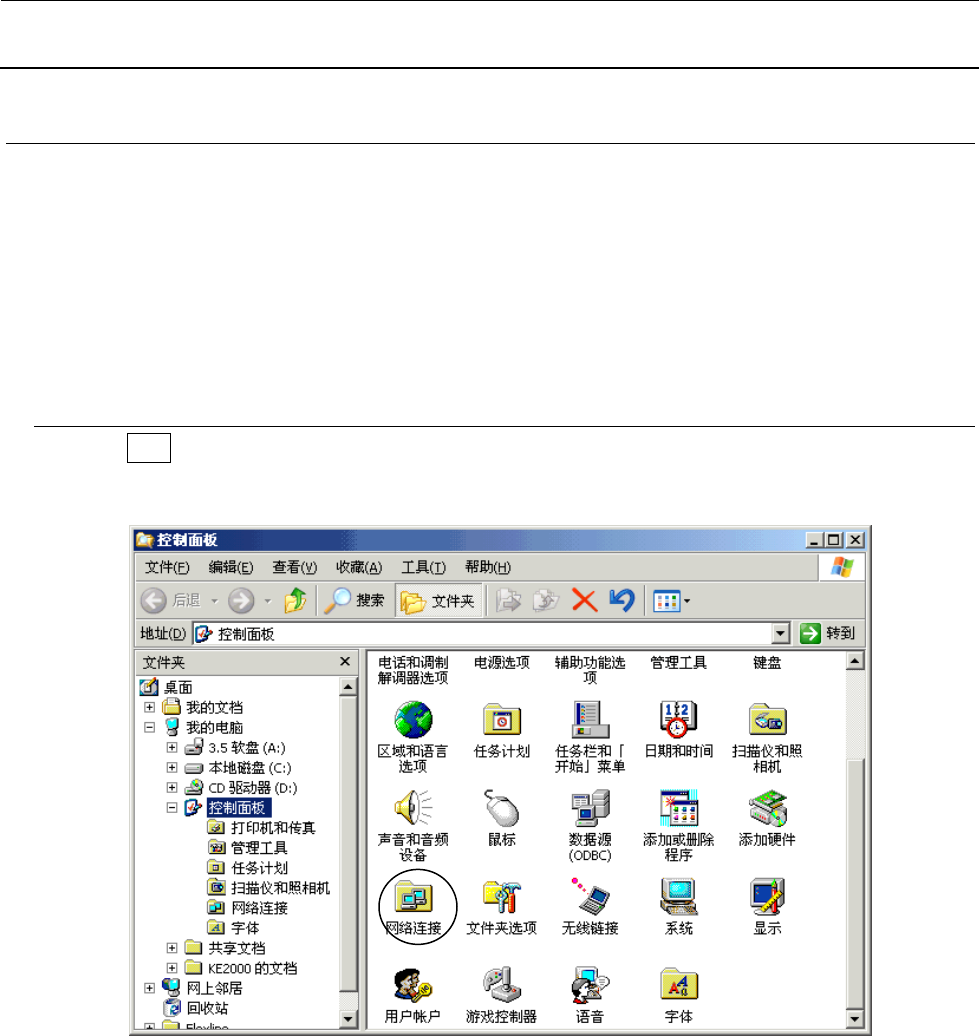
1) 选择 起动 按键,再选择[设定(S)]→[控制盘(C)]。
2) 请双击[网络连接]图标。