YG12F_Ope_E.pdf - 第84页
2-26 2 asic operation 4. Preparing the component supply unit 4.1 T ape feeder 1. Checking the feed pitch and action Press the Cover tape peeling lev er to make sure that the tape is fed at a proper pitch. T ape guide s…
2-25
2
asic operation
4
Place the push-up pins in the correct positions on the push-up plate.
Push-up pins are attached on the push-up plate by magnet. Considering the shape and size of the
board, place the push-up pins on the push-up plate so that they uniformly support the board, including
the edge of the board.
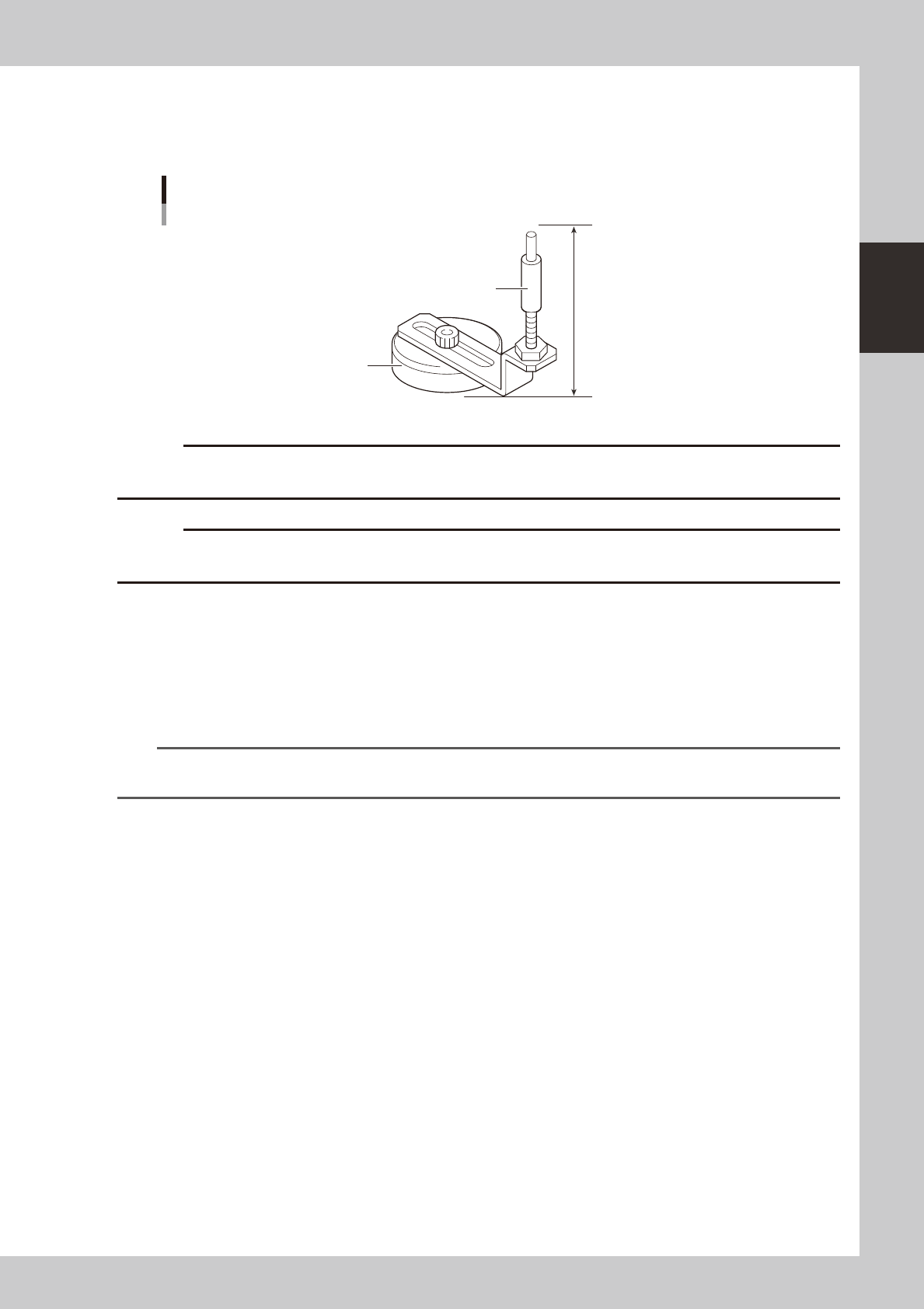
76mm
Support pin
Push-up pin
Magnet stand
23204-M7-00
c
height.
c
Set the push-up pins in positions where they will not interfere with the conveyor rails and other parts when the push-up
plate is raised.
5
Raise the push-up plate.
Check safety and press the [Push Up] button on the Setup screen. The push-up plate moves up to clamp
the board.
6
Check that the board is uniformly clamped on the conveyor.
Lightly tap on the board and also check for warping of the board from the side. If the board is
supported
evenly with no warping, the adjustment is okay.
TIP
It may be convenient to mark the positions of the push-up pins on the plate (with a label, magic marker, etc.) for each
board type.
7
Remove the board from the conveyor.
Press the [Push Up] button on the Setup screen to lower the push-up plate and then remove the board.
2-26
2
asic operation
4. Preparing the component supply unit
4.1 Tape feeder
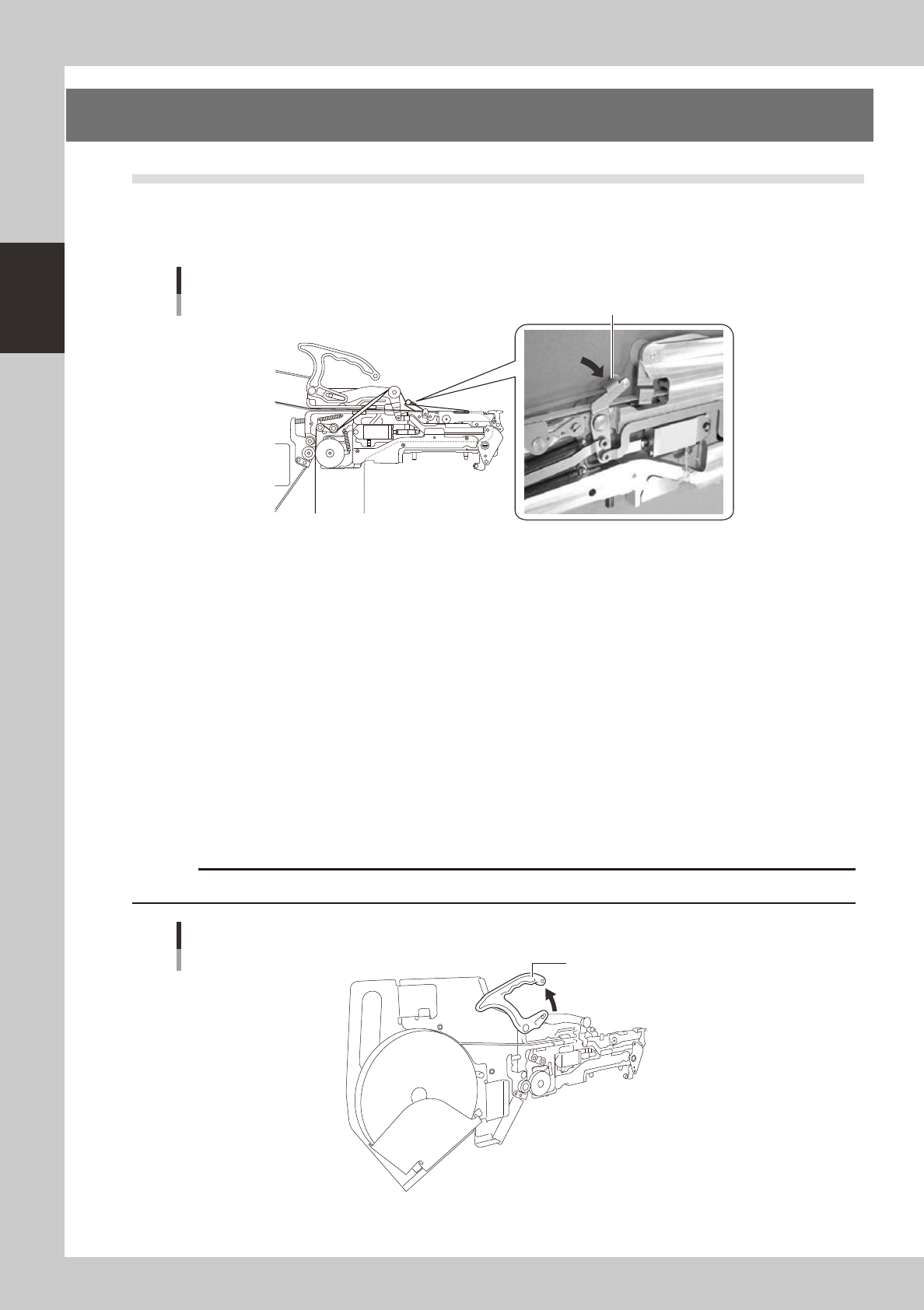
1. Checking the feed pitch and action
Press the Cover tape peeling lever to make sure that the tape is fed at a proper pitch.
Tape guide setup
Cover tape peeling lever
23205-M7-00
2. Setting the tape
When fitting a new roll of tape to a tape feeder, set the tape with the procedure below.
1
Peel off the top tape.
Tape consists of two layers: "carrier tape" that contains electronic components in the pockets and "top
tape" that covers the upper side of components on the carrier tape. Peel off the top tape to separate
these two layers.
2
Pull out the tape.
• InsertthereelinthepocketofthereelholderandpulloutthetapeincaseofFSorFS2(7inch).
• SetthereeltothereelaxisandthenpresswiththetensionleverincaseofFS2(15inch).
• RemovethereelhookbartoengagethemiddleholeoftapereelincaseofinstallingtoFT.
3
Lift the clamping lever lock handle.
Lift the clamping lever lock handle to lift the tape guide.
c
Clamping lever lock handle
Clamping lever lock handle
23206-M7-00
2-27
2
asic operation
4
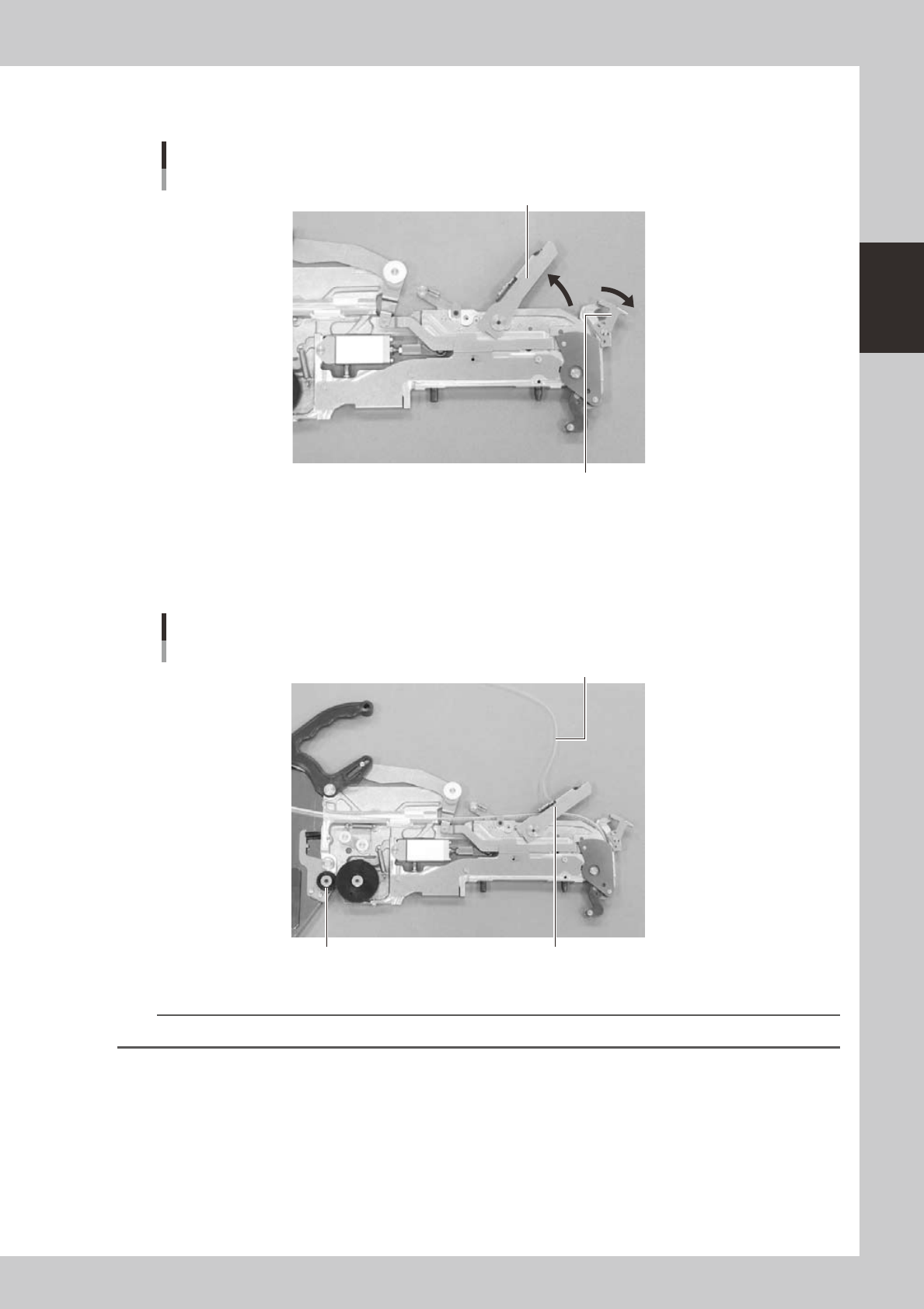
Lift the tape guide.
Hold down the front side restraint lever and lift the tape guide.
Tape guideTape
Tape guide
Front side restraint lever
23207-M7-00
5
Set the tape in the tape feeder.
Pass the tape through the groove.
Pull out some portion of the tape beforehand so that the top tape can reach the idle roller assembly.
Pass the top tape through the notch of the tape guide and fold it back.
Setting the top tape
Top tape
Tape guide notch
Idle roller assembly
23208-M7-00
n
NOTE
“Feeder User’s Manual” explains how to set a tape in details.