YG12F_Ope_E.pdf - 第97页
2-39 2 asic operation n Checking the tray changer operation 1 Open the tr a y changer screen. Press the [Unit] button and then select t he [Auto TC] tab to open the tray changer screen. 2 Extr act a pallet from the tra…
2-38
2
asic operation
3
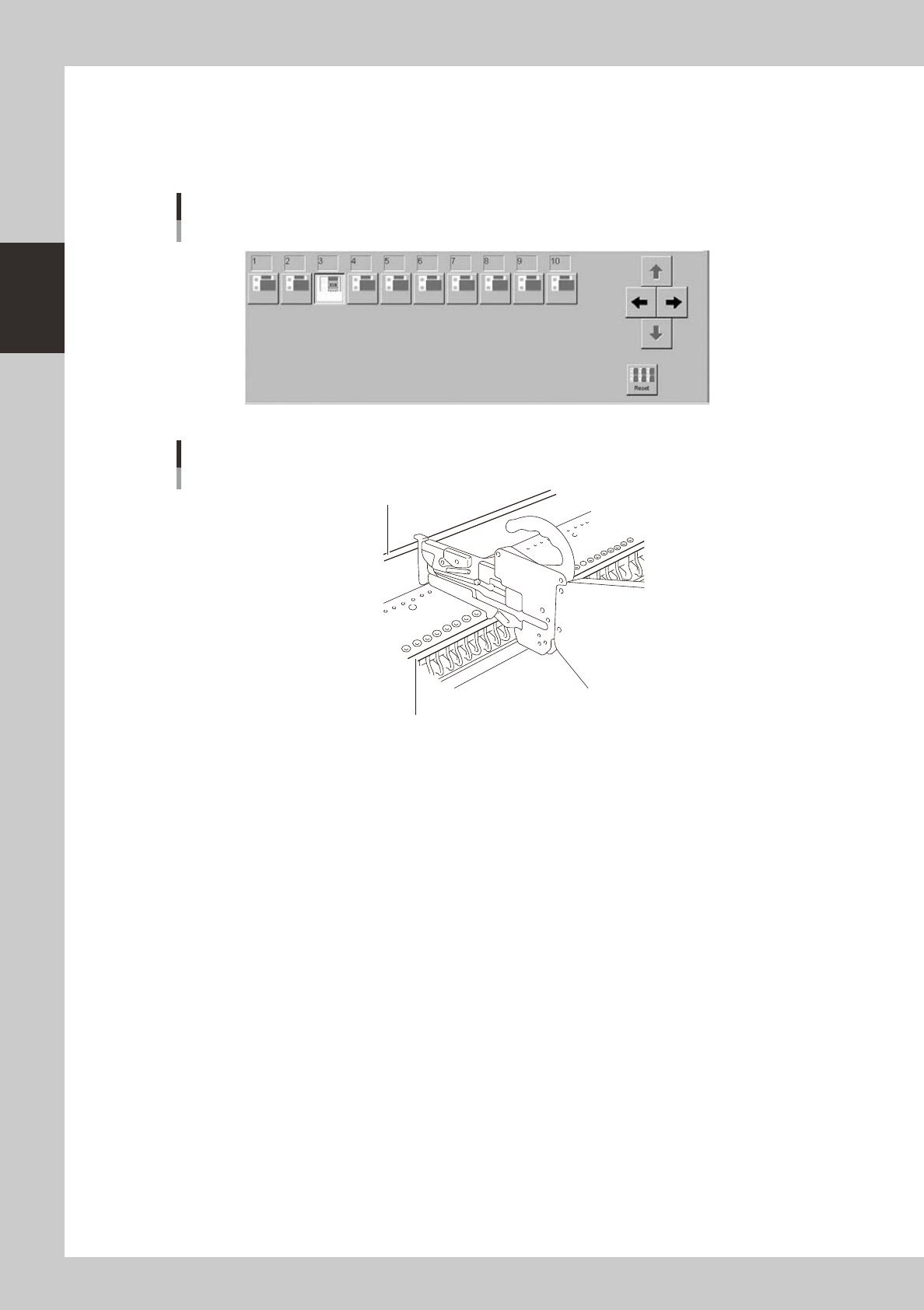
Click the icon of the feeder you want to operate.
Click the icon of the feeder plate number, at which the tape feeder you want to operate is installed, in
the feeder list in lower part of the screen. The air supply is switched on or off each time you click this
button.
Click several times to operate the feeder and check for any malfunctions.
Feeder screen
Selecting the feeder
24227-M7-00
26
27
28
29
35
32
33
32
34
40
36
37
38
39
41
42
43
44
23
24
25
26
27
28
29
30
31
42
43
45
46
47
48
49
Plate numbers
Feeder plate number
Feeder plate number
23216-M7-00
2-39
2
asic operation
n
Checking the tray changer operation
1
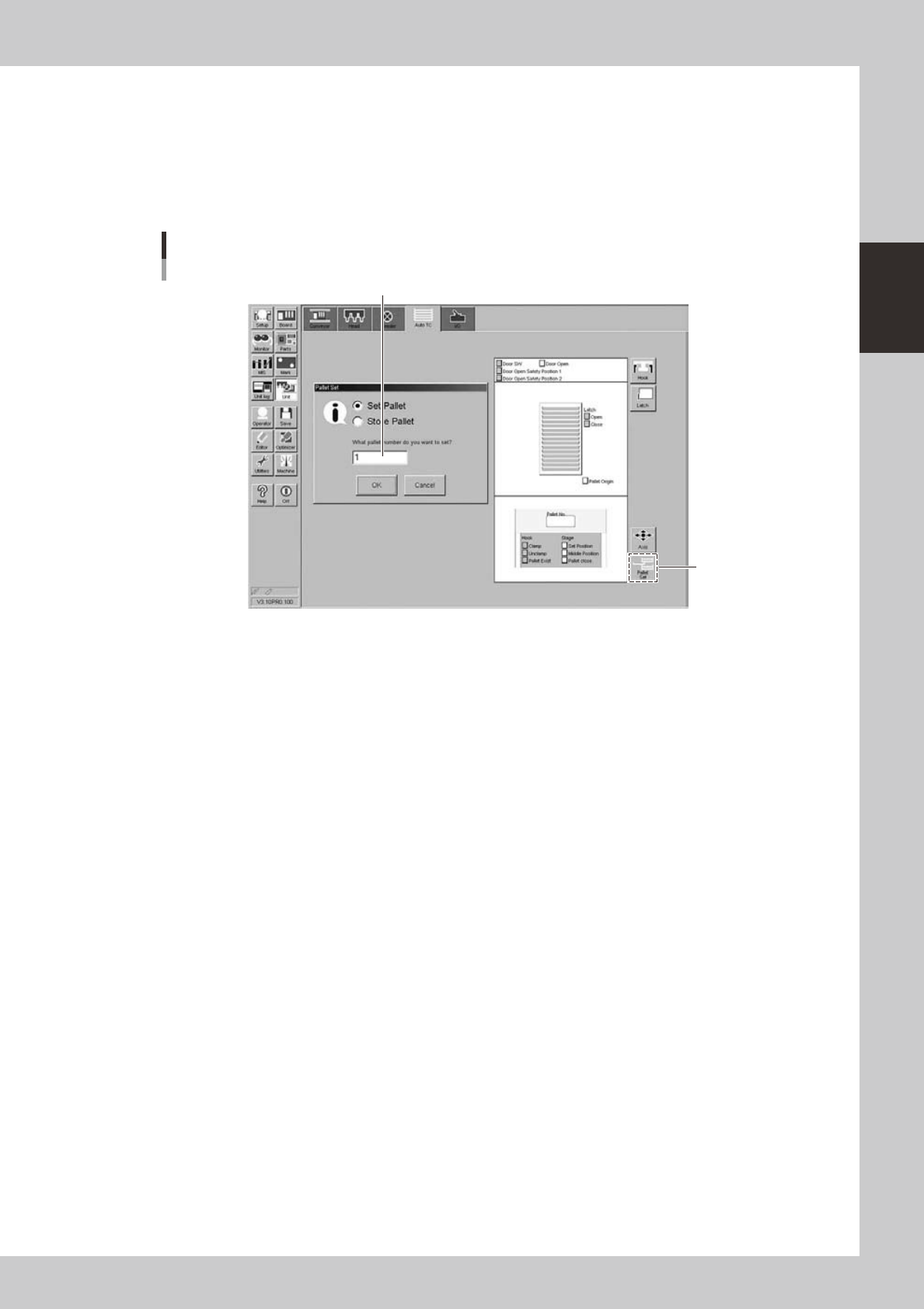
Open the tray changer screen.
Press the [Unit] button and then select the [Auto TC] tab to open the tray changer screen.
2
Extract a pallet from the tray changer.
Press the [Pallet Set] button to check whether a pallet is correctly extracted from the tray changer.
Tray changer screen
Selecting a pallet
[Pallet Set]
button
Enter a pallet number
24228-M7-00

Chapter 3 Starting and ending production
Contents
1. Starting production 3-1
1.1 Resuming operation from the stopped point 3-4
1.1.1 Loading the saved data 3-5
1.1.2 Editing mount flags 3-5
2. Ending production and turning power off 3-6
8
3.1 Production 3-8
0
2
4
3.5 Alignment 3-16
3.6 Retry 3-17
8
9
3.9 Pick Pos. (Pickup position offset) 3-20
3.10 Pick Rate Warning 3-22