00197727-12_IM_SE3.11_DE.pdf - 第19页
Installations- und Konfigurationsanleitung SIPLACE Explorer 2 Sy stemkomponenten und -Konfigurationen Ausgabe 11/2020 DE 2.3 Standard-Installations-Varianten des SIPL ACE Explorer 19 2.3.3 Single-Line-Layout Die Installa…
2 Systemkomponenten und -Konfigurationen Installations- und Konfigurationsanleitung SIPLACE Explorer
2.3 Standard-Installations-Varianten des SIPLACE Explorer Ausgabe 11/2020 DE
18
2
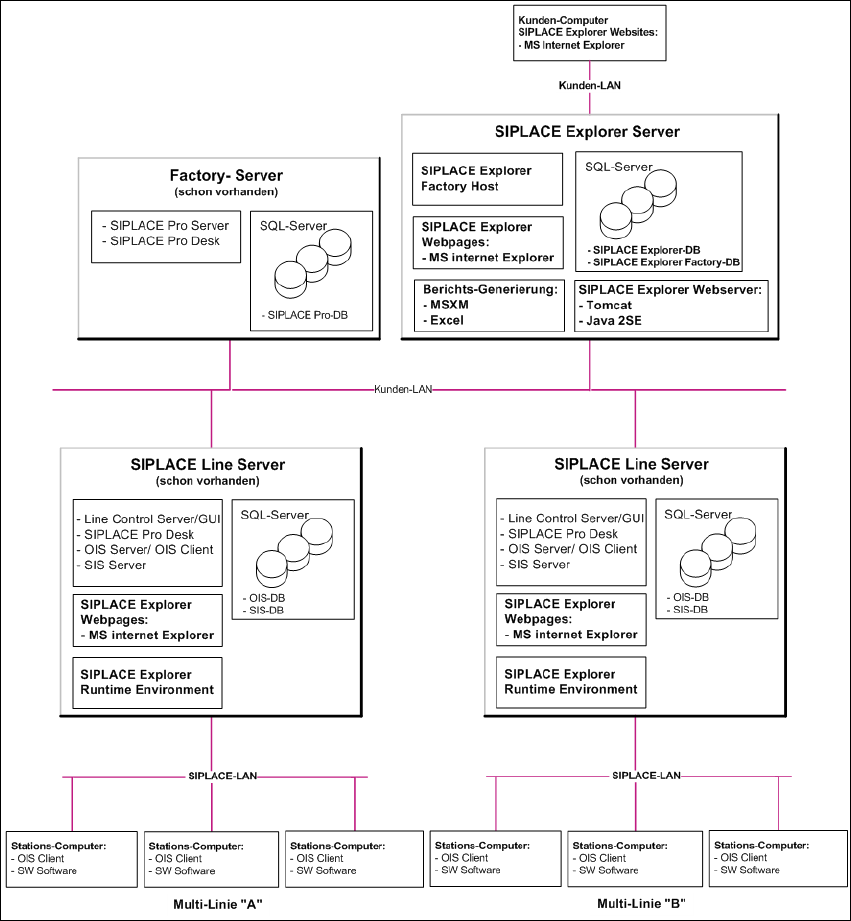
Abb. 2.3 - 2 Installations-Variante: Factory-Layout Dl
Installations- und Konfigurationsanleitung SIPLACE Explorer 2 Systemkomponenten und -Konfigurationen
Ausgabe 11/2020 DE 2.3 Standard-Installations-Varianten des SIPLACE Explorer
19
2.3.3 Single-Line-Layout
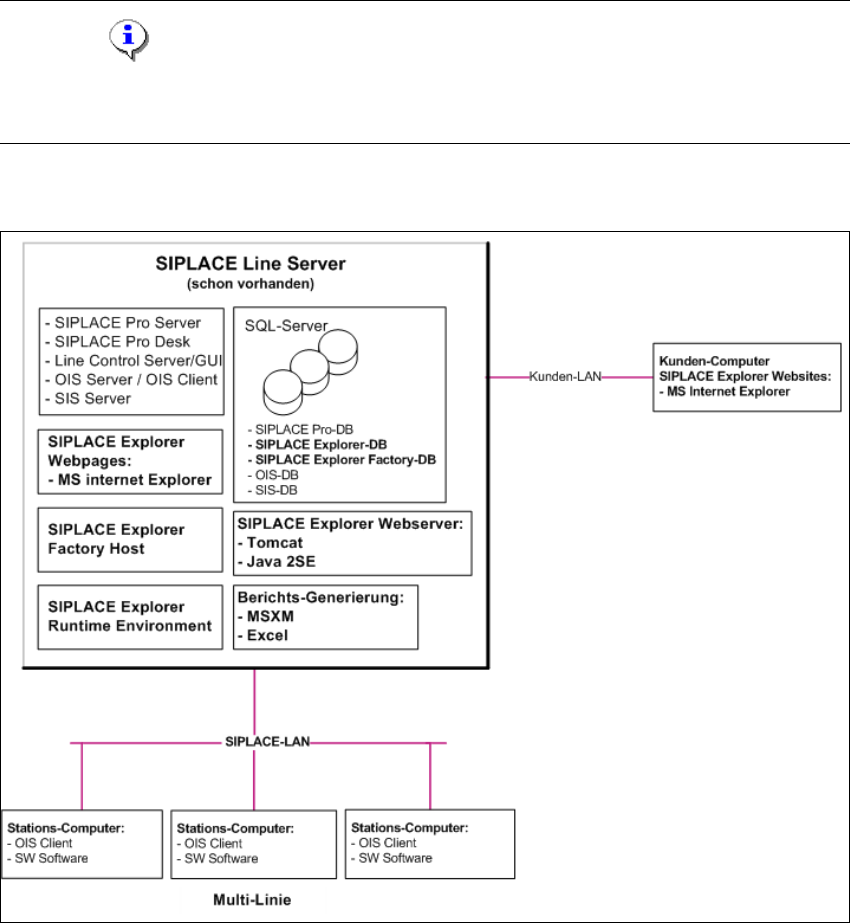
Die Installations-Variante Single-Line-Layout unterstützt genau eine Multi Line. 2
Dabei wird SIPLACE Explorer komplett mit allen Systemkomponenten auf dem vorhandenenden
SIPLACE Linien-Server installiert. SIPLACE Pro und OIS/SIS sind ebenfalls auf diesem SIPLACE
Linien-Server installiert. 2
HINWEIS
Achten Sie darauf, dass mit dieser Installations-Variante nur eine Applikation mit bis zu 7
Maschinen überwacht werden kann. 2
Die folgende Übersicht stellt ein Beispiel für die Installations-Variante "Single-Line-Layout" dar: 2
2
Abb. 2.3 - 3 Installations-Variante: Single-Line-Layout
2
2 Systemkomponenten und -Konfigurationen Installations- und Konfigurationsanleitung SIPLACE Explorer
2.3 Standard-Installations-Varianten des SIPLACE Explorer Ausgabe 11/2020 DE
20