Vakuumtooling an HS60.pdf - 第54页
2 Assembly instructions Special design Va cuum tooling SIPLACE H S-60 Special design 10/2006 Edition 54 2.9 Inst allation of the sp acers in the conveyor The spacers a void a clamping of the PCB. 2 2 2 If the vacuum tool…
Special design 2 Assembly instructions Special design Vacuum tooling SIPLACE HS-60
10/2006 Edition
53
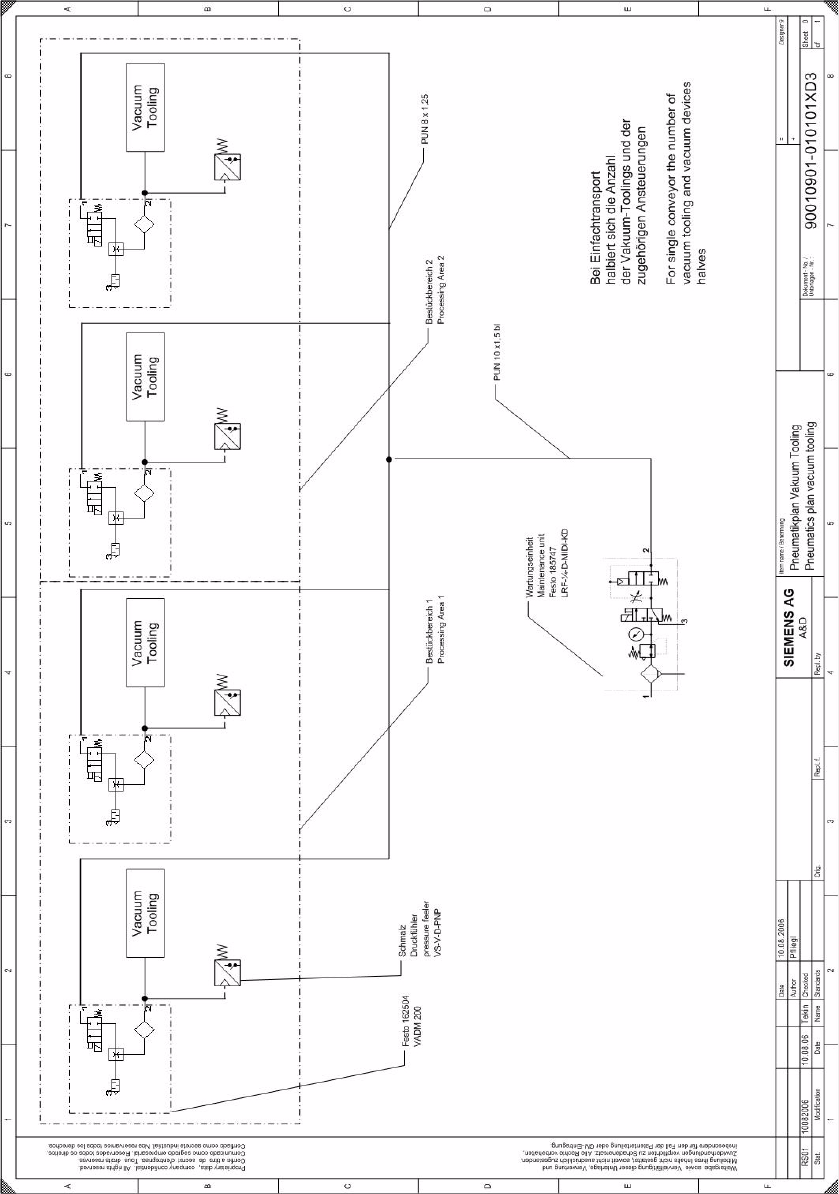
2.8.5.2 Pneumatic diagram
2
2 Assembly instructions Special design Vacuum tooling SIPLACE HS-60 Special design
10/2006 Edition
54
2.9 Installation of the spacers in the conveyor
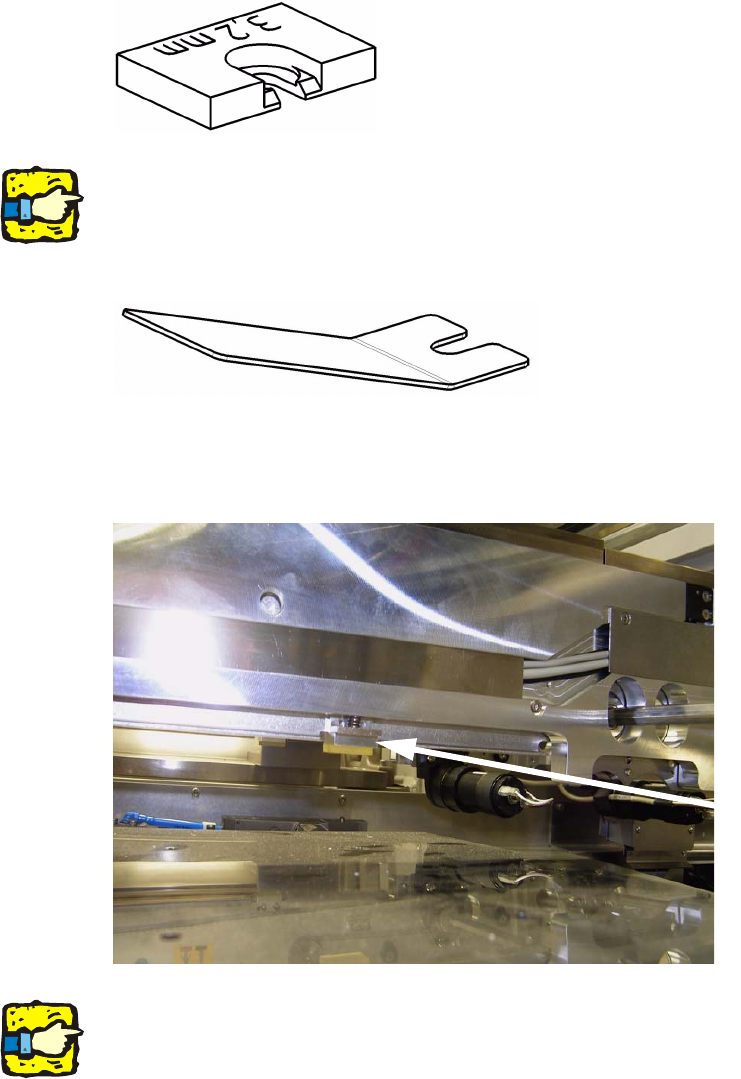
The spacers avoid a clamping of the PCB. 2
2
2
If the vacuum tooling will be removed, to produce other PCB’s, the 8 spacers also have to be re-
moved. 2
With the delivered tool the spacers are easy to fit. 2
2
: Push the tool under the spring and lift the spring gently.
: Push in one spacer per actuator. There are 4 spacers per processing area and conveyor line.
2
2
For removing the spacers follow the instructions in inverted direction. 2
2
Spacer

Special design 2 Assembly instructions Special design Vacuum tooling SIPLACE HS-60
10/2006 Edition
55
2.10 Conveyor firmware
2.10.1 Working principle
The two outputs of the vacuum sensor are sampled by the conveyer firmware. If the two signals
“lifting table up” and “vacuum on” are present, the placement process will be enabled. After the
placement process it will be checked if the vacuum is completely relieved. Not until that is true,
the lifting table will drive down and the PCB will be moved. 2
2.10.2 Setting the conveyor firmware with Hyperterminal
: Connect your computer with the conveyor controller with a serial cable (1:1 – cable)
: Start the program on the delivered CD “Ip-transport.ht” with a double-click.
2
Hauptmenue Transport Siplace HS60 2
Trace-Meldungen aus: 'Strg'+'A', ein: 'Strg'+'E' 2
1 - Bug-Report 2
2 - Transport Info 2
3 - Einstellen Meldungen 2
4 - Steuerplatine 2
5 - Einzelkomponenten 2
6 - Dauerlauf 2
7 - Firmware-Test 2
8 - Koppeln Barcode-Schnittstelle 2
9 - parameter 2
2
parameter 2
1 - list parameter 2
2 - modify parameter 2
3 - save to EEPROM 2
0 - quit 2
parameter track 1 2
1, 6, // version 2
10, 500, // [mm/s] maximum velocity conveyor 2
11, 350, // [mm/s] velocity drive-in machine 2
12, 350, // [mm/s] velocity drive-out machine 2
13, 50, // [0.1m/s²] maximum acceleration 2
14, 60, // [mm/s] velocity laser-light barrier 2