IPS adjustment on the modules.pdf - 第21页
E dition 1 .0 IPS Adjustment for V arious H ead T ypes on the Module < H24 head > FK - 9F50 - 74 - 0E 1-9 FUJI CORPORA TION Adjusting the C urr ent V a l ue ( Gr a y s cale V al ue) ( ADJUSTME NT 2) 1. Press the up…
Edition 1.0 IPS Adjustment for Various Head Types on the Module
<H24 head>
FK-9F50-74-0E 1-8
FUJI CORPORATION
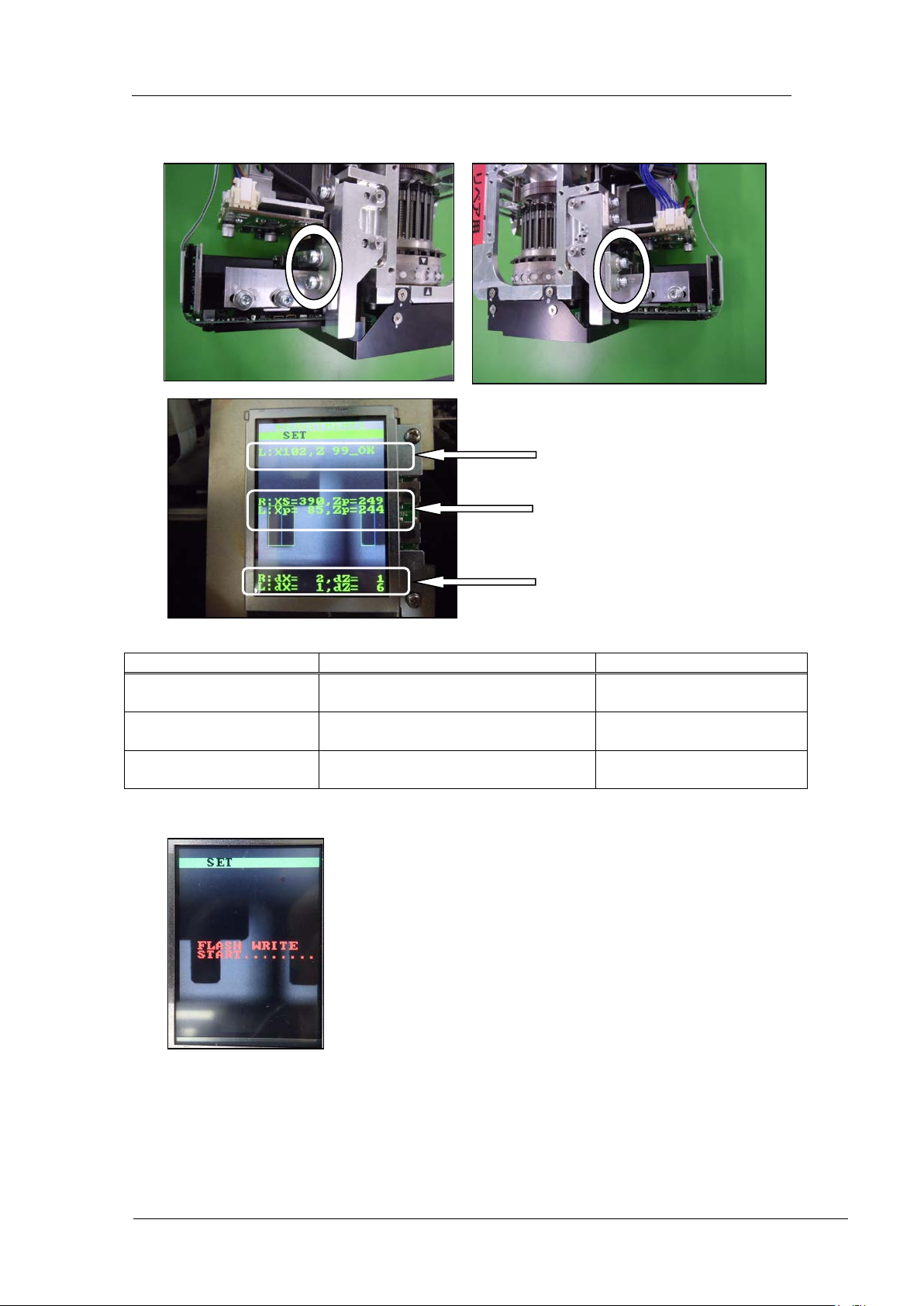
5. Use the bolts below to adjust the camera position so that the center value, resolution
and tilt are al l w ithin t olerance.
Inspection item
Tolerance
Target value
Camera resolution
L: X = 92~ 108
L: Z = 92~108
Same as tolerance
Center val ue
R: Xs = 380~400, Zp = 235~255
L: Xp = 80~ 100, Zp = 237~253
R: Xs = 390, Zp = 245
L: Xp = 90, Zp = 245
Tilt
R: dX = 0~6, dZ = 0~ 9
L: dX = 0~ 6, dZ = 0~9
R: dX = 0, dZ = 0
L: dX = 0, dZ = 0
6. If the results are w ithi n tolerance, pr ess the lower button t o save the sett ings.
7. Once savin g the setting s, r em ove the jig nozzles (2AGKNJ001500).
Resolution
Center val ue
Tilt
CONFIDENTIAL
Edition 1.0 IPS Adjustment for Various Head Types on the Module
<H24 head>
FK-9F50-74-0E 1-9
FUJI CORPORATION
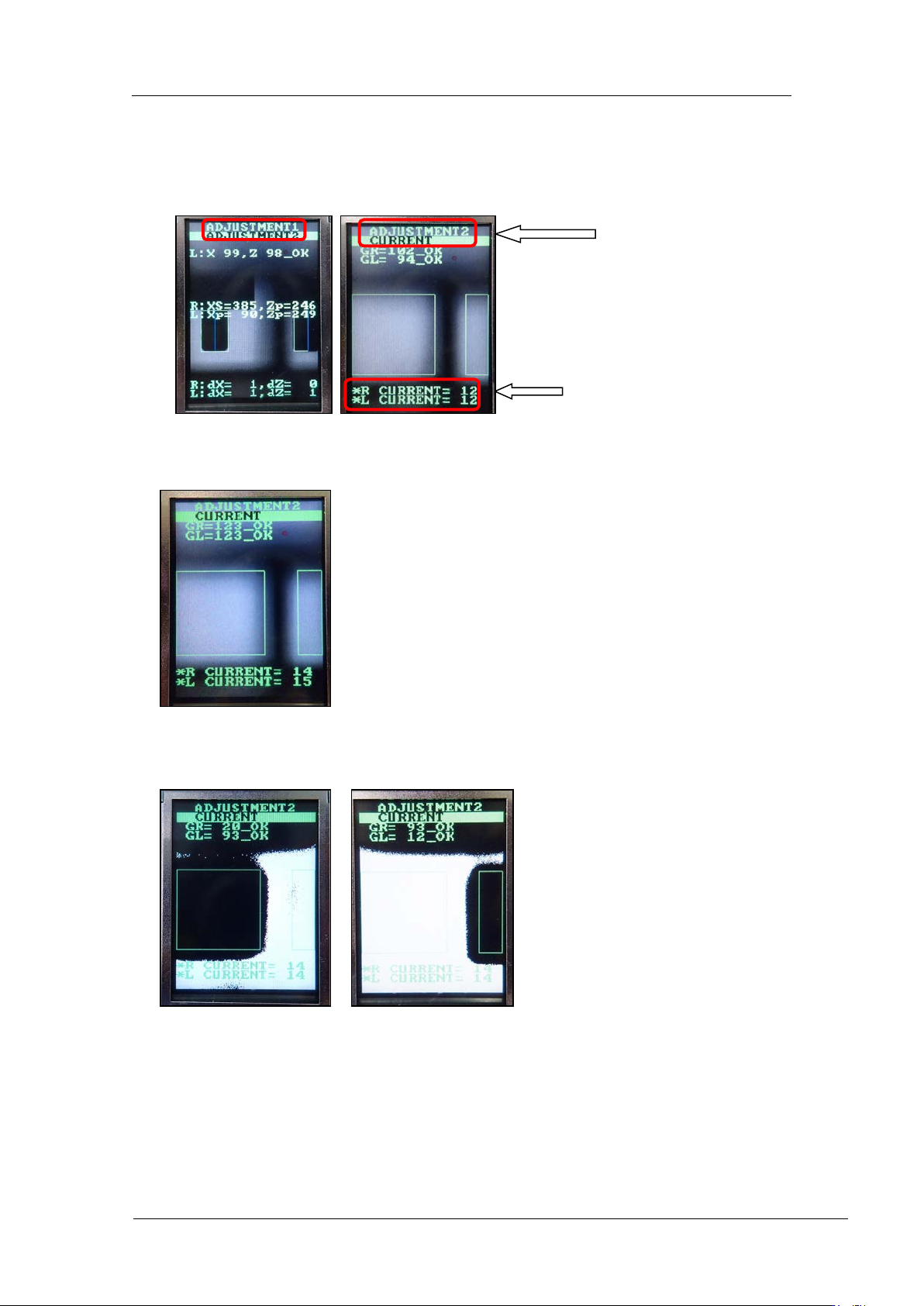
Adjusting the Current Va lue (Gr ayscale Value) (ADJUSTMENT2)
1. Press the upper button to change to [ADJUSTMENT 2] mode. Press the lower button
to display the current and grayscale values.
2. Press the upper and lower buttons simultaneously to reverse the LCD contrast, and
then check there are no w hit e ar eas within t he gr een rectangles .
3. Block the right-hand glass and check there is no effect on the left-hand area. Blo ck th e
left-hand glass and check there is no e ffect on t he r i ght-han d area.
4. Press the upper and lower buttons simultaneously to set the LCD contrast back to
normal.
Grayscale
values
Current
values
CONFIDENTIAL
Edition 1.0 IPS Adjustment for Various Head Types on the Module
<H24 head>
FK-9F50-74-0E 1-10
FUJI CORPORATION
5. Rotate the R-axis through one full rotation and confirm that there is no position where
the variation in the grayscale values (GR and GL) is extreme. If the grayscale value is
too big, check the fluorescent status. I f it is d irt y, clean or replace it as ne cessar y.
6. Rotate the R-axis by hand to find the positions where the grayscale values (GR and
GL) are maximized and minimized. Check that the minimum and maximum grayscale
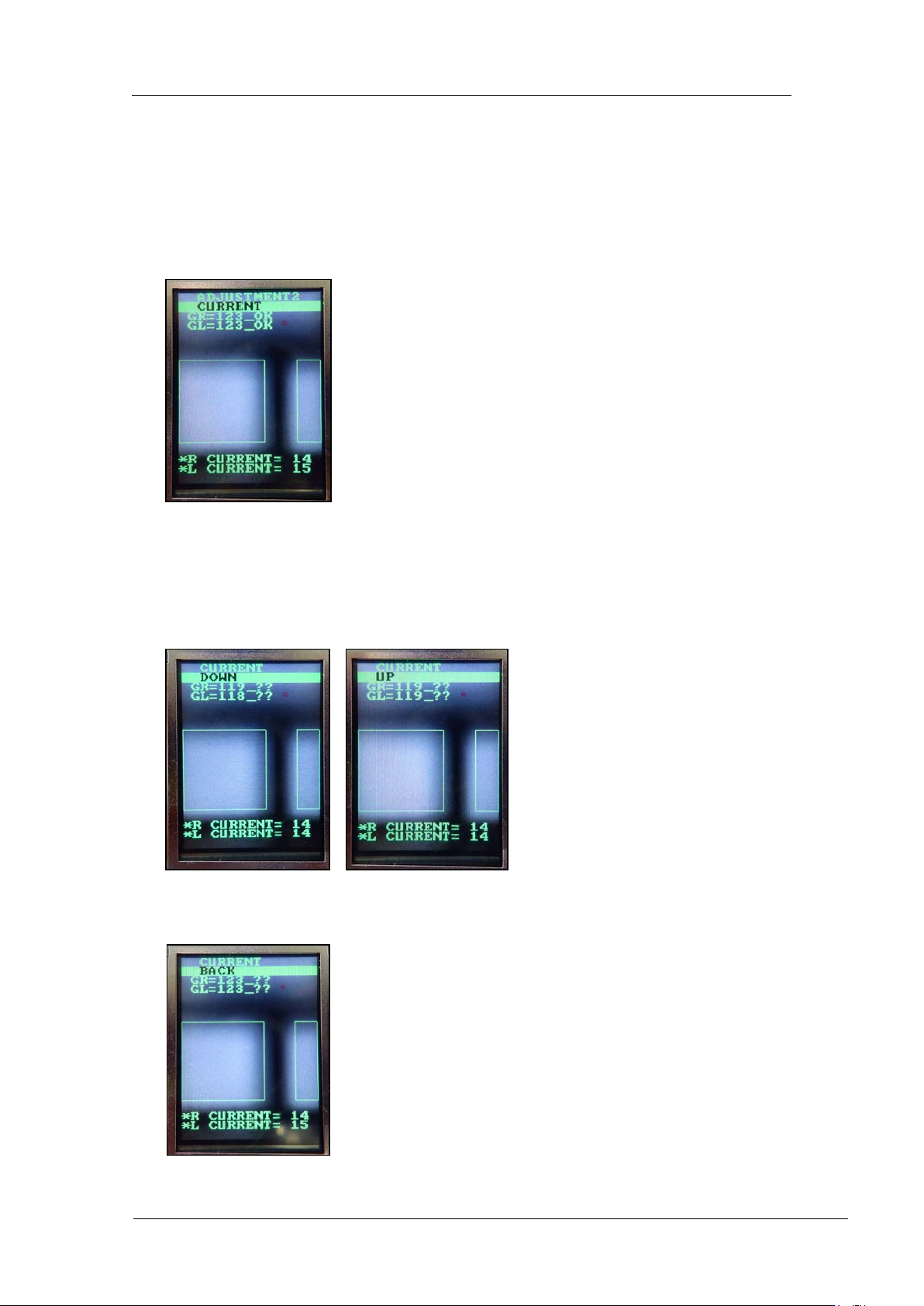
values are within the to lerance of 12 0~ 160 (target: 120) .
7. Also check that the current v alue is 24 m A or less.
8. If the gray scal e values are not within t he target value s, adjust t hem as shown below.
9. Press the lower button to display “CURRENT UP” or “CURRENT DOWN”. When
raising the value, display “CURRENT UP” and press the lower button to adjust the
value. When lowering the value, display “CURRENT DOWN” and press the lower
button to adj ust the value.
10. Once the value is within the tolerance, press the upper button to display “CURRENT
BACK”.
CONFIDENTIAL