VI User Manual.pdf - 第373页
Options Vision 2007 4.10 User Manua l Rev 01 15 - 3 15.2 Automatic Bar Code Changeover (ABC) This option allo ws to automatically load a progr am according to the pane l bar code rea ds in production. For each board in p…
Options
15 - 2 Vision 2007 4.10 User Manual Rev 01
15.1.2 Installation procedure
1. Copy the module file ViTxxxx.dll in C:\ViT
2. These modules are COM objects. So they must be registered:
Open the main Windows menu Start.
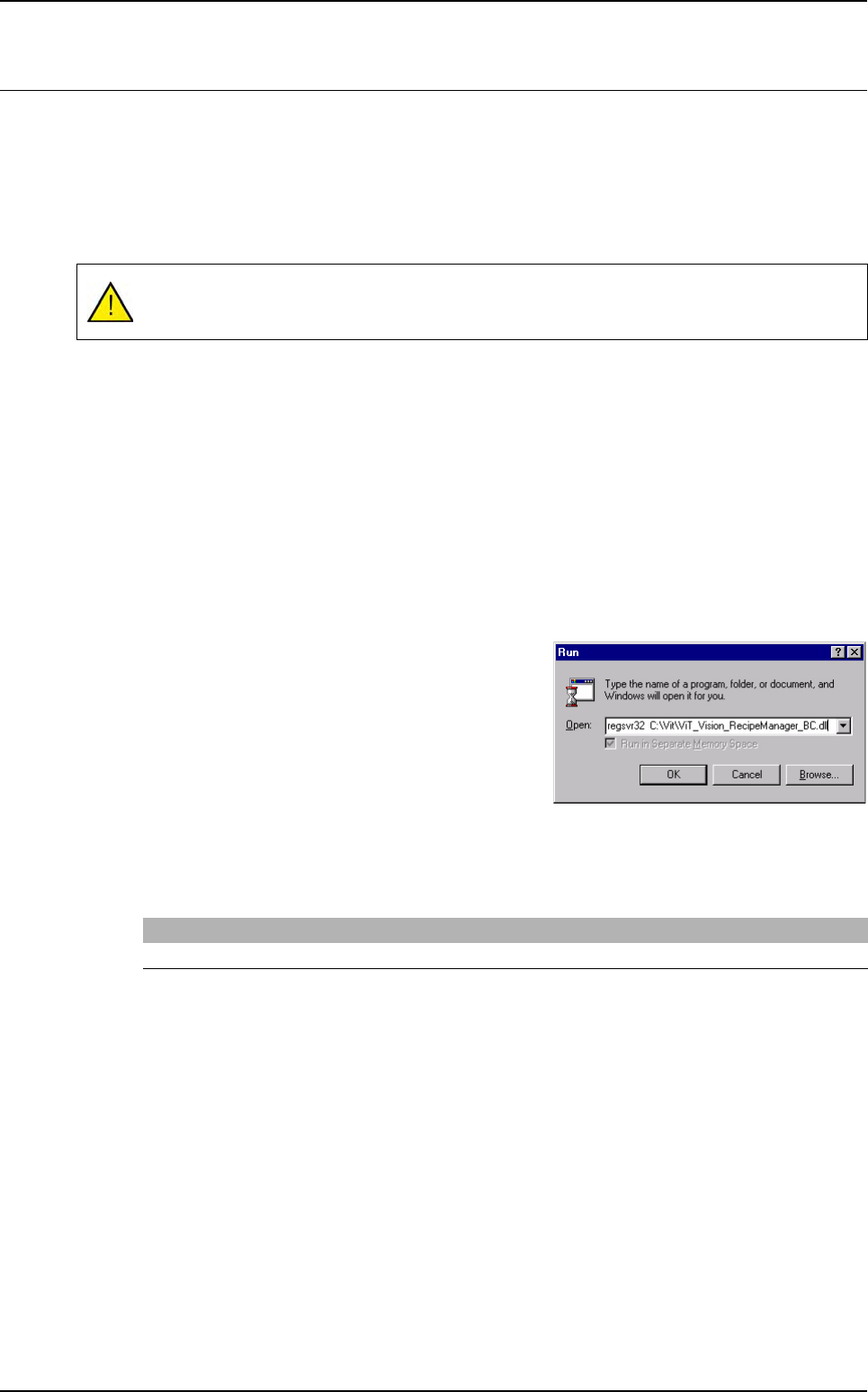
Select Run…, type regsvr32.
Take the module file with the mouse and drop it inside the Run window. It completes the
command with the module file name: regsvr32 C:\ViT\ViTxxxx.dll.
Click OK. An acceptance message must appear.
3. Put its parameters in registry:
Double click on the associated .reg file.
Open the main Windows menu Start.
Select Run…, type regedit.
Go to [HKEY_LOCAL_MACHINE\SOFTWARE\DYAMANT Industrie\Communica-
tion\ModuleName] and adapt its parameters.
4. On the AOI system, edit the file C:\ViT\Config\DefaultValues.ini.
Search the key External Communication and add the module name after Prog_ID=.
Then, Vision 2007 knows that it must use this module. However, it is necessary to go in
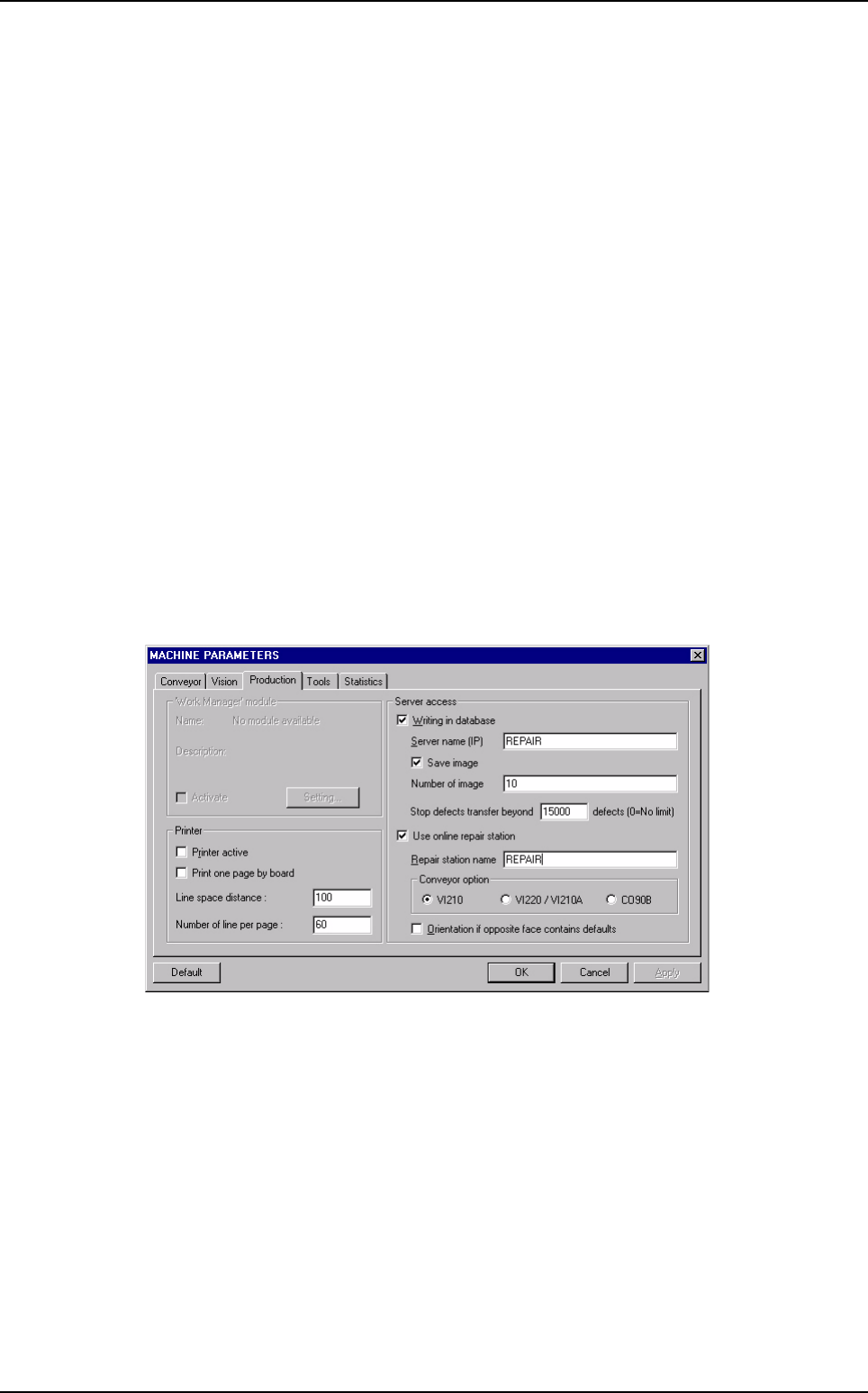
Maintenance mode, select Parameters then Production tab and check the Work Ma-
nager Module box in order to activate this module.
5. On the Superviseur station, edit the file C:\ViT\Config\ConfigSuperviseur.ini.
Search the key External Communication and add the module name after Prog_ID=.
Then, the Superviseur software knows that it must use this module.
AOI communication modules
Options
Vision 2007 4.10 User Manual Rev 01 15 - 3
15.2 Automatic Bar Code Changeover (ABC)
This option allows to automatically load a program according to the panel bar code reads in production.
For each board in production, the AOI system reads the panel bar code, extracts specific characters
(which define the product) and searches in a text file the name of the associated program.
The text file contains the correspondence between the bar code root and the .tst file name to load in
production.
15.2.1 Installation procedure
This option is based on AOI communication modules, to use this option, you need a licence.
To use this option, you must install the corresponding communication object on the AOI sys-
tem.
1. Copy the module file ViT_Vision_RecipeManager_BC.dll in C:\VIT.
2. Register it:
Open the main windows menu Start.
Select Run.
Enter the command
regsvr32
followed of the
path of the
ViT_Vision_RecipeManager_BC.dll
Dll.
3. Then, on the DefaultValue.ini file, you must change the following key.
Put ViT_Vision_RecipeManager_BC.ViT_RecipeManager_BC.1 on the key Prog_ID.
Products must always have the same width: the bar code reader is mounted on the AOI
system and the automatic width setting is disabled when starting production.
[External communication]
Prog_ID=ViT_Vision_RecipeManager_BC.ViT_RecipeManager_BC.1

Options
15 - 4 Vision 2007 4.10 User Manual Rev 01
15.2.2 Correspondence text file
This text file is filled in manually by the user. It contains specific key words:
CONVEYOR_WIDTH and PROGRAM_NAME.
The text file must have a special format.
Tabulation or spaces are used for separators.
Comment lines begin with #.
Several barcode roots can be used to load the same .tst file.
Position corresponds to the position of the specified first digit in the bar code (1, …, n). If
you do not specify a position, it is means that it is the 1st character.
#Conveyor width in mm
CONVEYOR_WIDTH 119
#Path + name of the Test file
PROGRAM_NAME C:\Vit\data\test1.tst
#Digits Position
3G- 1
3TD 3
3SW
PROGRAM_NAME C:\Vit\data\test2.tst
27K
2U
2AZ
PROGRAM_NAME "C:\Vit\data\test 3.tst"
300
2IA
2CT
Be careful:
If the path or the name of the test file contains one or several space, you need
to add inverted commas at the beginning and at the end of the strings:
PROGRAM_NAME "C:\Vit\data\test 3.tst"
Key information must be on the same line:
PROGRAM_NAME C:\Vit\data\test1.tst
If you do not specify the key CONVEYOR_WIDTH, the width defined in the 1st
.tst file loaded in production will be used for conveyor adjustment.
Automatic Bar Code Changeover (ABC)