VI User Manual.pdf - 第86页
.TST file creation 4 - 12 Vision 2007 4.10 User Manual Re v 01 4.4 Solder paste (optional) To inspect solder paste on a board, you must import the ge rber informa tion on the .tst file. 4.4.1 Gerber file importation Impo…
.TST file creation
Vision 2007 4.10 User Manual Rev 01 4 - 11
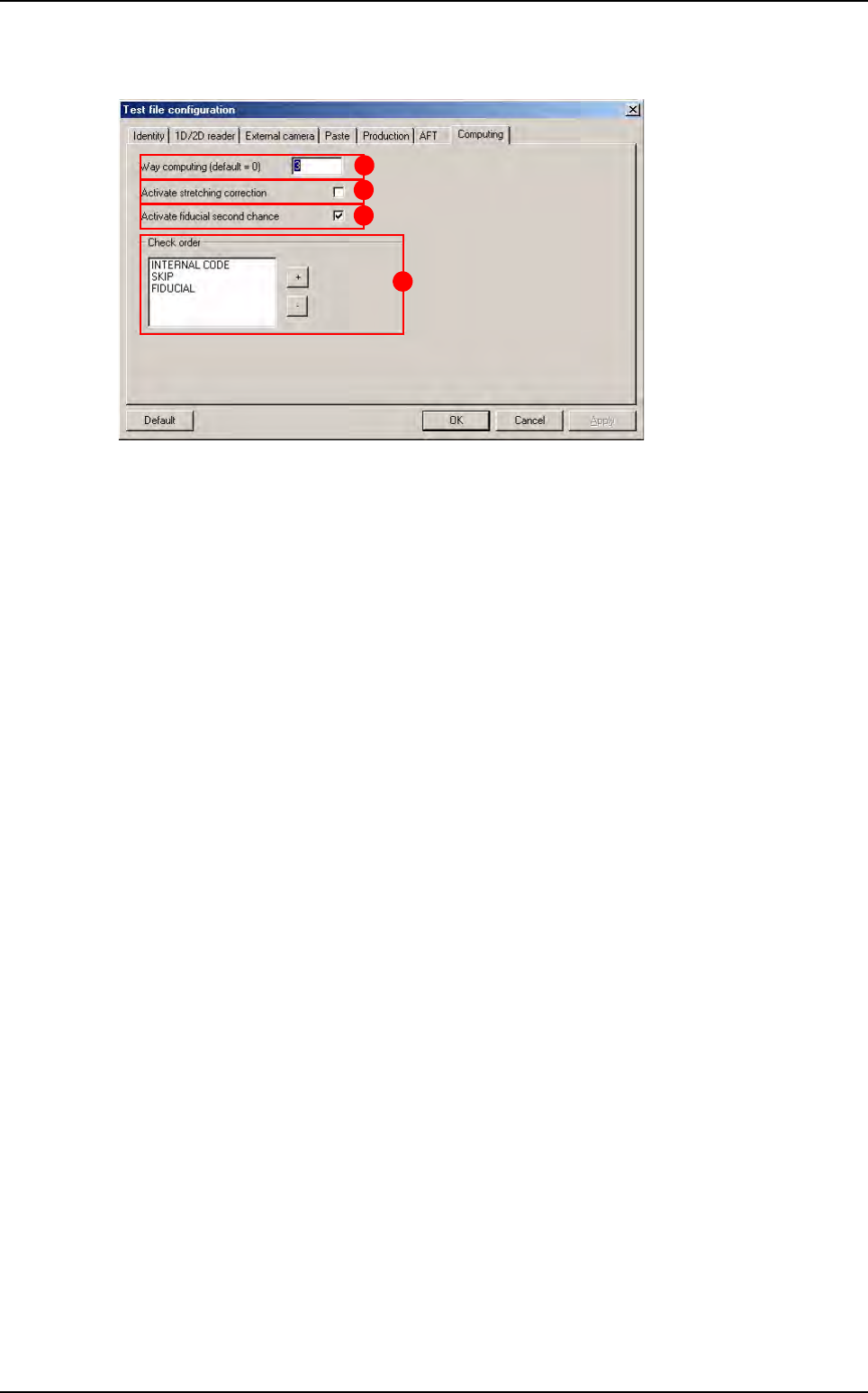
4.3.5 Computing tab
The
Way computing (default = 0)
(
A
) is the number of camera passages to inspect the panel
(0 = the number of passages is optimized by the software).
Activation of the stretching correction (
B
) (board expansion) with respect to the fiducials.
Activation of a second try (C), if fiducial fails in production: increase the search window 2 times.
In Check order (D) area, use + and - buttons to determine the inspection order of internal code,
skip and fiducial.
Click OK to confirm the configuration parameters.
D
A
B
C
Configuring the .tst file
.TST file creation
4 - 12 Vision 2007 4.10 User Manual Rev 01
4.4 Solder paste (optional)
To inspect solder paste on a board, you must import the gerber information on the .tst file.
4.4.1 Gerber file importation
Import the gerber file to the .tst file to obtain the graphic representation of the solder paste pads.
In the Test file menu go to Import sub menu and select Gerber File.
4.4.2 Create zones
Placing the zones in order to incorporate the solder paste pads and test them. In the Edit menu
go to Board sub menu and select Create zones.
A gerber file can only be imported to an existing .tst file.
.TST file creation
Vision 2007 4.10 User Manual Rev 01 4 - 13
4.5 Feeder information
4.5.1 Feeder file builder
This wizard guides you through all steps to create a feeder file directly from a text file by extract-
ing relevent information.
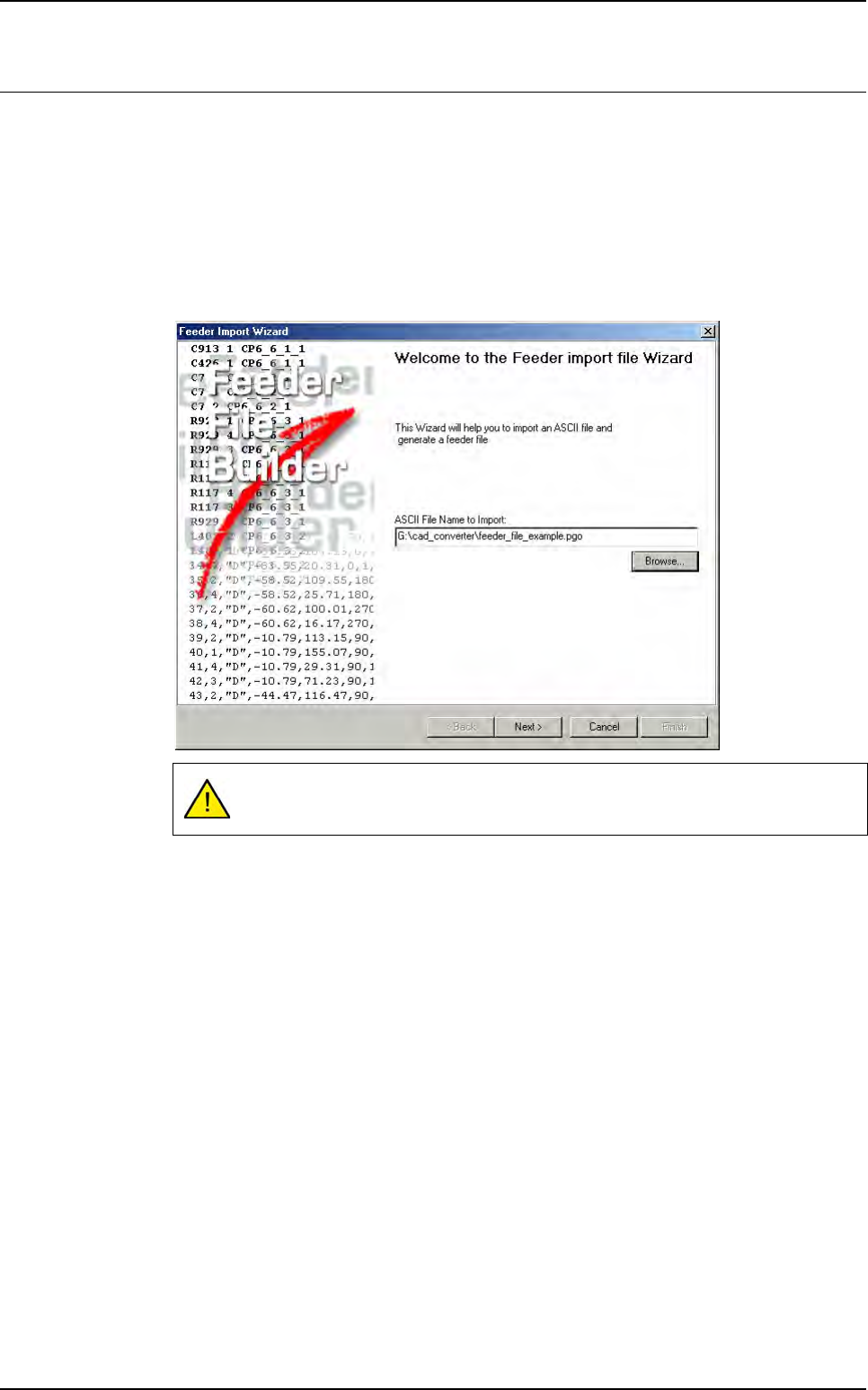
4.5.1.1 Feeder wizard starting
To run the feeder wizard go in Process menu and select Feeder Wizard (Ctrl+Shift+F).
The below window is displayed, enter a text file name to continue the wizard.
Click Next >.
This text file name should contain the feeder information.