QP-242E 工程师培训手册 (6.0).pdf.pdf - 第82页
FK-9F98-07 QP242E Training Text for Service Engineers 6th edition 8. MTU6 Adjustment [ 14 /16] Fuji Machine Mfg. Co., Ltd. Okazaki SMT Equipment Quality Assurance Dept. Technical Support Div. Section No.2 8- 14 [8- 2 1 ]…
FK-9F98-07 QP242E Training Text for Service Engineers
6th edition 8. MTU6 Adjustment [13/16]
Fuji Machine Mfg. Co., Ltd. Okazaki
SMT Equipment Quality Assurance Dept.
Technical Support Div. Section No.2
8-13
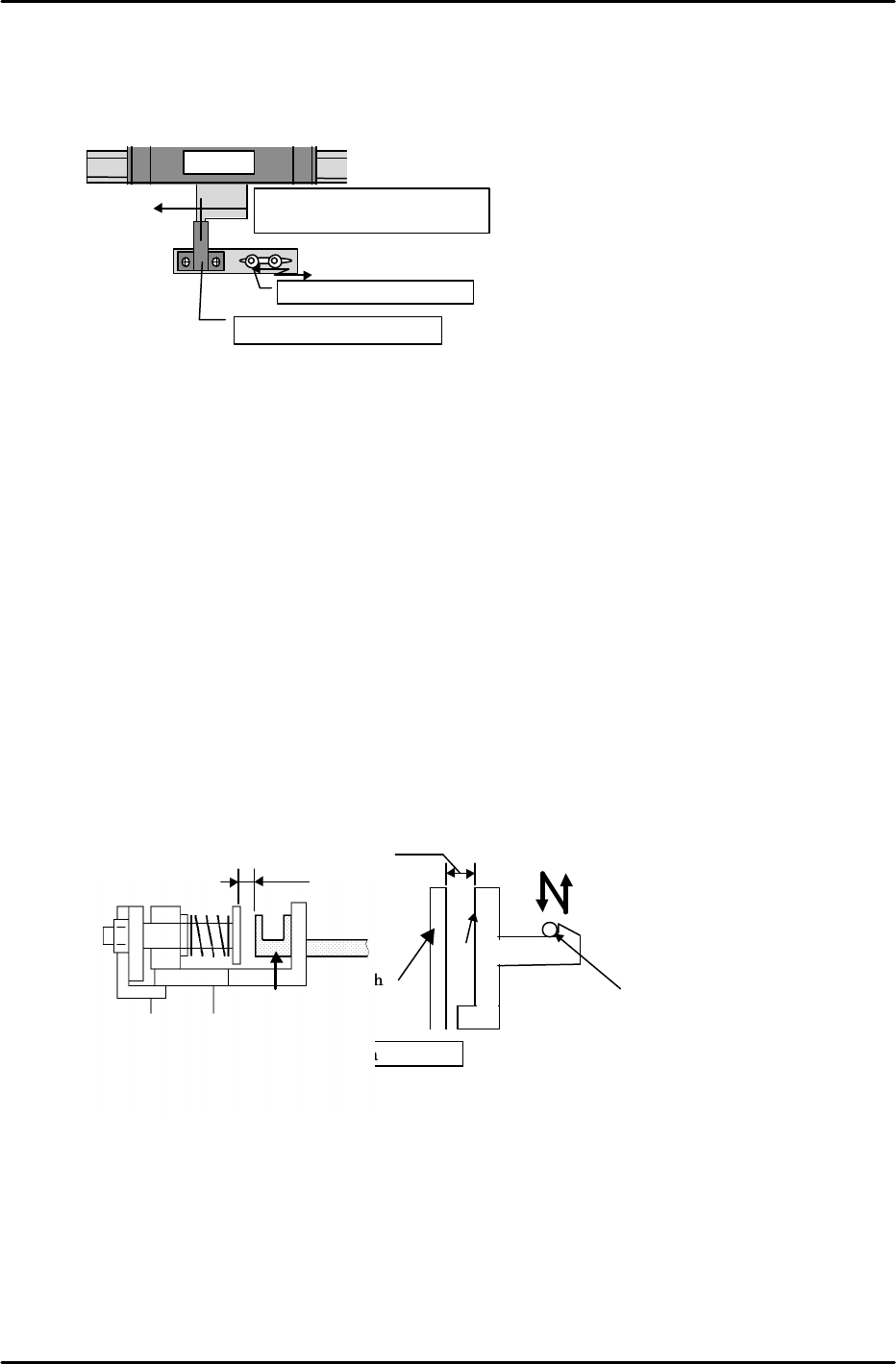
Tray holder
Cam follower contact adjustment
4mm
parallel
Cam
Side C
Shuttle
plate
Top view
Cam
follower
Cam follower
contact
adjustment
3) Retract limit check sensor adjustment
Adjust the retract limit check sensor from the Original_Position_TY position. Move the
bracket on the sensor side to adjust so that the dog is in the center of the sensor.
4) Shuttle retract limit stop position check
Move the shuttle from the advance limit to the retract limit. When this is done make
sure that the shuttle jaw does not come into contact with the tray holder guide. If it does
make contact then adjust the retract limit cushion and the stopper bolt. Advance and
retract the shuttle several times to verify.
5) Cam follower position check
a) Verify that the dog does not separate from the retract limit sensor as a result of the spring
force of the shuttle jaw even when the emergency stop status is enabled at the
Original_Position_TY position.
b) Advance and retract the shuttle repeatedly to verify that no unusual noise is being
produced between the cam follower and the cam. If the cam follower strikes the cam too
hard this will produce a clicking sound.
Note: If the TY-axis separates from the retract limit sensor as a result of an emergency stop
it is possible that the cam follower is not striking the cam with enough force.
However, care should be exercised since if the striking force is too strong this will lead
to increased impact when a tray is stored as well as tray vibration.
In terms of cam follower contact, in general the cam should be adjusted so that side C
of the cam is parallel with the shaft plate (previously described).
However, if the conditions in step (1)and (2) above are not satisfied, use the cam
follower bracket as shown in the figure below to adjust the cam follower position.
Shuttle
Move the sensor bracket
Original_Position_TY pos.
Retract limit check sensor
Align the center of the dog
with the center of the sensor.
FK-9F98-07 QP242E Training Text for Service Engineers
6th edition 8. MTU6 Adjustment [14/16]
Fuji Machine Mfg. Co., Ltd. Okazaki
SMT Equipment Quality Assurance Dept.
Technical Support Div. Section No.2
8-14
[8-21]
Device_Origin_MTU6D0_X,Y
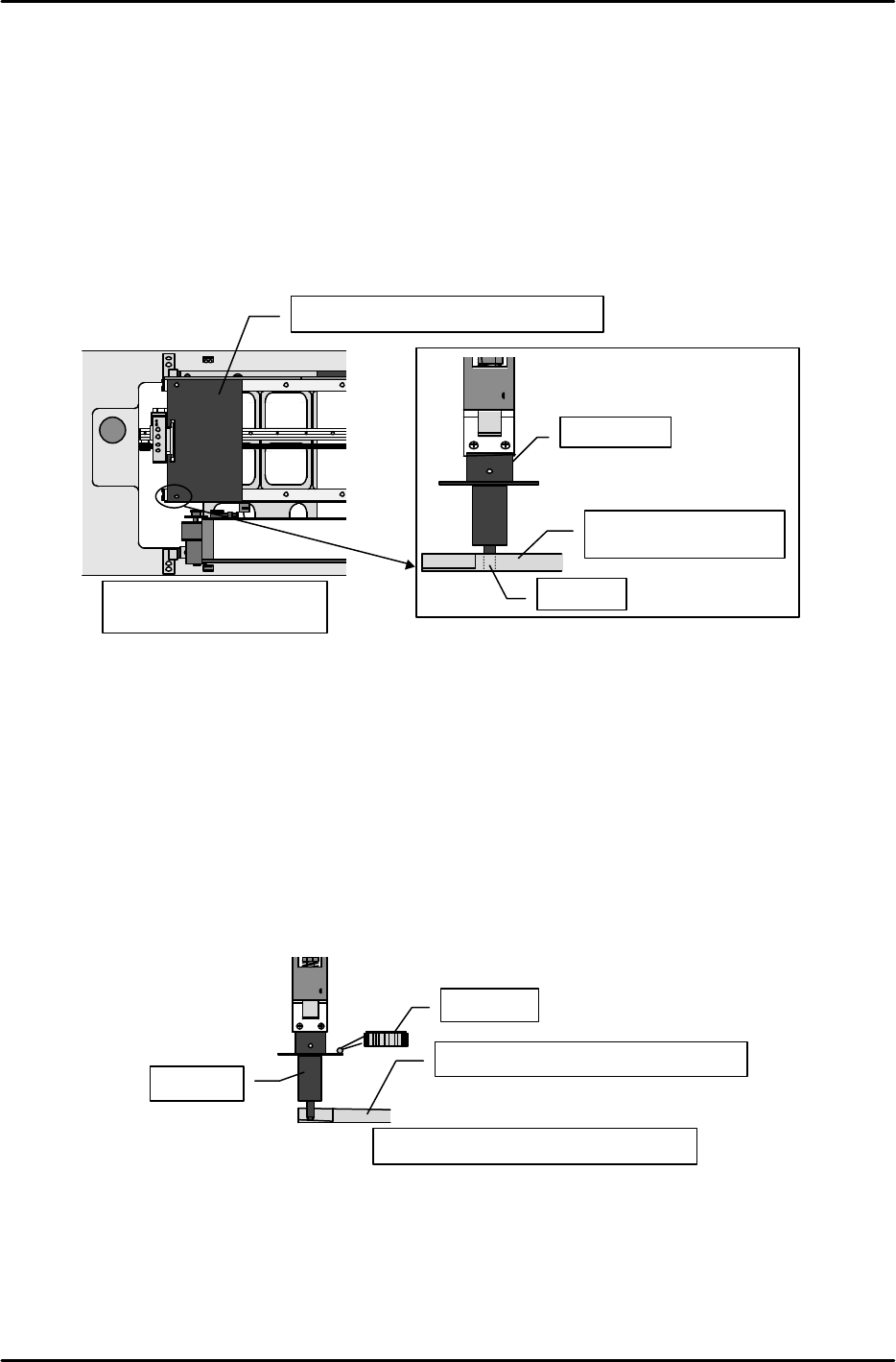
1) Set the nozzle jig.
2) Move the shuttle to the advance limit using the following command operation: [POSITION],
[MTU], [SHUTTLE], [ADVANCE], and press START. At this position measure the Proper
data for the left rear corner that is used as a reference when a tray is set in the tray holder.
3) Set the tray Proper data measurement jig on the shuttle at the advance limit.
4) Move the head to a position where the end of the nozzle jig will fit in the 3.0 mm hole in the
left rear of the jig.
5) In this position use the following command operation to automatically enter the Proper data;
[PROPER], [ETC], [DEVICE], [ORG. POS], [X1, Y1], and [SET].
6) Likewise, measure X2, Y2 at the right rear hole position and automatically enter the Proper
data.
[8-22] Pickup_Height_MTU6D_Z
1) Set the nozzle jig.
2) Verify that the tray Proper data measurement jig is at the advance limit.
3) Lower the Z-axis and at the position where the top of the notch on the left rear of the tray
Proper data measurement jig makes contact with the bottom of the jig, set the dial gauge on
the top of the luminescent disk.
4) Slowly raise the Z-axis to find the location at which the dial gauge beg ins to move.
5) This Z-axis position is Z01. Use the following command operation to automatically enter
the Proper data; [PROPER], [ETC], [DEVICE], [ORG. POS.], [Z1], and [SET].
6) Use the same procedure to measure Z2 at the right rear notch and then automatically enter
the Proper data.
Measure at the shuttle
advance limit position
Tray Proper data measurement jig
Nozzle jig
Tray Proper data
measurement jig
3mm hole
Tray Proper data measurement jig
Measure at the advance limit position
Nozzle jig
Dial gauge
FK-9F98-07 QP242E Training Text for Service Engineers
6th edition 8. MTU6 Adjustment [15/16]
Fuji Machine Mfg. Co., Ltd. Okazaki
SMT Equipment Quality Assurance Dept.
Technical Support Div. Section No.2
8-15
[8-23]
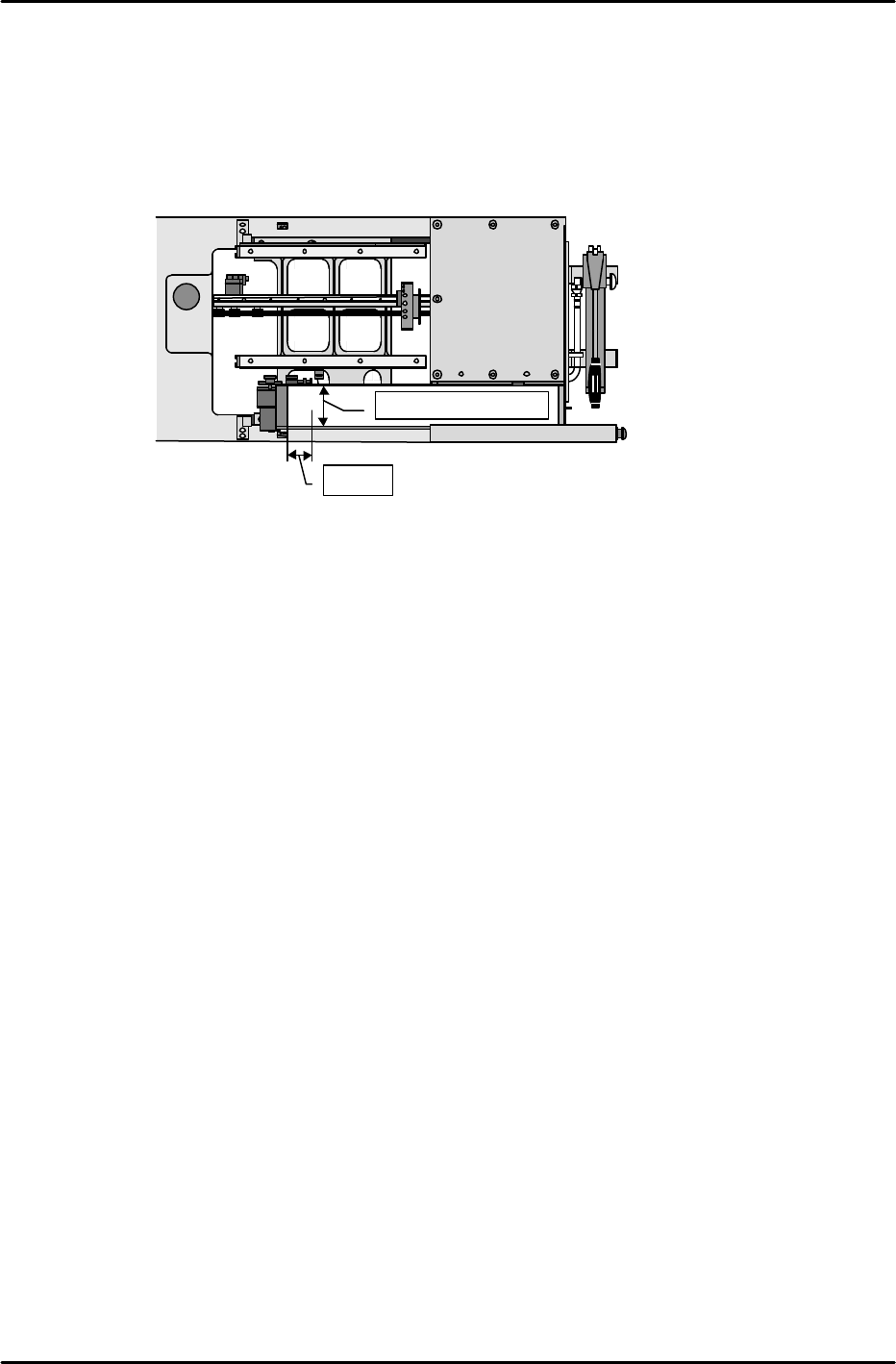
MTU_Parts_Eject_Pos.CV_X,Y
1) Set the nozzle jig.
2) Enable the servo lock status in the position where the center of the tip of the nozzle jig is 50
mm from the center of the reject parts conveyor in the X-direction and 50 mm from the back
side of the conveyor in the Y-direction.
3) This position is the MTU_Parts_Eject_Pos.CV_X & Y position. Use the following command
operation to automatically enter the Proper data; [PROPER], [ETC], [REJECT POS],
[CONVEYOR], and [SET].
[8-24] Proper Data Transmission to F4G
Once measurement of all Proper data items has been completed, transmit theProper data
back to F4G.
★
50mm
Center of the conveyor