Introduction(CP45FV) Eng.pdf - 第63页
Sensor Functions Chapter 5. Sensor Functions 5-1 5.1. Door Switch Door switches for detecting the opening/closi ng status of the front and rear doors are attached to this machine respectively. Figur e 5-1. Door Switch If…

Samsung Component Placer CP45FV Series Introduction
▶: Moves the placement end conveyor in the +X direction.
▼: Decreases the conveyor width moving the conveyor rear frame in the -Y
direction.
◀: - Moves the placement end conveyor in the -X direction.
Mode=Home have been selected
▲: Ignored.
▶: Ignored.
▼: The head is moved to the original position (Return to home position).
◀: Ignored.
Mode
Modes such as Jog, Bang, and Home are selected. As this button is pressed, LED for
indicating the corresponding mode is alternately turned on in the order of Jog ⇒
Bang ⇒ Home ⇒ Lights-out ⇒ Jog ... Each mode functions as follows:
Jog: Each axis is moved by this mode.
Bang: Each axis is moved by a minute distance by this mode.
Home: The original position (origin point) of each mode is found by this mode.
Axis
An object to be operated on is selected. As this button is pressed, LED is alternately
turned on in the order of XY⇒Z/R⇒S⇒W/Cv⇒ Lights-out ⇒ XY..., and the
object of operation is switched accordingly. Each functions as follows.
XY: A moving object is designated in the XY-direction of the head.
Z/R: A moving object is designated in the Z and rotational directions of the
nozzle.
S: A moving object is designated in rotational directions of the mirror.
W/Cv: A moving object is designated in the X-direction and Y-direction of the
conveyor.
Lights-out: For Home mode selected, returns to the original position for X, Y, Z
and R.
Head
If a mode other than Home is selected in the Mode and Z/R in the Axis is selected,
the corresponding number for the head that is the object of operation is designated.
4-6
Sensor Functions
Chapter 5. Sensor Functions
5-1
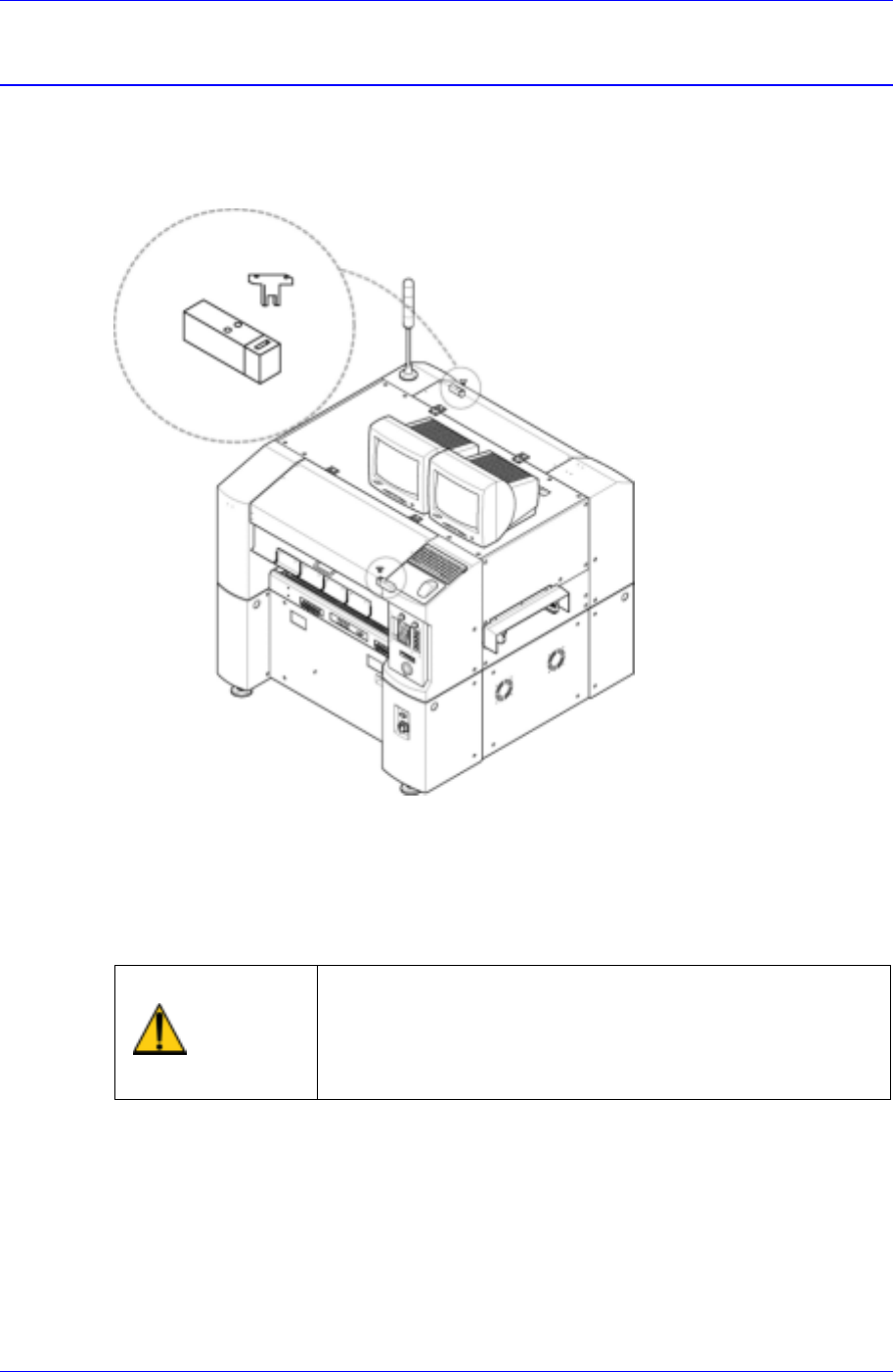
5.1. Door Switch
Door switches for detecting the opening/closing status of the front and rear doors are
attached to this machine respectively.
Figure 5-1. Door Switch
If the door is open while this machine is running, the door switch is activated and the
system comes into the emergency stop status. The emergency stop status is released if the
door is closed. In order to resume the operation, press <Stop> and <Reset> switch on the
operation panel to release the emergency status, then press <Main Start> and <Ready>
switch.
Warning
If the safety sensor of the door is cancelled arbitrarily, the
machine will not stop even though the door is opened
during operation, which could cause injury.
The safety sensor of the door must not be cancelled
arbitrarily.
Samsung Component Placer CP45FV Series Introduction
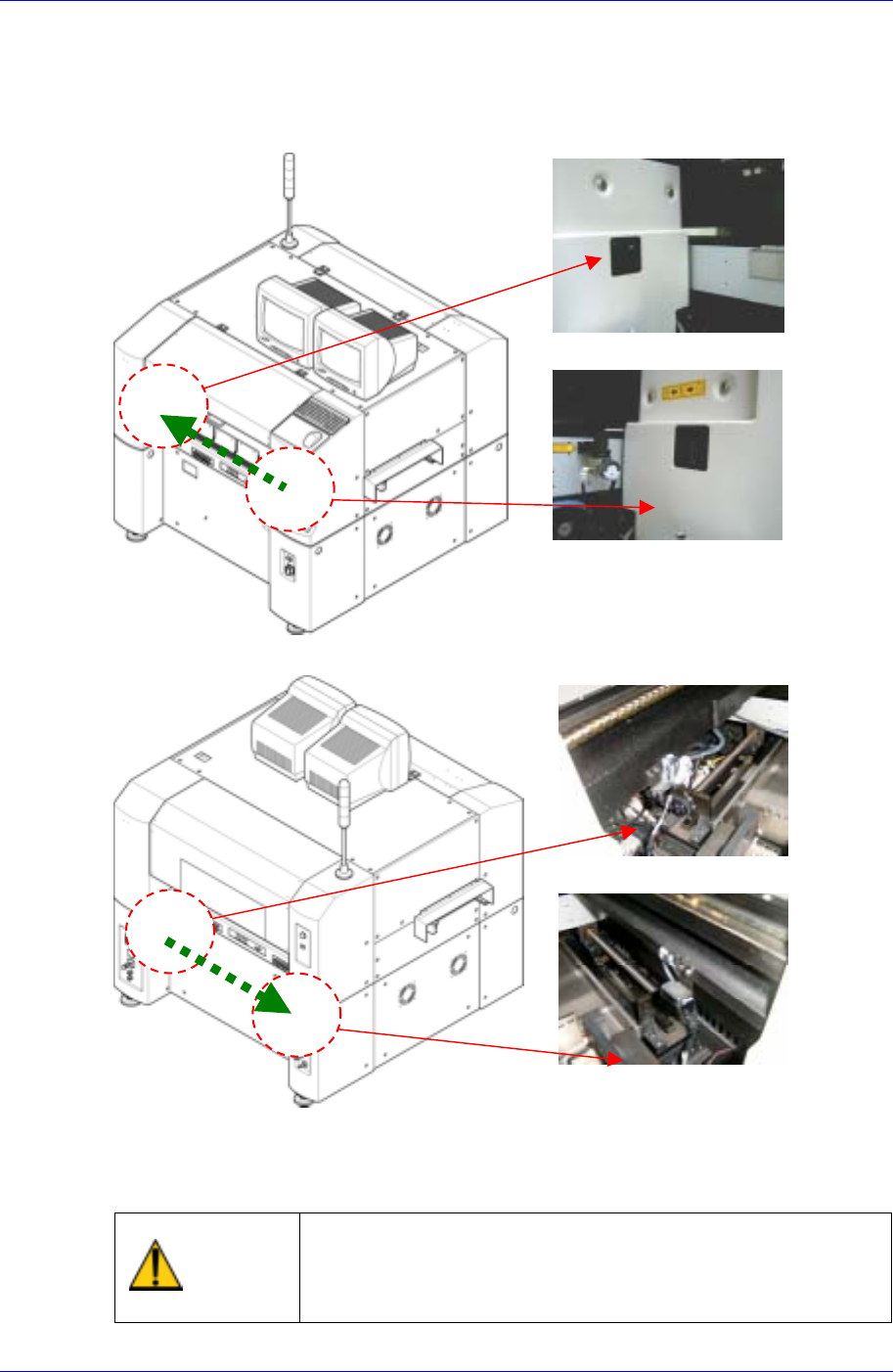
5.2. Feeder Unlock Sensor
Feeder unlock sensors are installed at the front and rear of this machine. The system
comes into the emergency stop status if the feeder is not installed correctly at the feeder
base. In this case, verify that the feeder is installed properly.
Front Feeder Unlock Sensor (Ligh
t
receiving section)
Front Feeder Unlock Sensor (Ligh
t
emitting section)
Rear Feeder Unlock Sensor (Ligh
t
emitting section)
Rear Feeder Unlock Sensor (Ligh
t
receiving section)
Caution
If the feeder loose sensor is cancelled arbitrarily, the head
and the feeder might collide as a loose feeder cannot be
sensed.
Do not cancel the feeder loose sensor arbitrarily.
5-2