00193906-05.pdf - 第10页
Software Installation Manual Windows 2000 Professional for SIPLACE Computer Edition 03/2006 US + DE 5.1.4 System partition During the setup your hard drive will be partitioned. Warning: All data on your hard disk will be…
Software Installation Manual Windows 2000 Professional for SIPLACE Computer Edition 03/2006 US + DE
5.1.3 Preparation for the unattended setup Windows 2000 Professional
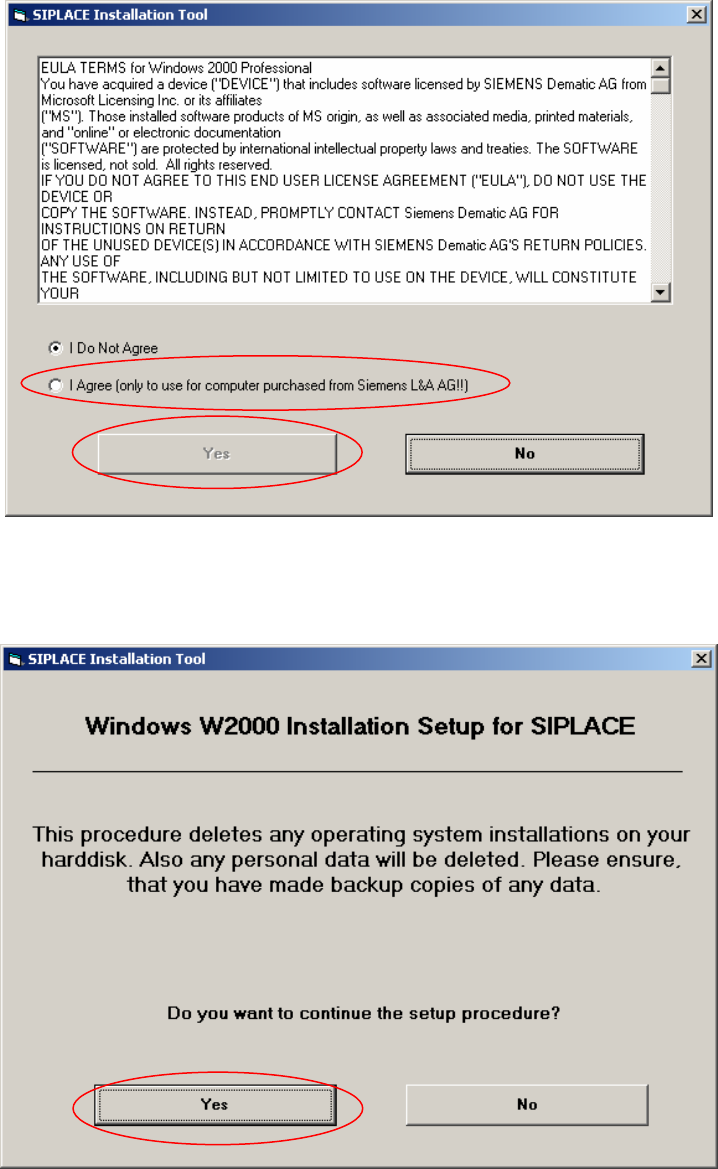
Fig. 5-1: License Agreement
→ Select “I Agree” and then click “Yes” to continue
9
Fi. 5-2: Start Screen
→ Click “Yes” to continue.
Software Installation Manual Windows 2000 Professional for SIPLACE Computer Edition 03/2006 US + DE
5.1.4 System partition
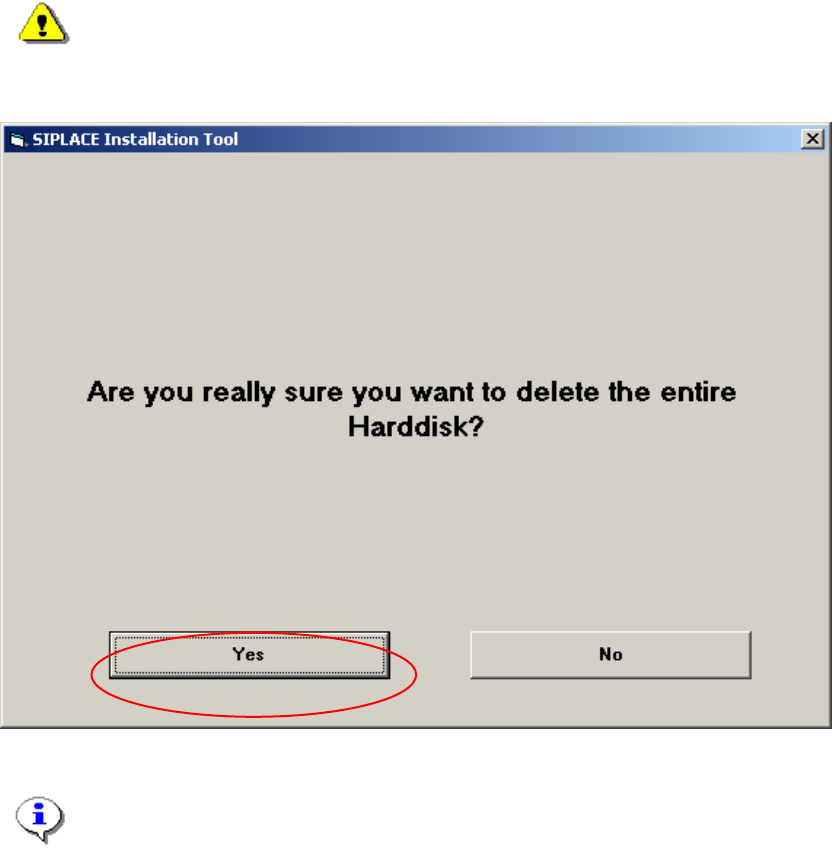
During the setup your hard drive will be partitioned.
Warning:
All data on your hard disk will be destroyed.
→ Please accept the partition:
Fig. 5-3: Warning
Note:
By clicking the „No“ button the complete setup procedure will be cancelled.
10
Software Installation Manual Windows 2000 Professional for SIPLACE Computer Edition 03/2006 US + DE
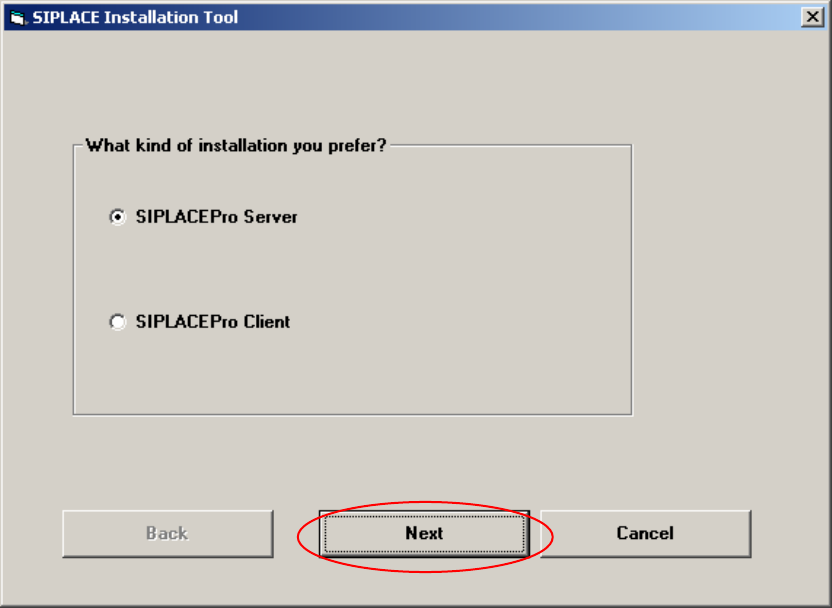
5.1.5 Investigation of the SIPLACE installation types
With this information, setup is able to lead you through the correct Windows 2000 Professional
installation for your SIPLACE product.
Fig. 5-4: Kind of installation
→ Select the correct radio button.
→ Click the Next button.
11