00193906-05.pdf - 第11页
Software Installation Manual Windows 2000 Professional for SIPLACE Computer Edition 03/2006 US + DE 5.1.5 Investigation of the SI PLACE installation types With this information, setup is able to lead y ou through the cor…
Software Installation Manual Windows 2000 Professional for SIPLACE Computer Edition 03/2006 US + DE
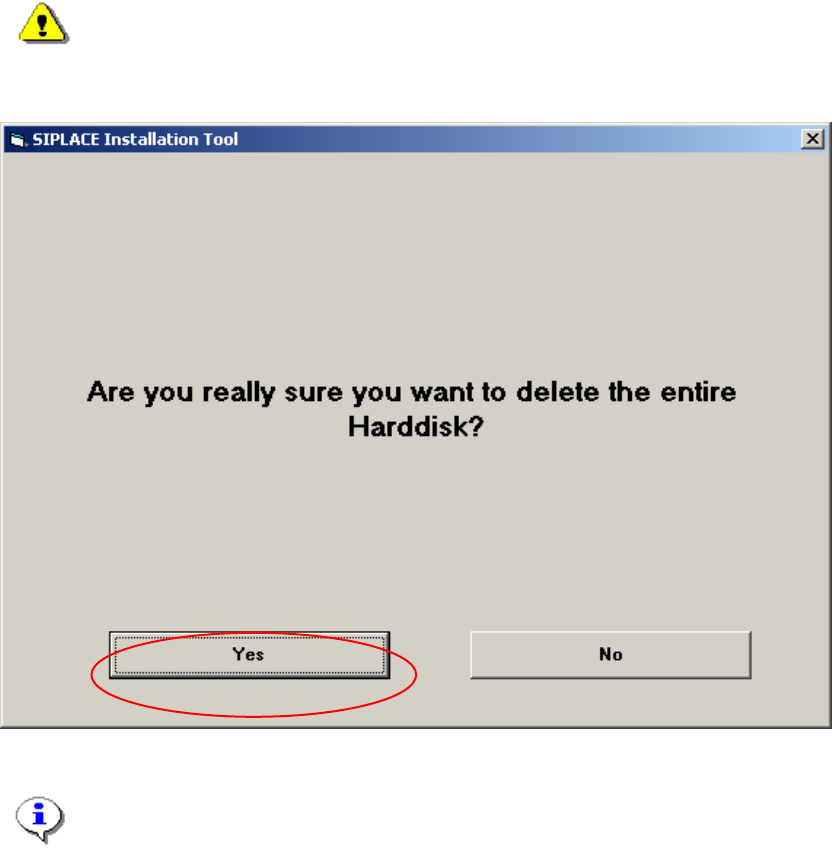
5.1.4 System partition
During the setup your hard drive will be partitioned.
Warning:
All data on your hard disk will be destroyed.
→ Please accept the partition:
Fig. 5-3: Warning
Note:
By clicking the „No“ button the complete setup procedure will be cancelled.
10
Software Installation Manual Windows 2000 Professional for SIPLACE Computer Edition 03/2006 US + DE
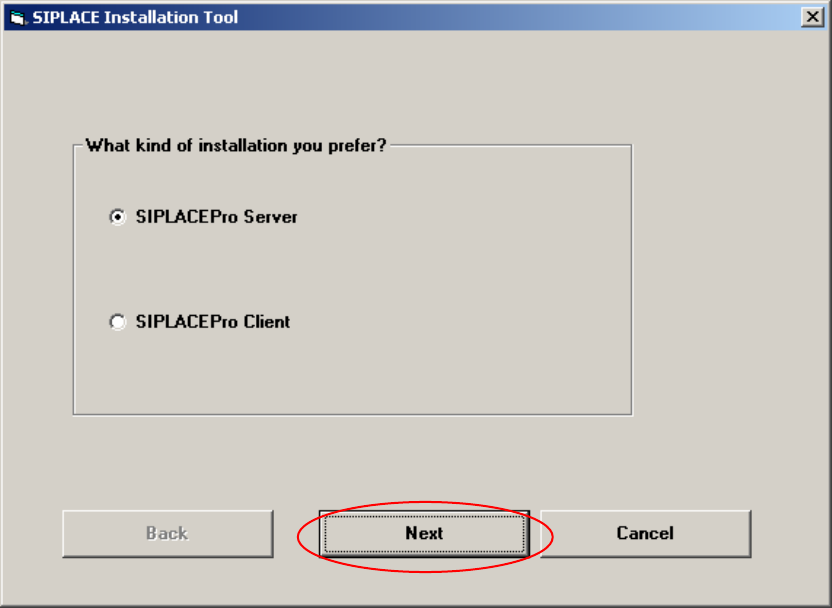
5.1.5 Investigation of the SIPLACE installation types
With this information, setup is able to lead you through the correct Windows 2000 Professional
installation for your SIPLACE product.
Fig. 5-4: Kind of installation
→ Select the correct radio button.
→ Click the Next button.
11
Software Installation Manual Windows 2000 Professional for SIPLACE Computer Edition 03/2006 US + DE
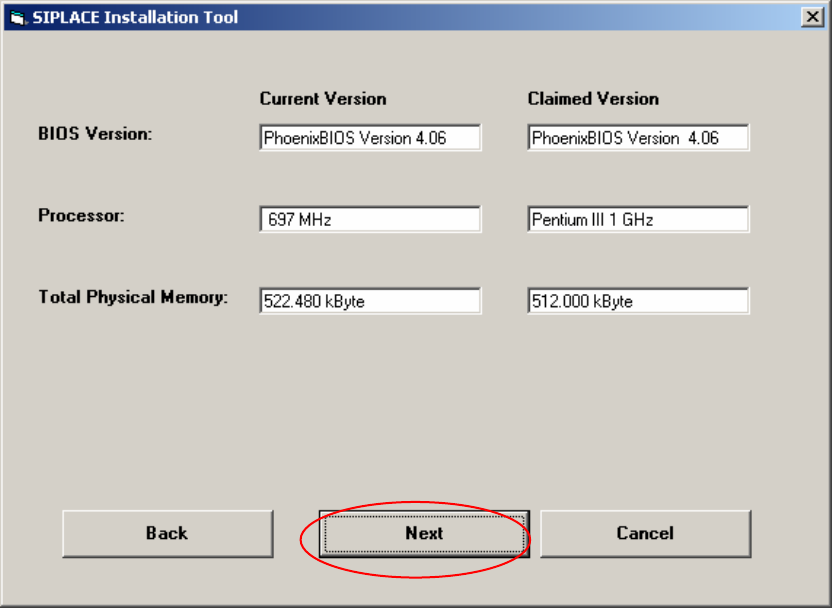
5.1.6 Checking the hardware requirements
With the information from the previous dialog, a hardware check will start. If there is something wrong,
an error message will appear, but the installation will not stop!
Fig. 5-5: Display of the hardware information (example)
→ Click the Next button.
12