00193906-05.pdf - 第13页
Software Installation Manual Windows 2000 Professional for SIPLACE Computer Edition 03/2006 US + DE 5.1.7 Windows 2000 Pr ofessional Licensing In the following setup steps you have to enter a ll necessary parame ters for…
Software Installation Manual Windows 2000 Professional for SIPLACE Computer Edition 03/2006 US + DE
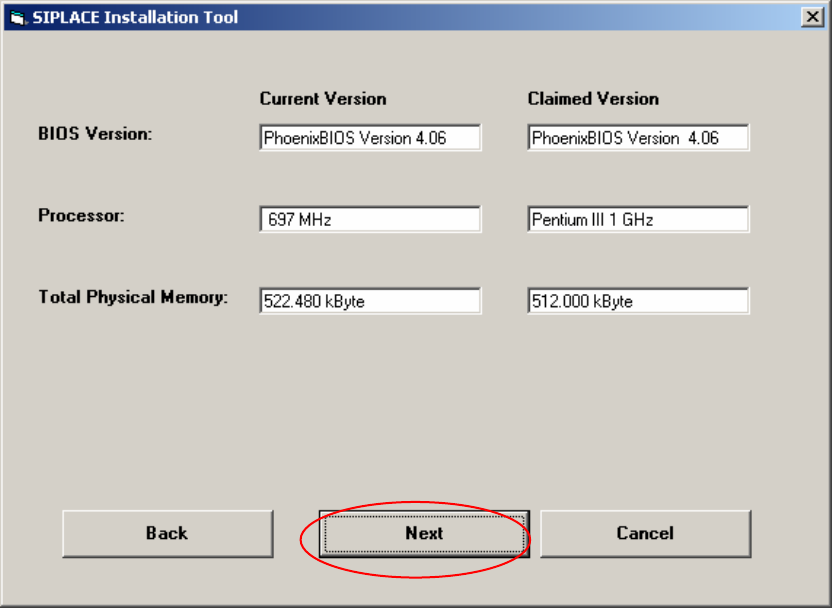
5.1.6 Checking the hardware requirements
With the information from the previous dialog, a hardware check will start. If there is something wrong,
an error message will appear, but the installation will not stop!
Fig. 5-5: Display of the hardware information (example)
→ Click the Next button.
12
Software Installation Manual Windows 2000 Professional for SIPLACE Computer Edition 03/2006 US + DE
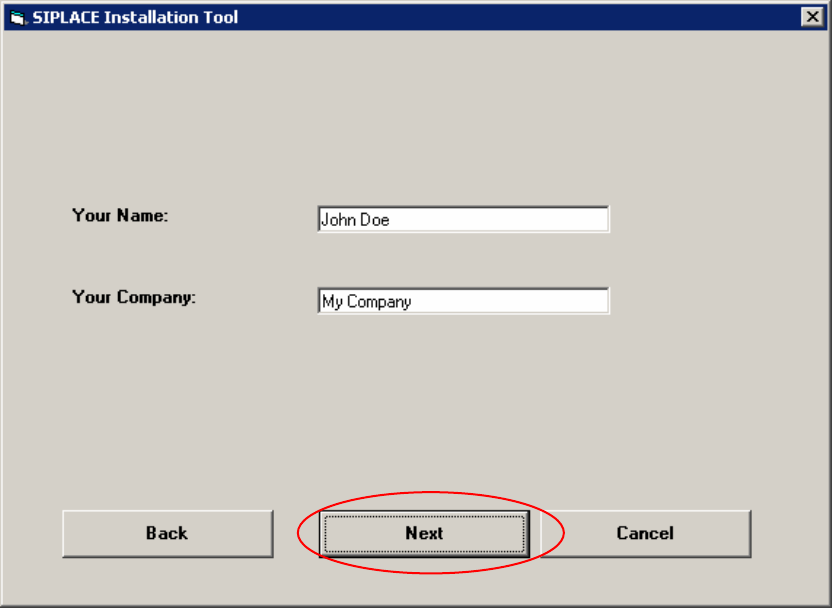
5.1.7 Windows 2000 Professional Licensing
In the following setup steps you have to enter all necessary parameters for the installation and
configuration of Windows 2000 Professional. Here you don’t have to enter the license key because
this Windows 2000 version is a special version for Siemens A&D AG.
Fig. 5-6: Licensing
→ Please enter the user name (not the administrator name).
→ Please enter the name of your Company.
→ Click the Next button.
13
Software Installation Manual Windows 2000 Professional for SIPLACE Computer Edition 03/2006 US + DE
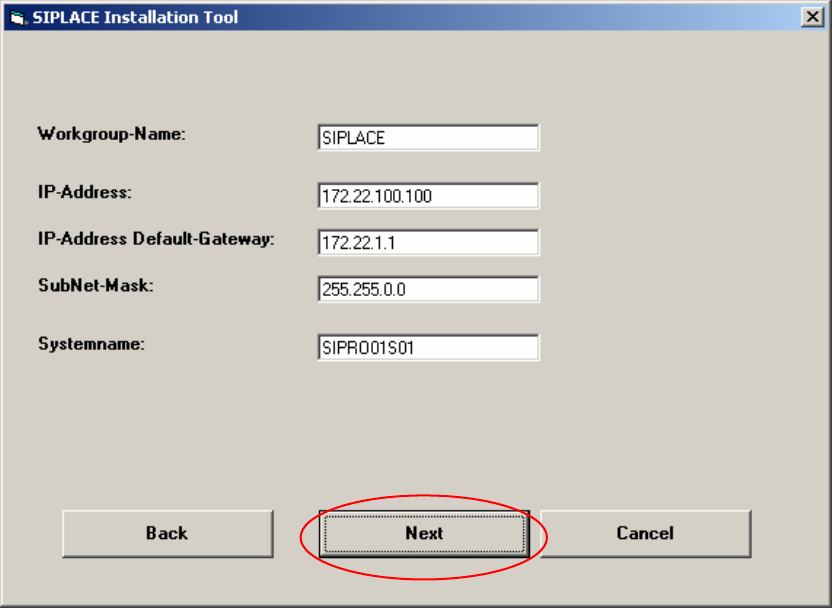
5.1.8 Windows 2000 network settings
Within this dialog, general network parameters of the computer will be configured. The following data
are required:
Workgroup Name: SIPLACE
You can enter any name you want. (Default: SIPLACE)
IP address: not fixed
Use a unique IP address number (172.x.x.x).
IP address Gateway: not fixed
Sub net mask: not fixed
Please use the default data for the computer.
System name: should be unique in the network.
You should change this name.
Fig. 5-7: Network settings
→ Please enter the data.
→ Click the Next button.
14