Vakuum Tooling AMKOR X4 OS Applikation.pdf - 第39页
Installation instructions Vacuum Tooling AM KOR (00188501-01) SIPLACE X4 / OS Application 03/2006 Edition 39 2
Installation instructions Vacuum Tooling AMKOR (00188501-01) SIPLACE X4 / OS Application
03/2006 Edition
38
2.6 Conveyor firmware
2.6.1 HyperTerminal
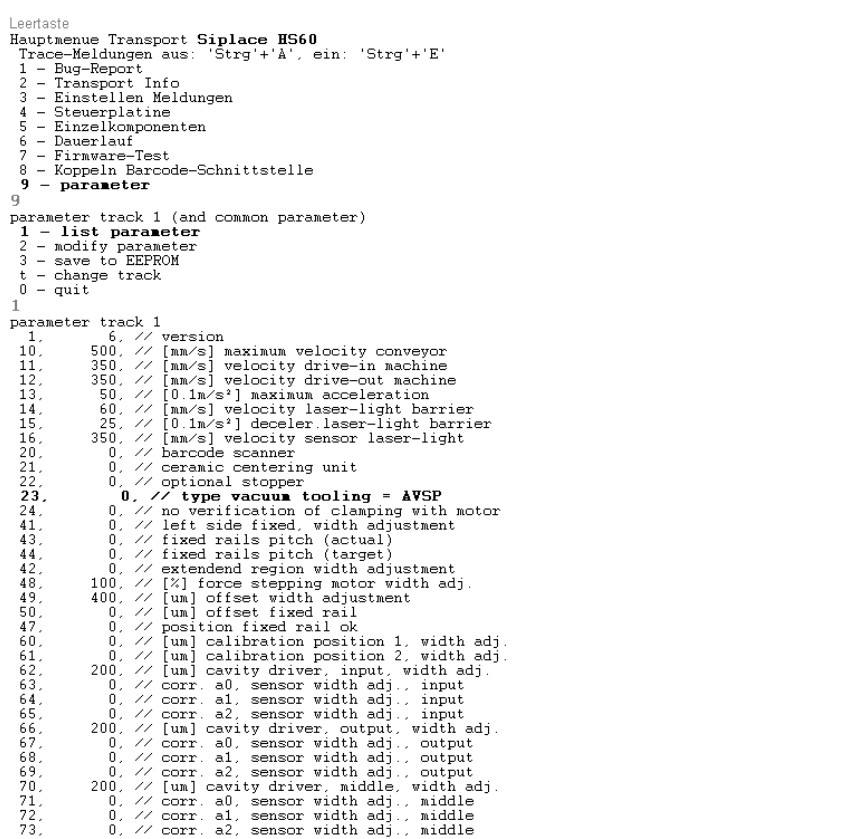
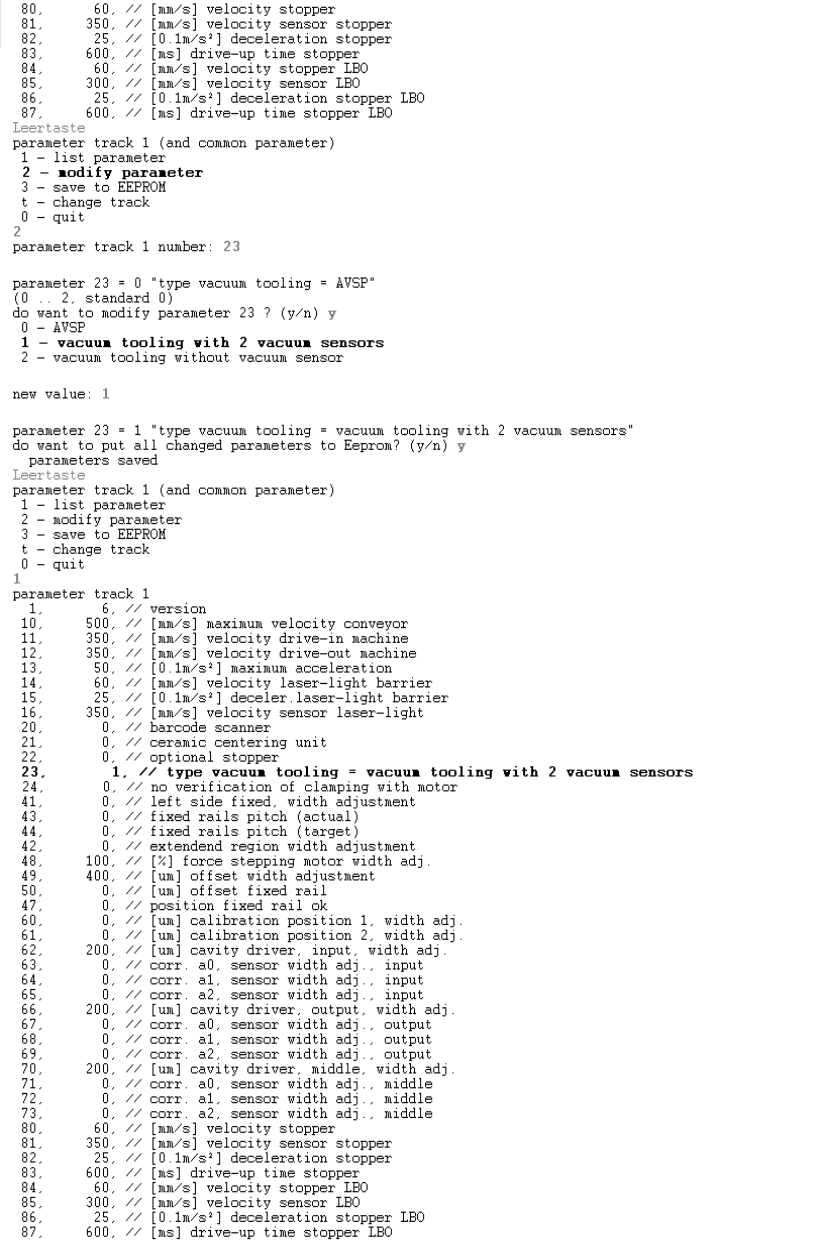
Activate the "Vacuum tooling with two vacuum sensors" program. 2
Use an external computer to connect to the interface cable (RS 232) on the conveyor control via
HyperTerminal. 2
2
: Start the Hyperterminal and select the follwong parameters:
2
2
Installation instructions Vacuum Tooling AMKOR (00188501-01) SIPLACE X4 / OS Application
03/2006 Edition
39
2
Installation instructions Vacuum Tooling AMKOR (00188501-01) SIPLACE X4 / OS Application
03/2006 Edition
40
2.6.2 How the special design conveyor firmware works
The two outputs of the vacuum sensor are scanned by the conveyor firmware. If the two "Lifting
table up“ and "Vacuum established" signals are present, then the placement process is enabled.
After placement there is a further scan to determine whether the vacuum has fully dissipated. The
lifting table cannot be moved down or the PCB moved to the intermediate belt or output belt until
this is true. 2
2