2.VGOS V30 application software installation_upgrade manual.pdf - 第18页
For Users Serv i ce Information SI090100 2E- 003=VGOS V3 0 applicatio n software installatio n /upgrade manua l 18/24 Step 11 Start installing the application. Review al l your settin gs and change as necessary. Then sta…
For Users
Service Information
SI0901002E-003=VGOS V30 application software installation/upgrade manual
17/24
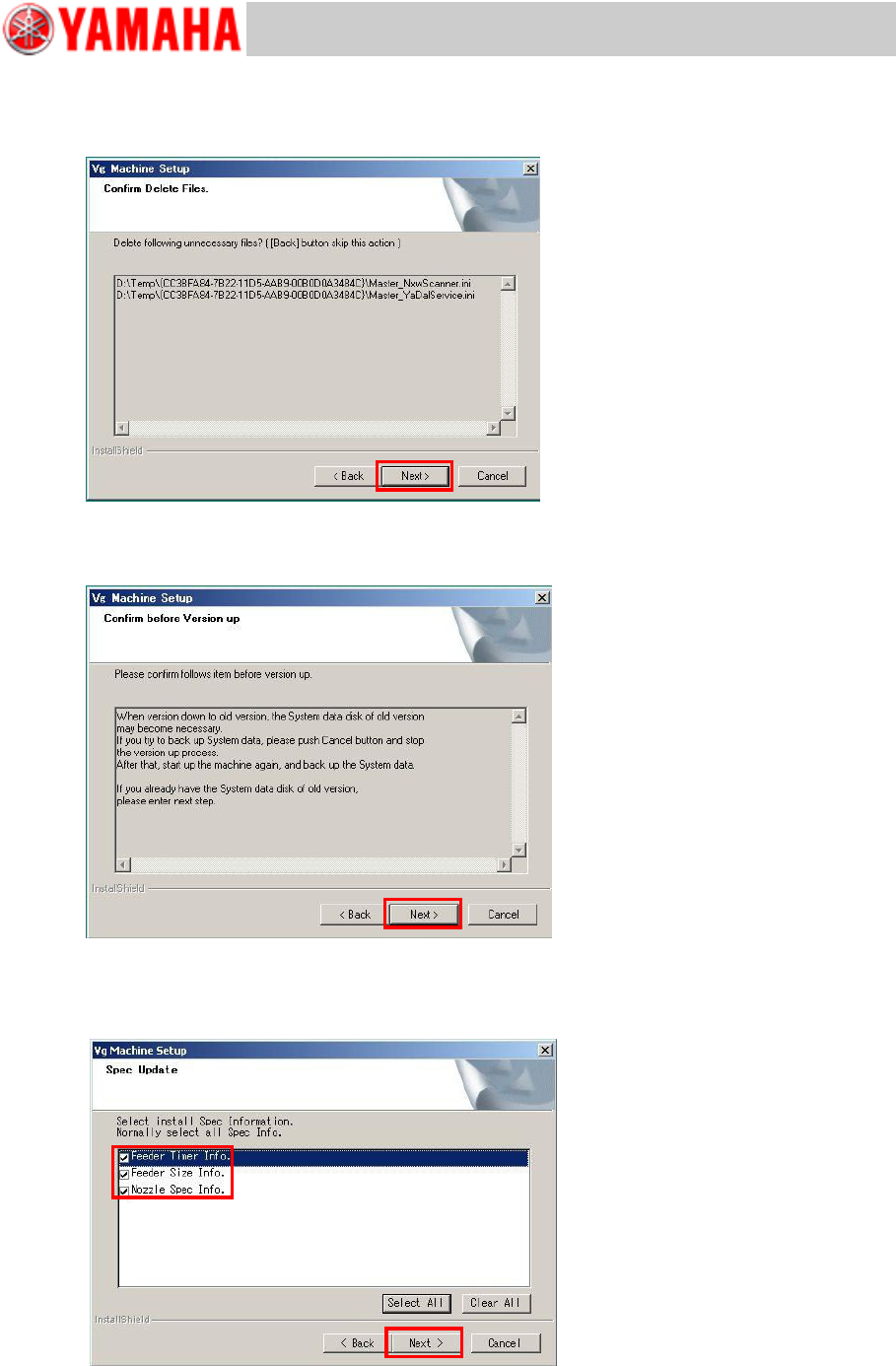
Step 8 Confirm deletion of unnecessary files.
If unnecessary files are found in the “TEMP” folder in the D drive, the Confirm Delete Files
window appears asking you whether to delete the files. If it is OK to delete, click the [Next]
button.
Step 9 Confirm if the system data has been backed up.
The window appears asking you whether you have your system data backed up. If you have
as shown in “1.2 Save “system data backup”” on page 3, click the [Next] button.
Step 10 Confirm whether to update the Spec Info.
To update the standard feeder timer info., feeder size info. and nozzle spec info., tick their
boxes and click the [Next] button. To retain existing information in such case as the
information has been customized, clear the boxes and click the [Next] button.
For Users
Service Information
SI0901002E-003=VGOS V30 application software installation/upgrade manual
18/24
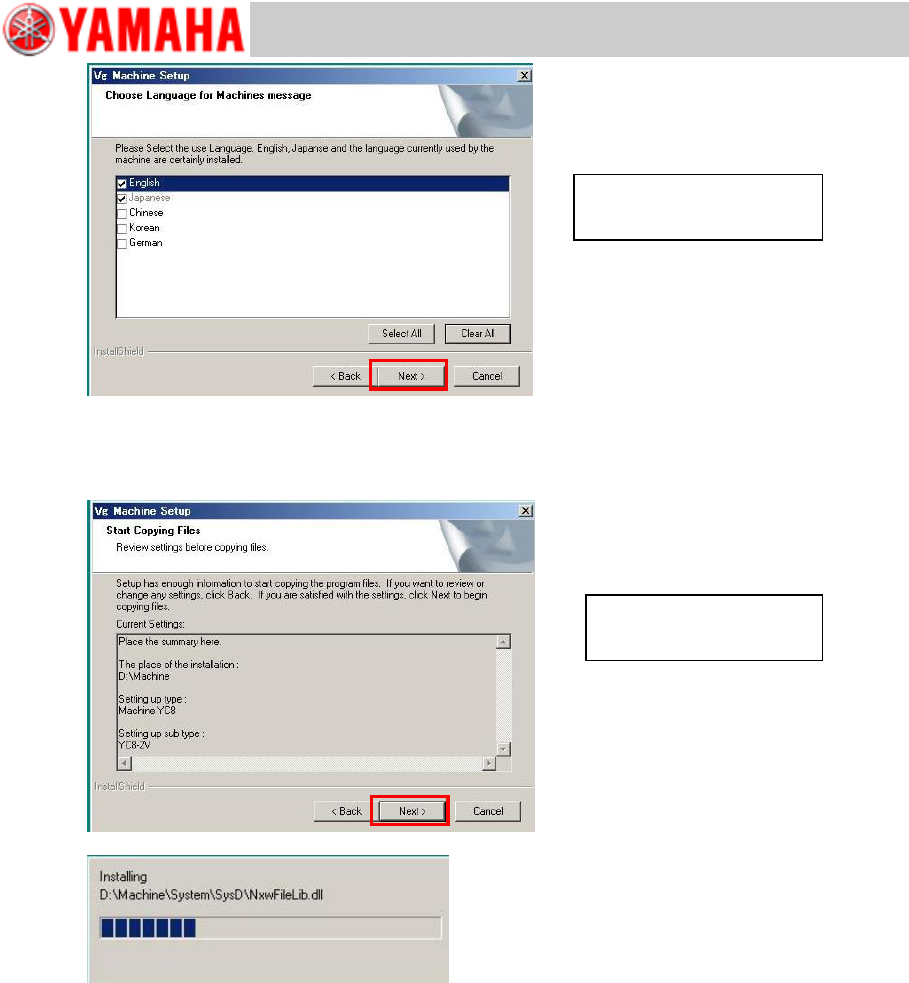
Step 11 Start installing the application.
Review all your settings and change as necessary. Then start installation by selecting [Next
>].
Select languages and select
[Next >].
Review settings and select
[Next >].
For Users
Service Information
SI0901002E-003=VGOS V30 application software installation/upgrade manual
19/24
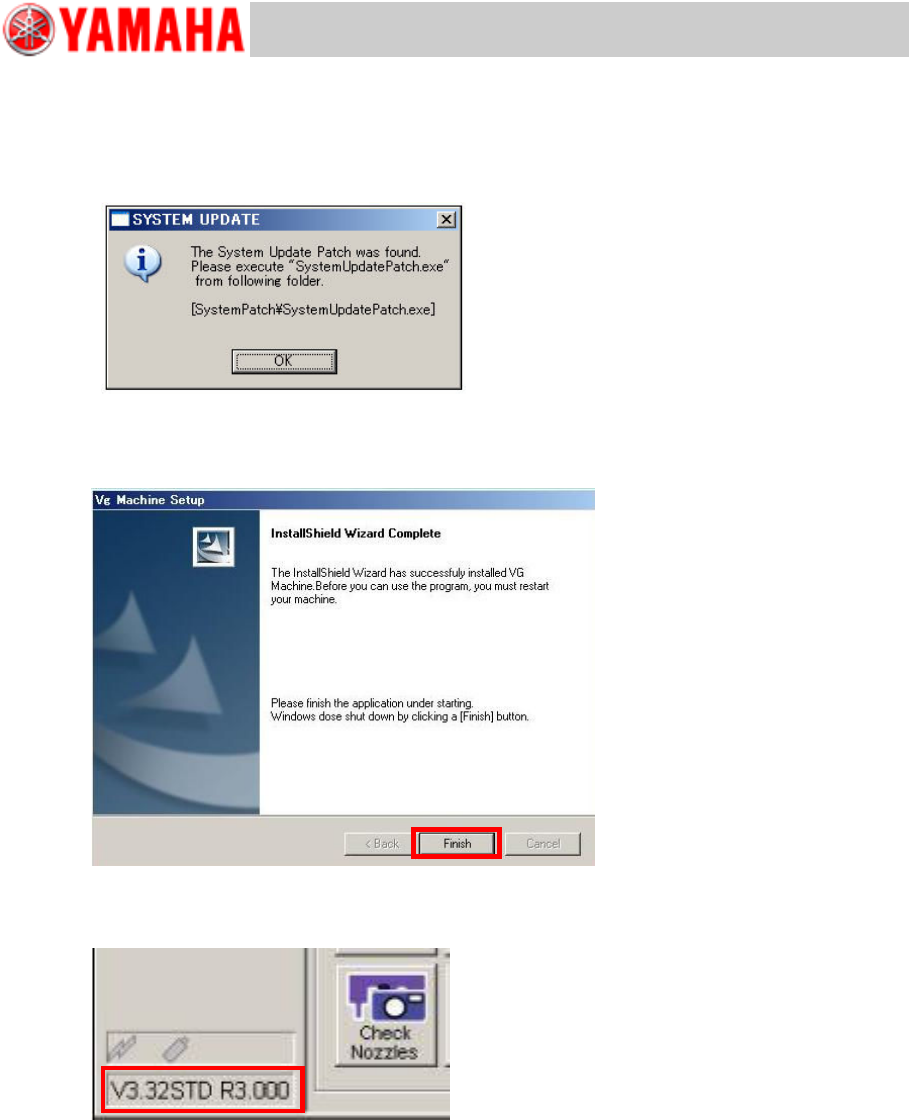
Step 12 If the system software needs to be updated, the below message appears.
Complete the application upgrading first. Then back up the system full back-up data and
execute “V30 System Update”.
Note
For details about the system software updating, see “5 Update the system software”.
Step 13 Exit the installation wizard.
The InstallShield Wizard Completed window appears. Click the [Finish] button. The machine
automatically executes shutdown process.
Step 14 Restart the machine and check the machine application version displayed at the lower
left of the screen.