00197719-01_IM_Integration_SMD-Tower_EN.pdf - 第10页
Prepare SMD - Tower © ASM 1-5 0019771 9 - 01 / Octo ber 22, 2014 1.7 Memoriz ing T ower S ettings Write down the Serial Number and ot her s etti ngs of SMD - Tower for later use Extras Settings Tower Write down the: · Se…
Prepare SMD-Tower
© ASM
1-4
00197719-01 / October 22, 2014
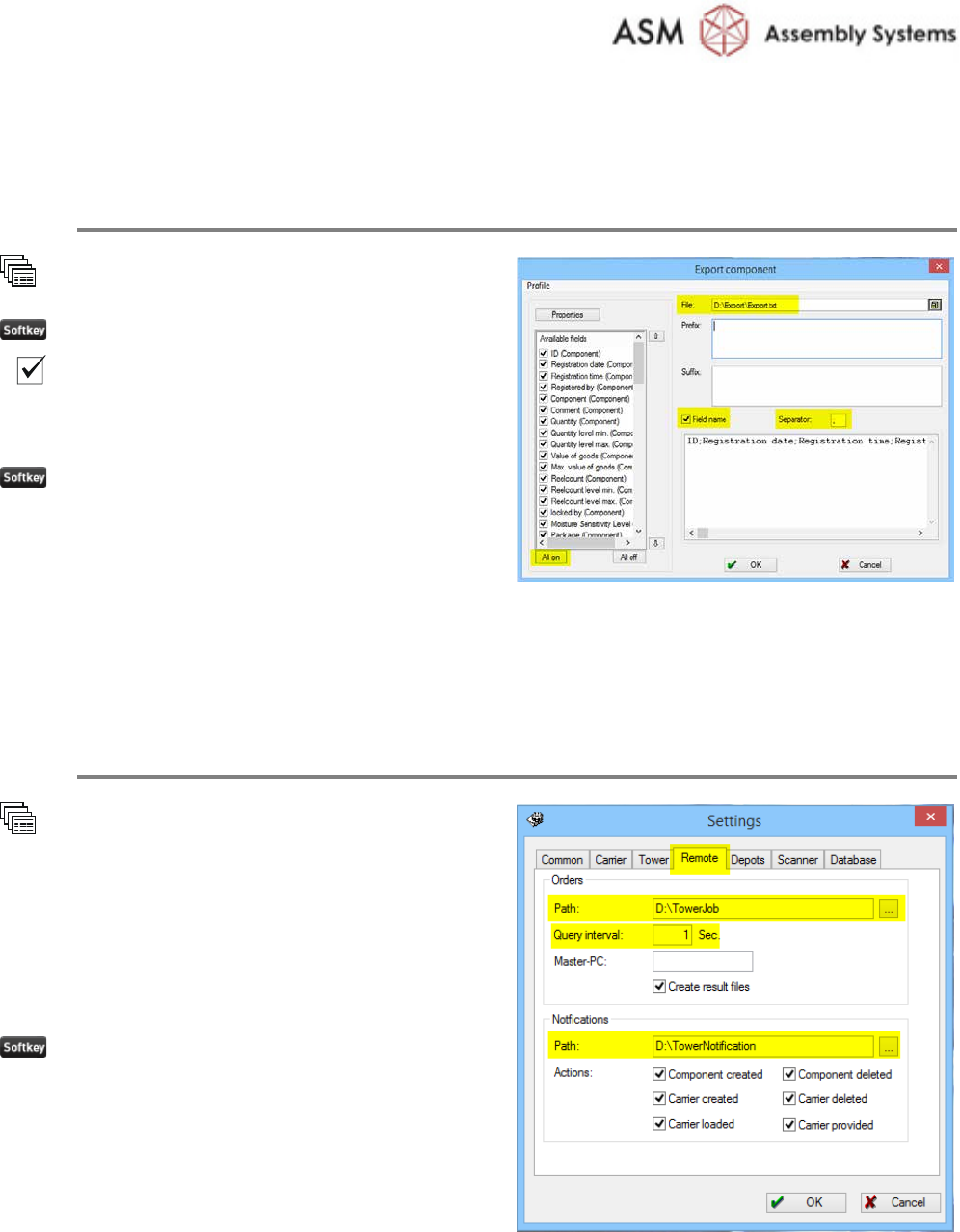
1.5 Exporting Stock Items to File
Create File of stored items
Component
Export
All on
Field name
Set the
Separator to ; (semicolon)
Enter the desired file name
OK
1.6 Setting Remote Orders
Set Remote Orders on SMD-Tower Software
Extras
Settings
Remote
Set the path for the orders.
Set the path for the notifications
Set the Query interval to 1
Sec.
Tick all checkboxes
OK
Prepare SMD-Tower
© ASM
1-5
00197719-01 / October 22, 2014
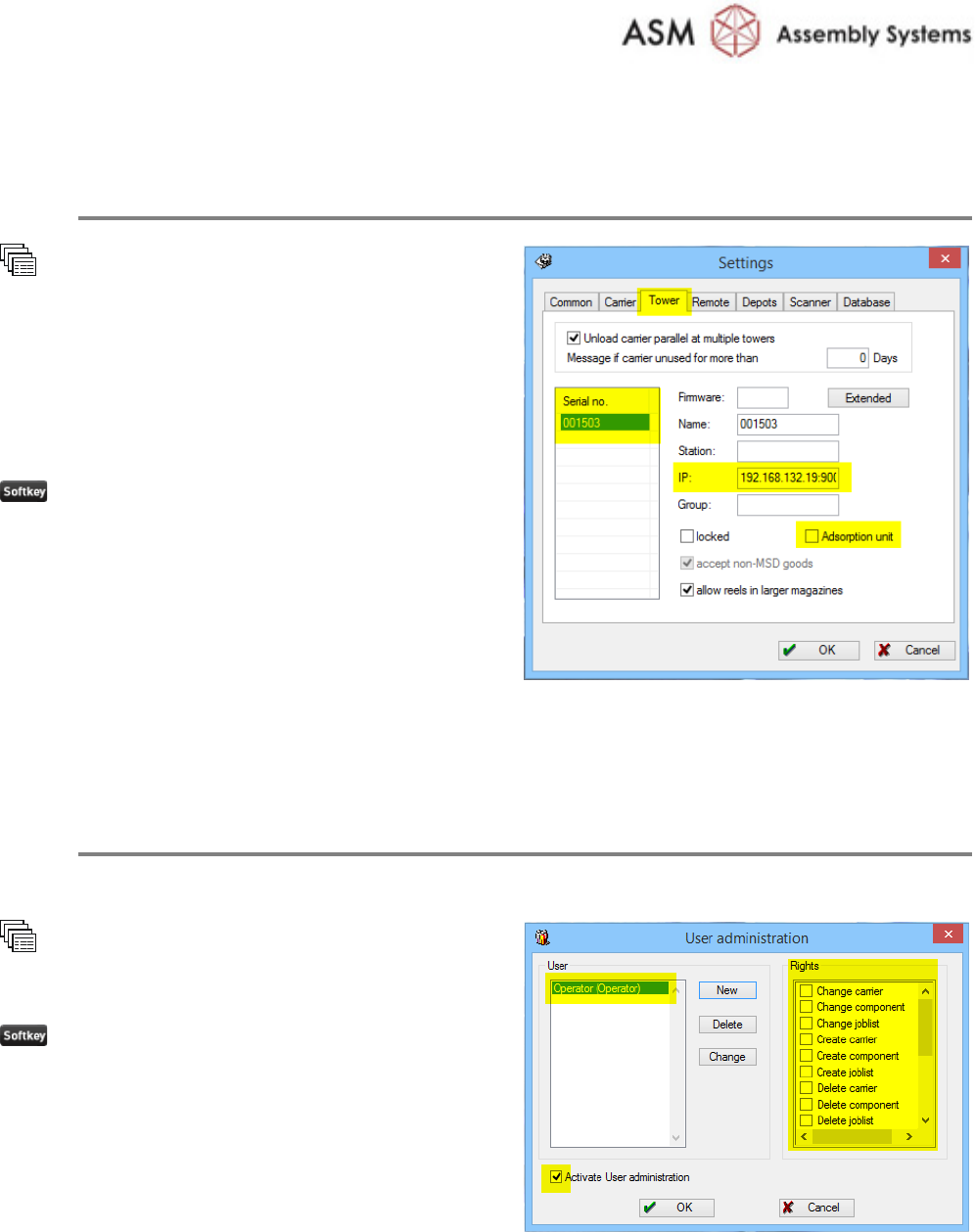
1.7 Memorizing Tower Settings
Write down the Serial Number and other settings of SMD-Tower for later use
Extras
Settings
Tower
Write down the:
· Serial no.
· IP address
· Adsorption unit present or not
OK
1.8 Setting up User Management (optional)
Restrict the User Rights to operate the SMD-Tower as Slave
Since the SMD-Tower operates as slave, it is recommended to restrict the user rights.
User
User administration
Create a user with no rights
OK
© ASM 2-6
00197719-01 / October 22, 2014
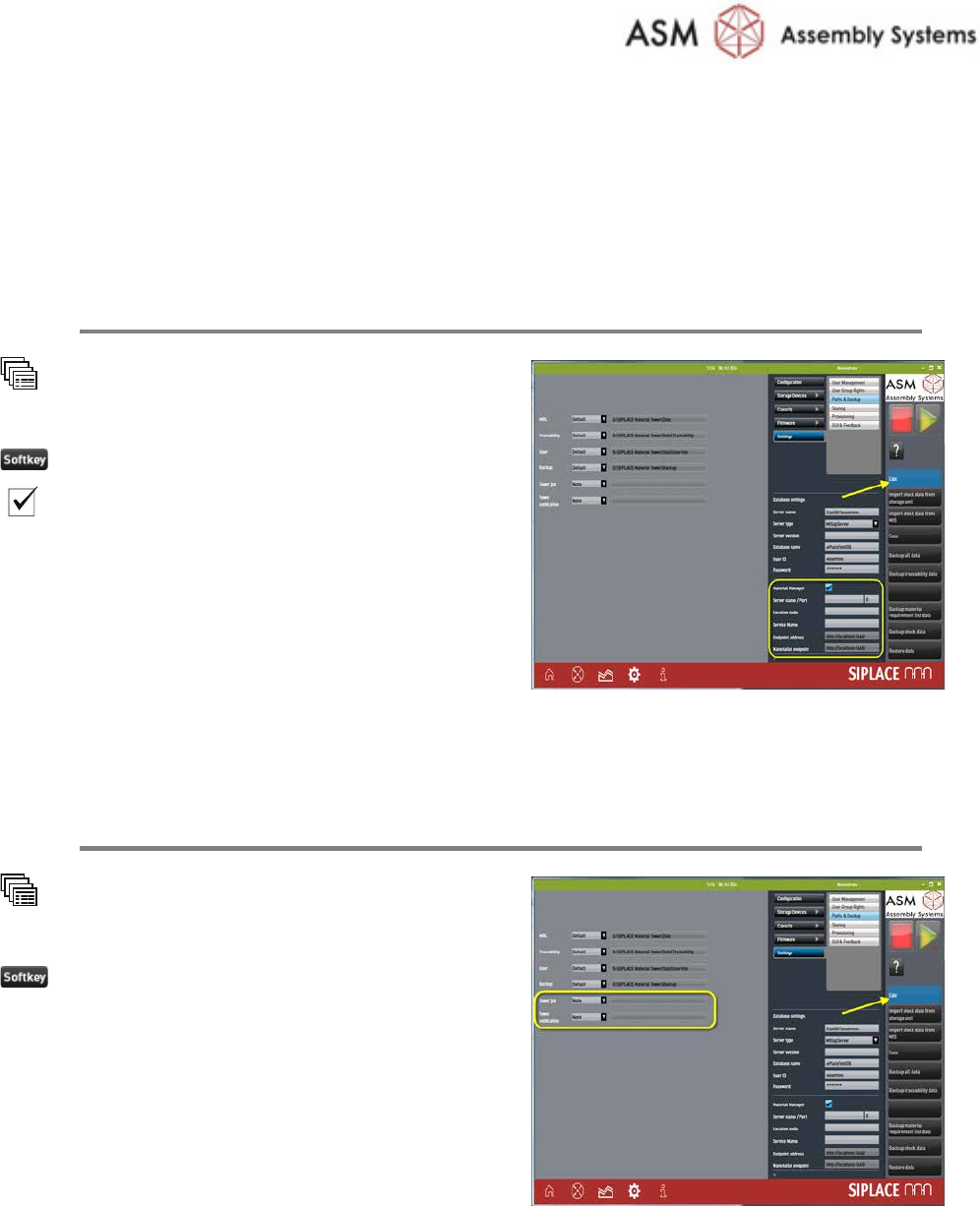
2 Setup Material Tower Software
2.1 Setting of Material Manager
Setup the Material Manager
System
Settings
Paths & Backup
Edit
Material manager
Enter
all the Material Manager parameters.
Refer to the online help for further information.
2.2 Setting of Correct Paths
Set Paths for Tower Job and Tower Notification
System
Settings
Paths & Backup
Edit
Enter the
correct paths of:
· Tower job
· Tower notification