00197719-01_IM_Integration_SMD-Tower_EN.pdf - 第12页
Setup Materi al Tower Software © ASM 2-7 0019771 9 - 01 / Octo ber 22, 2014 2.3 Integr ating SMD - To w e r Create Storage Units in the Ma terial Tower S oftware System Storage Unit s New Set the parameters : · Machine t…
© ASM 2-6
00197719-01 / October 22, 2014
2 Setup Material Tower Software
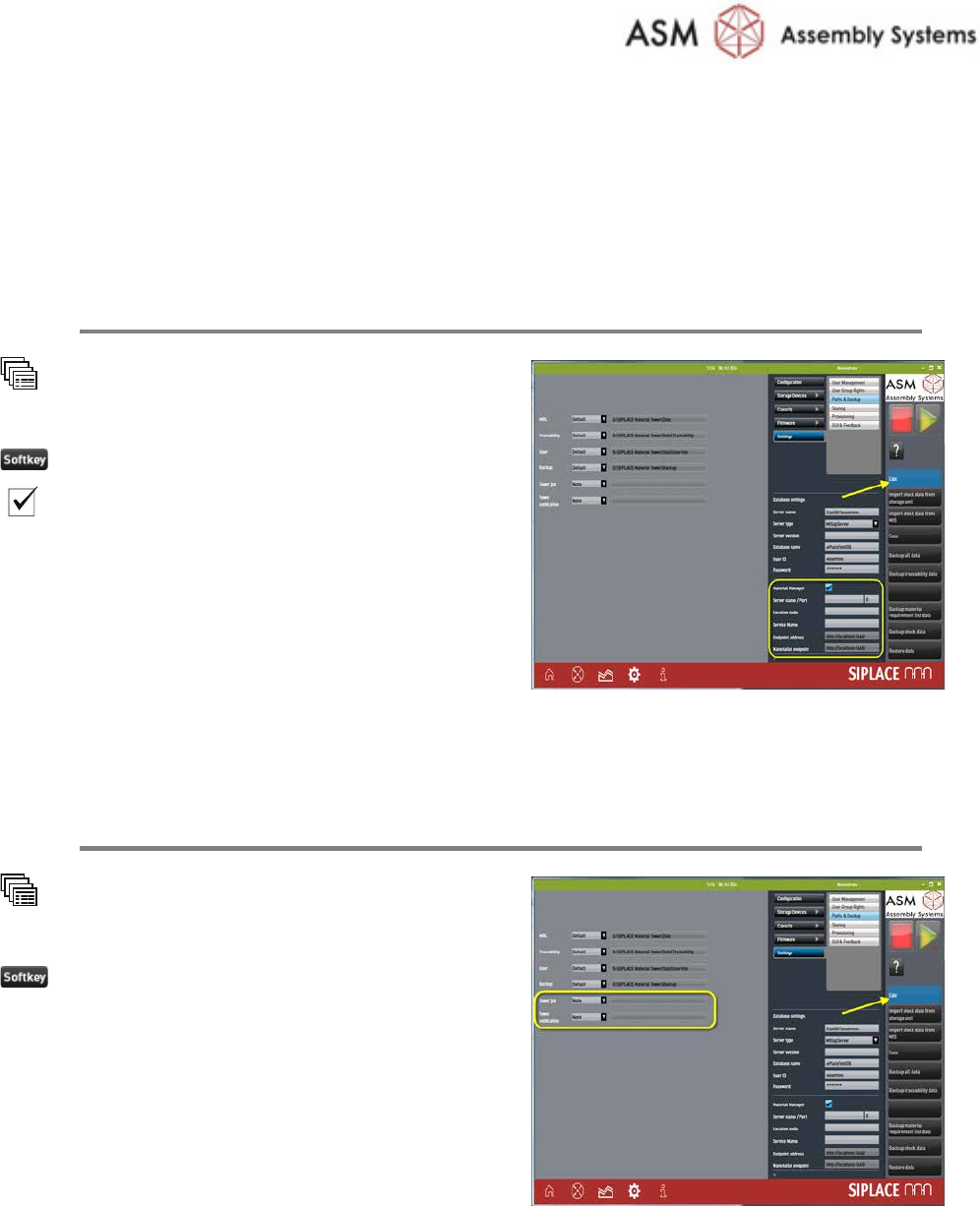
2.1 Setting of Material Manager
Setup the Material Manager
System
Settings
Paths & Backup
Edit
Material manager
Enter
all the Material Manager parameters.
Refer to the online help for further information.
2.2 Setting of Correct Paths
Set Paths for Tower Job and Tower Notification
System
Settings
Paths & Backup
Edit
Enter the
correct paths of:
· Tower job
· Tower notification
Setup Material Tower Software
© ASM
2-7
00197719-01 / October 22, 2014
2.3 Integrating SMD-Tower
Create Storage Units in the Material Tower Software
System
Storage Units
New
Set the parameters:
· Machine type to: SMD-Tower
· IP: enter the IP address memorized during
SMD-Tower preparation (the IP has no
function, it is just for documentation).
· Serial number: enter exactly the same
number memorized during SMD-Tower
preparation
· all the other parameters
Refer to the online help for additional
information.
Repeat this step for all SMD-Towers to integrate.
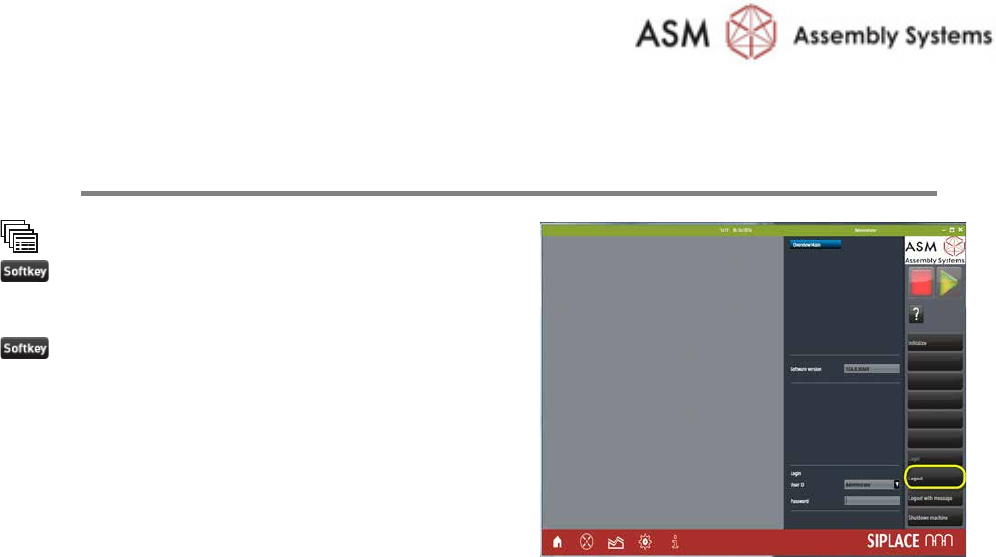
2.4 Importing Data
Import the Stock Data from the SMD-Towers
System
Settings
Paths & Backup
Import stock data from storage
device
Enter the path of the
file containing the
exporte
d stock item information, done during
SMD
-Tower preparation
Setup Material Tower Software
© ASM
2-8
00197719-01 / October 22, 2014
2.5 Restarting the Software
Restart and Initialize the Software
Overview
Logout
Restart the software
Initialize