00197719-01_IM_Integration_SMD-Tower_EN.pdf - 第8页
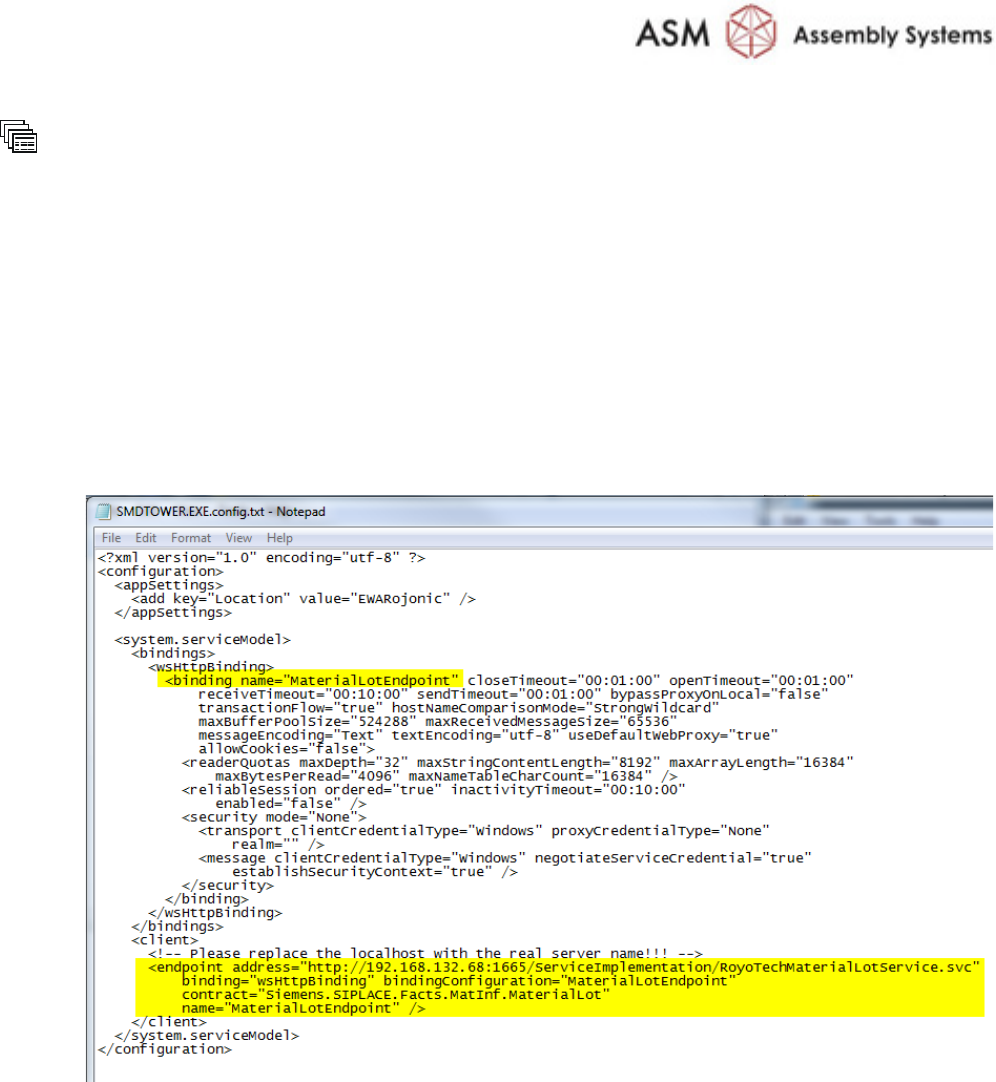
Pr epare SMD - To wer © ASM 1-3 0019771 9 - 01 / Octo ber 22, 2014 C: \ Programs \ SMD - Tower Open the file SMDTOWE R.exe.conf ig by using the Notepad E ditor Add/exchange (if not alre ady set) <bi ndi ng na me= to :…
Prepare SMD-Tower
© ASM
1-2
00197719-01 / October 22, 2014
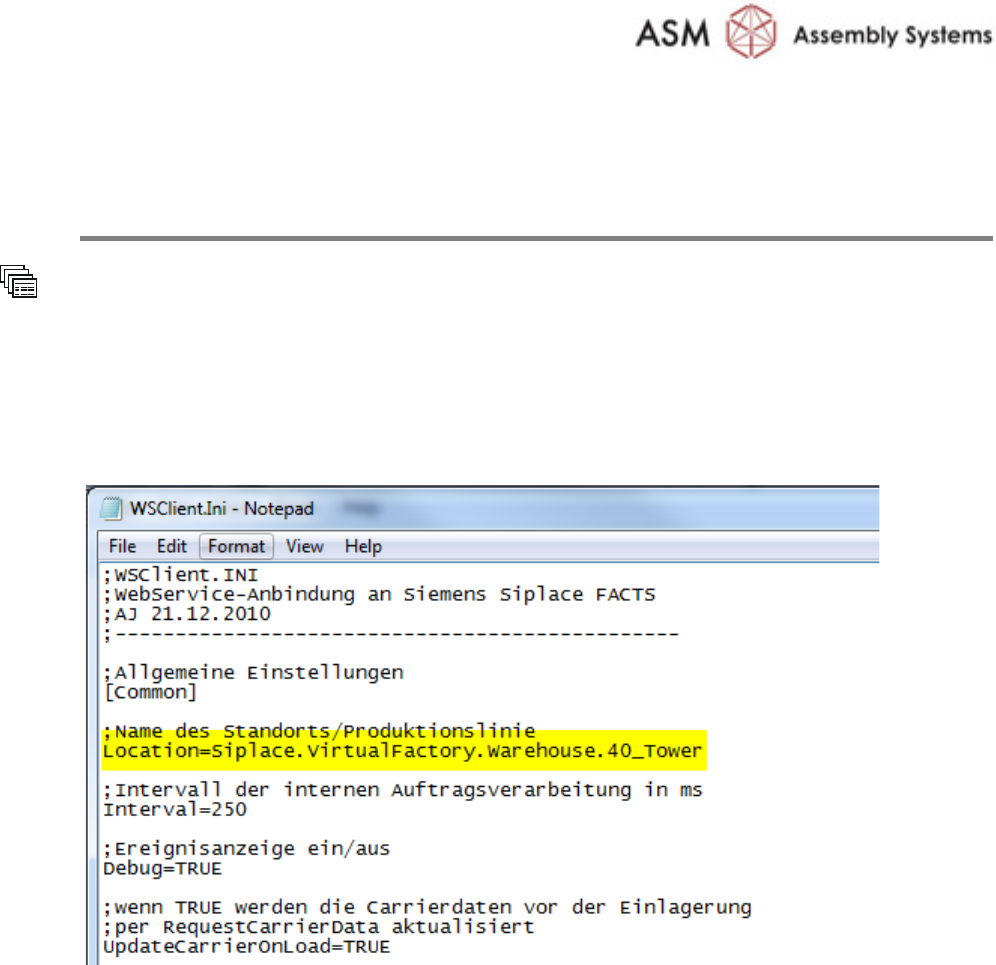
1.4 Setting up the Web Service Client
Setup the Web Service Client
C:
\Programs\SMD-Tower
Open the file
WSClient.ini by using the Notepad Editor
Add to common settings
Name of location/production line:
Location=Siplace.VirtualFactory.Warehouse.40_Tower
Prepare SMD-Tower
© ASM
1-3
00197719-01 / October 22, 2014
C:
\Programs\SMD-Tower
Open the file
SMDTOWER.exe.config by using the Notepad Editor
Add/exchange
(if not already set) <binding name= to:
<binding name="MaterialLotEndpoint"
Add/exchange
(if not already set) <endpoint address= to:
<endpoint address=http://192.168.132.68:1665/ServiceImplementation/
RoyoTechMaterialLotService.svc"
binding="wsHttpBinding" bindingConfiguration="MaterialLotEndpoint"
contract="Siemens.SIPLACE.Facts.MatInf.MaterialLot"
name="MaterialLotEndpoint" />
Prepare SMD-Tower
© ASM
1-4
00197719-01 / October 22, 2014
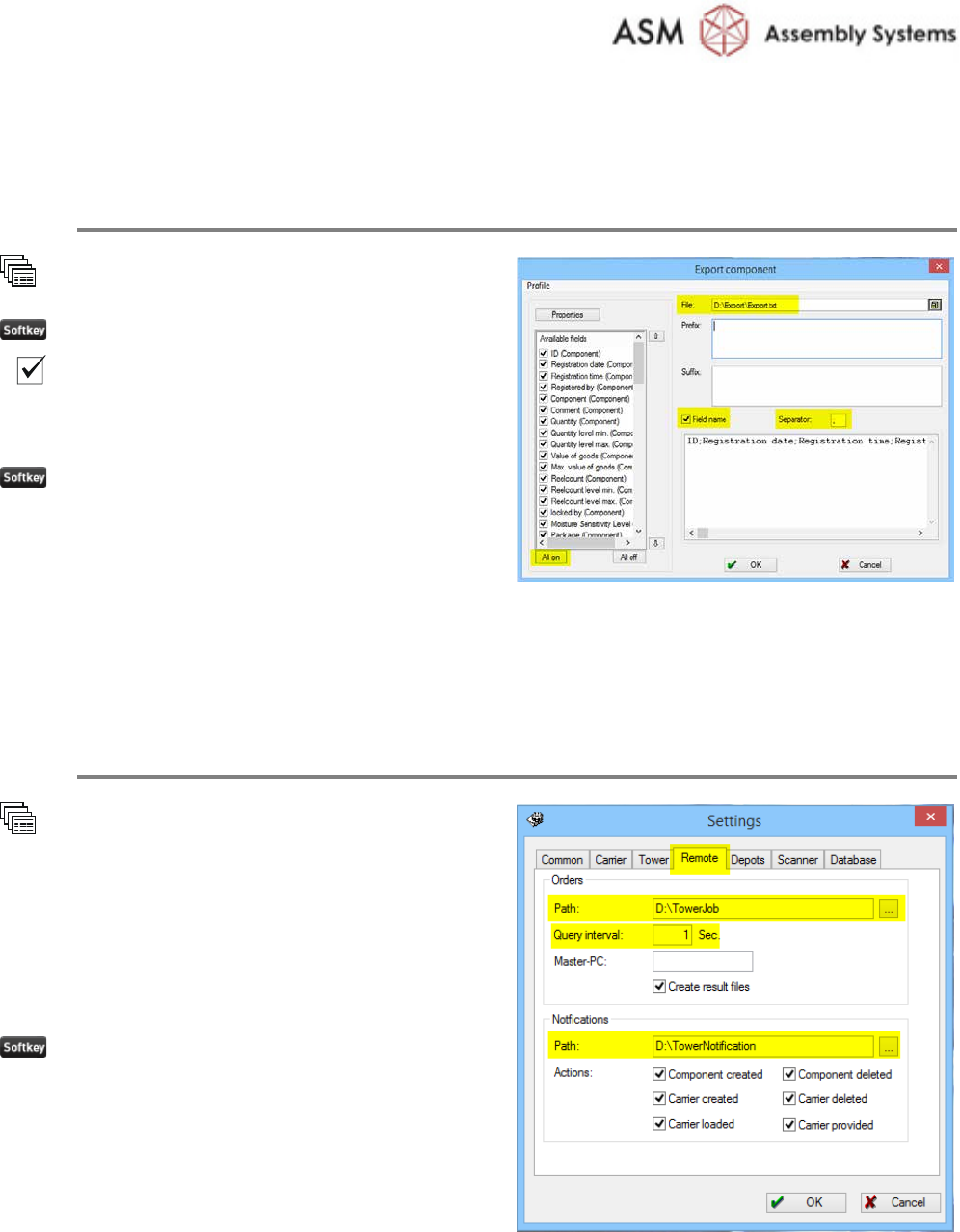
1.5 Exporting Stock Items to File
Create File of stored items
Component
Export
All on
Field name
Set the
Separator to ; (semicolon)
Enter the desired file name
OK
1.6 Setting Remote Orders
Set Remote Orders on SMD-Tower Software
Extras
Settings
Remote
Set the path for the orders.
Set the path for the notifications
Set the Query interval to 1
Sec.
Tick all checkboxes
OK