TK55253.FeederIDLog.pdf - 第6页
Product Engineering Division SMT Sect ion Robotics Operations Y AMAHA MOTOR CO., L TD MDOC-SOFT50281 6/ 15 3.1.2 “Sav e Log” butto n By t he following p rocedur es, you can save the feeder ID log d ata d isplayed o n the…
Product Engineering Division
SMT Section
Robotics Operations
YAMAHA MOTOR CO., LTD
MDOC-SOFT50281
5/15
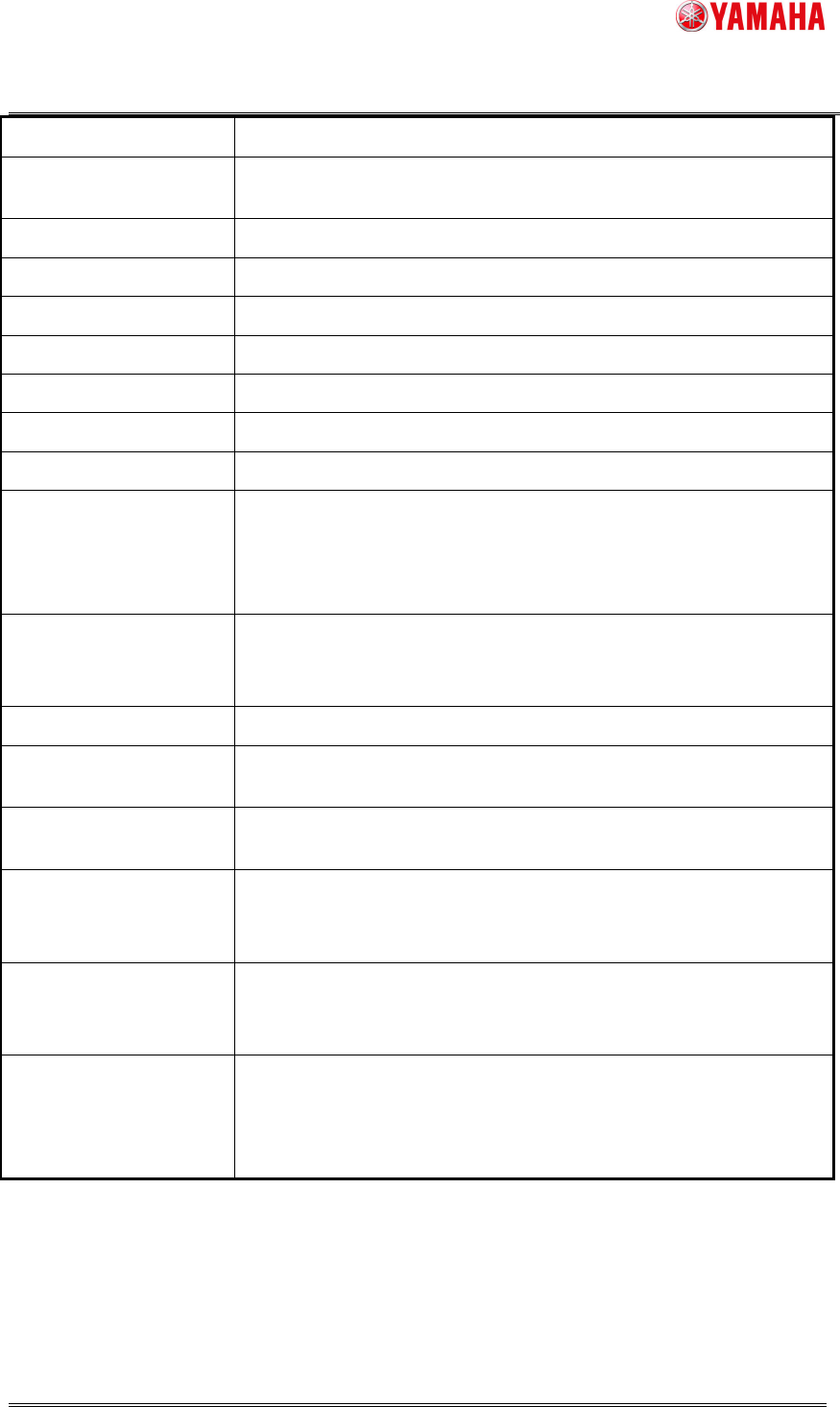
Pick Error Counter Number of pick error of the parts on the feeder is displayed.
Pick Error % Ratio of “Pick Error Counter” / “Feeder Counter” is displayed.
Vision Error Counter Number of vision error of the parts on the feeder is displayed.
Vision Error % Ratio of “Vision Error Counter” / “Feeder Counter” is displayed.
No Parts Error Counter Number of no-parts error of the parts on the feeder is displayed.
No Parts Error % Ratio of "No Parts Error Counter" / "Feeder Counter" is displayed.
Nozzle Error Counter Number of nozzle error of the parts on the feeder is displayed.
Nozzle Error % Ratio of "Nozzle Error Counter" / "Feeder Counter" is displayed.
Date
Date when the feeder was used first is displayed.
Last Update Date Date when the feeder was used last is displayed.
Specifically, this is the time when either of "Feeder Counter", "Pick
Error Counter", "Vision Error Counter", "No Parts Error Counter,”
or "Nozzle Error Counter" is counted last.
Stroke Length / Feed
Time
Distance of the tape sent by the feeder (unit: mm) is displayed.
In case of a multi stick feeder, feeding time (unit: sec) is
displayed.
Smart Exist Count
Number of feeder attachment times is displayed.
After Adjust Drive Cnt Number of times of feeder drive after adjusting by SS Tune-Up
Station is displayed. (This value cannot be initialized)
Cumulated Drive Cnt Number of times of past feeder drive is displayed. (This value
cannot be initialized)
Feeder MACS Correct
X
▲1
Feeder MACS Correction value X is displayed.
When “FEEDER MACS CORRECTION VALUE ERROR” occurs,
the error value is displayed. (This value cannot be initialized)
Feeder MACS Correct
Y
▲1
Feeder MACS Correction value Y is displayed.
When “FEEDER MACS CORRECTION VALUE ERROR” occurs,
the error value is displayed. (This value cannot be initialized)
Drive Cnt After Tape
Guide Maintenance
▲2
Number of times of feeder drive after adjusting by SS Tune-Up
Station is displayed. This works only for Auto Loading Feeder. For
any other feeders, “Drive Cnt After Tape Guide Maintenance”
always counts “0”. (This value cannot be initialized)
* Depending on timing of refresh screen, updated value might not be reflected to the screen
immediately.
Product Engineering Division
SMT Section
Robotics Operations
YAMAHA MOTOR CO., LTD
MDOC-SOFT50281
6/15
3.1.2 “Save Log” button
By the following procedures, you can save the feeder ID log data displayed on the screen,
into any location such as an USB memory or network drive.
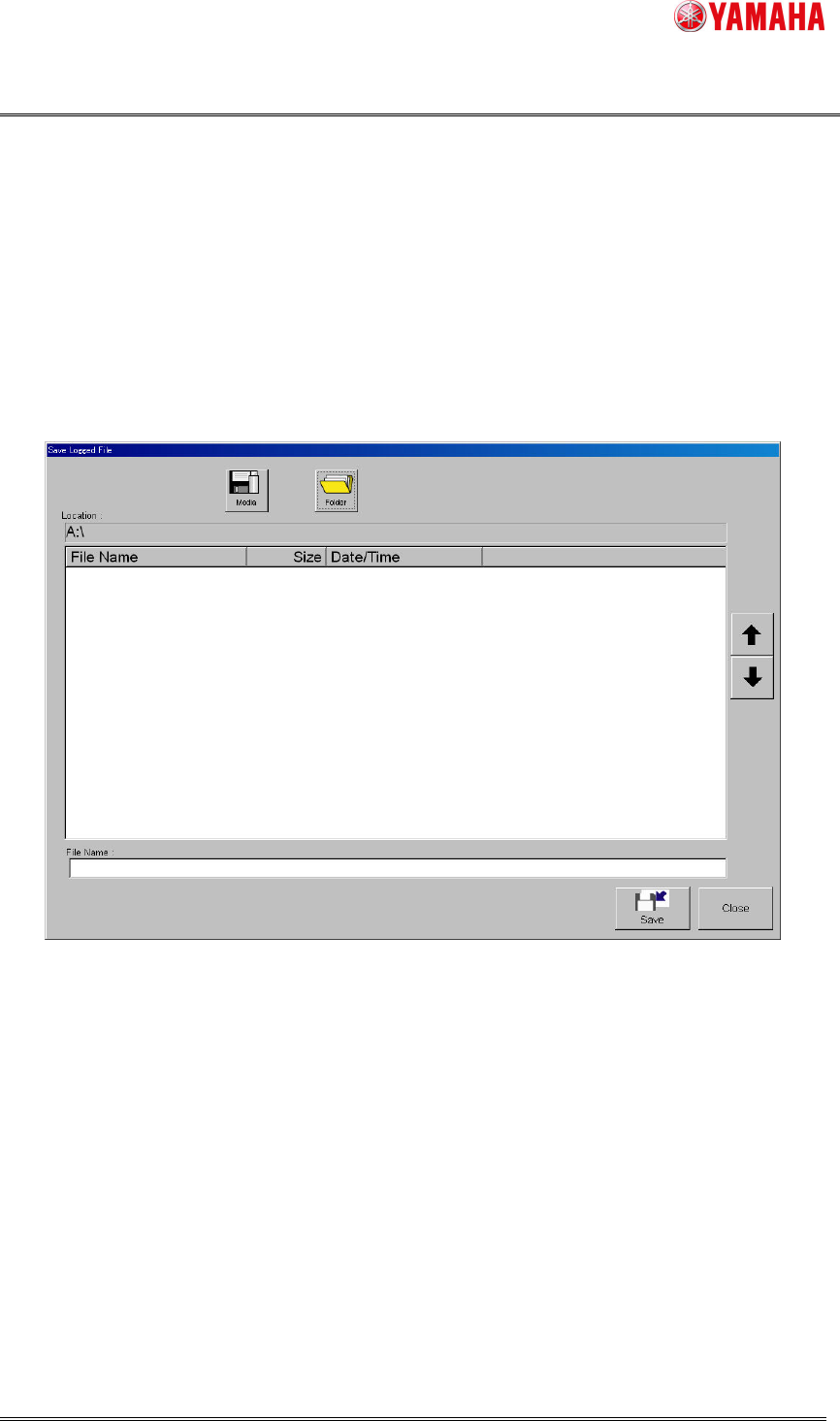
1. Tap [Save Log] button to open "Save Logged File" dialog box.
2. Tap [Media] and [Folder] buttons, and set the location to save the log data.
3. Name the file and tap [Save] button. The file of the log data will be saved in the specified
location. A file extension (.csv) will be automatically assigned to each file.
Fig.3.2 “Save Logged File” screen
* You can also save the feeder ID log data to a file at "History utility" screen displayed by
tapping [Setup]-[History] button.
3.1.3 “Reset” button
Through the following procedures, you can clear the feeder ID log data on [Operator] or
[Service] tab.
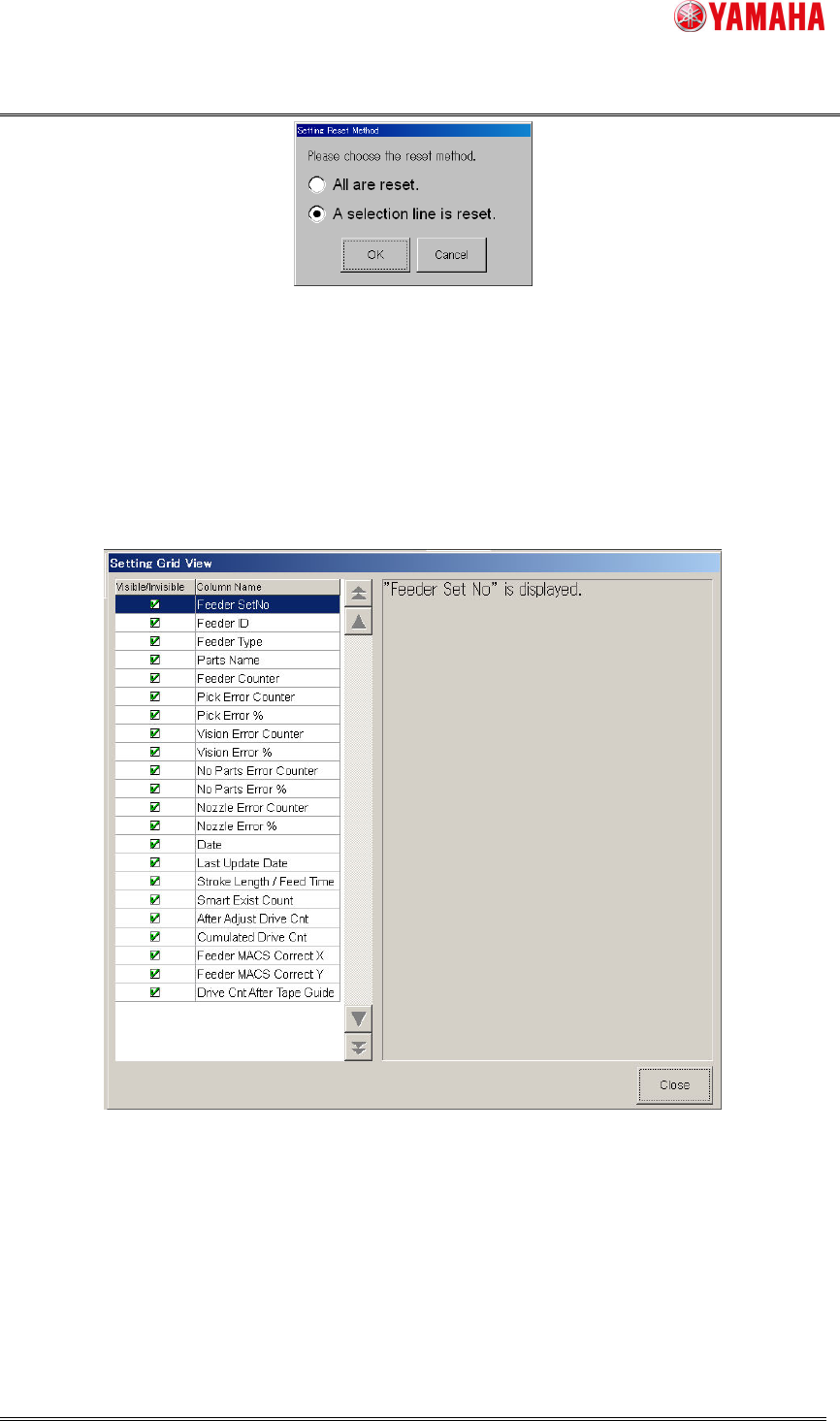
1. Tap [Reset] button to open [Setting Reset Method] dialog box. Select the reset method,
and tap [OK] button.
2. When a conformation dialog box displayed, tap [Yes] button.
Product Engineering Division
SMT Section
Robotics Operations
YAMAHA MOTOR CO., LTD
MDOC-SOFT50281
7/15
Fig.3.3 “Setting Reset Method” screen
3.1.4 “Option”
button
Tap [Option] button to open [Setting Grid View] screen that allows you to show or hide
each log data item. Check the items you want to display, and uncheck the items you do not
want to display.
Fig.3.4 “Setting Grid View” screen