TK55253.FeederIDLog.pdf - 第7页
Product Engineering Division SMT Sect ion Robotics Operations Y AMAHA MOTOR CO., L TD MDOC-SOFT50281 7/ 15 Fig.3.3 “Setting Reset Meth od ” scre en 3.1.4 “Option” butt on T ap [Option] button to o pen [Setting Grid V iew…
Product Engineering Division
SMT Section
Robotics Operations
YAMAHA MOTOR CO., LTD
MDOC-SOFT50281
6/15
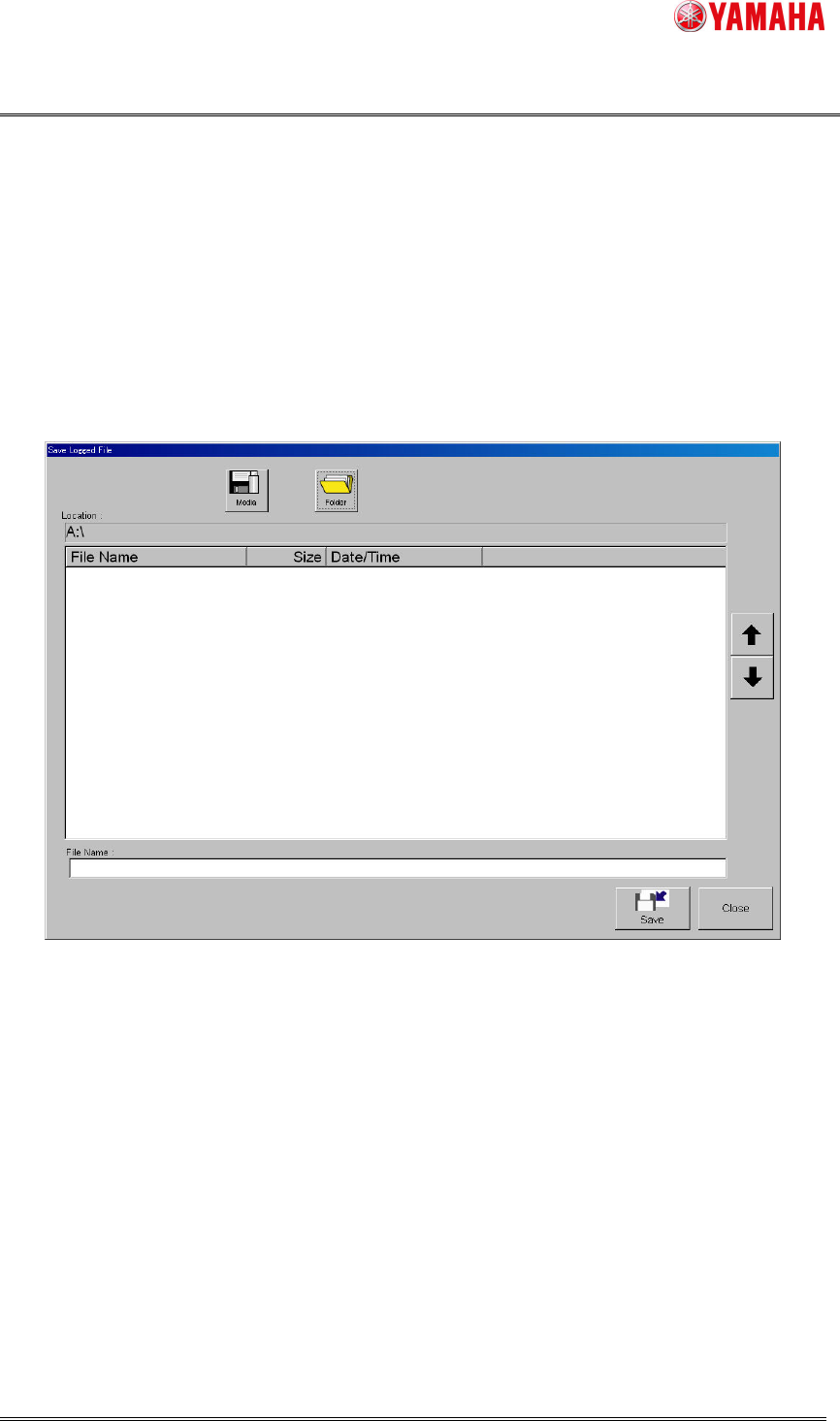
3.1.2 “Save Log” button
By the following procedures, you can save the feeder ID log data displayed on the screen,
into any location such as an USB memory or network drive.
1. Tap [Save Log] button to open "Save Logged File" dialog box.
2. Tap [Media] and [Folder] buttons, and set the location to save the log data.
3. Name the file and tap [Save] button. The file of the log data will be saved in the specified
location. A file extension (.csv) will be automatically assigned to each file.
Fig.3.2 “Save Logged File” screen
* You can also save the feeder ID log data to a file at "History utility" screen displayed by
tapping [Setup]-[History] button.
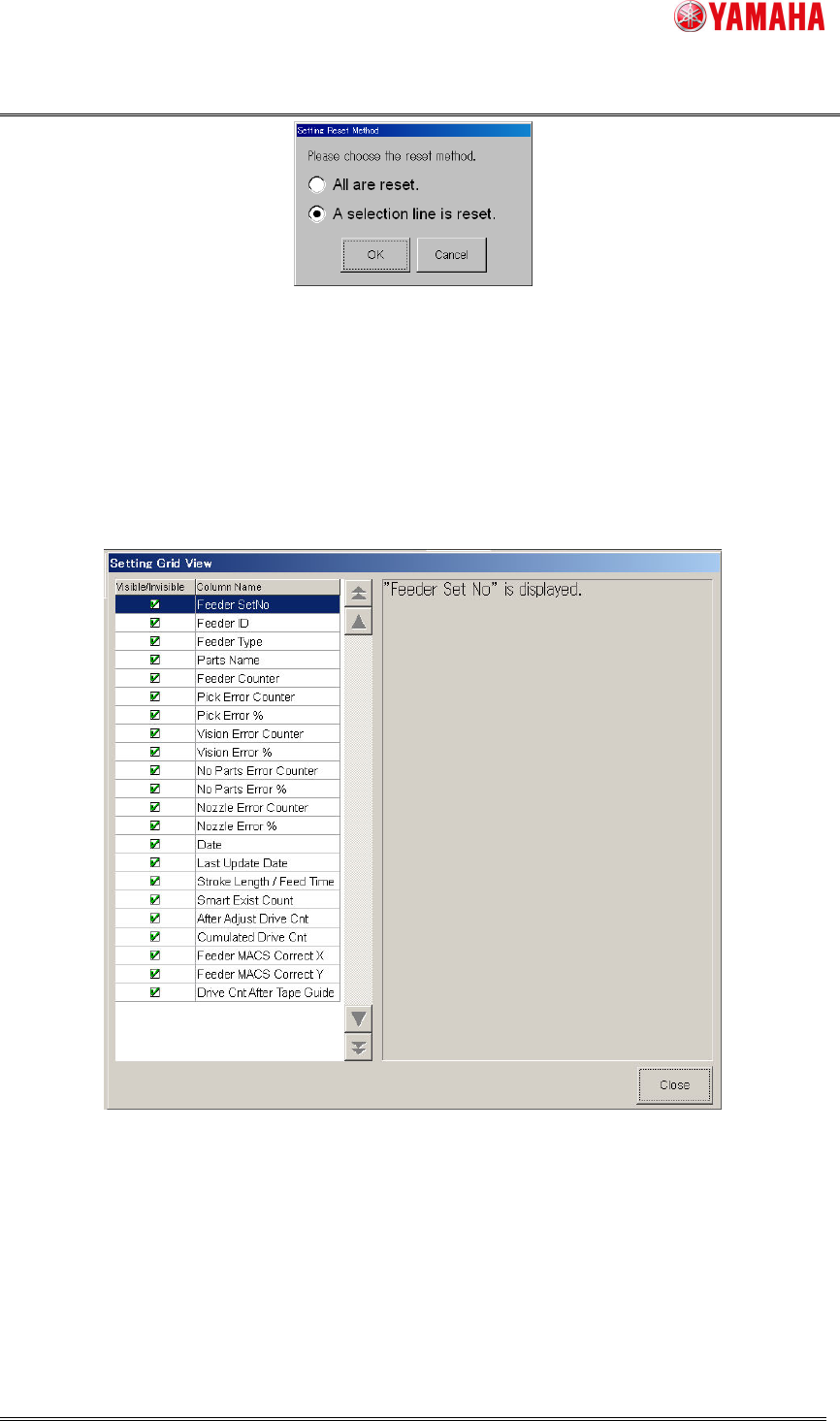
3.1.3 “Reset” button
Through the following procedures, you can clear the feeder ID log data on [Operator] or
[Service] tab.
1. Tap [Reset] button to open [Setting Reset Method] dialog box. Select the reset method,
and tap [OK] button.
2. When a conformation dialog box displayed, tap [Yes] button.
Product Engineering Division
SMT Section
Robotics Operations
YAMAHA MOTOR CO., LTD
MDOC-SOFT50281
7/15
Fig.3.3 “Setting Reset Method” screen
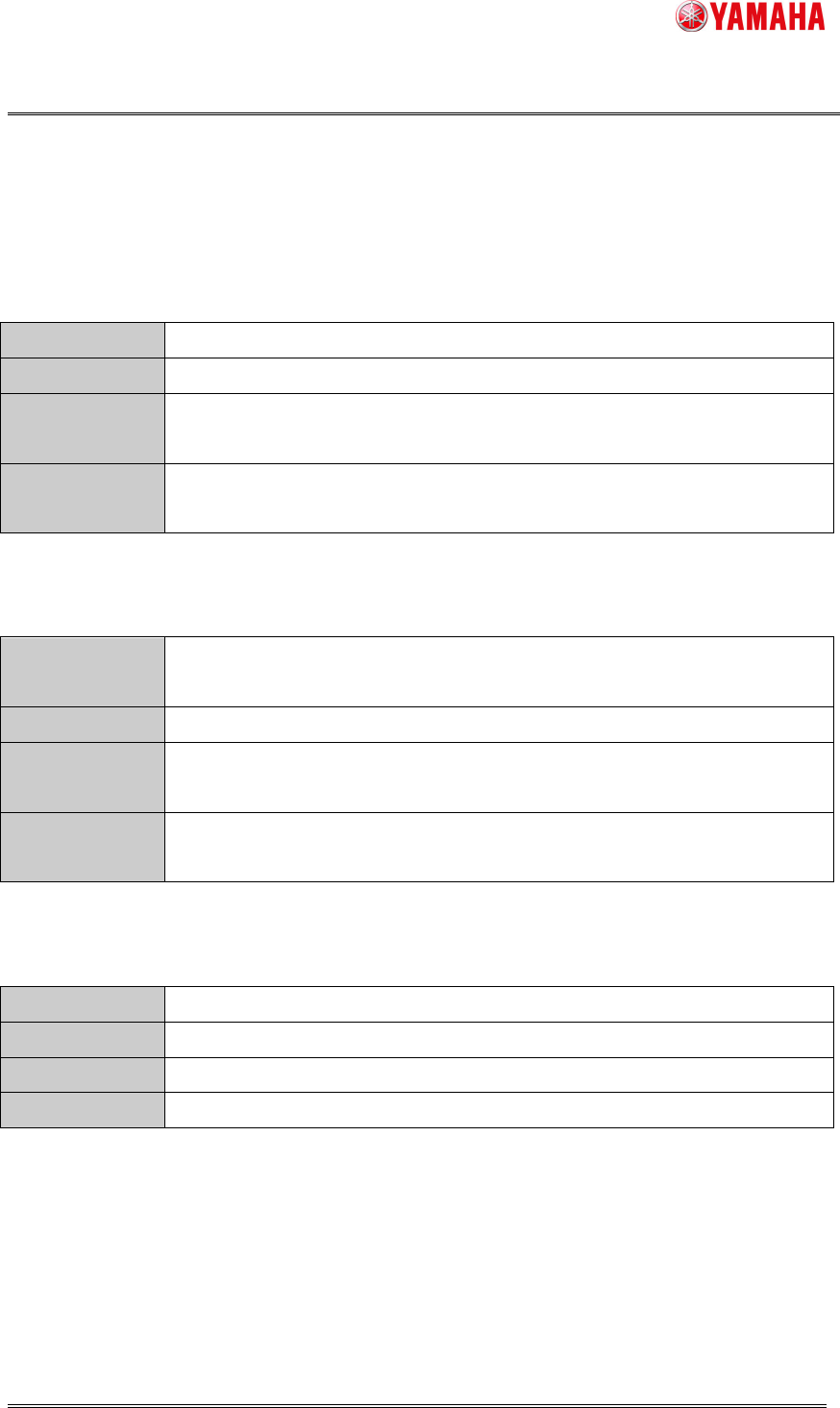
3.1.4 “Option”
button
Tap [Option] button to open [Setting Grid View] screen that allows you to show or hide
each log data item. Check the items you want to display, and uncheck the items you do not
want to display.
Fig.3.4 “Setting Grid View” screen
Product Engineering Division
SMT Section
Robotics Operations
YAMAHA MOTOR CO., LTD
MDOC-SOFT50281
8/15
3.2 Feeder ID log file
The feeder ID log date is output to the following files automatically.
3.2.1 Feeder ID individual log file
History data of each feeder is output to the feeder ID individual log file (One file for each
feeder).
Contents
Feeder ID log data of each feeder
Output timing
When feeder is detached or machine is turned off.
Save path
Path specified in “feeder ID individual log” at “ID log setting” screen.
([Software Setting]-[History]-[Unit Log]-[Log setting] button)
File name
(Feeder ID)_log.csv
Example: SSY-012-0001_log.csv
3.2.2 Feeder ID daily log file
History data of all used feeders is output day by day to the feeder ID daily log file.
Contents
Feeder ID log data of all feeders used on that day (Including the feeders
which are not set to this machine at the time of a file output)
Output timing
When machine is turned off or just after date changed.
Save path
Path specified in “Unit log Setting” screen
([Software Setting]-[History]-[Unit Log] button)
File name
FeederIDLog_(Machine serial number)_(Date).csv
(例) FeederIDLog_Y11111_20130608.csv
3.2.3 Feeder ID log backup file
History data of feeders set to this machine is output to the feeder ID log backup file.
Contents
Feeder ID log data of all feeders set to this machine.
Output timing
When machine is turned off or just after date changed.
Save path
D:¥Machine¥My History
File name
FeederIDLog_local.csv
3.3 Feeder ID log file format
The format of the feeder ID log is as follows.
The file format is the same among the feeder ID individual log file, the feeder ID daily log
file, the feeder ID log backup file and the file saved by [log save] button.