CP14 Head Part Exchange - Replacing the DP Drive en.pdf - 第10页
E-by SIPLACE CP14 Removing the CP14 Head Part Exchange 2/2 CAUTION! Refer to safety inst ructions in user manual before working on the machine. ESD guidelines are to be followed Tool: Wear Part: Consum ables: 7. Carefull…
E-by SIPLACE CP14 Removing the CP14 Head
Part Exchange
1/2
CAUTION! Refer to safety instructions in user manual before working on the machine.
ESD guidelines are to be followed
Tool: Wear Part: Consumables:
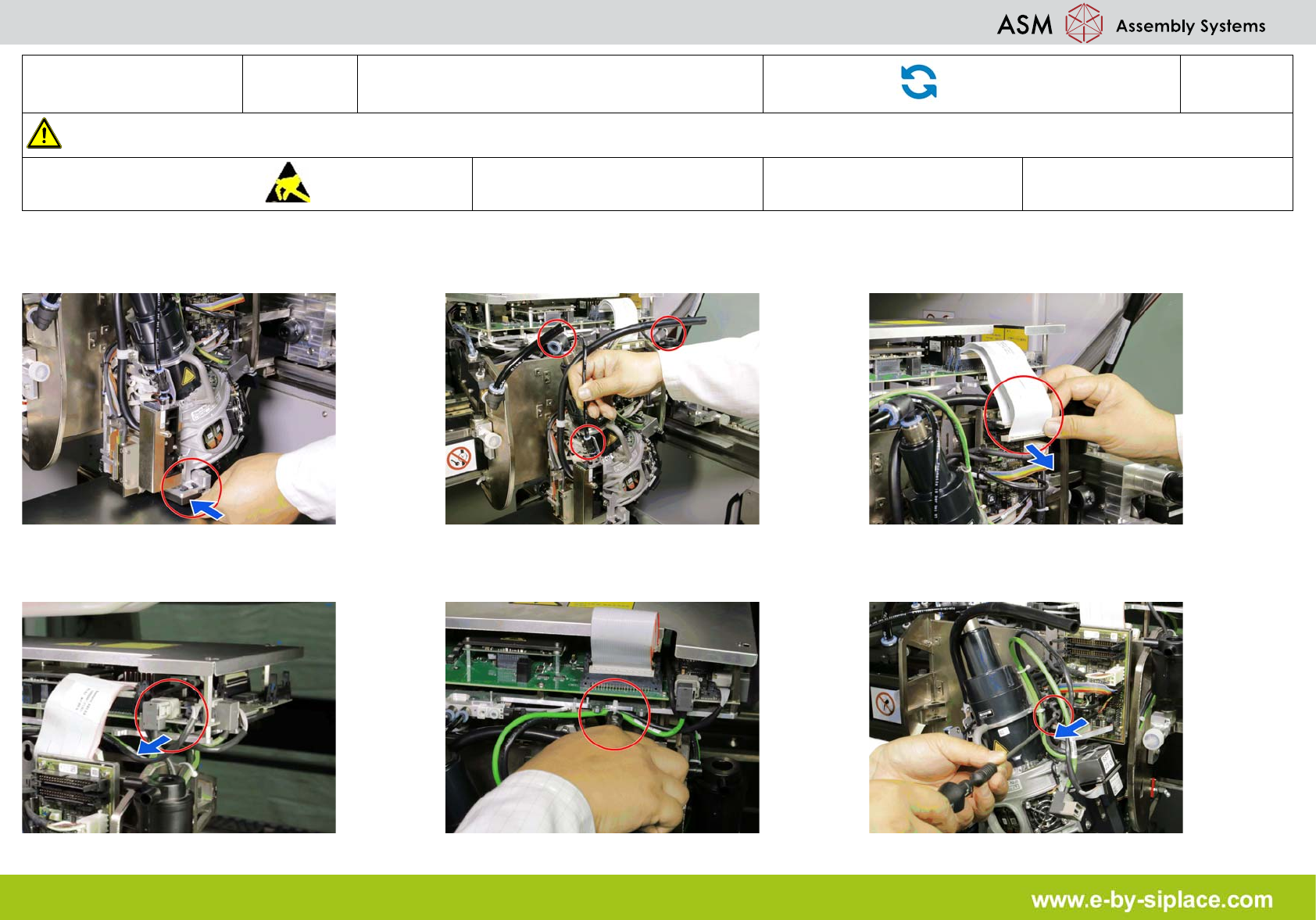
1. Fit the protective cap onto the component
sensor for the placement head.
2. Disconnect the pneumatic connections
from the placement head.
3. Disconnect the flat ribbon cable from the
placement head or head adapter.
4. Disconnect the component cable. 5. Cut away the cable tie. 6. Loosen all four M4 fastening screws with a
long torx key.
E-by SIPLACE CP14 Removing the CP14 Head
Part Exchange
2/2
CAUTION! Refer to safety instructions in user manual before working on the machine.
ESD guidelines are to be followed
Tool: Wear Part: Consumables:
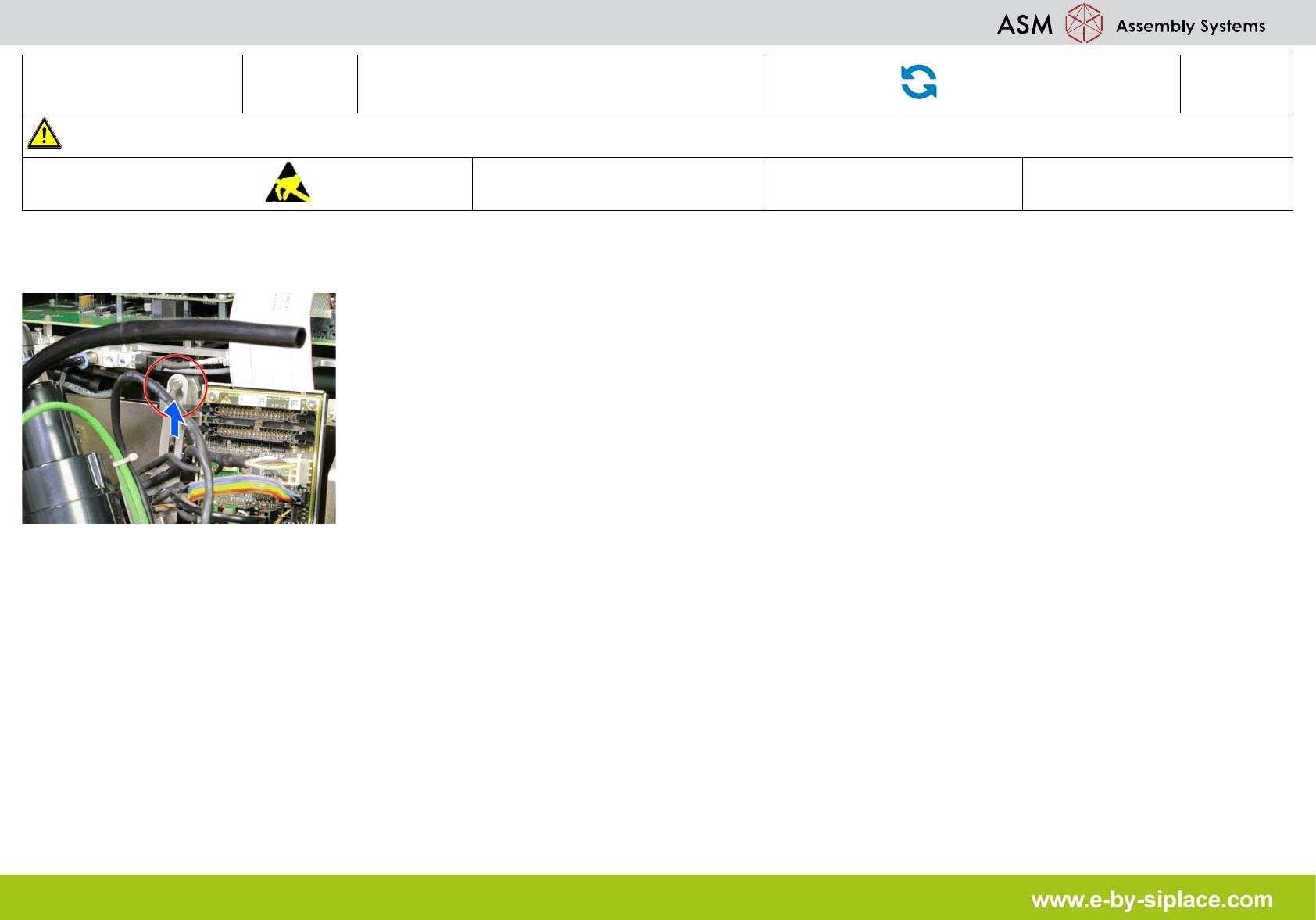
7. Carefully lift the head out of the locating
pins on the head plate.
E-by SIPLACE CP14 Removing the Aperture Ring
Part Exchange
1/1
CAUTION! Refer to safety instructions in user manual before working on the machine.
ESD guidelines are to be followed
Tool: Wear Part: Consumables:
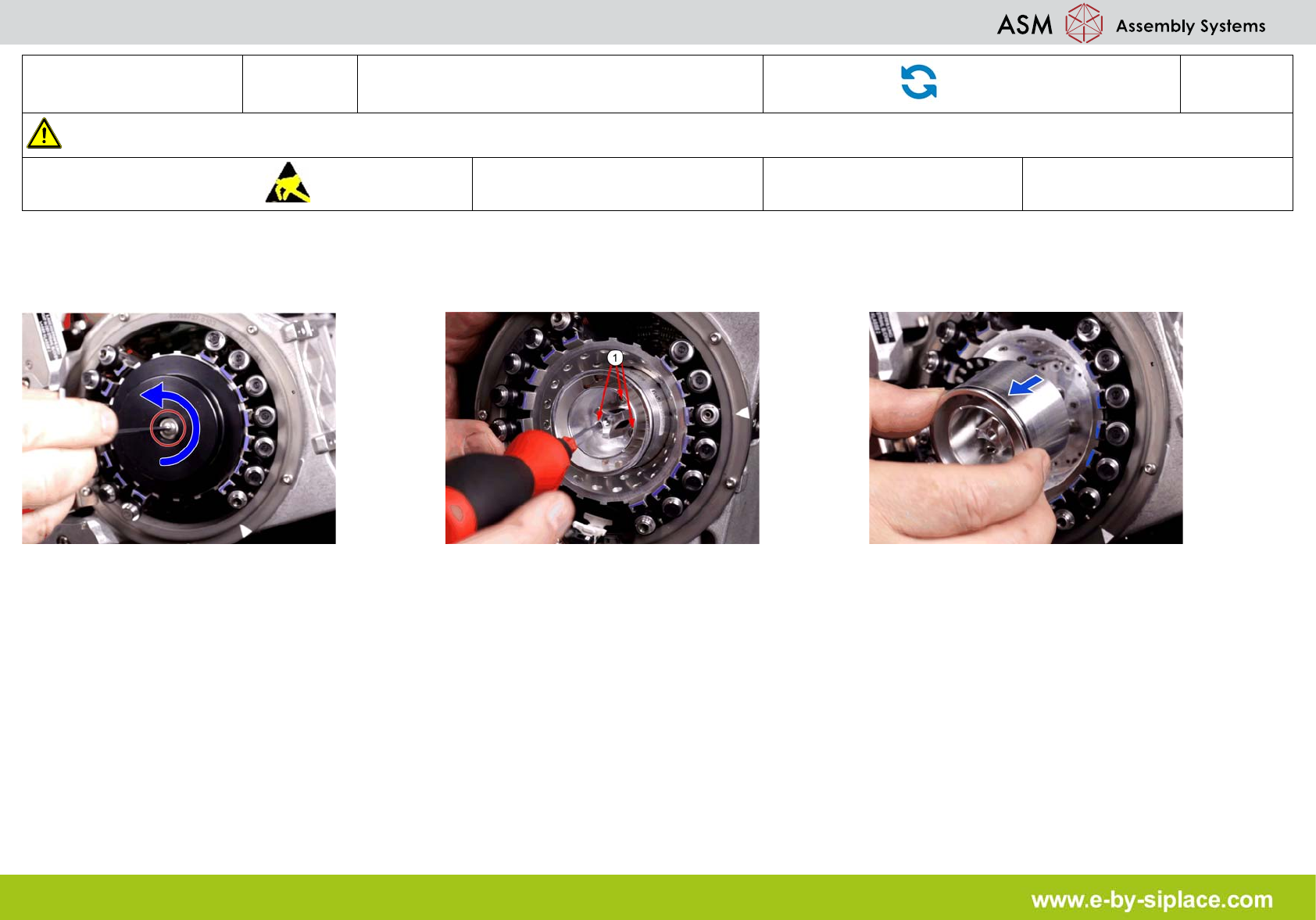
1. Loosen the screw fastening the cover and
remove it.
2. Loosen the three screws (1) fastening the
aperture ring.
3. Carefully lever the aperture ring off the lo-
cating pins. Make sure that the O-ring is not
damaged.