CP14 Head Part Exchange - Replacing the DP Drive en.pdf - 第15页
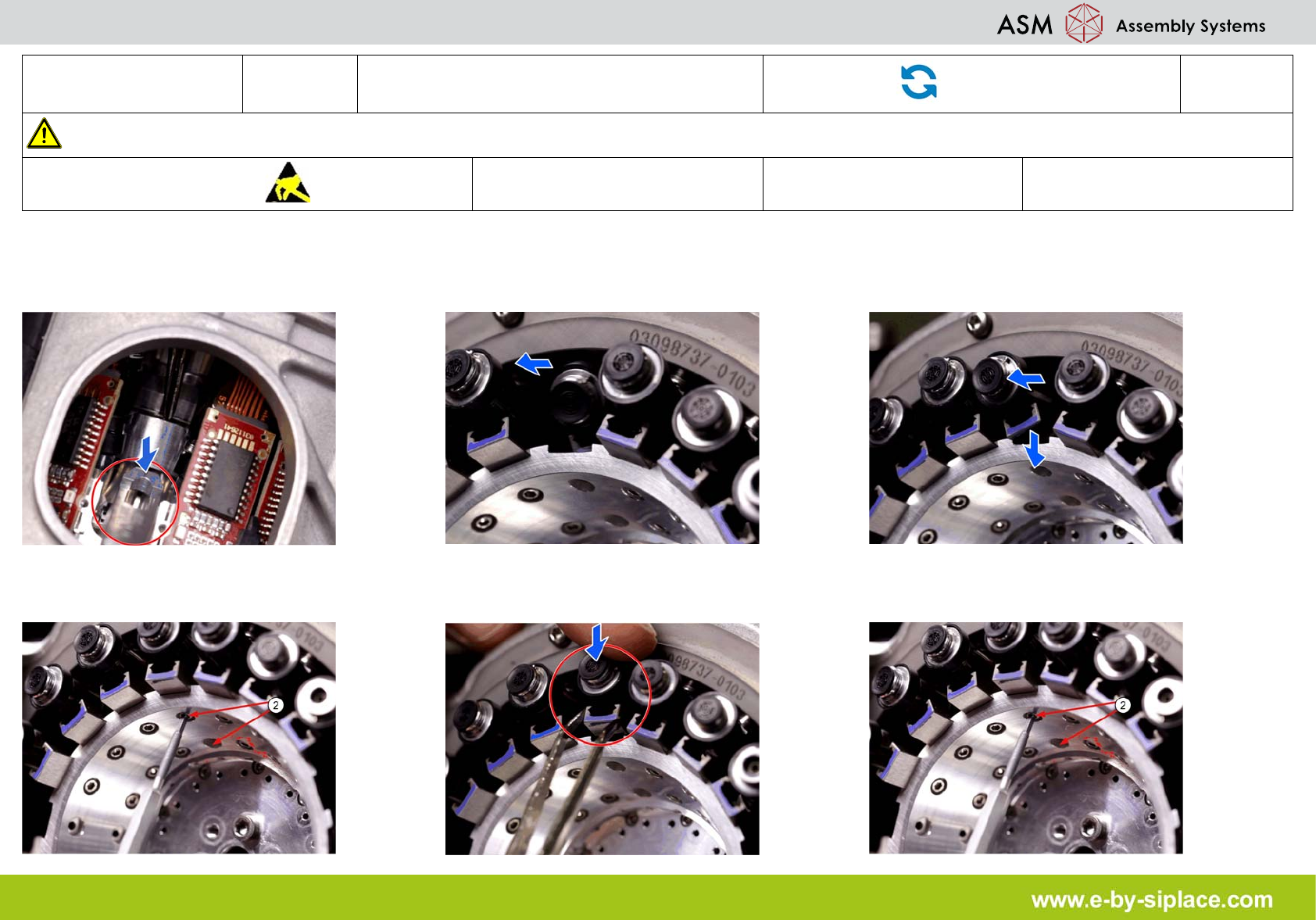
E-by SIPLACE CP14 Inserting the DP Drive Part Exchange 1/2 CAUTION! Refer to safety inst ructions in user manual before working on the machine. ESD guidelines are to be followed Tool: Wear Part: Consum ables: 1. Carefull…

E-by SIPLACE CP14 Inserting the DP Drive
Part Exchange
1/2
CAUTION! Refer to safety instructions in user manual before working on the machine.
ESD guidelines are to be followed
Tool: Wear Part: Consumables:
1. Carefully push the spring pin back with a
pairs of tweezers and insert the DP change
tool.
2. Insert the new DP drive into the head. 3. Position the linear guide on the star carrier.
4. Loosely fix the linear guide with one of the
fastening screws (2).
5. Press the linear guide against the pin. 6. Carefully tighten the two fastening screws
(2) with a torque of 0.2 Nm.
E-by SIPLACE CP14 Inserting the DP Drive
Part Exchange
2/2
CAUTION! Refer to safety instructions in user manual before working on the machine.
ESD guidelines are to be followed
Tool: Wear Part: Consumables:
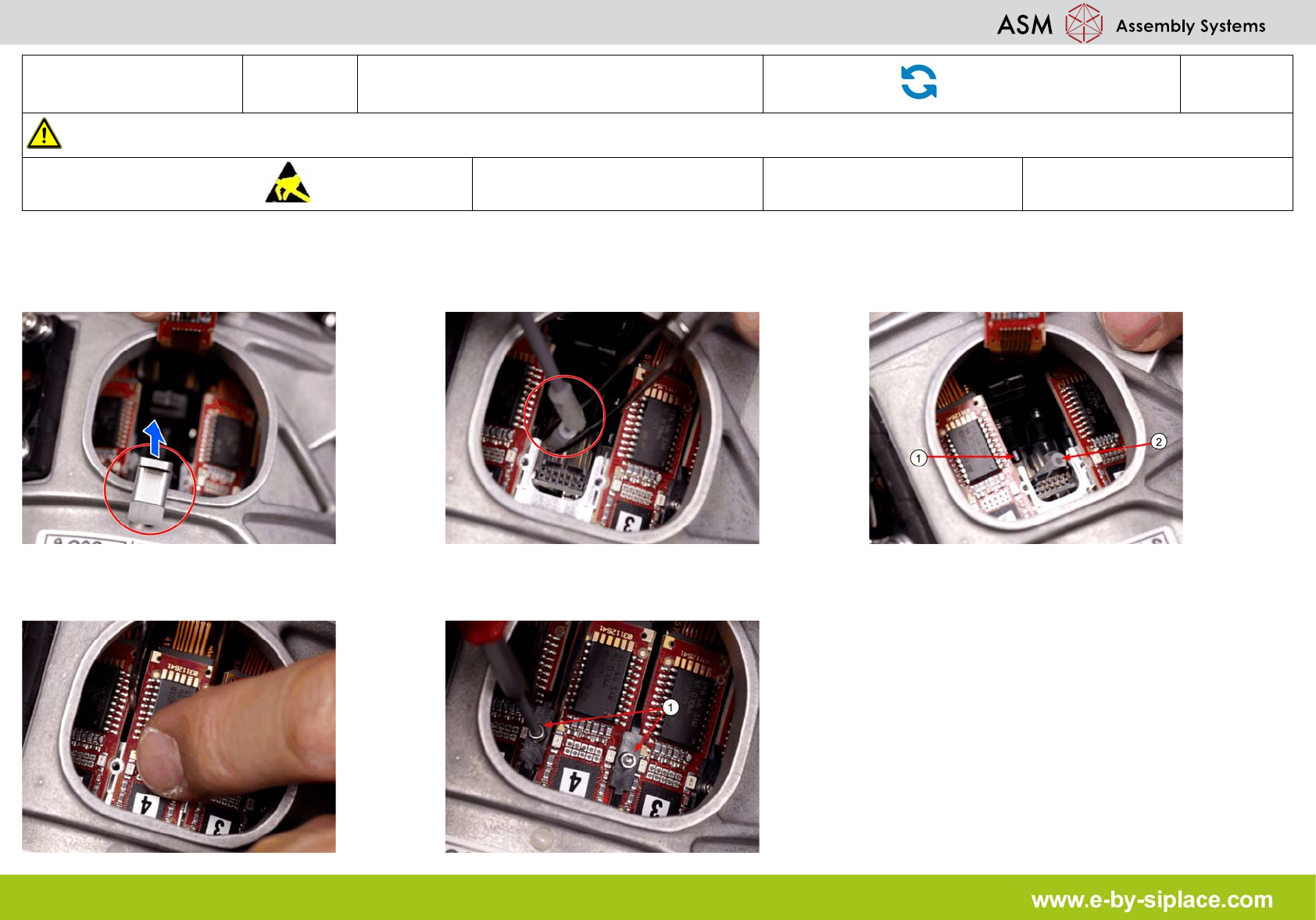
7. Remove the DP change tool. 8. Coat the hose from inside with ethanol. This
makes fitting to the star carrier easier. The
nipple is not directly visible.
9. CAUTION! Take care that hose is not bent
or damaged. Use tweezers to connect hose
(2) with DP drive (1).
10. Press the board onto the connector. 11. Fit the two brackets (1) next to the board
with a torque of 0.1 Nm.