manual-gsf-guide-kit-0028099_ID-220219_EN.pdf - 第9页
OK OK Solder -Wir e Unloading T o un loa d sol de r wi re wi th pe r for atio n that h as alr ead y pa ss ed th roug h the g ui de tu be, cu t the w ire b et wee n the s old er r ee l and t he in let n o z z l e ( 1) . T…
Main MenuMain Menu
5 Tin Reload Process
6 Counters
7 Software Version
1 Reset settings
2
Station settings
3
Tool settings
4 Programs Settings
ExitExit
Ba
ckward Forward
Reload ProcessReload Process
Press enter when nished
OK
OK
OK
OK
OK
OK
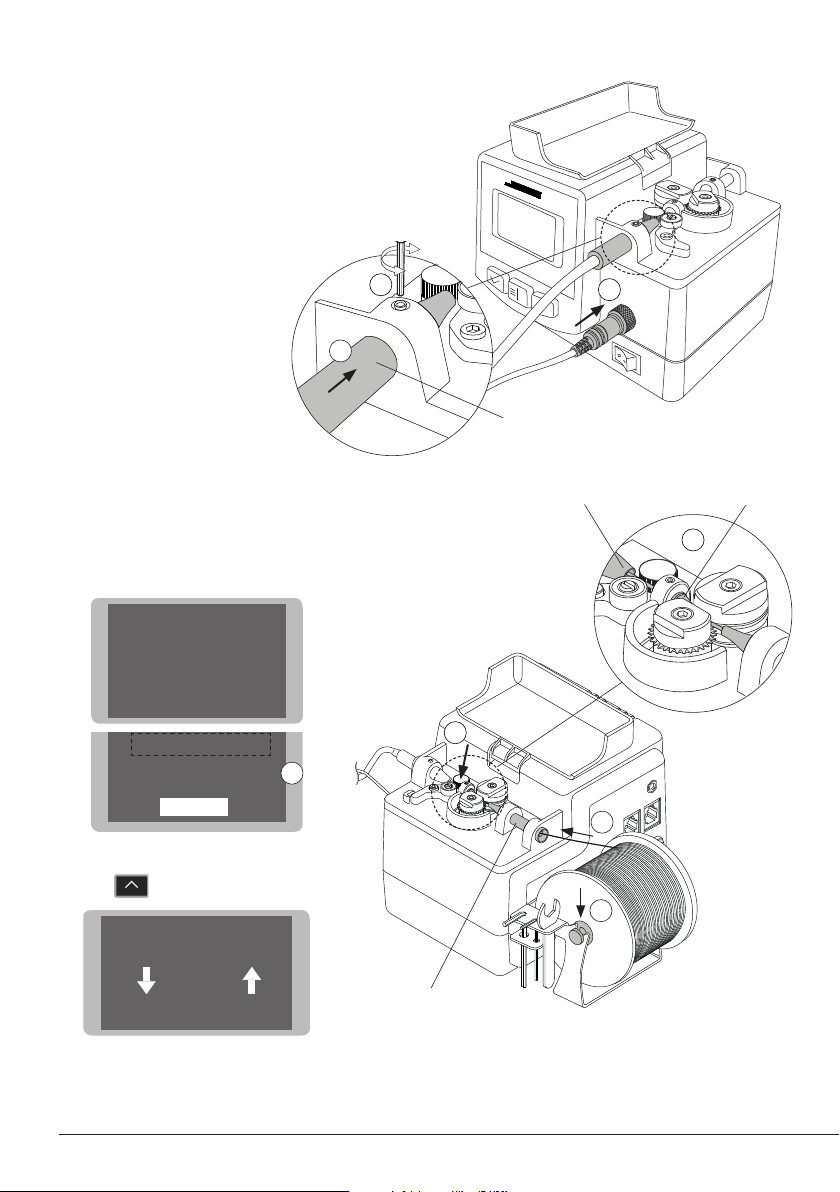
Tool Assembly
Connect the tool to the control unit following
this steps:
Insert and push the guide nozzle until the end
(1) and tighten the screw (2).
Connect the jack (3).
Solder Wire Loading
Put the solder reel into its support (1).
Introduce the solder wire into the inlet nozzle (2)
until it reaches the wheels (3).
Use the Tin Reload Process in the Main Menu (4).
The Relaod Procees screen opens.
Press to start the process.
Make sure the wire passes through the Interme-
diate Nozzle and enters into the Guide Tube (5).
1
3
Inlet
Nozzle
1
2
Insert to the end
4
Intermediate
Nozzle
To Guide Tube
2
3
5
8
OK
OK
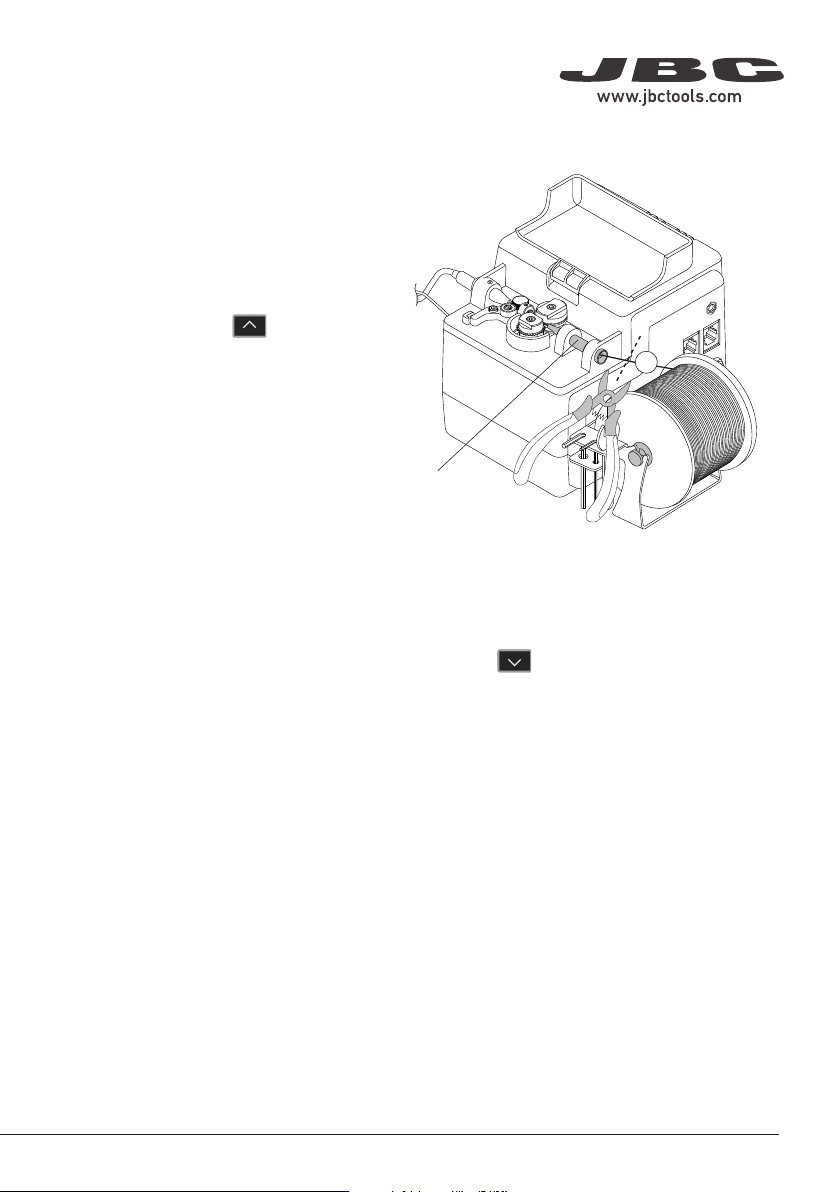
Solder-Wire Unloading
To unload solder wire with perforation that has
already passed through the guide tube, cut
the wire between the solder reel and the inlet
nozzle (1).
To extract the wire out of the tube, hold the tool
on your hand and press until the wire stops
moving forward.
Grasp the wire coming out of the outlet nozzle
with a pliers and pull from it until it is completely
out.
With Solder Wire Perforation
1
With Solder Wire Perforation
When using a guide kit without solder wire perforation, press until the wire is completely wound
on the solder reel to unload the solder wire. It is best to rotate the reel by hand as the wire is being
pulled back in order to keep it neatly arranged on the reel.
Or, If preferred, proceed as described before for perforated solder wire unloading.
Inlet
Nozzle
9
40 mm
50 mm
60 mm
80 mm
100 mm
130 mm
130 mm
para manuales - color gris
200 mm
300 mm
Notes
10