TT5064_UserDefinition_MachineSetup_ManualRev1.pdf - 第12页
SMT Software En gineering Group IMOperations YAMAHAMOTORCO.,LTD. MD OC-SOFT50064 12/12 5. Restricti ons There are no res trictions
SMT Software Engineering Group
IMOperationsYAMAHAMOTORCO.,LTD.
MDOC-SOFT50064
10/12
4.2.3 Remove work of unnecessary item (Work with
[Remove] button)
The remove work of an unnecessary item is done with [Remove] button.
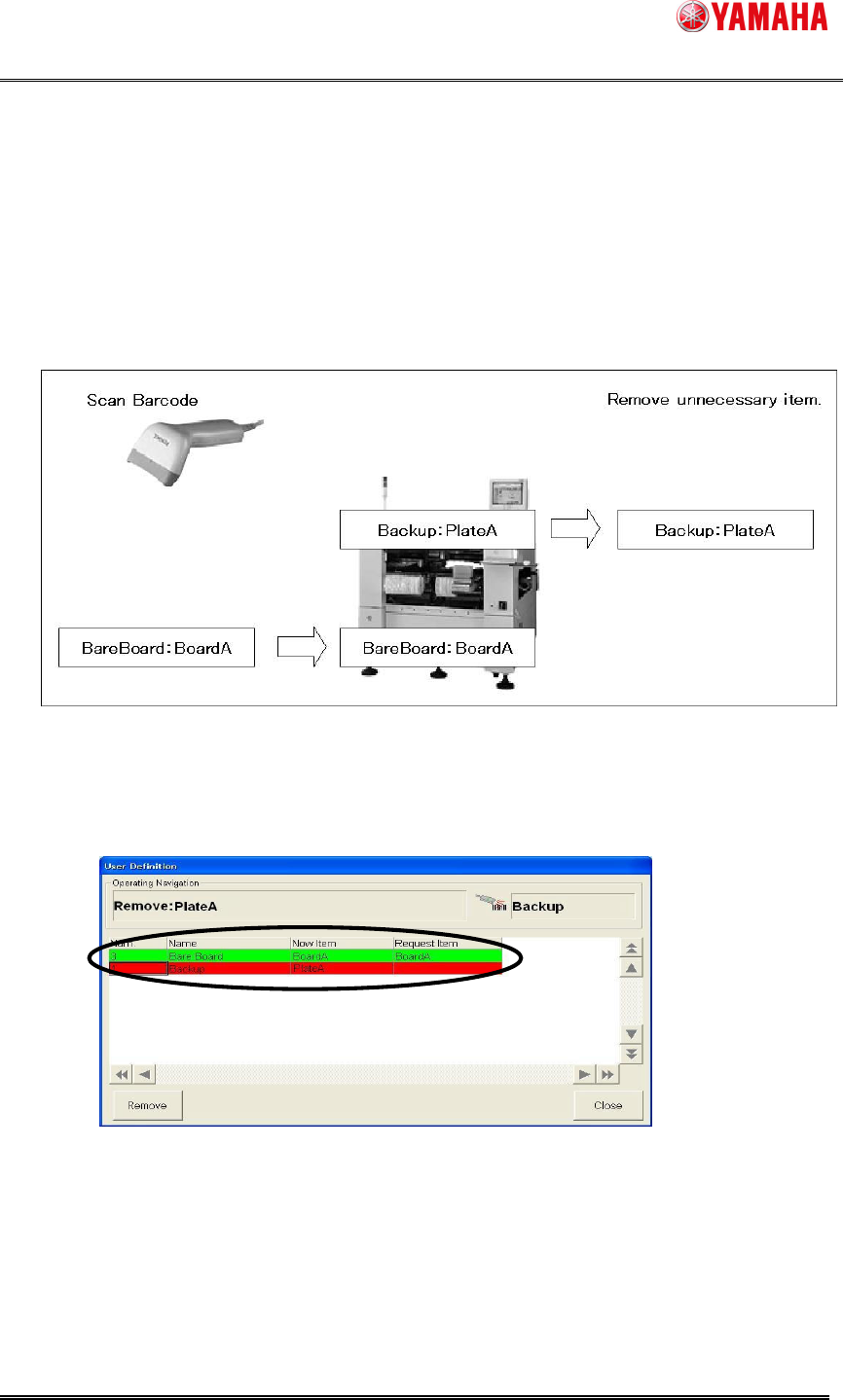
Ex1:When there is no request of “User Definition _ name” "Backup" by the changing
setup.
Because "Backup" is not necessary in this board data, it becomes "Unnecessary item"
though one "Backup" has already setuped.
Step1. "PlateA" of "Backup" is setup.
1. Check the content displayed in the [User Definition] dialog.
(There is no necessary item of "Backup", and one is an unnecessary item.)
2. Removed one “PlateA” according to the content.
SMT Software Engineering Group
IMOperationsYAMAHAMOTORCO.,LTD.
MDOC-SOFT50064
11/12
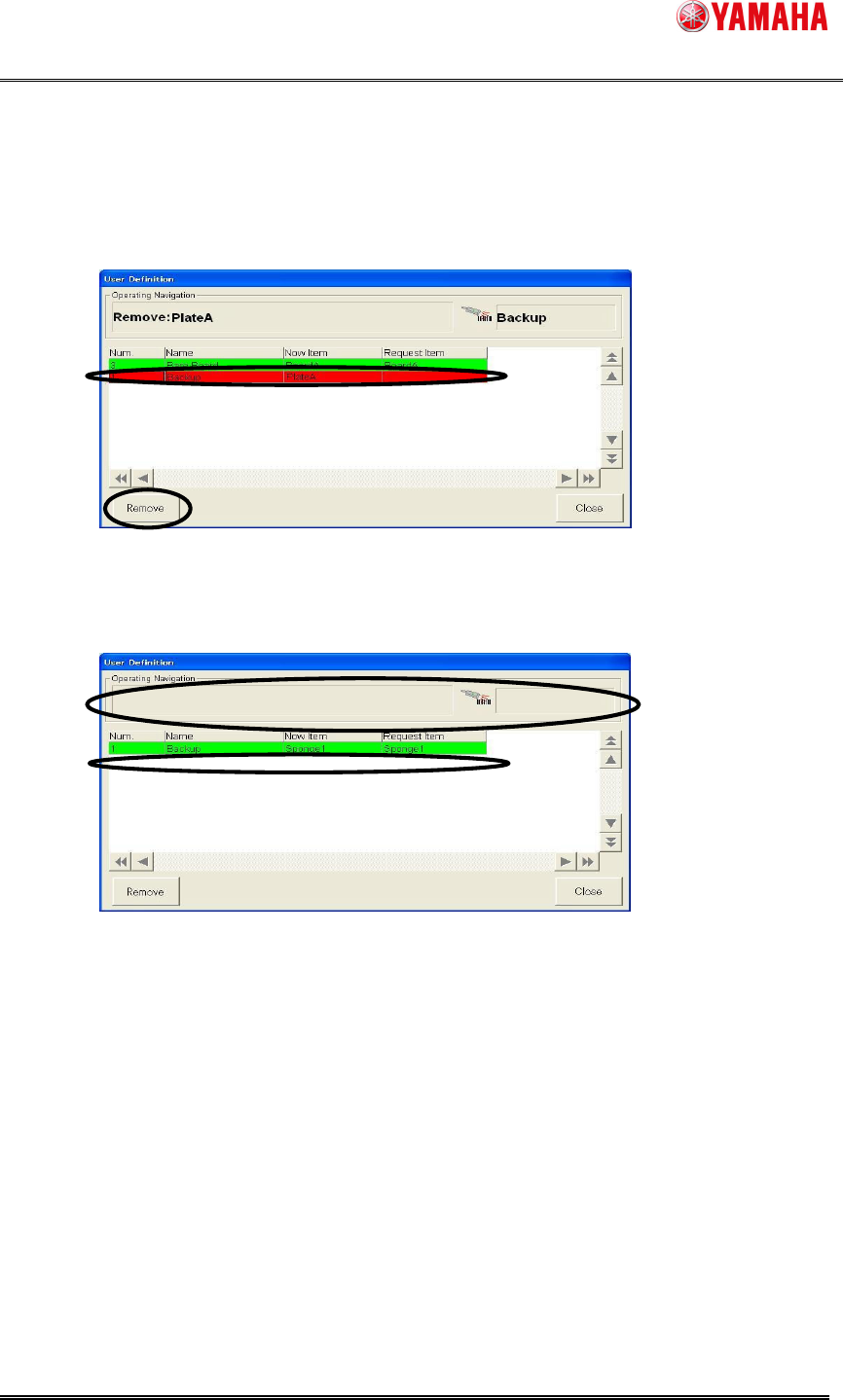
Step2. Item to be removed from the list is selected, and it removed by clicking the
[Remove] button.
1. When work is completed, selects “PlateA” to be removed from the list.
2. Click the [Remove] button.
Step3. Selected “PlateA" is removed.
The operating navigation is not displayed, and setup is completed.
SMT Software Engineering Group
IMOperationsYAMAHAMOTORCO.,LTD.
MDOC-SOFT50064
12/12
5. Restrictions
There are no restrictions