TT5064_UserDefinition_MachineSetup_ManualRev1.pdf - 第8页
SMT Software En gineering Group IMOperations YAMAHAMOTORCO.,LTD. MD OC-SOFT50064 8/12 4.2.2 Remove work o f unnecessary item (Work wit h the barcode scan) The amount that exceeds the number of co…
SMT Software Engineering Group
IMOperationsYAMAHAMOTORCO.,LTD.
MDOC-SOFT50064
7/12
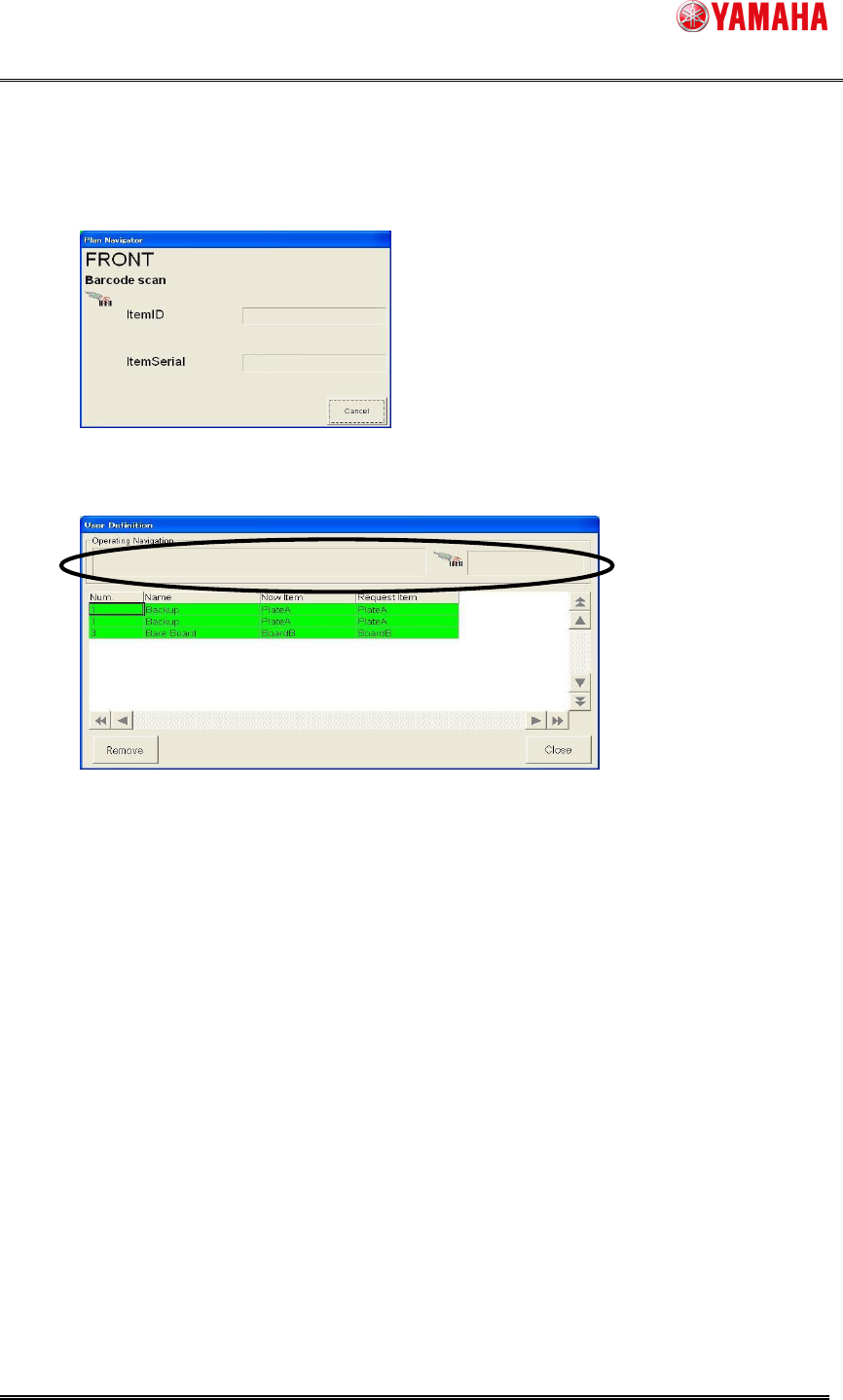
Step4. Scan the barcode of "BoardB"* with the barcode reader.
*Append the barcode that means "BoardB" beforehand.
1. Scan “BoardB” when work is completed.
Step5. The operating navigation is not displayed, and setup is completed.
SMT Software Engineering Group
IMOperationsYAMAHAMOTORCO.,LTD.
MDOC-SOFT50064
8/12
4.2.2 Remove work of unnecessary item (Work with the barcode scan)
The amount that exceeds the number of continuous scanning of the “User Definition _
name” is automatically judged to be "Remove it" when the number of necessary item is
less than the number being setuped now in same “User Definition _ name”.
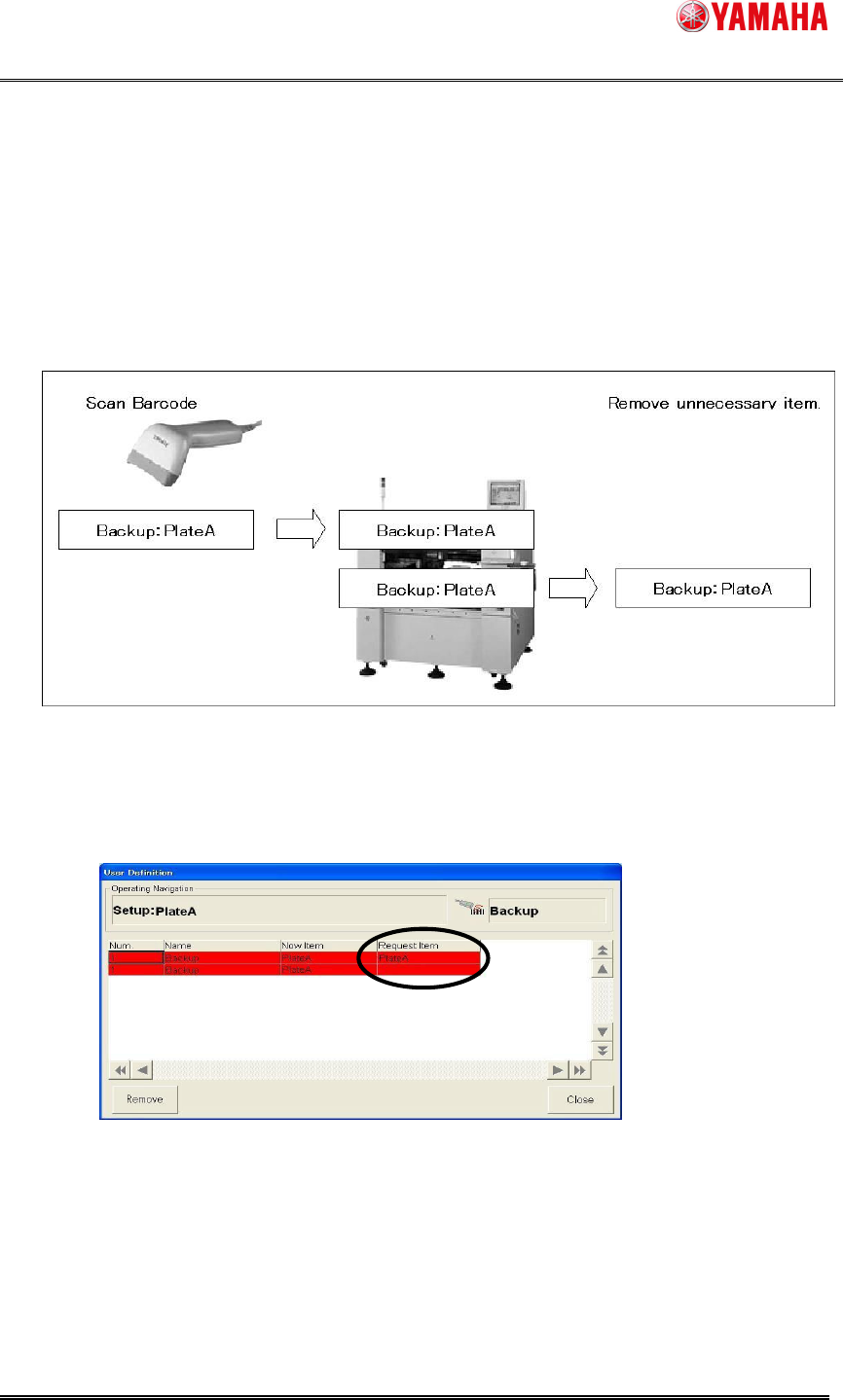
Ex1: When the number of item "PlateA" of “User Definition _ name “Backup" changes
from two into one by the changing setup. ( In the machine for Twin push-up )
Step1. "PlateA" of "Backup" is setup.
1. Check the content displayed in the [User Definition] dialog.
(Item are two "Backup" now, one is necessary item, and one is unnecessary item.)
2. Setuped one necessary “PlateA" and removed one unnecessary “PlateA"
according to the content.
SMT Software Engineering Group
IMOperationsYAMAHAMOTORCO.,LTD.
MDOC-SOFT50064
9/12
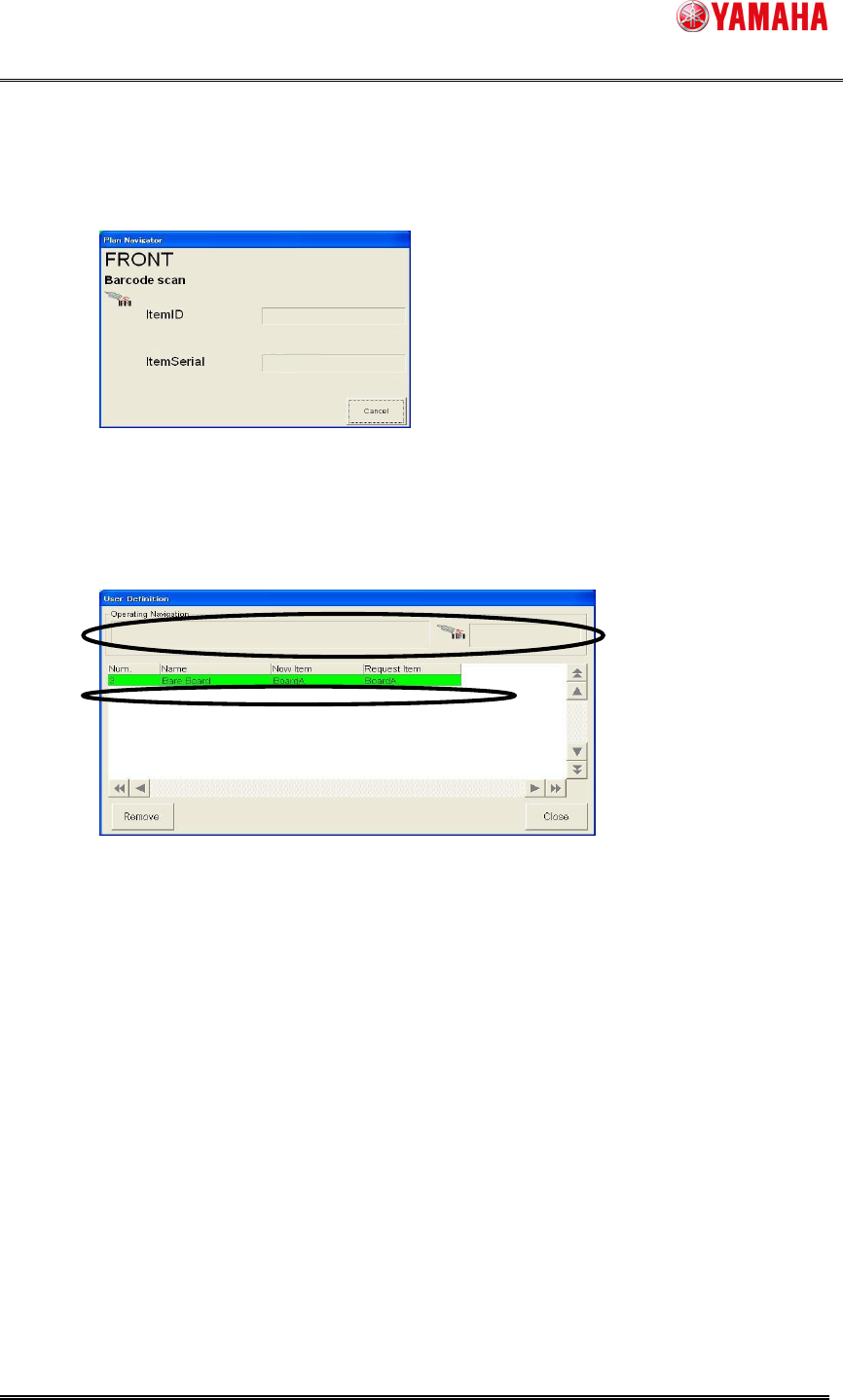
Step2. Scan the barcode of "PlateA" with the barcode reader.
Append the barcode that means "PlateA" beforehand.
1. Scan “PlateA” when work is completed.
2. Scanning removed “PlateA” is unnecessary.
Step3. One scan “PlateA" is setuped, and one "PlateA” not scan is removed.
The operating navigation is not displayed, and setup is completed.