TT5064_UserDefinition_MachineSetup_ManualRev1.pdf - 第4页
SMT Software En gineering Group IMOperations YAMAHAMOTORCO.,LTD. MD OC-SOFT50064 4/12 Figure4.1.2 U ser d efinition info rmation dialog d isp la y item No. Item name Explanation 1 O…
SMT Software Engineering Group
IMOperationsYAMAHAMOTORCO.,LTD.
MDOC-SOFT50064
3/12
4. Usage
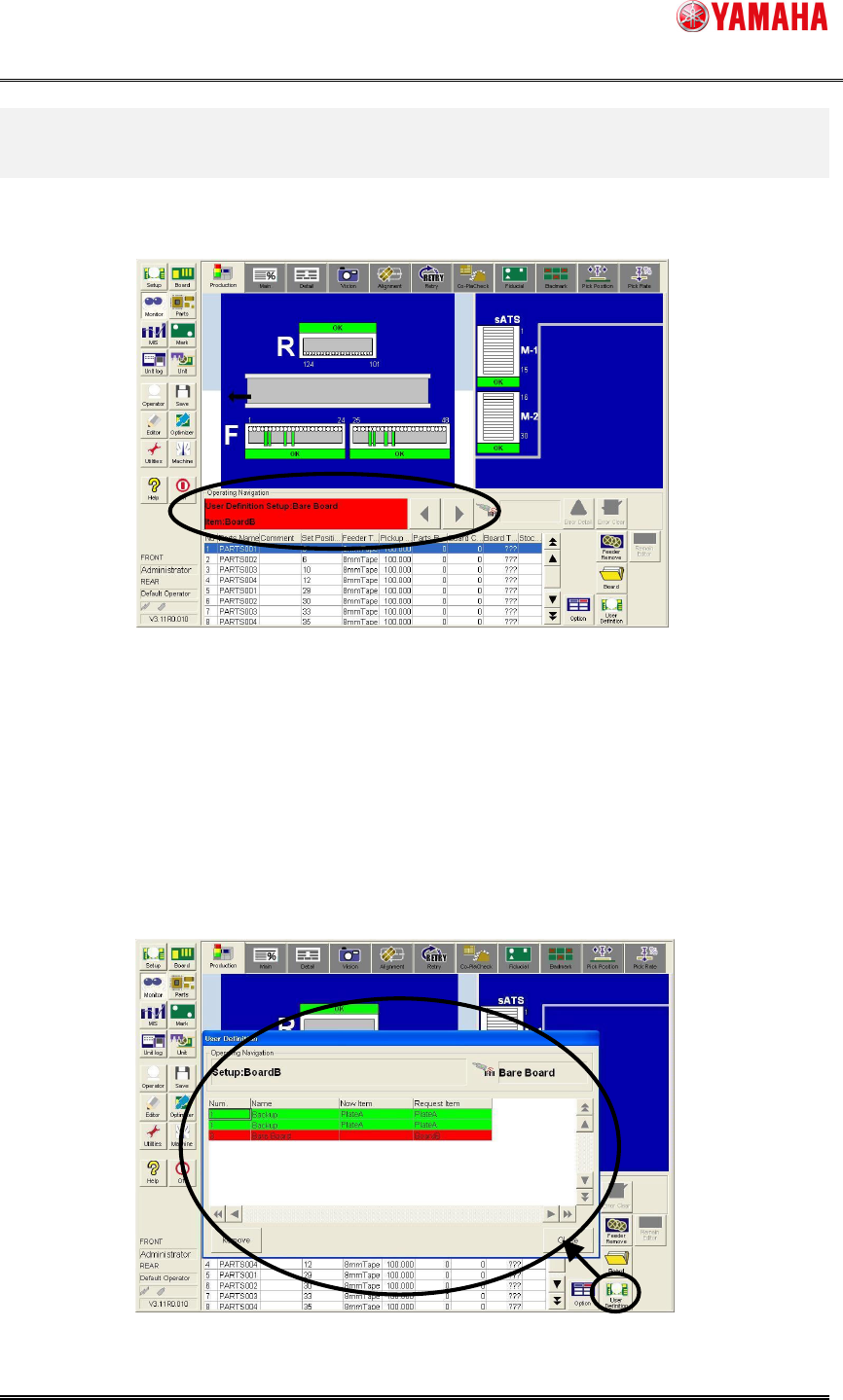
When the setup work of the “User Definition” is necessary, [User Definition Setup:…] is
displayed in [Monitor] - [Production] - [Operating Navigation].
Figure4.1 Production Monitor
4.1 Display of setup information on “User Definition”
To check setup of "User Definition" insufficient in the start production, the setup situation is
displayed.
When [User Definition] button* is clicked, [Monitor] – [Production] is started.
*The [User Definition] button is available when the check items of the read board data
other than parts are registered.
Figure4.1.1 User definition information dialog start
SMT Software Engineering Group
IMOperationsYAMAHAMOTORCO.,LTD.
MDOC-SOFT50064
4/12
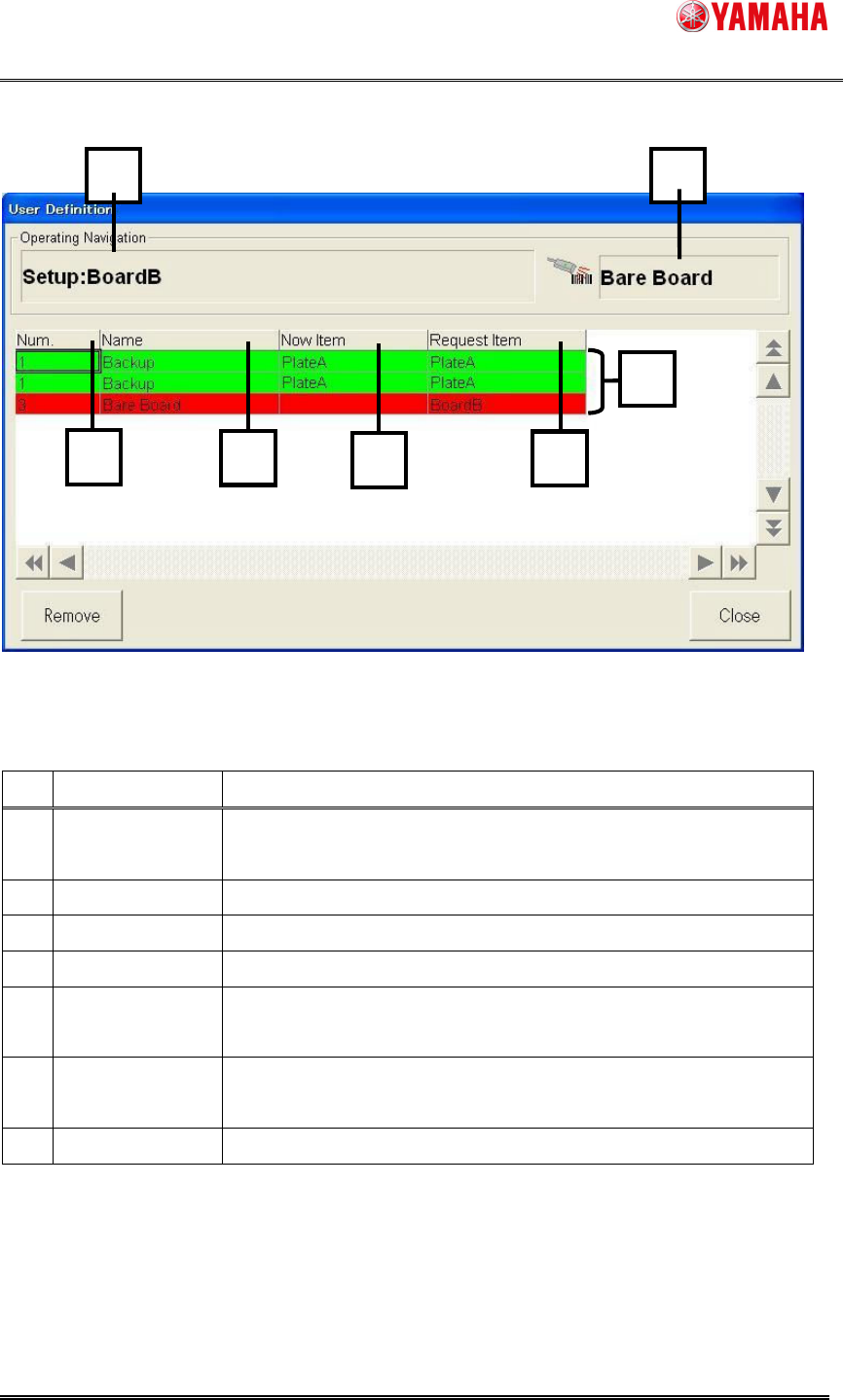
Figure4.1.2 User definition information dialog display item
No.
Item name Explanation
1
Operating
Navigation
Requested operation is displayed.
2 Scanning Object
"User Definition _ Name" to be scanned is displayed.
3 Num. "User Definition _ Number" set by "ID Editor" is displayed.
4 Name "User Definition _ Name" set by "ID Editor" is displayed.
5 Now Item
"Item Name" that has been setup is displayed in the machine
now.
6 Request Item
"Item Name" requested to be setup with the board is displayed
now.
7 Setup Situation "Setup OK" displays "Green" and "Setup NG" displays "Red".
1
11
1
2
22
2
3
33
3
6
66
6
5
55
5
4
44
4
7
77
7
SMT Software Engineering Group
IMOperationsYAMAHAMOTORCO.,LTD.
MDOC-SOFT50064
5/12
4.2 Setup work of “User Definition”
4.2.1 Setup work of necessary item
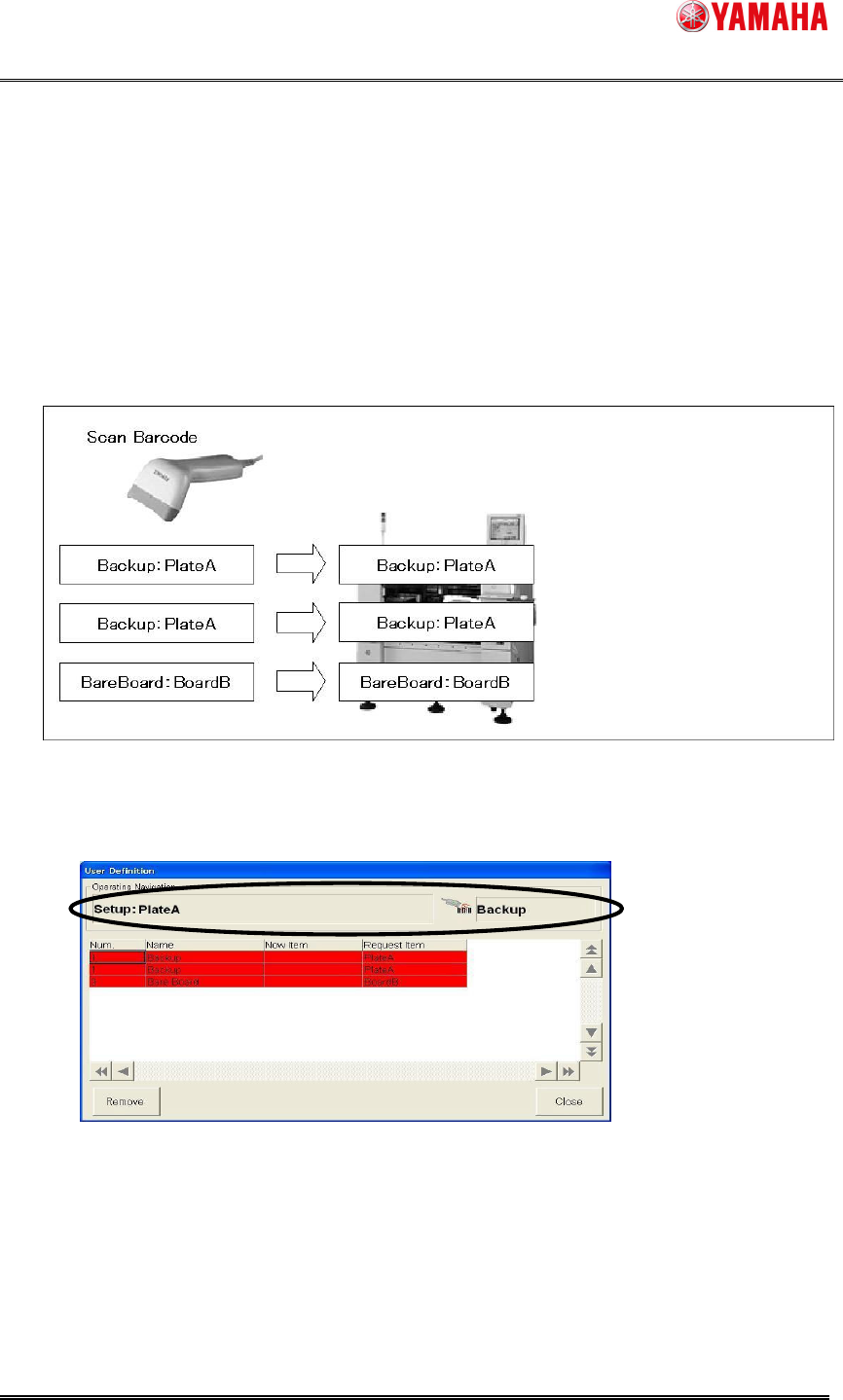
When a necessary item exists, the item is setup, and the barcode of the item is scanned
with the barcode reader.
Ex.1: When you setup the following. ( In the machine for Twin push-up )
It is two as for item "PlateA" of “User Definition _ name” "Backup".
It is one as for item "BoardB" of “User Definition _ name” "Bare Board".
Step1. Two "PlateA" of "Backup" is setup.
1. Check the content displayed in the [User Definition] dialog.
2. Setup two "PlateA" according to the content.