Printer 710_810 v8 Rapid Transit Conveyor Module.pdf - 第14页
RAP ID TRA NSIT CO NVEY OR (RTC) MODUL E ADJUS TMENTS AN D SETTIN GS 18.14 Technical Reference Manual Chapter Issue 2 O ct 06 Camera X Axi s Parallelism WARNING BOARD CLAMPS. EXTREME CAR E MUST BE EXERCISED WHEN WO RKING…
RAPID TRANSIT CONVEYOR (RTC) MODULE
ADJUSTMENTS AND SETTINGS
Chapter Issue 2 Oct 06 Technical Reference Manual 18.13
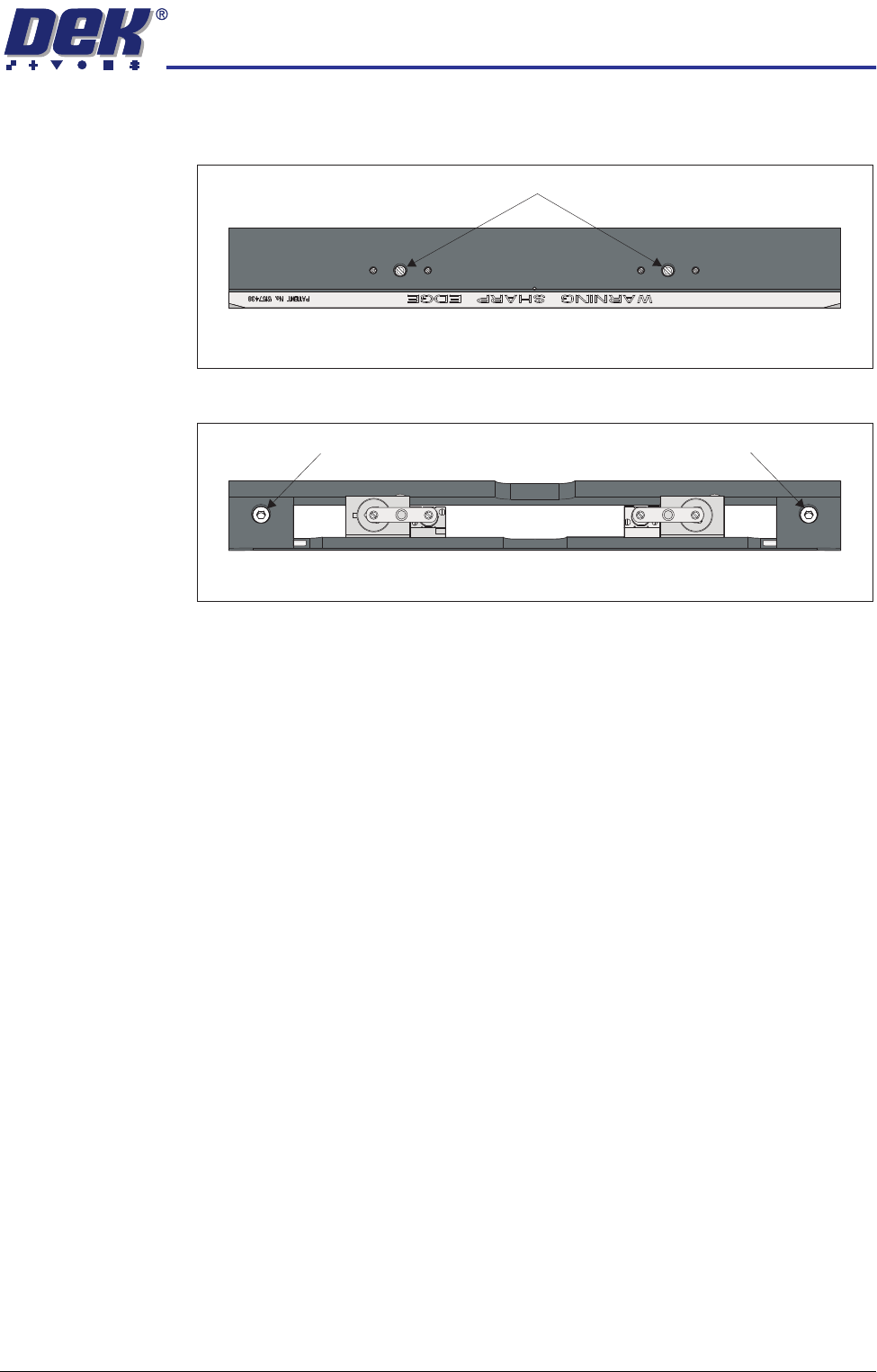
5. Remove the two board clamp securing screws using a flat bladed screw-
driver.
6. Remove the board clamp to access the rail securing screws.
7. Loosen the two rail securing screws.
NOTE
The securing screws need to be loosened just enough to allow the rail to be
moved.
8. Move the rear print station rails so that the rear print station rail abuts both
stops on the jig without any pressure.
NOTE
If parallelism cannot be achieved with the slack available, check that the rail
width drive belt has not jumped a tooth on one of the drive cogs.
9. Tighten the securing screws.
10. Using a 0.05mm feeler as a NO-GO gauge, check that no gap exists
between the stops and the board support plate.
11. Repeat Steps 7 to 10 until parallelism is achieved.
12. Refit the board clamp.
13. Manually move the rear rail away from the jig and remove the jig from the
rising table.
Plan View of Print Station Rail
Board Clamp Securing Screws
Plan View of Print Station Rail
Rail Securing Screw Rail Securing Screw
RAPID TRANSIT CONVEYOR (RTC) MODULE
ADJUSTMENTS AND SETTINGS
18.14 Technical Reference Manual Chapter Issue 2 Oct 06
Camera X Axis Parallelism
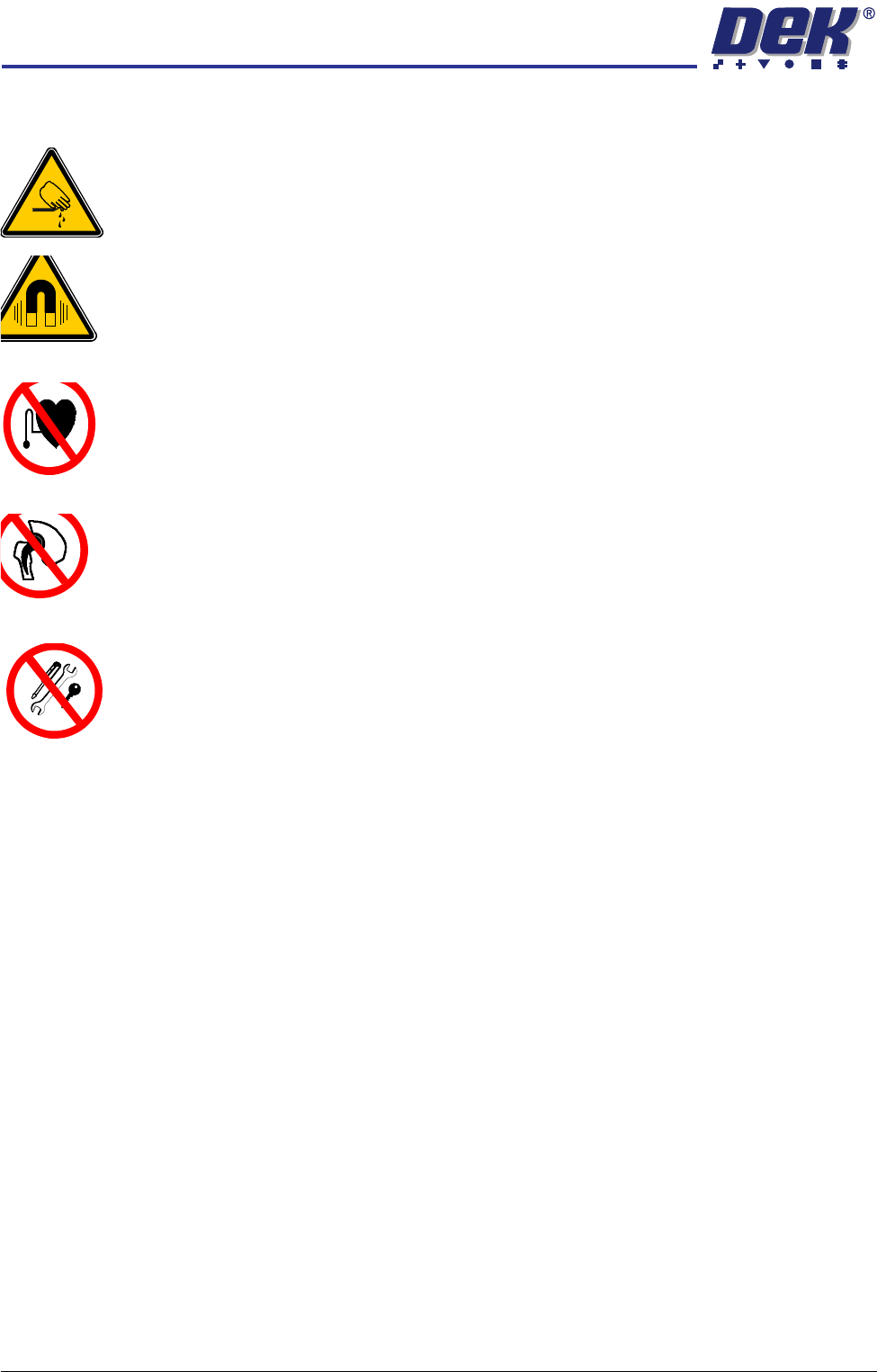
WARNING
BOARD CLAMPS. EXTREME CARE MUST BE EXERCISED WHEN WORKING IN
THE TOOLING AREA OF THE MACHINE TO AVOID INJURY. THE FOILS ON THE
FRONT AND REAR BOARD CLAMPS ARE VERY SHARP.
WARNING
STRONG MAGNET FIELD. A STRONG MAGNETIC FIELD EXISTS IN THE
VICINITY OF THE CAMERA LINEAR MOTORS. THIS MAY PRESENT A HAZARD
TO PERSONNEL OR EQUIPMENT.
WARNING
STRONG MAGNETIC FIELD. A STRONG MAGNETIC FIELD EXISTS IN THE
VICINITY OF THE CAMERA LINEAR MOTORS. THESE MAY REPRESENT A
SERIOUS HAZARD TO PERSONNEL FITTED WITH A PACEMAKER.
WARNING
STRONG MAGNETIC FIELD. A STRONG MAGNETIC FIELD EXISTS IN THE
VICINITY OF THE CAMERA LINEAR MOTORS THAT REPRESENT A SERIOUS
HAZARD TO PEOPLE FITTED WITH METALLIC IMPLANTS.
WARNING
STRONG MAGNETIC FIELD. A STRONG MAGNETIC FIELD EXISTS IN THE
VICINITY OF THE CAMERA LINEAR MOTORS THAT MAY ACT UPON FERROUS
OBJECTS WHOSE MOVEMENTS COULD LEAD TO PERSONAL INJURY AND/OR
DAMAGE TO THE MACHINE.
NOTE
The camera X axis parallelism is factory set and shouldn’t normally need to be
adjusted.
1. To move the vanes clear of the front print station rails, set the board length
to maximum and home the rapid transit conveyor board loader.
2. Home the RTC rails and set the rising table to vision height.
RAPID TRANSIT CONVEYOR (RTC) MODULE
ADJUSTMENTS AND SETTINGS
Chapter Issue 2 Oct 06 Technical Reference Manual 18.15
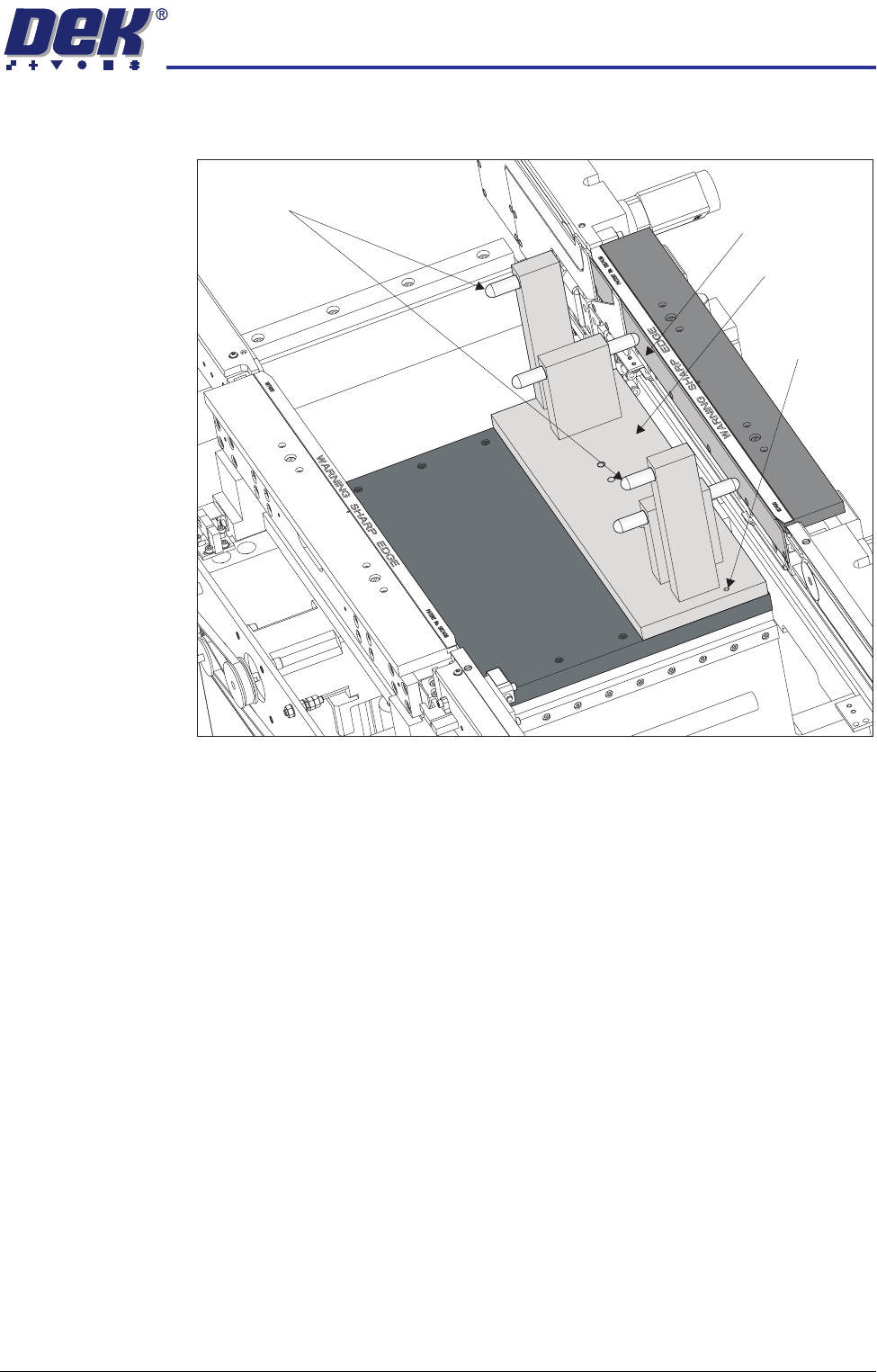
3. Fit the rail setting jig to the manual tooling plate locating the two dowels in
to the holes on the tooling plate.
NOTE
The rail setting jig must not exert any force on the front rail during placement.
If any force is felt, remove the jig and go to the Front Rail Parallelism section.
4. Manually pull the camera beam until the bearing guide on the camera beam
gently abuts the two camera beam stops on the rail setting jig.
5. Using a 0.05mm feeler as a NO-GO gauge, check that no gap exists
between the stops and the camera beam.
6. If adjustment is not required, manually move the camera beam away from
the jig and remove the jig from the rising table.
7. If adjustment is required, refer to the X Axis Parallelism - Adjustments and
Settings section in the Camera System Module chapter.
Board Support Plate
Rail Setting Jig
Locating Dowel
(in 2 positions)
Camera Beam Stops