Printer 710_810 v8 Rapid Transit Conveyor Module.pdf - 第25页
RAPI D TRANS IT CON VEYOR (RTC) MODULE ADJUS TMENTS AN D SETTING S Chapter Issue 2 Oct 06 Technical Reference Manual 18.25 5. T urn the board 90° and posi tion back on top of the rail sys tem. 6. Confirm tha t the amber …
RAPID TRANSIT CONVEYOR (RTC) MODULE
ADJUSTMENTS AND SETTINGS
18.24 Technical Reference Manual Chapter Issue 2 Oct 06
Sensitivity
Adjustment
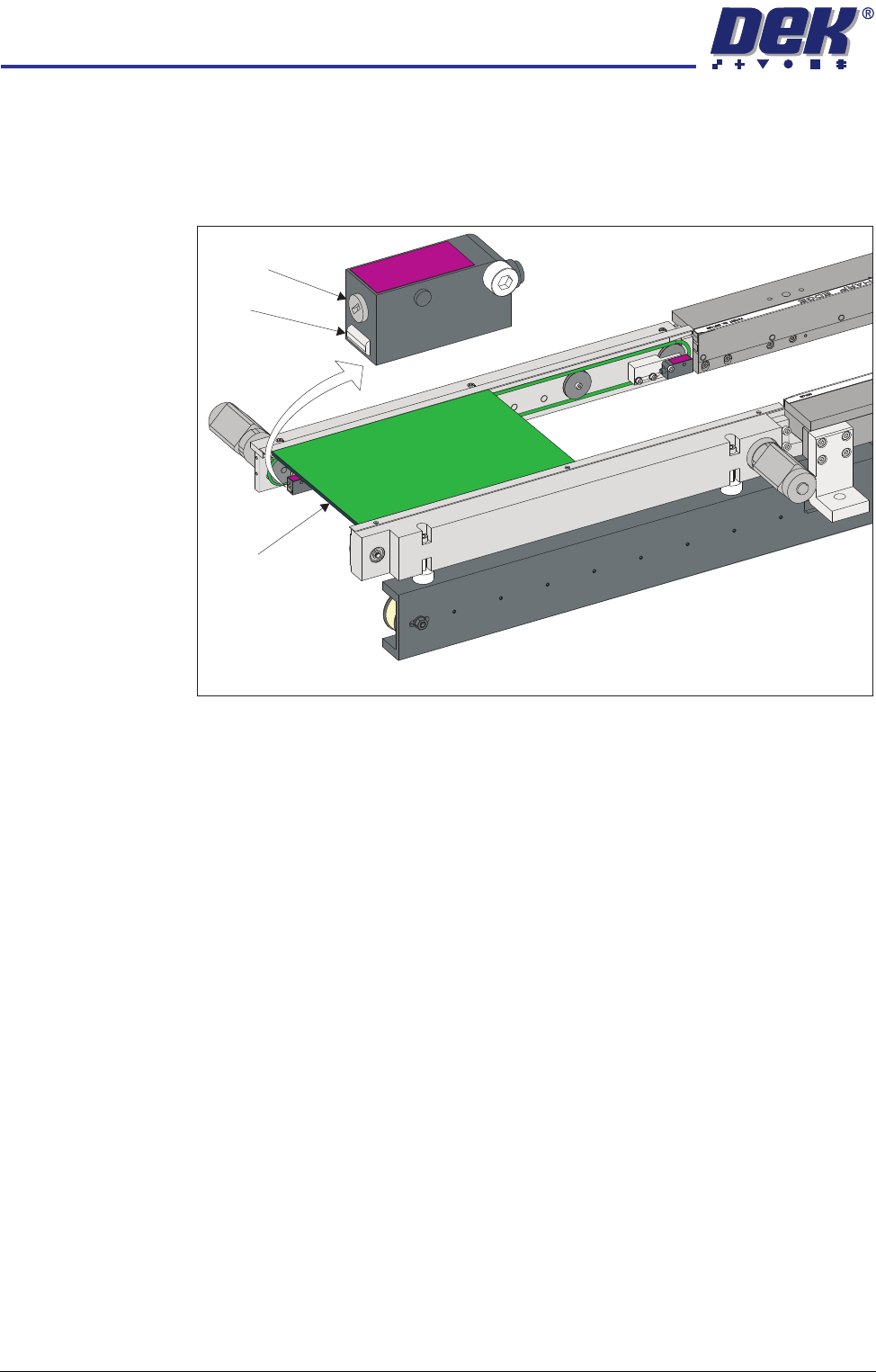
The sensitivity setting of the sensors is critical as it is important that the sensor
is only activated by the board and not machine parts.
To achieve an optimum setting carry out the following procedure:
1. Place a board on the rails covering the sensor.
2. Turn the sensitivity control fully anti-clockwise, ensure that the amber LED
is extinguished.
3. Re-adjust the sensitivity control clockwise until the amber LED illuminates.
NOTE
If the amber LED is flashing, this indicates a week signal. Re-adjust the
sensitivity control.
4. Remove the board from the rails and confirm that the amber LED extin-
guishes.
View on Inroad Conveyor of RTC System
Sensitivity
Control
LED
Board
RAPID TRANSIT CONVEYOR (RTC) MODULE
ADJUSTMENTS AND SETTINGS
Chapter Issue 2 Oct 06 Technical Reference Manual 18.25
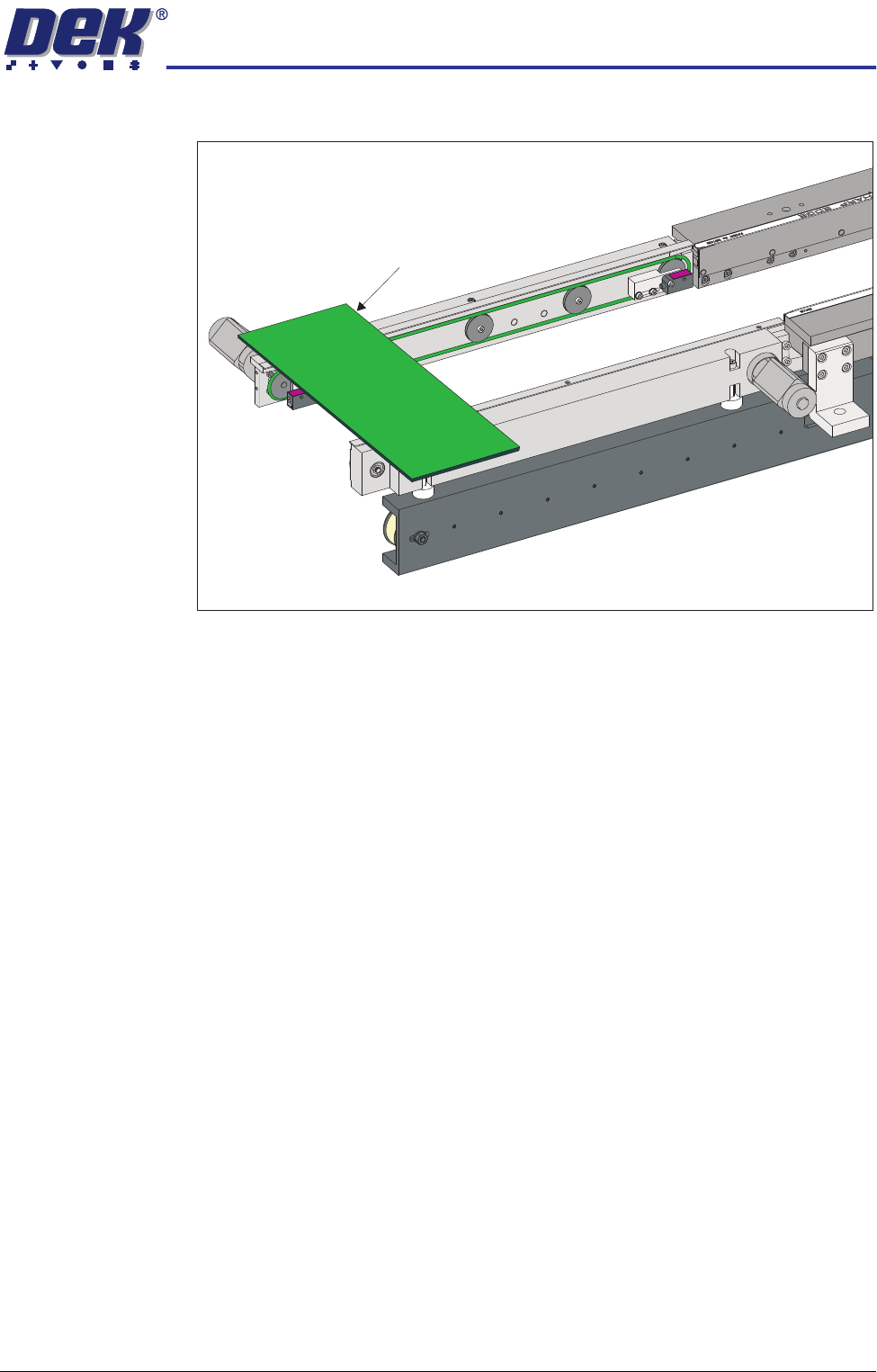
5. Turn the board 90° and position back on top of the rail system.
6. Confirm that the amber LED is extinguished. If the amber LED illuminates,
turn the sensitivity control anti-clockwise until the amber LED extinguishes
7. Remove the board. Position the board back on the rail system, as in Step
1, and confirm that the amber LED illuminates. Carry out Step 4.
View on Inroad Conveyor of RTC System
Board on Top of the Rails
RAPID TRANSIT CONVEYOR (RTC) MODULE
REPLACEMENT PROCEDURES
18.26 Technical Reference Manual Chapter Issue 2 Oct 06
REPLACEMENT PROCEDURES
Board Clamp Replacement
WARNING
BOARD CLAMPS. EXTREME CARE MUST BE EXERCISED WHEN WORKING IN
THE TOOLING AREA OF THE MACHINE TO AVOID INJURY. THE FOILS ON THE
FRONT AND REAR BOARD CLAMPS ARE VERY SHARP.
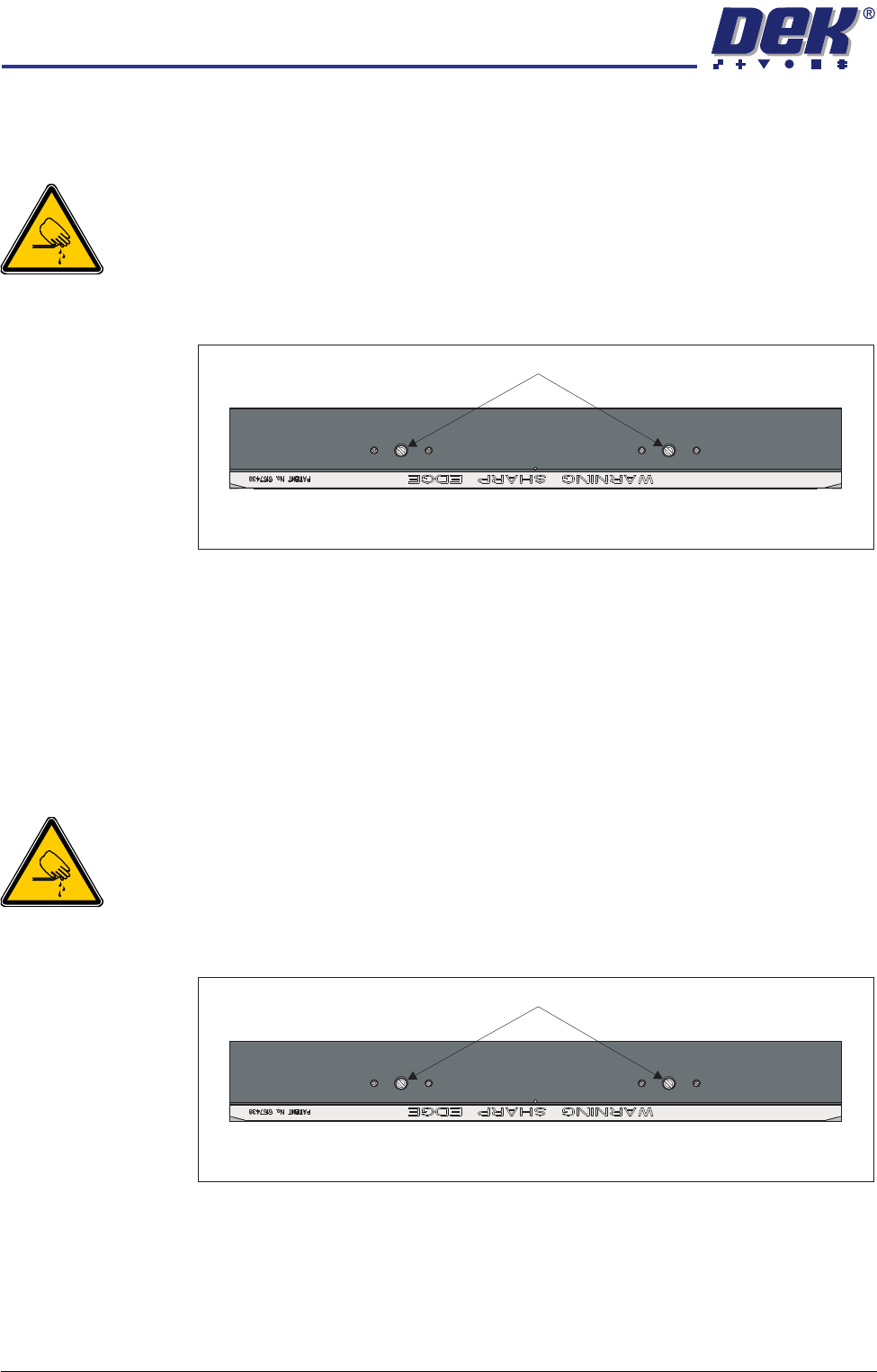
1. Remove the two board clamp securing screws using a flat bladed screw-
driver.
2. Lift the board clamp off the rail.
3. Fit the new board clamp to the print station rail.
4. Pushing the board clamp towards the other rail, refit the screws removed in
Step 1.
NOTE
The Board Clamp Setting procedure is not required after board clamp
replacement.
Board Clamp Foil Replacement
WARNING
BOARD CLAMPS. EXTREME CARE MUST BE EXERCISED WHEN WORKING IN
THE TOOLING AREA OF THE MACHINE TO AVOID INJURY. THE FOILS ON THE
FRONT AND REAR BOARD CLAMPS ARE VERY SHARP.
1. Remove the two board clamp securing screws using a flat bladed screw-
driver.
2. Lift the board clamp off the rail and turn upside down on a solid surface.
3. Using a 2mm Allen key, remove the 6 cap head screws that secure the foil
to the board clamp.
4. Fit the new foil with the screws removed in Step 3.
5. Fit the board clamp to the print station rail.
Plan View of Print Station Rail
Board Clamp Securing Screws
Plan View of Print Station Rail
Board Clamp Securing Screws