Printer 710_810 v8 Rapid Transit Conveyor Module.pdf - 第26页
RAP ID TRA NSIT CO NVEY OR (RTC) MODUL E REP LAC EMEN T P ROCE DUR ES 18.26 Technical Reference Manual Chapter Issue 2 O ct 06 REPLACEMENT PROCEDURES Board Clamp Repl acement WARNING BOARD CLAMPS. EXTREME CAR E MUST BE E…
RAPID TRANSIT CONVEYOR (RTC) MODULE
ADJUSTMENTS AND SETTINGS
Chapter Issue 2 Oct 06 Technical Reference Manual 18.25
5. Turn the board 90° and position back on top of the rail system.
6. Confirm that the amber LED is extinguished. If the amber LED illuminates,
turn the sensitivity control anti-clockwise until the amber LED extinguishes
7. Remove the board. Position the board back on the rail system, as in Step
1, and confirm that the amber LED illuminates. Carry out Step 4.
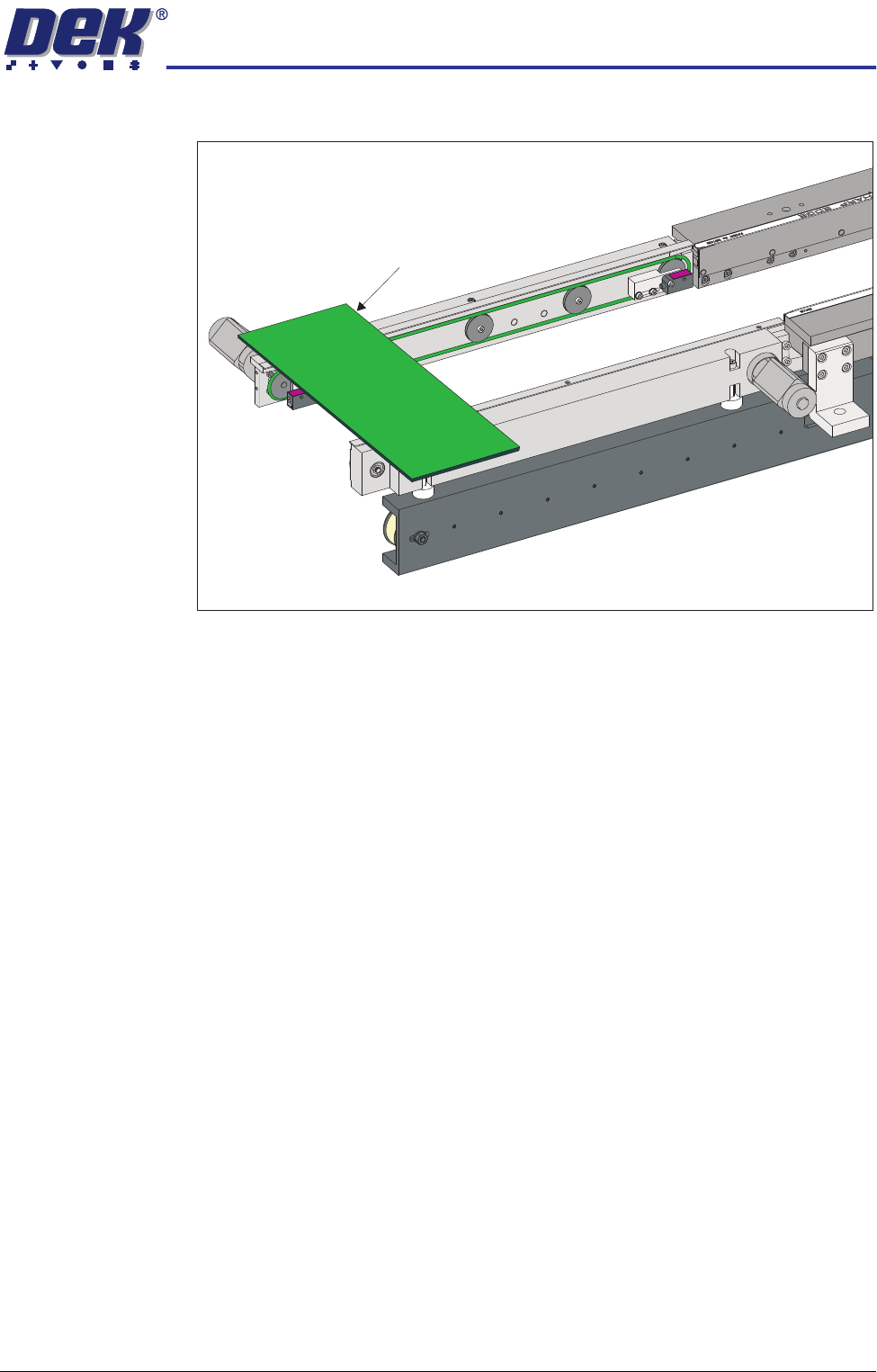
View on Inroad Conveyor of RTC System
Board on Top of the Rails
RAPID TRANSIT CONVEYOR (RTC) MODULE
REPLACEMENT PROCEDURES
18.26 Technical Reference Manual Chapter Issue 2 Oct 06
REPLACEMENT PROCEDURES
Board Clamp Replacement
WARNING
BOARD CLAMPS. EXTREME CARE MUST BE EXERCISED WHEN WORKING IN
THE TOOLING AREA OF THE MACHINE TO AVOID INJURY. THE FOILS ON THE
FRONT AND REAR BOARD CLAMPS ARE VERY SHARP.
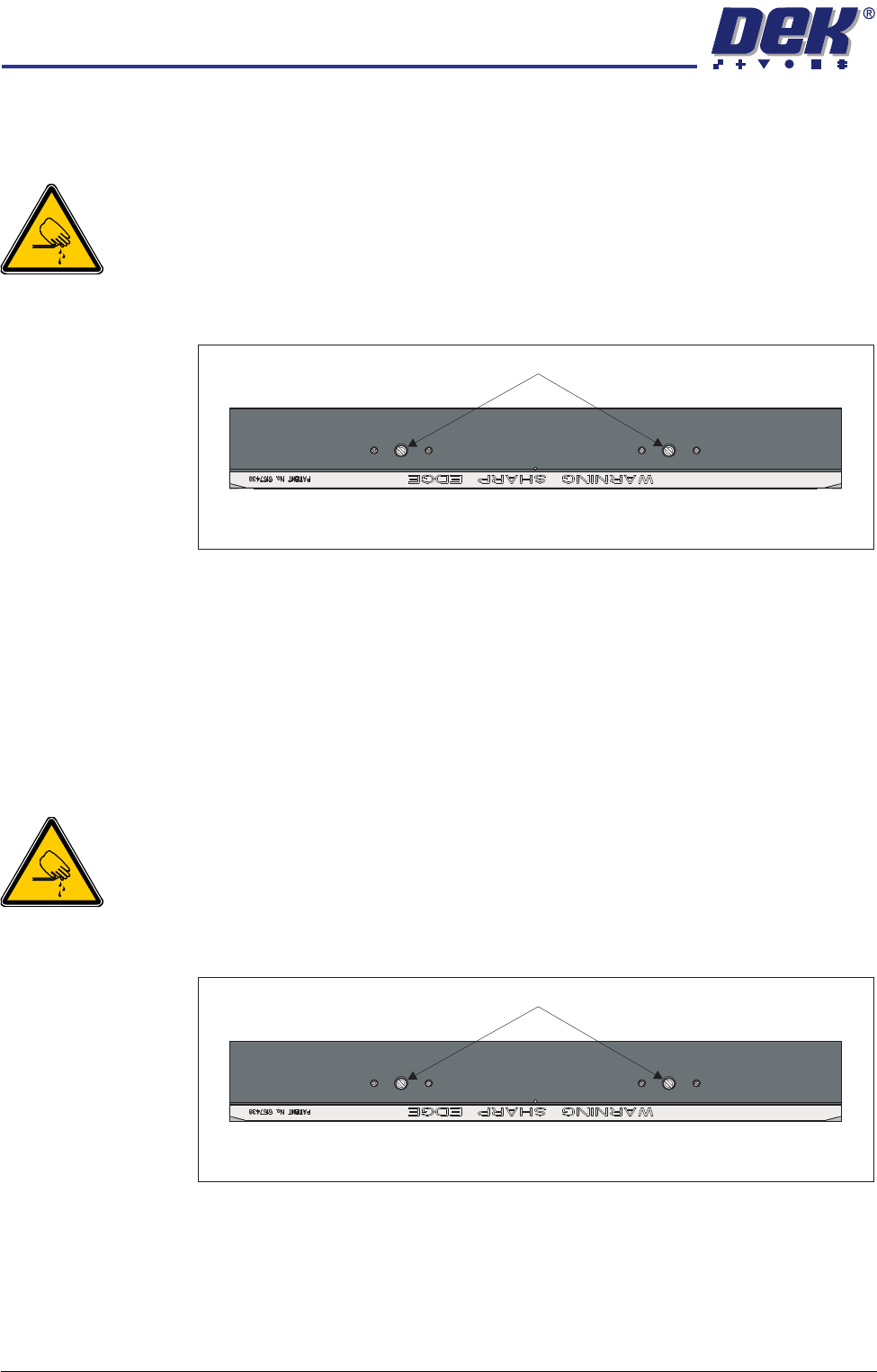
1. Remove the two board clamp securing screws using a flat bladed screw-
driver.
2. Lift the board clamp off the rail.
3. Fit the new board clamp to the print station rail.
4. Pushing the board clamp towards the other rail, refit the screws removed in
Step 1.
NOTE
The Board Clamp Setting procedure is not required after board clamp
replacement.
Board Clamp Foil Replacement
WARNING
BOARD CLAMPS. EXTREME CARE MUST BE EXERCISED WHEN WORKING IN
THE TOOLING AREA OF THE MACHINE TO AVOID INJURY. THE FOILS ON THE
FRONT AND REAR BOARD CLAMPS ARE VERY SHARP.
1. Remove the two board clamp securing screws using a flat bladed screw-
driver.
2. Lift the board clamp off the rail and turn upside down on a solid surface.
3. Using a 2mm Allen key, remove the 6 cap head screws that secure the foil
to the board clamp.
4. Fit the new foil with the screws removed in Step 3.
5. Fit the board clamp to the print station rail.
Plan View of Print Station Rail
Board Clamp Securing Screws
Plan View of Print Station Rail
Board Clamp Securing Screws
RAPID TRANSIT CONVEYOR (RTC) MODULE
REPLACEMENT PROCEDURES
Chapter Issue 2 Oct 06 Technical Reference Manual 18.27
6. Pushing the board clamp towards the other rail, refit the screws removed in
Step 1.
NOTE
The Board Clamp Setting procedure is not required after board clamp
replacement.
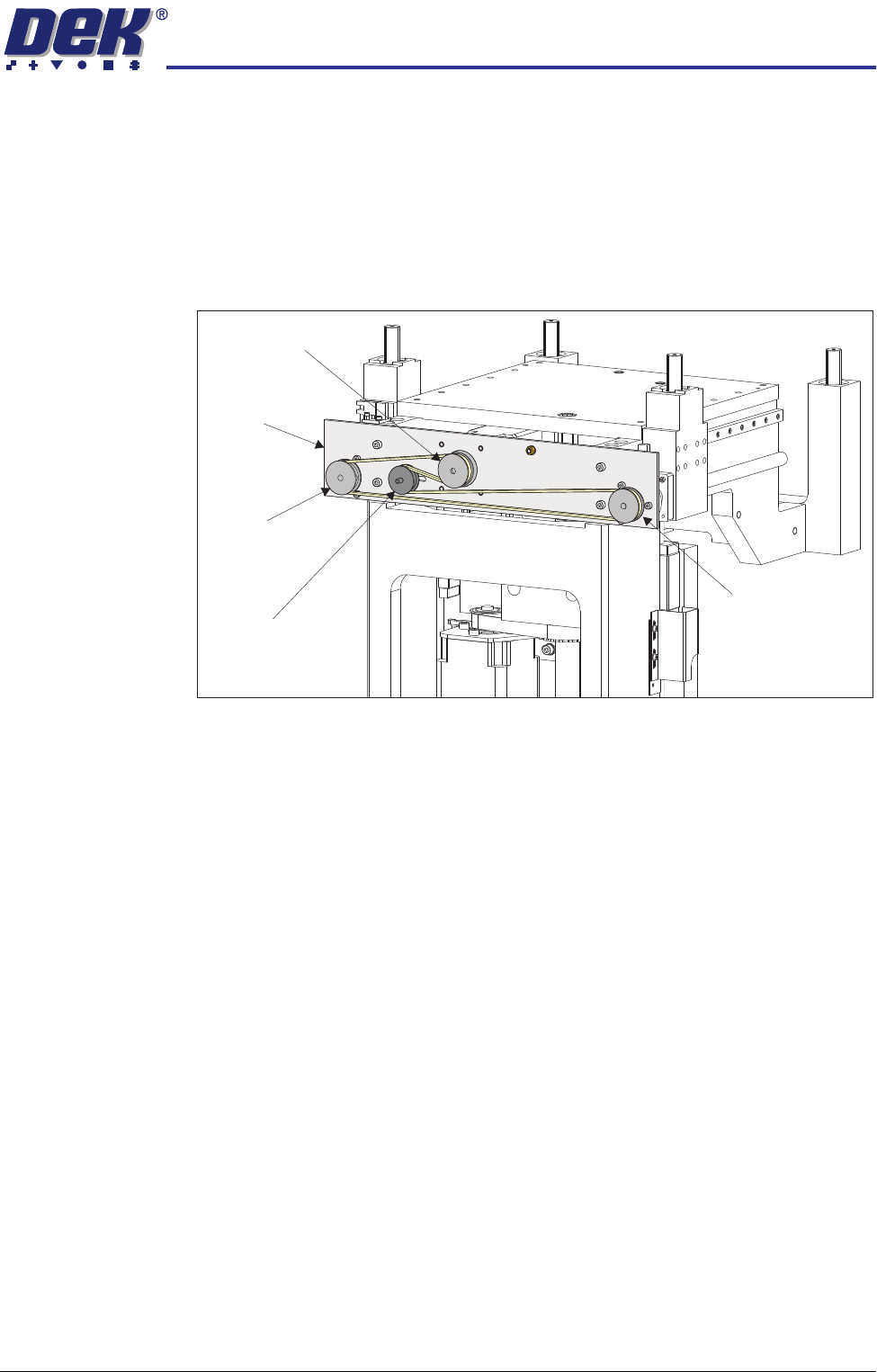
Rear Rail Drive Belt 1. At the rear of the rising table, slacken the adjustable idler pulley using two
8mm spanners (one either side of the drive mechanism support plate).
2. Slide the adjustable idler pulley to slacken the drive belt.
3. Remove the drive belt and discard.
NOTE
If the drive belt has snapped, the left and right drive shafts may be out of
synchronization with each other. Turn the left and right hand drive shaft
pulleys (together) fully counter-clockwise.
4. Fit the replacement drive belt without moving the right or left hand drive shaft
pulley.
5. Using a suitable cable tie, engage a forcemeter with the adjustable idler
pulley. Apply a horizontal force of 6kg.
6. Maintaining this force, tighten the adjustable idler pulley securing nut.
7. Using a tension meter on the bottom of the drive belt, check the tension is
between 40Hz - 45Hz.
8. Adjust the drive belt tension as necessary to achieve the reading in Step 7.
9. In Diagnostics select Rapid Transit Conveyor module.
10. Select Cycle Rail Width to even out the tension in the belt.
NOTE
Ensure there is no tooling on the table.
11. Stop after one complete cycle and repeat Steps 7-8.
12. Select Home Rail Width.
Adjustable Idler
Pulley
Moving Rail Stepper
Motor Pulley
Left Hand Drive
Shaft Pulley
Right Hand Drive
Shaft Pulley
Drive Mechanism
Support Plate