Printer 710_810 v8 Rapid Transit Conveyor Module.pdf - 第24页
RAP ID TRA NSIT CO NVEY OR (RTC) MODUL E ADJUS TMENTS AN D SETTIN GS 18.24 Technical Reference Manual Chapter Issue 2 O ct 06 Sensit ivit y Adjustment The sensitiv ity sett ing of the sensors is critical as it is import …
RAPID TRANSIT CONVEYOR (RTC) MODULE
ADJUSTMENTS AND SETTINGS
Chapter Issue 2 Oct 06 Technical Reference Manual 18.23
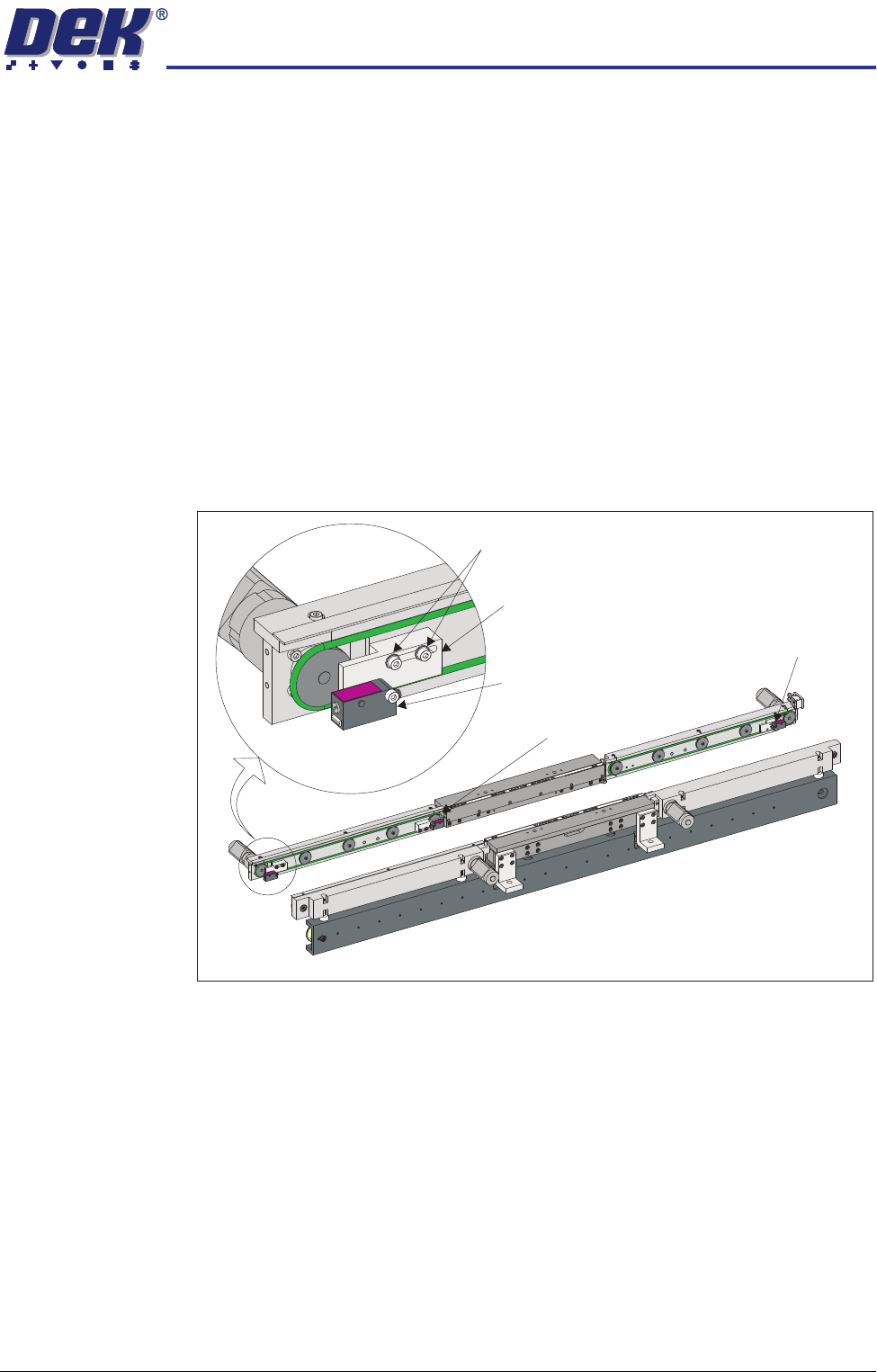
Board Optos There are three board optos:
• Board at Left Sensor
• Board at Stop Sensor
• Board at Right Sensor
Positional
Adjustment
The board optos are adjustable in the X direction to compensate for any holes
or cut-outs on the product board that coincide with the sensor when the board
is in the stopped position.
With the board in the stopped position over the sensor, if the sensor is not
seeing the board due to a hole or cut-out, use the following procedure to adjust
the sensor:
1. Power down the machine.
2. Using a 2.5mm Allen key, loosen the two bolts that secure the sensor
bracket to the rails.
3. Move the sensor to the required position.
4. Tighten the two bolts that secure the sensor bracket to the rails.
5. Power up the machine and check for correct operation of the sensor.
View on Front of RTC System
Board at Stop Sensor
Board at Right Sensor
Sensor Securing Screws
Board at Left Sensor
Sensor Bracket
RAPID TRANSIT CONVEYOR (RTC) MODULE
ADJUSTMENTS AND SETTINGS
18.24 Technical Reference Manual Chapter Issue 2 Oct 06
Sensitivity
Adjustment
The sensitivity setting of the sensors is critical as it is important that the sensor
is only activated by the board and not machine parts.
To achieve an optimum setting carry out the following procedure:
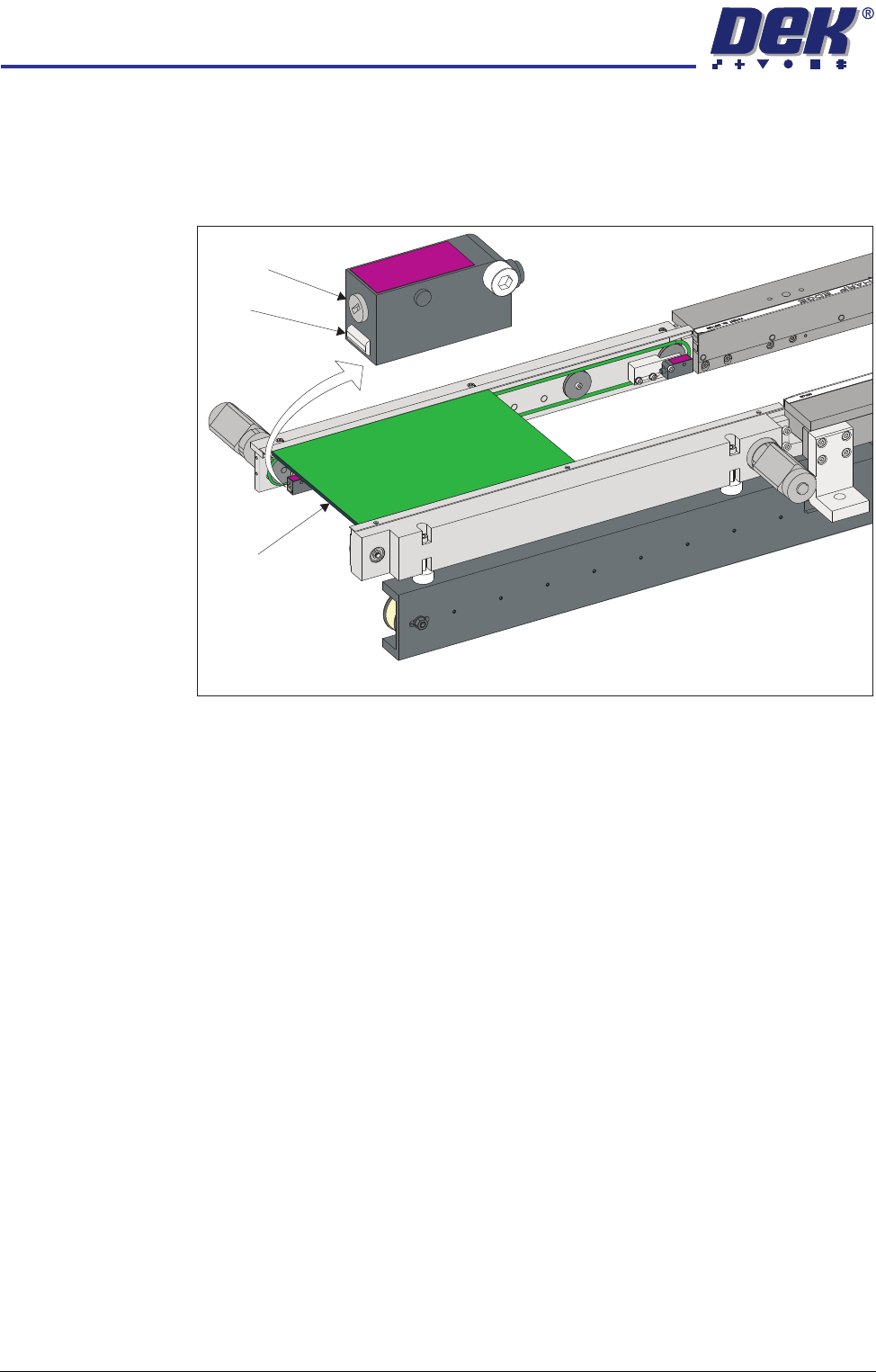
1. Place a board on the rails covering the sensor.
2. Turn the sensitivity control fully anti-clockwise, ensure that the amber LED
is extinguished.
3. Re-adjust the sensitivity control clockwise until the amber LED illuminates.
NOTE
If the amber LED is flashing, this indicates a week signal. Re-adjust the
sensitivity control.
4. Remove the board from the rails and confirm that the amber LED extin-
guishes.
View on Inroad Conveyor of RTC System
Sensitivity
Control
LED
Board
RAPID TRANSIT CONVEYOR (RTC) MODULE
ADJUSTMENTS AND SETTINGS
Chapter Issue 2 Oct 06 Technical Reference Manual 18.25
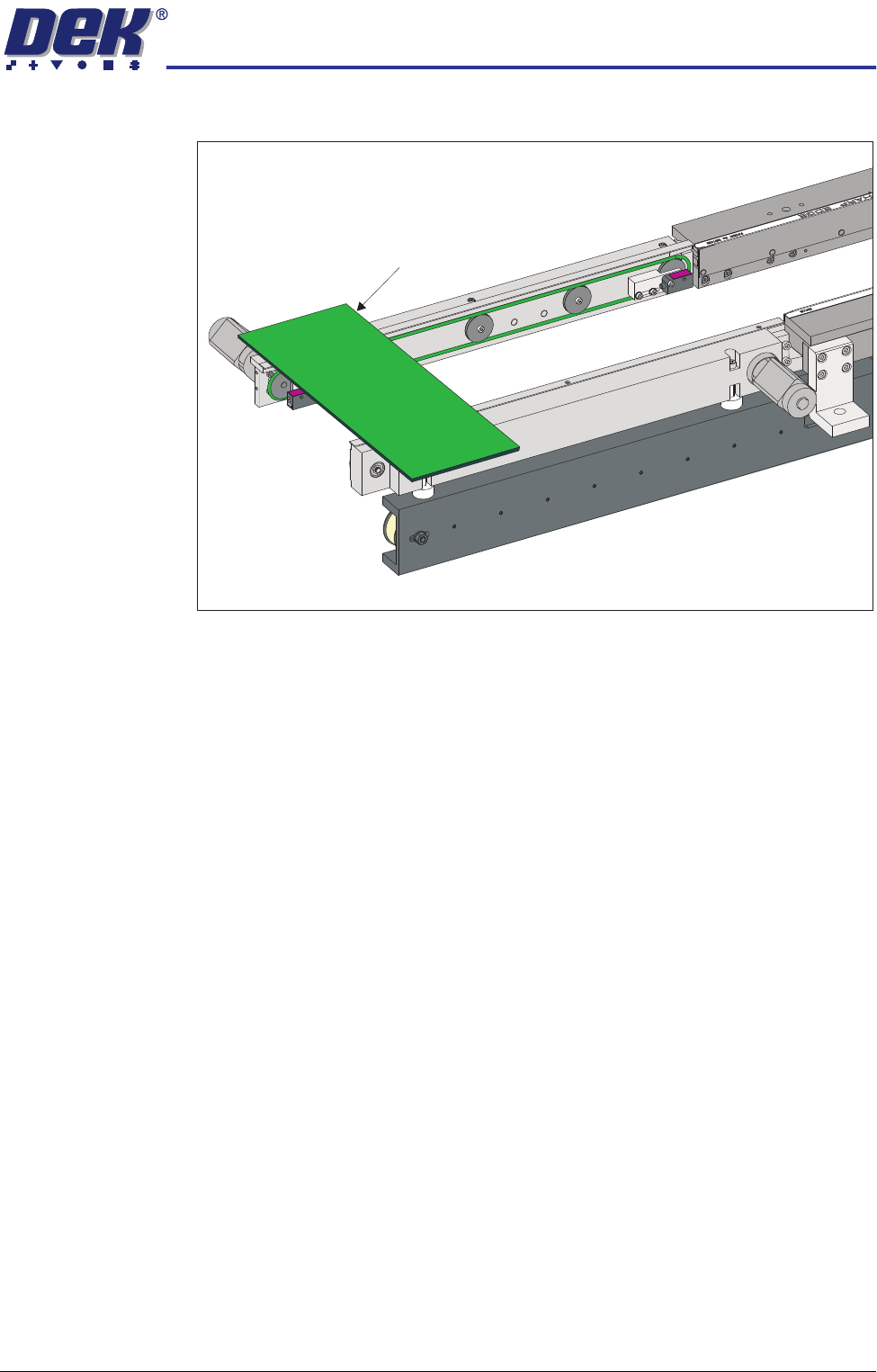
5. Turn the board 90° and position back on top of the rail system.
6. Confirm that the amber LED is extinguished. If the amber LED illuminates,
turn the sensitivity control anti-clockwise until the amber LED extinguishes
7. Remove the board. Position the board back on the rail system, as in Step
1, and confirm that the amber LED illuminates. Carry out Step 4.
View on Inroad Conveyor of RTC System
Board on Top of the Rails