00197475-01_IM_Traceability3.6_EN.pdf - 第10页
Installation Traceability Installing Traceability on the Station Computer 10 Installation Manual SIPLACE Traceability 3.6 3.2 3 . 2 I n s t a llin g T r a c e a b ilit y o n t h e S t a t io n C o m p u t e r Installing …
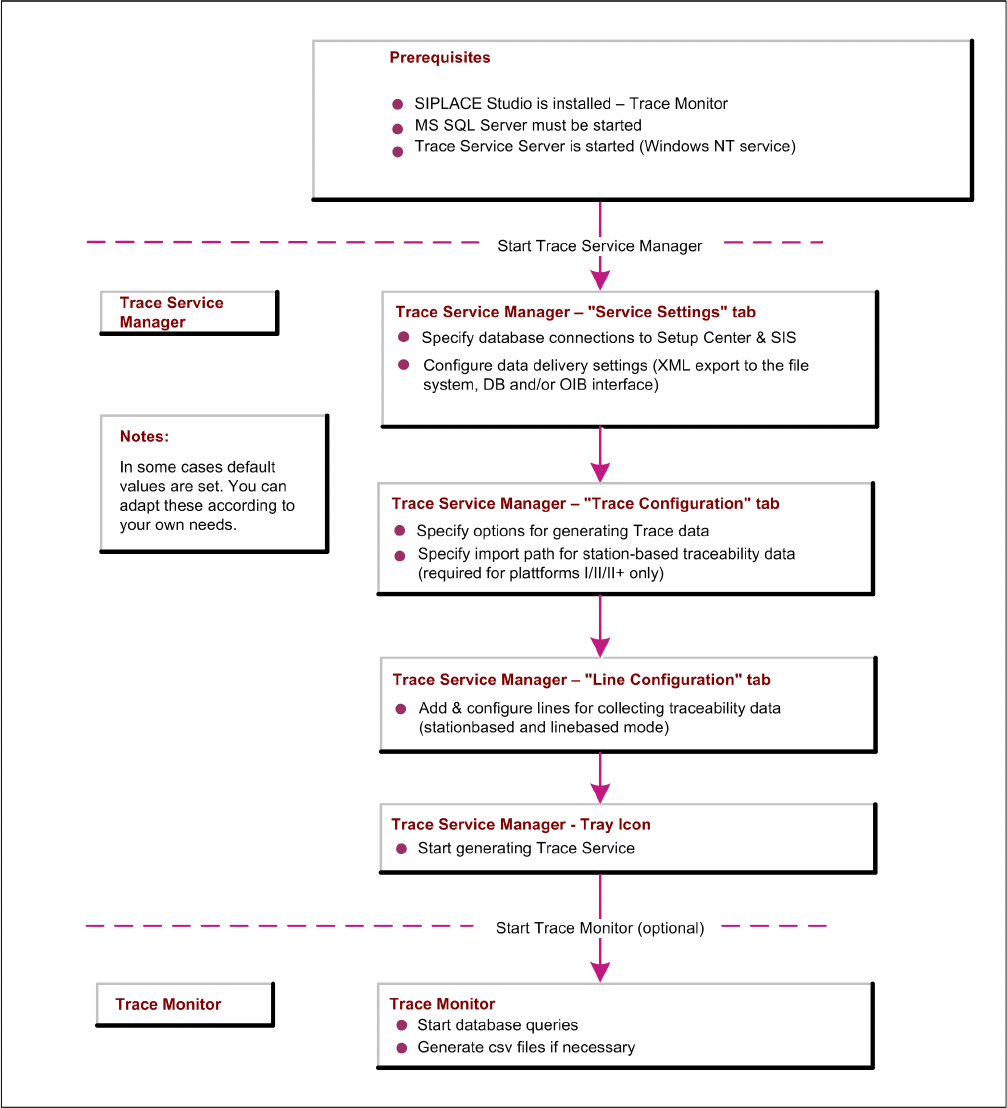
Installation Traceability
Initial Configuration
Installation Manual SIPLACE Traceability 3.6 9
3
3 Installation Traceability
Installation Traceability
3.1
3.1 Initial Configuration
Initial Configuration
Installation Traceability
Installing Traceability on the Station Computer
10 Installation Manual SIPLACE Traceability 3.6
3.2
3.2 Installing Traceability on the Station Computer
Installing Traceability on the Station Computer
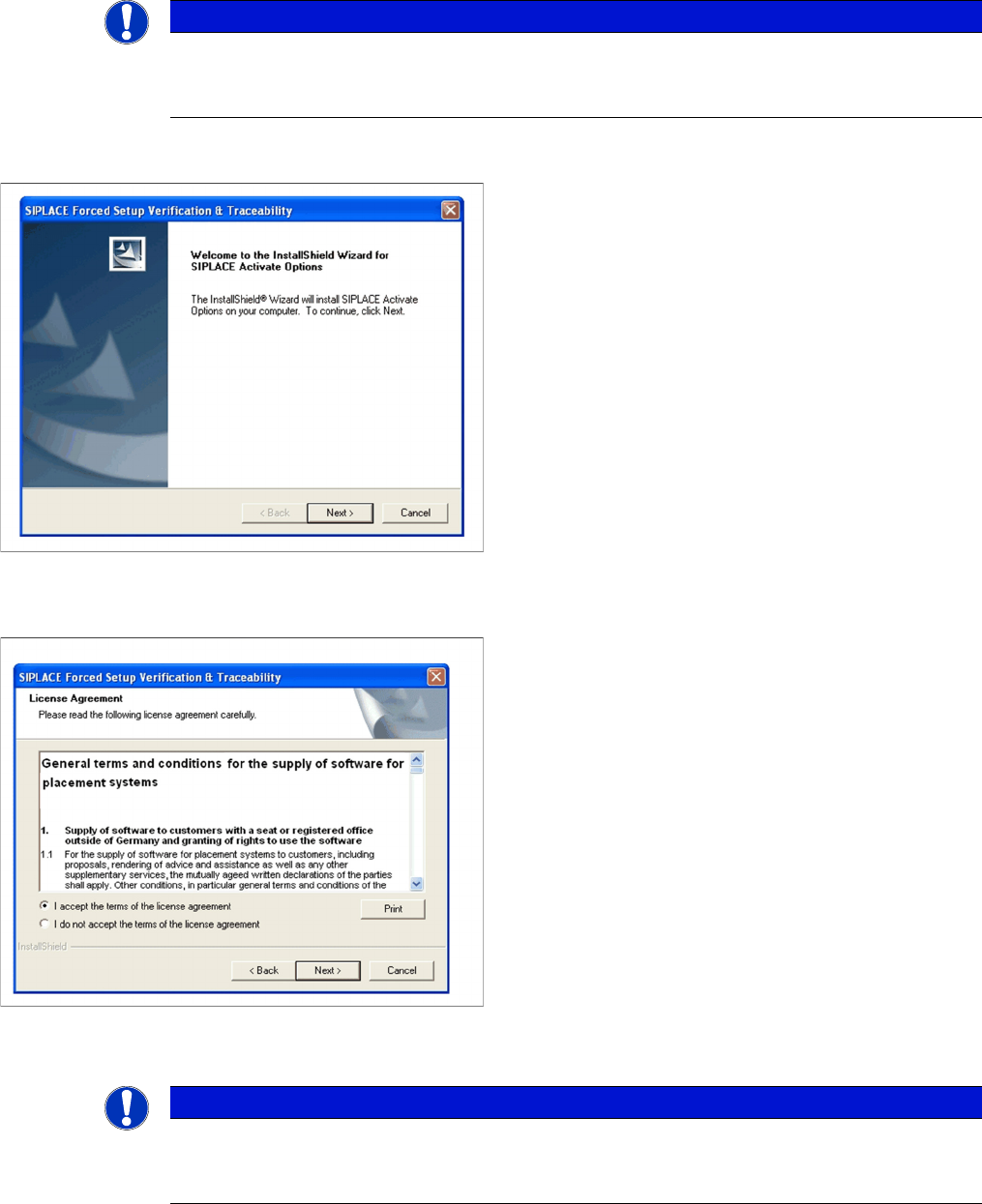
You must log in as administrator at the station computer to install the traceability options.
Welcome dialog
License dialog
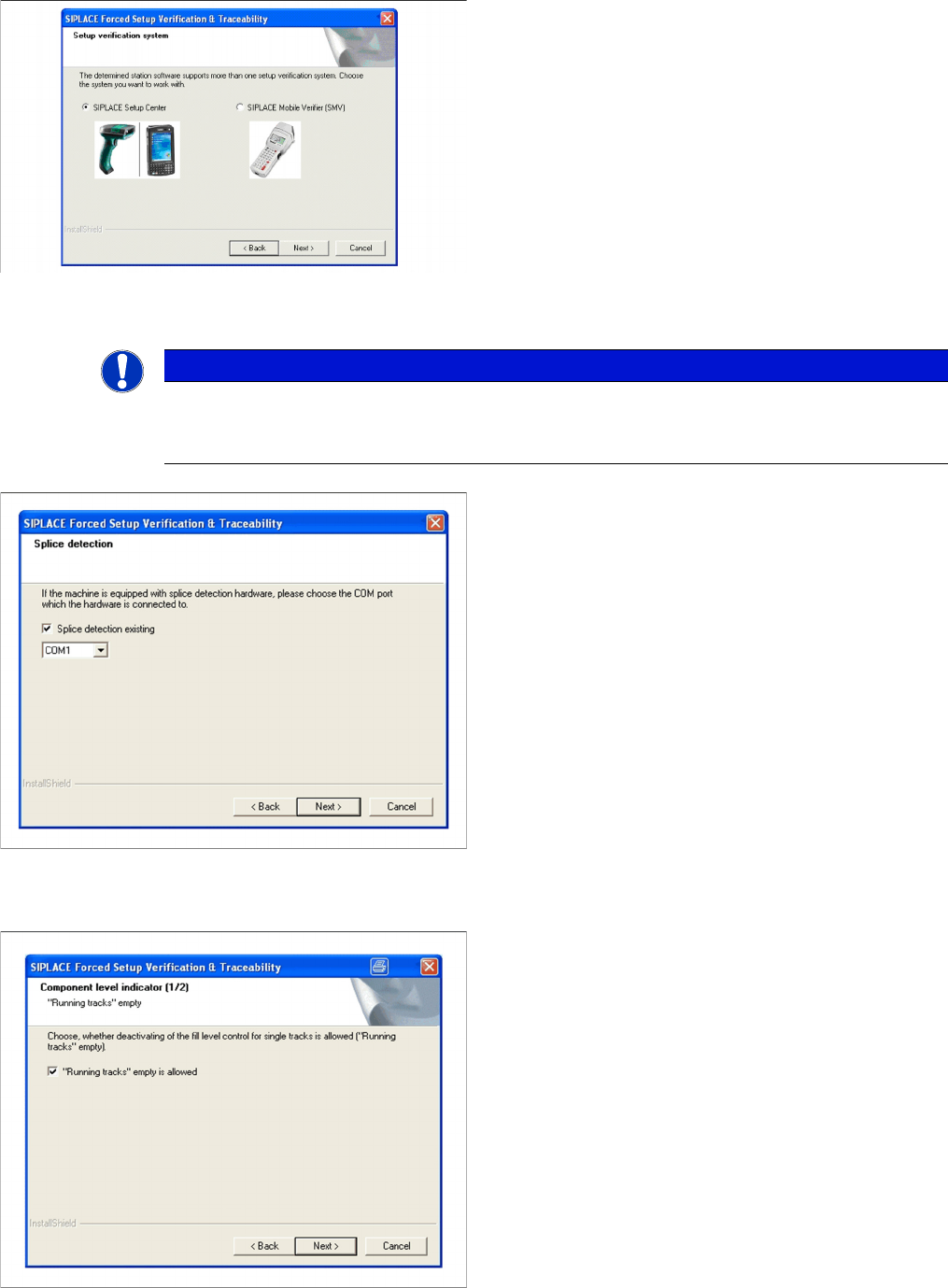
Setup verification system
NOTICE
Required Station Software
The installation on the station computer (activation of Traceability) is only required on station
SW 40x, 50x and 60x.
► Place the SIPLACE Traceability CD into your CD-
ROM drive. The installation starts automatically.
► The Start screen appears.
► Read the license agreement. If you agree with the
conditions, click on I accept ..., otherwise click on I do
not accept.... If you select I do not accept ..., the in-
stallation procedure will be terminated.
► Click on Next to continue the installation procedure.
NOTICE
Station software version 407.05 and 505.05
This Dialog will only appear for the machine with the station-software version 407.05 and
505.05!
Installation Traceability
Installing Traceability on the Station Computer
Installation Manual SIPLACE Traceability 3.6 11
Configuration of the Splice Detection
Fill Level Control (1)
► The station software version 407.05 and 505.05 of-
fers two different interfaces to the Setup verification
system. By choosing the corresponding Setup verifi-
cation system the interface will be configured in the
station-software accordingly.
► Click Next to continue.
NOTICE
X Machines
This dialog will not appear for X series machines since the splice interface is always integrated
into the X feeders.
► Select the checkbox Splice detection existing, if
splice detection is available.
► Enter the COM Port where Splice detection is
plugged in.
► Click Next to continue.
► If the fill level control should be disabled for single
tracks, activate the checkbox "Running tracks" empty
is allowed. After that you can let single tracks go emp-
ty consciously.
► Click Next to continue.