00197475-01_IM_Traceability3.6_EN.pdf - 第26页
Installation of Trace Service and Monitor Traceability Option for SIPLACE Explorer 4.3.1 Installation of T race Monitor 26 Installation Manual SIPLACE Traceability 3.6 ► Click on Finish . The SIPLAC E Expl orer Traceabil…
Installation of Trace Service and Monitor
4.3.1 Installation of Trace Monitor Traceability Option for SIPLACE Explorer
Installation Manual SIPLACE Traceability 3.6 25
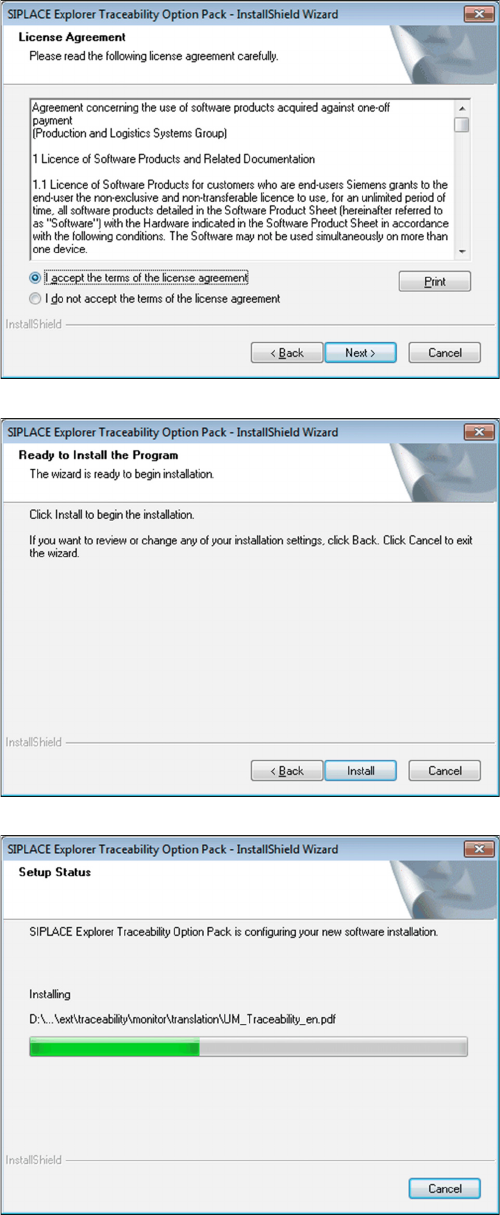
► Read the license conditions. Click on I accept ... to
accept and on I do not accept ... if you do not want to
accept. If you click on I do not accept ..., the installa-
tion procedure will be terminated.
⇨ The following dialog box will be shown:
► Click on the Install button to start the actual installa-
tion of the SIPLACE Explorer Traceability Option.
Once the installation procedure has started, the following
dialog box will open:
Installation of Trace Service and Monitor
Traceability Option for SIPLACE Explorer 4.3.1 Installation of Trace Monitor
26 Installation Manual SIPLACE Traceability 3.6
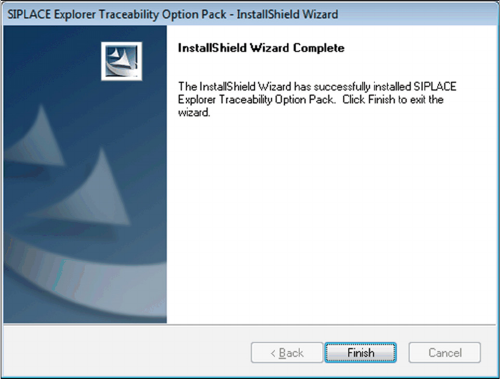
► Click on Finish. The SIPLACE Explorer Traceability
Option is now available on the SIPLACE Explorer fac-
tory website.
Uninstalling
Installation Manual SIPLACE Traceability 3.6 27
5
5 Uninstalling
Uninstalling
Trace Service from Start Menue
NOTICE
Requirement
You need administrator privilege for your operation system in order to perform this installation.
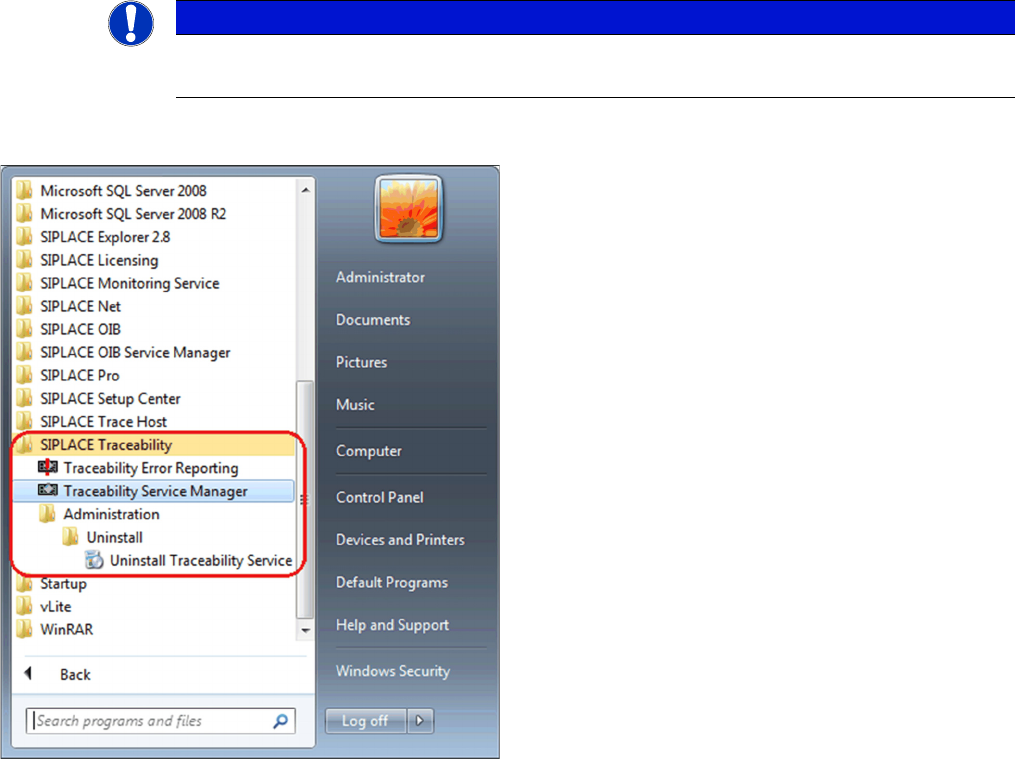
► In the Start Menu select the SIPLACE Traceability
program group -> Administration -> Uninstall (1) Un-
install Traceability Service.
⇨ The Application Setup is started where you can
choose to repair or remove the installation.