00197475-01_IM_Traceability3.6_EN.pdf - 第13页
Installation Traceability Installing Traceability on the Station Computer Installation Manual SIPLACE Traceability 3.6 13 Overview of the settings Finishing the installation ► Here you c an see the overview of the settin…
Installation Traceability
Installing Traceability on the Station Computer
12 Installation Manual SIPLACE Traceability 3.6
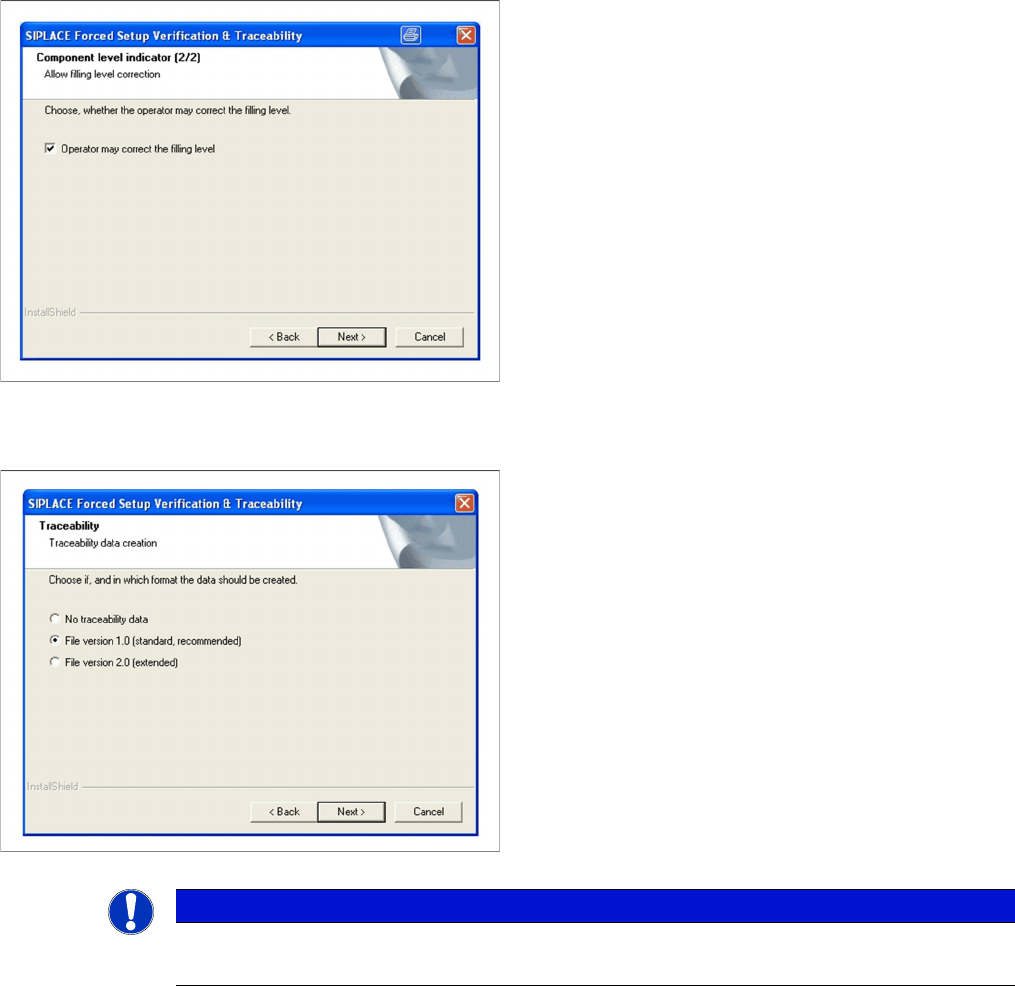
Fill Level Control (2)
Traceability
► If the filling level correction should be allowed, acti-
vate the checkbox Operator may correct the filling
level. After that the operator may correct the filling
level. Otherwise only the user with the right "LineEn-
gineer" and higher can correct the filling level.
► Click Next to continue.
► Here you can choose whether the Traceability data
should be generated.
► Furthermore you can select the File version 1.0 for
standard Traceability file or the File version 2.0 for ex-
tended Traceability file.
► Click Next to continue. Wait until the next dialog box
appears. It can take a few minutes.
NOTICE
File version 2.0
To get the full information we recommend using the File version 2.0.
Installation Traceability
Installing Traceability on the Station Computer
Installation Manual SIPLACE Traceability 3.6 13
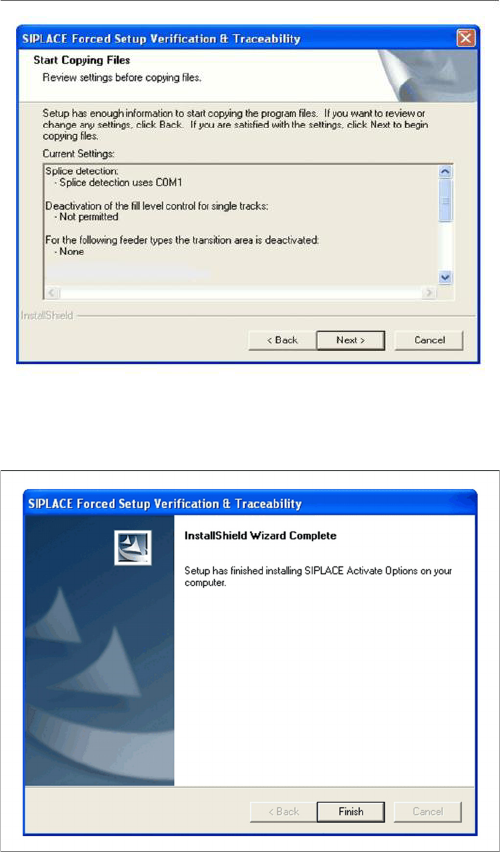
Overview of the settings
Finishing the installation
► Here you can see the overview of the settings.
► Click Back to review or change the settings.
► Click Next to continue the installation.
► Click Finish to finish the installation
Installation Traceability
Uninstalling Traceability from the Station Computer
14 Installation Manual SIPLACE Traceability 3.6
3.3
3.3 Uninstalling Traceability from the Station Computer
Uninstalling Traceability from the Station Computer
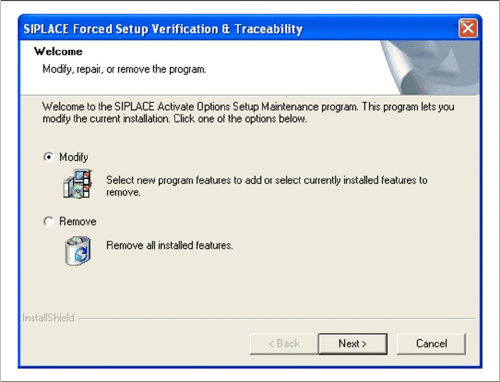
If the setup of the activation options at the Installation CD is called up again, the following dialog will ap-
pear. You can change the current settings by selecting the checkbox Modify. The following masks ap-
pear:
▪ Splice detection configuration for S-Feeders
▪ "Running tracks" empty is allowed
▪ Version of traceability data (XML-Files)
▪ Overview of the settings
▪ Finishing the installation
► If Remove is selected, the option Forced Setup Veri-
fication and Traceability will be uninstalled.