00197475-01_IM_Traceability3.6_EN.pdf - 第27页
Uninstalling Installation Manual SIPLACE Traceability 3.6 27 5 5 U n in s t a llin g Uninstalling Trace Service from Start Menue NOTICE Requirement You need administrator privilege for your operation system in o rder to …
Installation of Trace Service and Monitor
Traceability Option for SIPLACE Explorer 4.3.1 Installation of Trace Monitor
26 Installation Manual SIPLACE Traceability 3.6
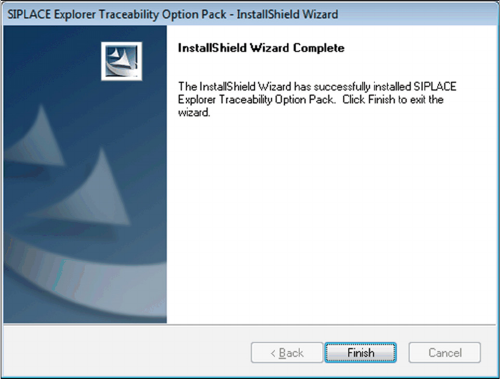
► Click on Finish. The SIPLACE Explorer Traceability
Option is now available on the SIPLACE Explorer fac-
tory website.
Uninstalling
Installation Manual SIPLACE Traceability 3.6 27
5
5 Uninstalling
Uninstalling
Trace Service from Start Menue
NOTICE
Requirement
You need administrator privilege for your operation system in order to perform this installation.
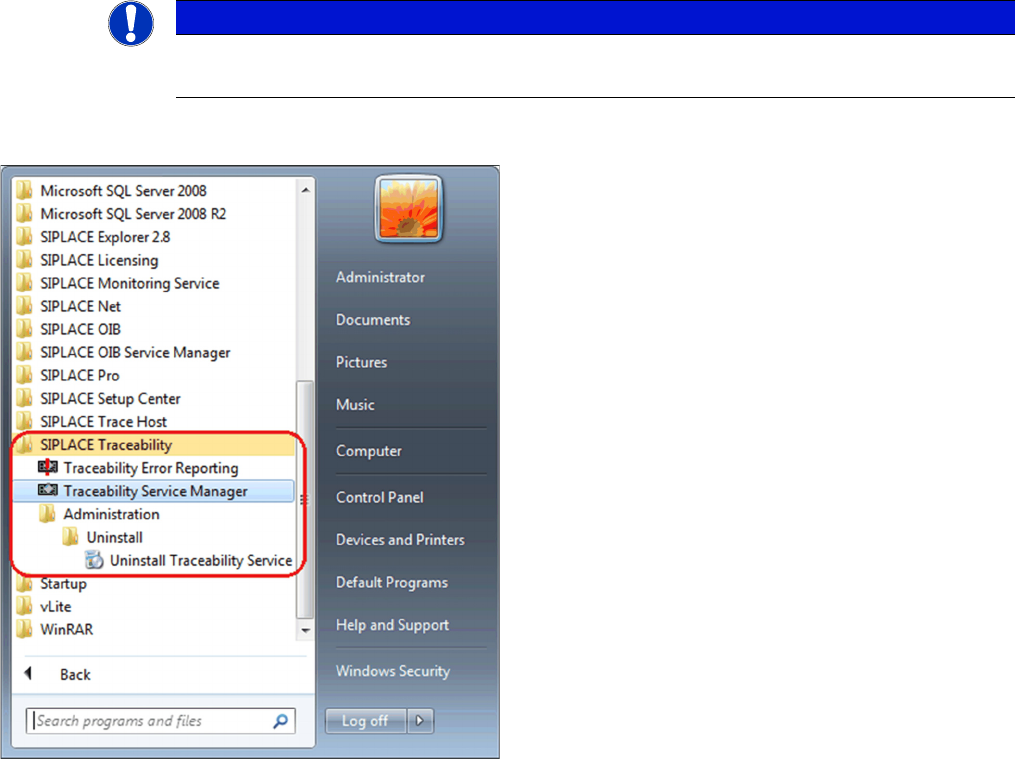
► In the Start Menu select the SIPLACE Traceability
program group -> Administration -> Uninstall (1) Un-
install Traceability Service.
⇨ The Application Setup is started where you can
choose to repair or remove the installation.
Uninstalling
28 Installation Manual SIPLACE Traceability 3.6
Trace Monitor or Trace Service from Control Panel
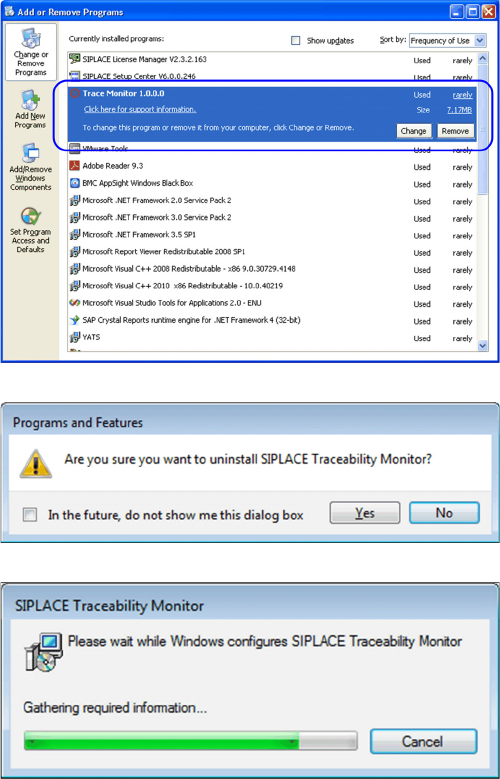
► In the Control Panel -> Programs -> Programs and
Features dialog select the application SIPLACE
Trace Monitor or Trace Service , right-click and select
Remove in the context menu.
You are prompted to confirm uninstalling Trace Monitor.
► Confirm with Yes.
► The Install Shield Wizard will start and uninstalling
Trace Monitor or Trace Service will be prepared. un-
installing Trace Monitor or Trace Service will be unin-
stalled.
► Monitor or Trace Service is no longer available.