00197475-01_IM_Traceability3.6_EN.pdf - 第20页
Installation of Trace Service and Monitor Trace Service 4.2.1 Installation 20 Installation Manual SIPLACE Traceability 3.6 ► Confirm the installa tion by clicking on Next . ► The installation of Tra ce Service will begin…
Installation of Trace Service and Monitor
4.2.1 Installation Trace Service
Installation Manual SIPLACE Traceability 3.6 19
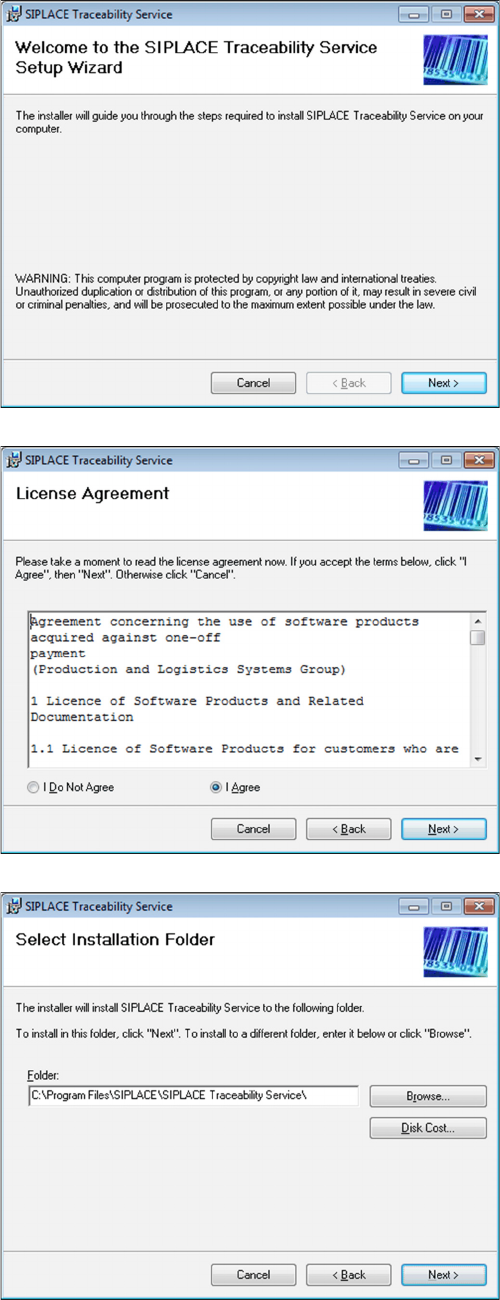
The Welcome dialog will appear.
► Click on Next to continue the installation procedure.
► Read the license agreement. If you agree with the
conditions, click on I Agree, otherwise click on I Do
Not Agree. If you select I Do Not Agree, the installa-
tion procedure will be terminated.
► Click on Next to continue the installation procedure.
► Now specify the folder in which you wish to install the
application. The default folder is C:\Program
Files\SIPLACE\SIPLACE Traceability Service. You
can alter the default installation folder by using the
Browse… button.
Installation of Trace Service and Monitor
Trace Service 4.2.1 Installation
20 Installation Manual SIPLACE Traceability 3.6
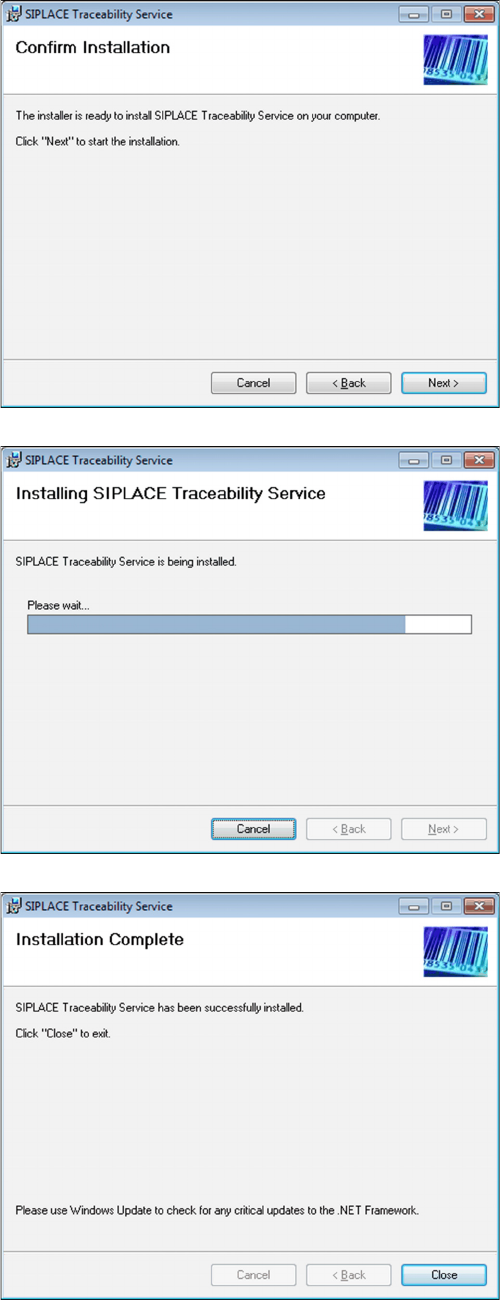
► Confirm the installation by clicking on Next.
► The installation of Trace Service will begin.
► The installation is successfully finished. Click Close
to exit.
Installation of Trace Service and Monitor
4.3.1 Installation of Trace Monitor Trace Monitor
Installation Manual SIPLACE Traceability 3.6 21
4.3
4.3 Trace Monitor
Trace Monitor
4.3.1
4.3.1 Installation of Trace Monitor
Installation of Trace Monitor
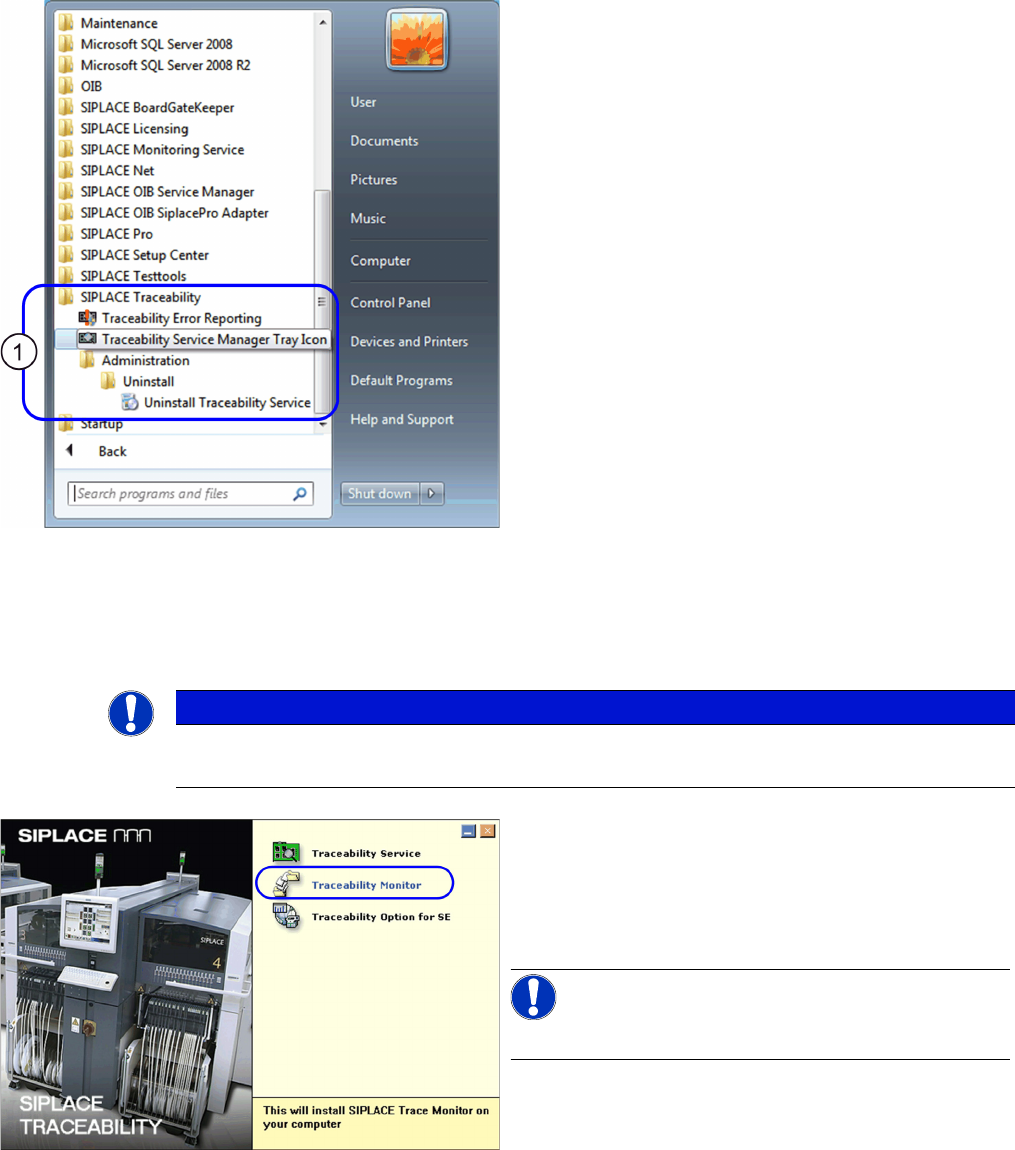
The SIPLACE Traceability program group with the pro-
grams and shortcuts was added to the Windows Start
menu (1):
▪ SIPLACE Traceability
– Traceability Error Reporting
– Traceability Service Manager Tray Icon
– Administration
– Uninstall Traceability Service
NOTICE
Upgrade
For upgrading an installed Trace Monitor software please see the section "6 Upgrade" [ ➙ 29].
► Place the SIPLACE Traceability CD into the CD-ROM
drive of your SIPLACE Pro computer. The start
screen will appear.
► Make sure that the software components available
from the Support Media DVD are already installed.
NOTICE!
SIPLACE Studio must be installed.
► Select Traceability Monitor. You will be guided
through the Trace Monitor installation procedure.