3OM-1343-008_w.pdf - 第167页
4-B AKFEDT -ID 0601-002

4-A
AKFEDT-ID
0601-002
Chapter 4
Component Library
This chapter describes how to navigate in each window of
"Component Library".
Refer to another instruction manual of "Component
Library (GXH Series)" for the detailed information on the
component library data and how to create it.
•
Selection of Component IDs
•
Editing of Component Library Data

4-B
AKFEDT-ID
0601-002
4-1
AKFEDT-ID
0601-002
1. Selection of Component IDs
1. Selection of Component IDs
To edit the component library data, the fi le corresponding to the selected
component ID must be edited in the "Component Library" edit window.
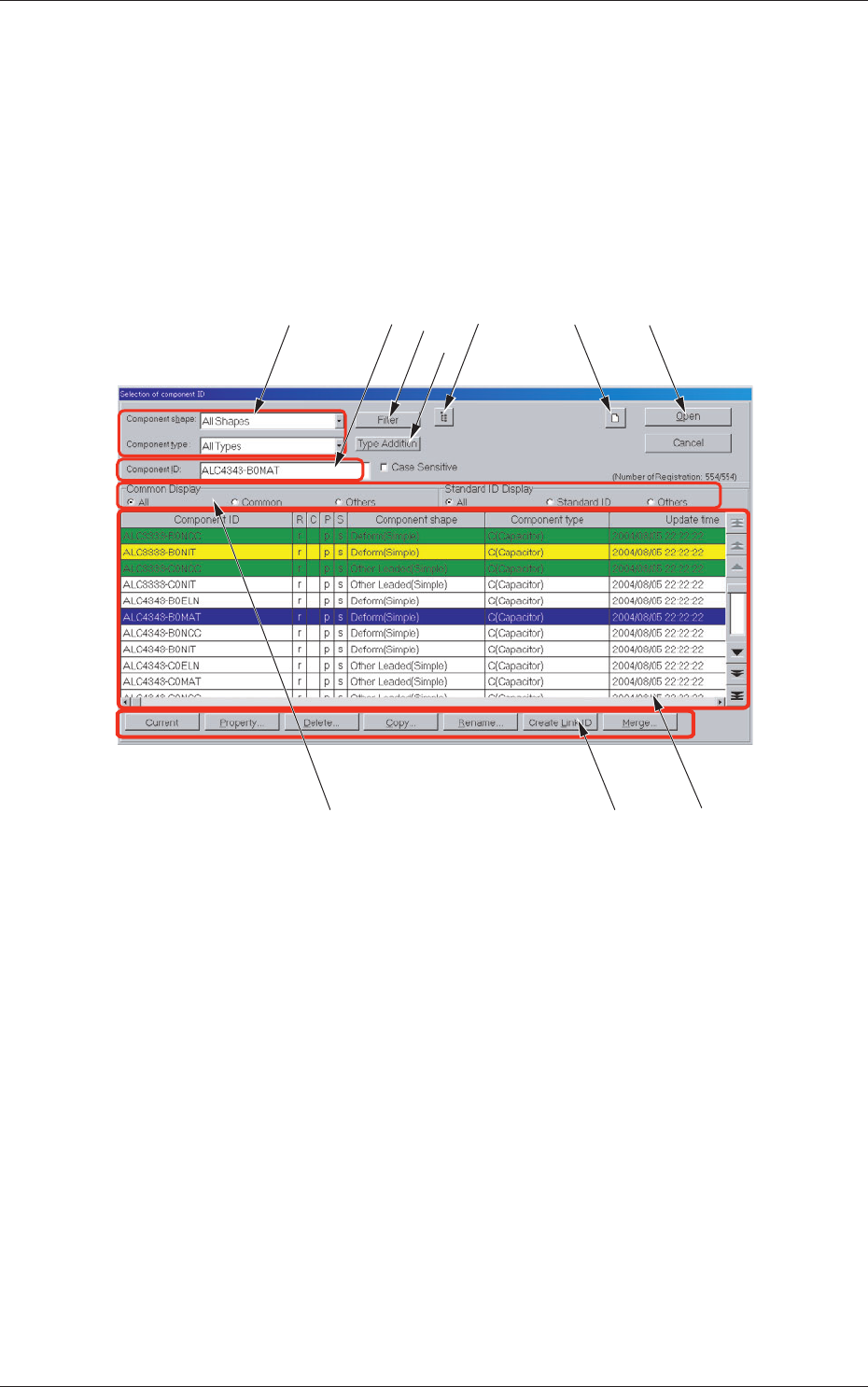
1.1 "Selection of component ID" Window
When the [CMPNT LBRY] button is pressed on the submenu bar of the
"EDIT" window, the "Selection of component ID" window appears.
[3] [2]
[7]
[6]
[10][4] [1]
[5]
[9]
[8]
Fig. 3D1 "Selection of component ID" Window