TM2596.Functional Specification of Mount Group Number.pdf - 第11页
SMT Software En gineering Group IMOperations YAMAHAMOTORCO.,LTD. MD OC-SOFT50106 11/11 6.2 A rranging Mounting Order with “M ount Grou p Number” W hen you use “Mount G roup Num ber” under t he co…
SMT Software Engineering Group
IMOperationsYAMAHAMOTORCO.,LTD.
MDOC-SOFT50106
9/11
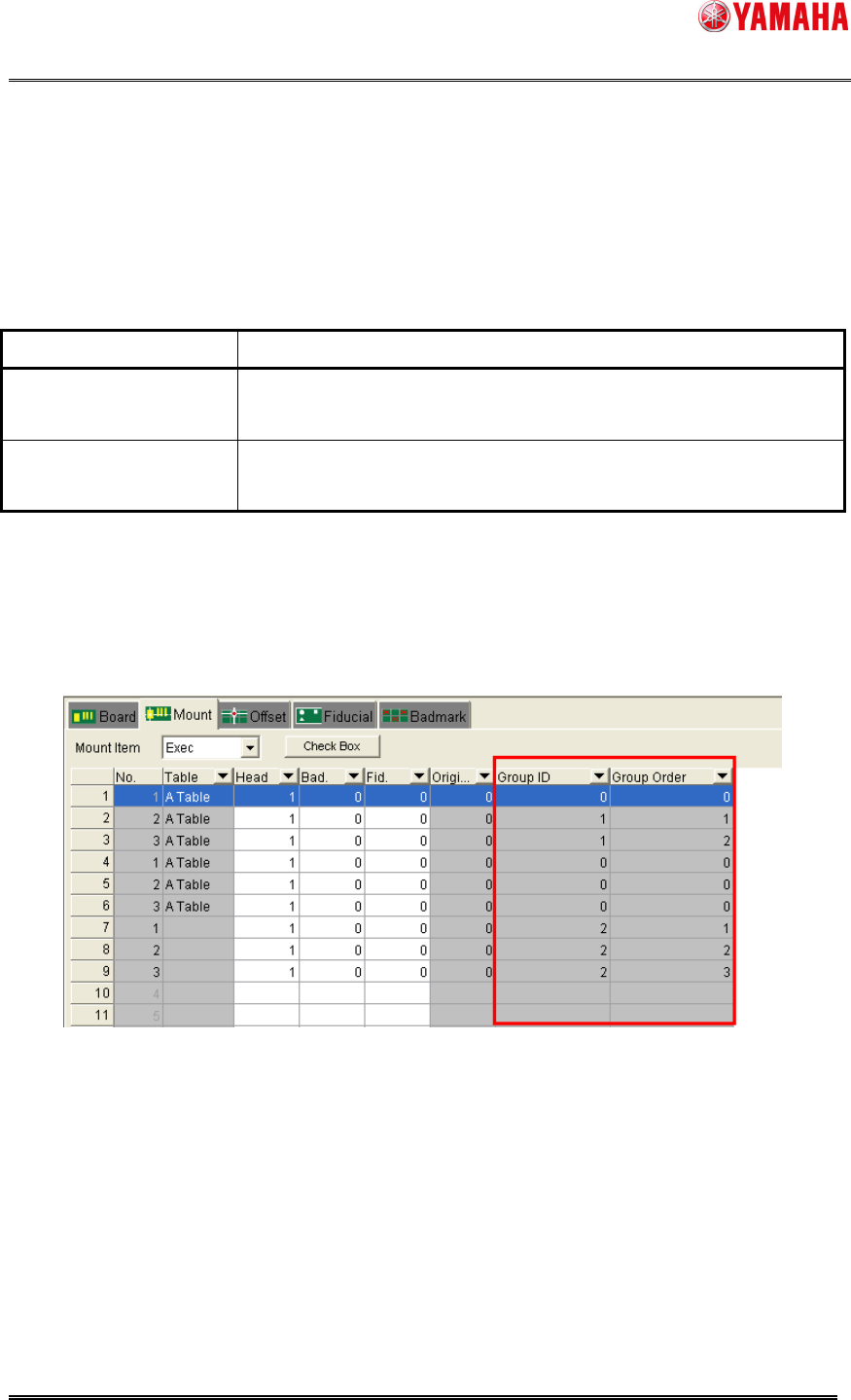
5.2 Group ID and Group Order
These parameters are set automatically by executing Nozzle Interference Check.
These parameters may not be edited.
Table5.2 Group ID and Group Order
Item Name Explanation
Group ID Indicates groups of mounting points under the control of mounting
order.
Group Order Indicates the number of mounting order among the mounting points
of the same Group ID.
Note: As for a mounting point whose Group ID and Group Order are 0, mounting order control of
each mounting point becomes invalid.
Confirmation of the setting of “Group ID” and “Group Order” is possible in [Board] – [Mount].
These setting may not be edited.
Fig5.2 Group ID and Group Order
SMT Software Engineering Group
IMOperationsYAMAHAMOTORCO.,LTD.
MDOC-SOFT50106
10/11
6. Codicil: About arranging Mounting Order
6.1 Arranging Mounting Order with “Parts Group Number”
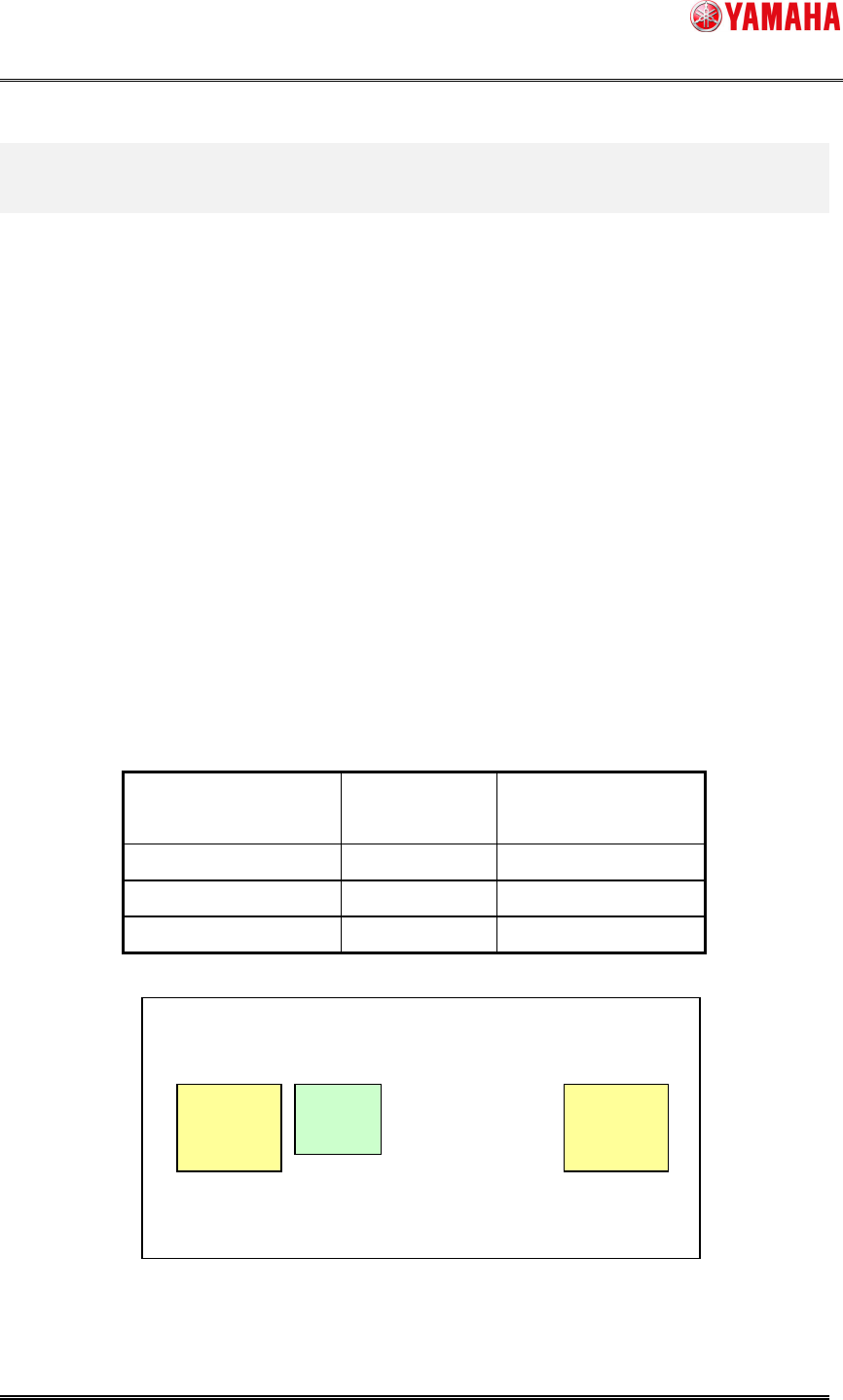
It explains a case using a part of three mounting points and using two kinds of parts as fig.6.1.
Because the mounting space is small between the mounting points “A1” and “B1”, mounting on
“A1” should be prior to on “B1” to avoid interference. Therefore the value of “Parts Group No.”
should be set as follows.
Parts Name: “A”, Parts Group No: “1”
Parts Name: “B”, Parts Group No: “2”
By this setting, although there is no parts to interfere near the mounting point “B2”, a mounting
order is assigned to “B2” as “Parts Group No. 2”
When the optimization is executed with this board data, the mounting order becomes
“A1->B1->B2” even if “B2->A1->B1” should be faster.
Table6.1 Mount Information and Parts Information
Mount Point Name Parts Name Parts Group No.
(in Parts Information)
A1 A 1
B1 B 2
B2 B 2
Fig6.1 Parts Group Number
B1
A1
B2
Order:1
Order:2
Order:2
SMT Software Engineering Group
IMOperationsYAMAHAMOTORCO.,LTD.
MDOC-SOFT50106
11/11
6.2 Arranging Mounting Order with “Mount Group Number”
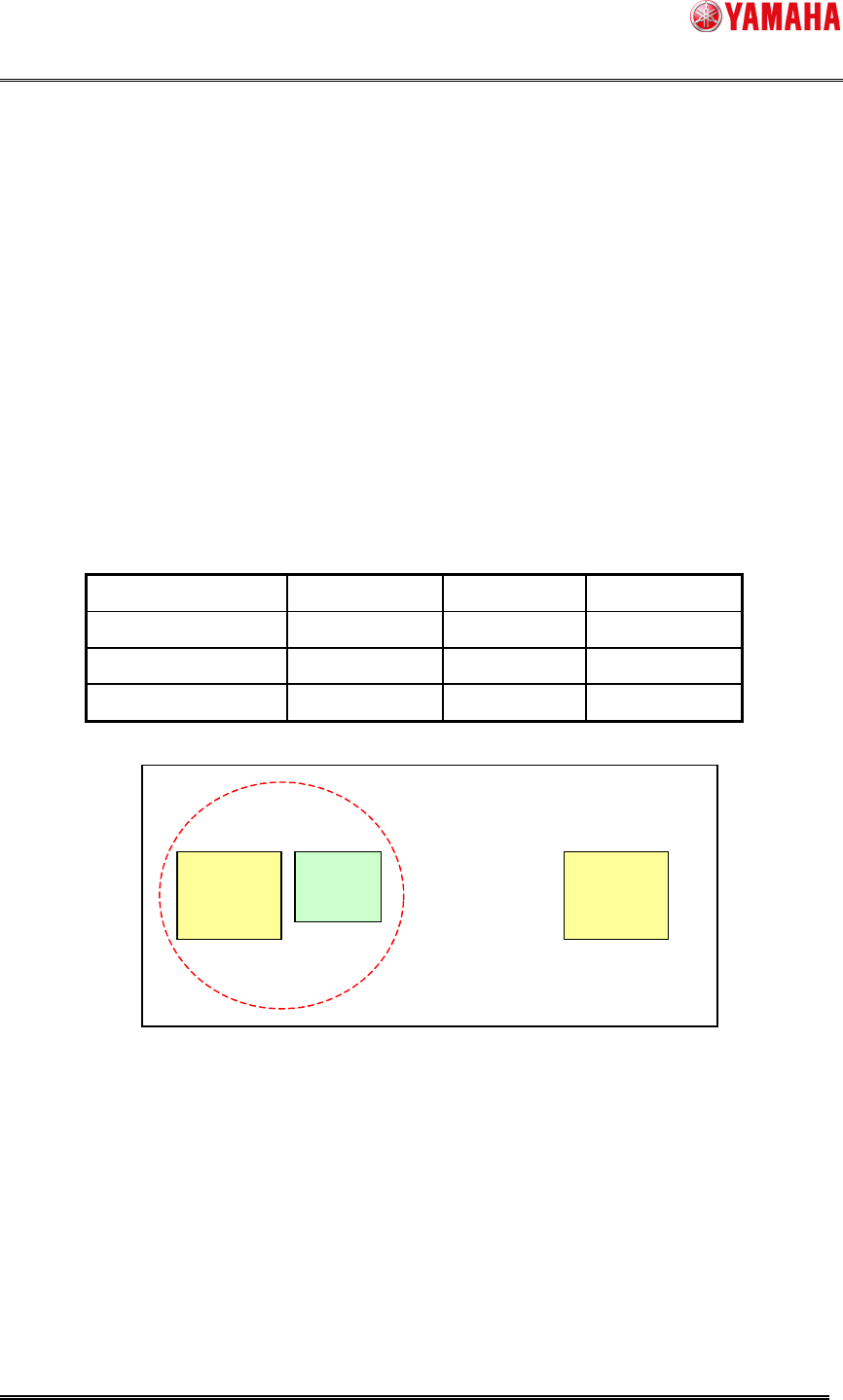
When you use “Mount Group Number” under the condition of the example, a mounting point,
such as “B1” without parts to interfere around is not numbered as a mounting order.
Because the mounting space is small between “A1” and “B1”, the “Group ID” of these mounting
points are set as “1”, and “Group Order” of each is set as “A1:1” and “B1:2” ( see Table6.2 ).
The mounting order constraints become effective only for the same “Group ID” mounting points
( A1 and B1 ). There is no influence to a mounting point whose “Group ID” is different or “Group
ID” is not set.
Therefore, mounting in order of “B2->A1->B1” is enabled.
Table6.2 Mount Information
Mount Point Name Parts Name
Group ID Group Order
A1 A
1 1
B1 B
1 2
B2 B
Not set Not set
Fig6.2 Mount Group Number
B1
A1
B2
Group ID “1”
Order:1
Order:2