TM2596.Functional Specification of Mount Group Number.pdf - 第7页
SMT Software En gineering Group IMOperations YAMAHAMOTORCO.,LTD. MD OC-SOFT50106 7/11 4.5 Error message “Ea24536: B O A RD DA T A E RROR” and countermeasures If the order of the recorde d mountin…
SMT Software Engineering Group
IMOperationsYAMAHAMOTORCO.,LTD.
MDOC-SOFT50106
6/11
4.3 Manual setting method of Mounting Order
When you use “Mount Group Number”, mounting order is automatically decided according to a
result of Nozzle Interference Check.
Please use “Parts Group Number”, if you want to set mounting order manually. (“Mount Group
Number” is not supported with manual setting of mounting order.)
Set [Board] - [Board] - [Mount Sequence Method] to “Parts Group Number”, and it becomes
possible to modify [Parts] - [Option] - [Parts. Group No.]
Note: With “Parts Group Number”, there is a possibility that the cycle time of optimization result
might be longer than when using “Mount Group Number”. Please refer to “6. Codicil: About
arranging Mounting Order” for detailed explanation.
4.4 Resetting method of Mounting Order
Please execute the following procedure, if you want to reset mounting order set by Nozzle
Interference Check. (Valid for both of “Mount Group Number” and “Parts Group Number”.)
1. Set “Parts Group Number” on [Board] – [Board] – [Mount Sequence Method]
(It becomes possible to modify [Parts] – [Option] – [Parts. Group No.].)
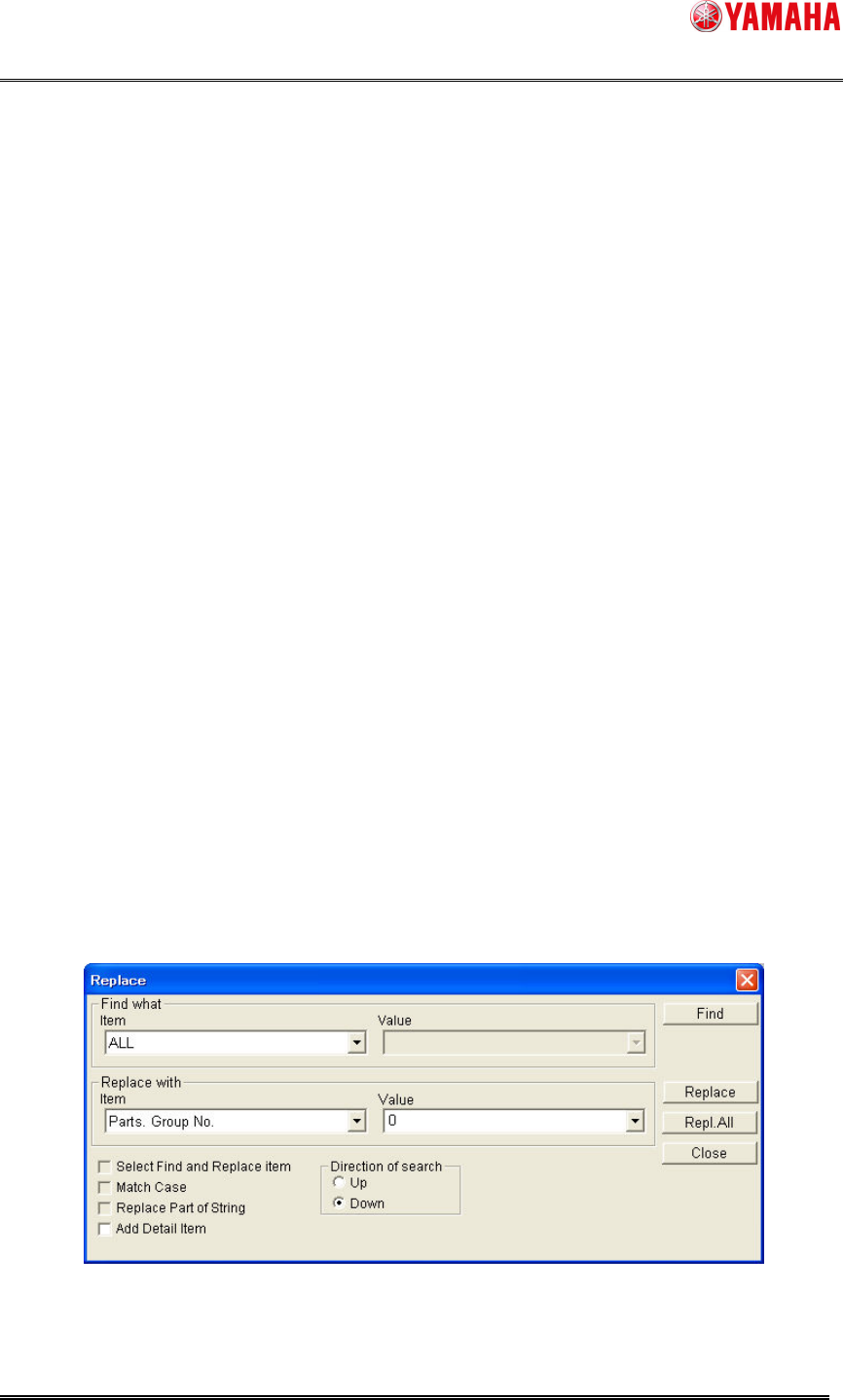
2. Select [Menu] – [Edit] – [Replace] on the [Parts] screen.
3. Set [Find what] – [Item] combo box to “All”, [Replace with] – [Item] combo box to “Parts.
Group No.”, and [Replace with] – [Value] combo box to “0”.
4. Click the [Repl. All] button.
Fig4.4 Replace dialog
SMT Software Engineering Group
IMOperationsYAMAHAMOTORCO.,LTD.
MDOC-SOFT50106
7/11
4.5 Error message “Ea24536: BOARD DATA ERROR” and
countermeasures
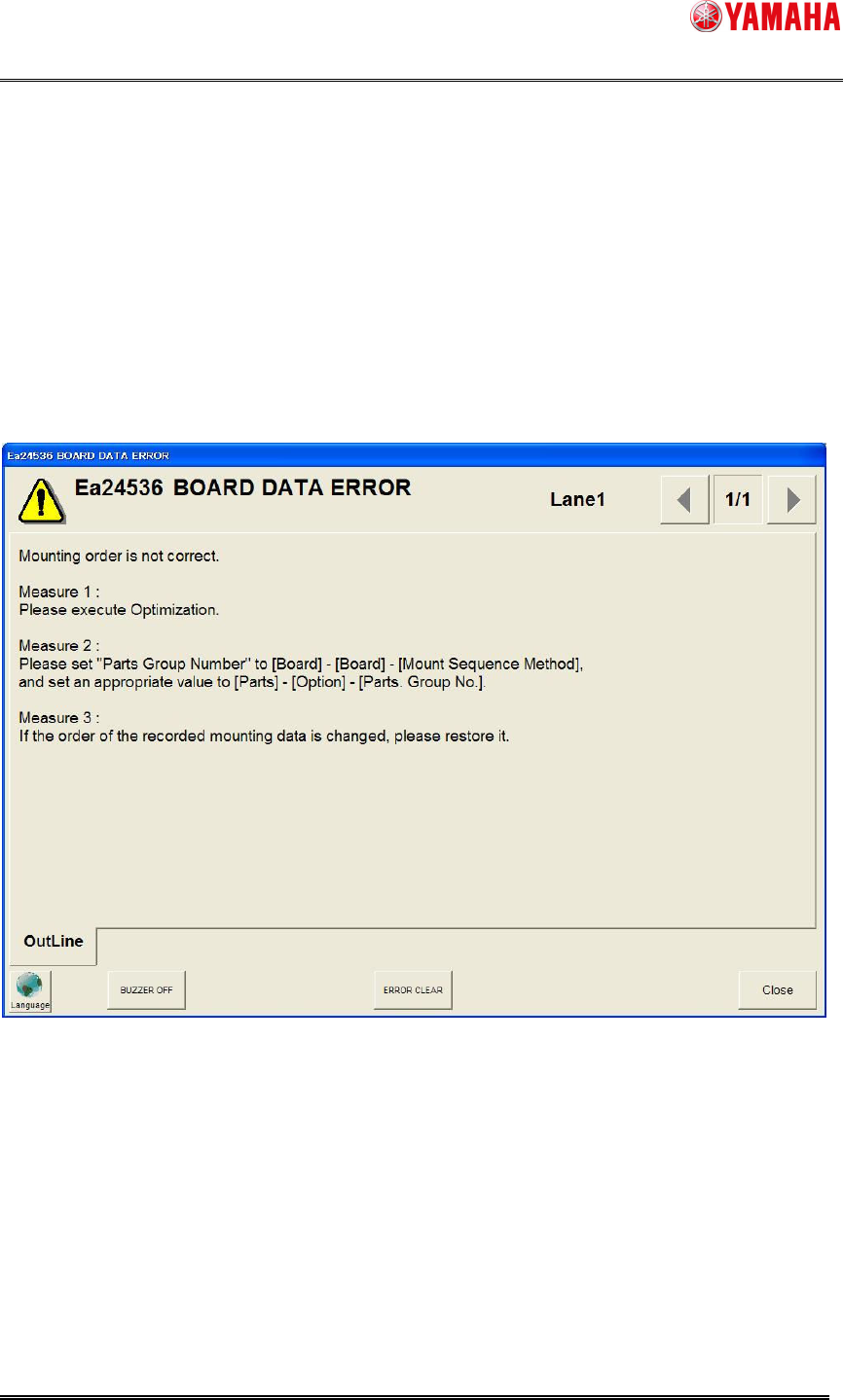
If the order of the recorded mounting data is changed manually (excluding adding or deleting a
line), the error message of "Ea24536 BOARD DATA ERROR" can occur after loading board data
or on starting auto-running (refer to Fig4.5).
Please perform either following countermeasures, if this error message is displayed.
Fig4.5 Error message “Ea24536: BOARD DATA ERROR”
SMT Software Engineering Group
IMOperationsYAMAHAMOTORCO.,LTD.
MDOC-SOFT50106
8/11
5. Additional item of Board Data
5.1 Mount Sequence Method
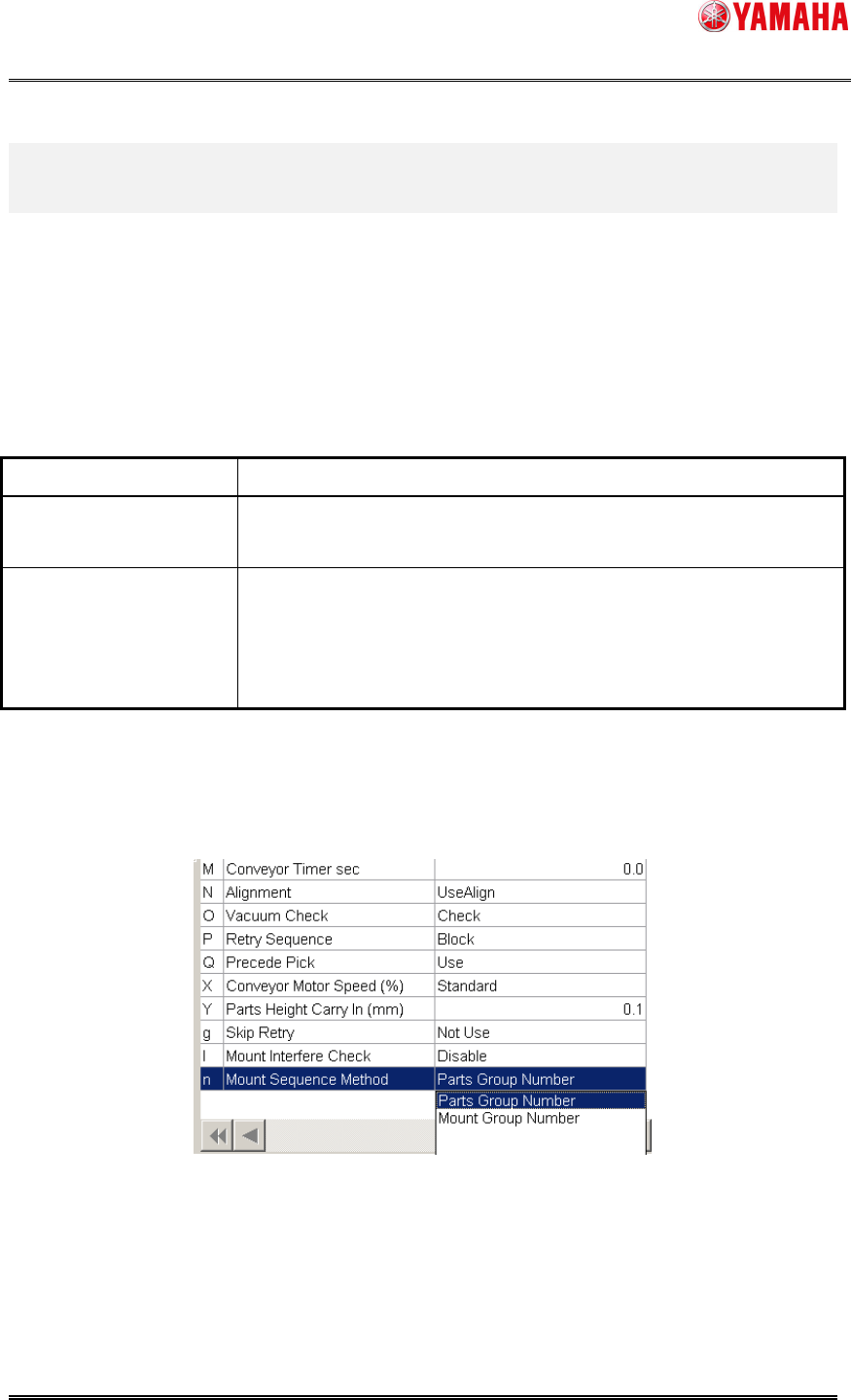
“Mount Sequence Method” has been added to board data. You can specify either “Parts Group
Number” or “Mount Group Number”.
Table5.1 Mount Sequence Method
Mount Sequence Method
Explanation
Parts Group Number Controls a mounting order for each parts.
Specify a mounting order manually.
Mount Group Number Controls a mounting order for each mounting point.
Optimization results (cycle time) will improve compared with “Parts
Group Number”.
But mounting order may not be specified manually.
Confirmation and edit of the setting of “Mount Sequence Method” are possible in [Board] –
[Board].
Fig5.1 Mount Sequence Method