TM2596.Functional Specification of Mount Group Number.pdf - 第8页
SMT Software En gineering Group IMOperations YAMAHAMOTORCO.,LTD. MD OC-SOFT50106 8/11 5. A d ditio nal ite m of Boar d Da t a 5.1 Mount Sequen ce M ethod “Mount Seque nce Method” has been add ed …
SMT Software Engineering Group
IMOperationsYAMAHAMOTORCO.,LTD.
MDOC-SOFT50106
7/11
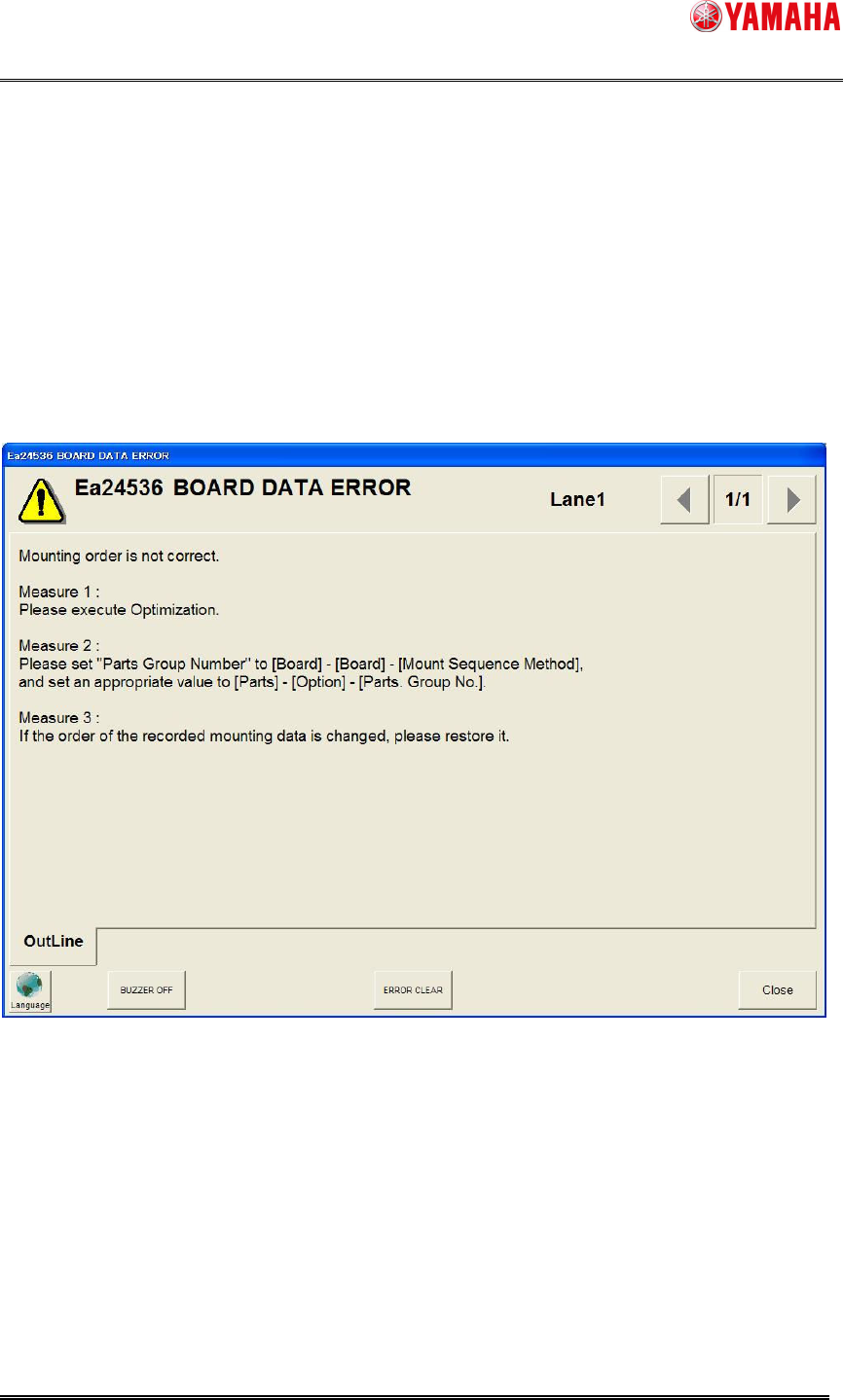
4.5 Error message “Ea24536: BOARD DATA ERROR” and
countermeasures
If the order of the recorded mounting data is changed manually (excluding adding or deleting a
line), the error message of "Ea24536 BOARD DATA ERROR" can occur after loading board data
or on starting auto-running (refer to Fig4.5).
Please perform either following countermeasures, if this error message is displayed.
Fig4.5 Error message “Ea24536: BOARD DATA ERROR”
SMT Software Engineering Group
IMOperationsYAMAHAMOTORCO.,LTD.
MDOC-SOFT50106
8/11
5. Additional item of Board Data
5.1 Mount Sequence Method
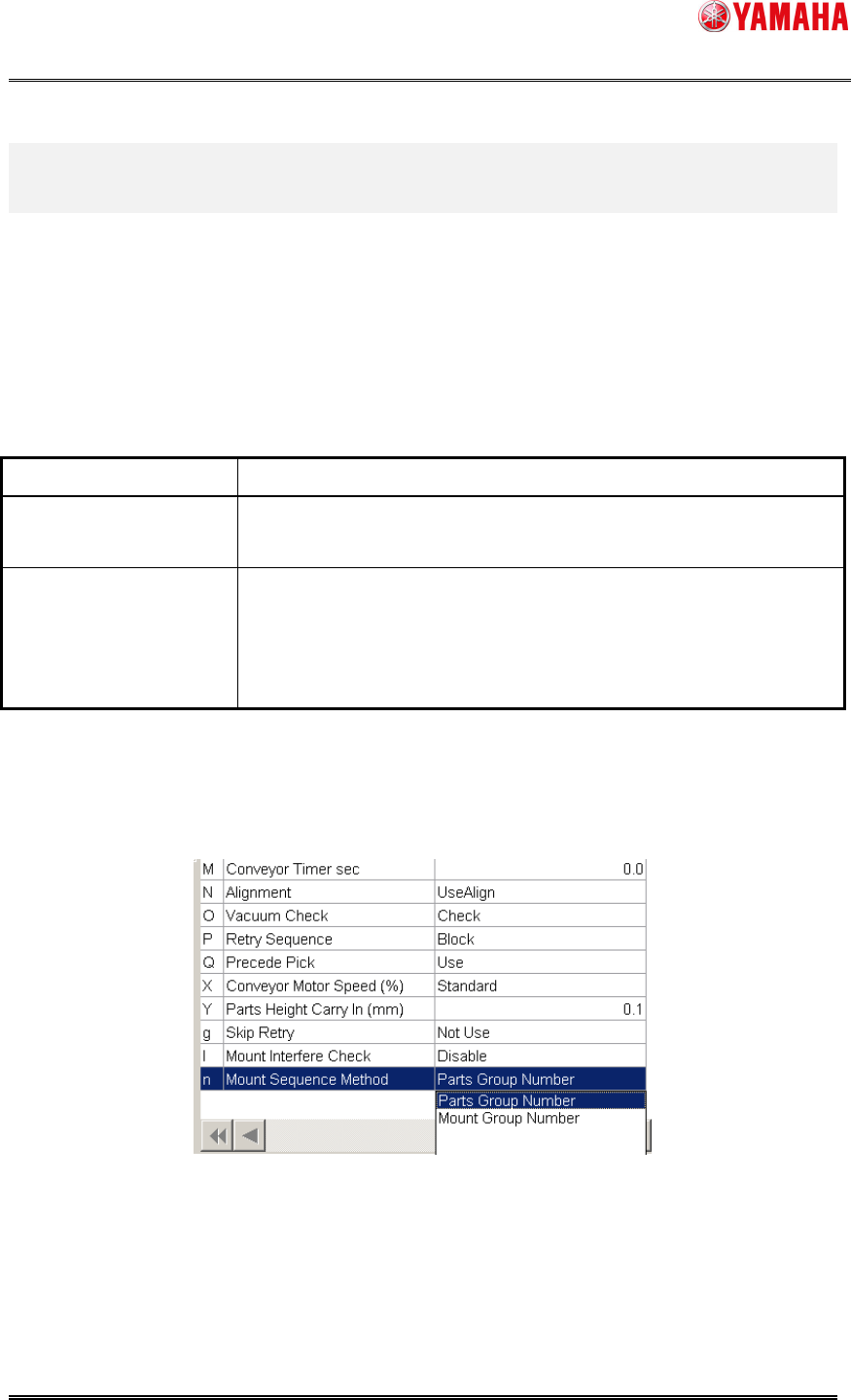
“Mount Sequence Method” has been added to board data. You can specify either “Parts Group
Number” or “Mount Group Number”.
Table5.1 Mount Sequence Method
Mount Sequence Method
Explanation
Parts Group Number Controls a mounting order for each parts.
Specify a mounting order manually.
Mount Group Number Controls a mounting order for each mounting point.
Optimization results (cycle time) will improve compared with “Parts
Group Number”.
But mounting order may not be specified manually.
Confirmation and edit of the setting of “Mount Sequence Method” are possible in [Board] –
[Board].
Fig5.1 Mount Sequence Method
SMT Software Engineering Group
IMOperationsYAMAHAMOTORCO.,LTD.
MDOC-SOFT50106
9/11
5.2 Group ID and Group Order
These parameters are set automatically by executing Nozzle Interference Check.
These parameters may not be edited.
Table5.2 Group ID and Group Order
Item Name Explanation
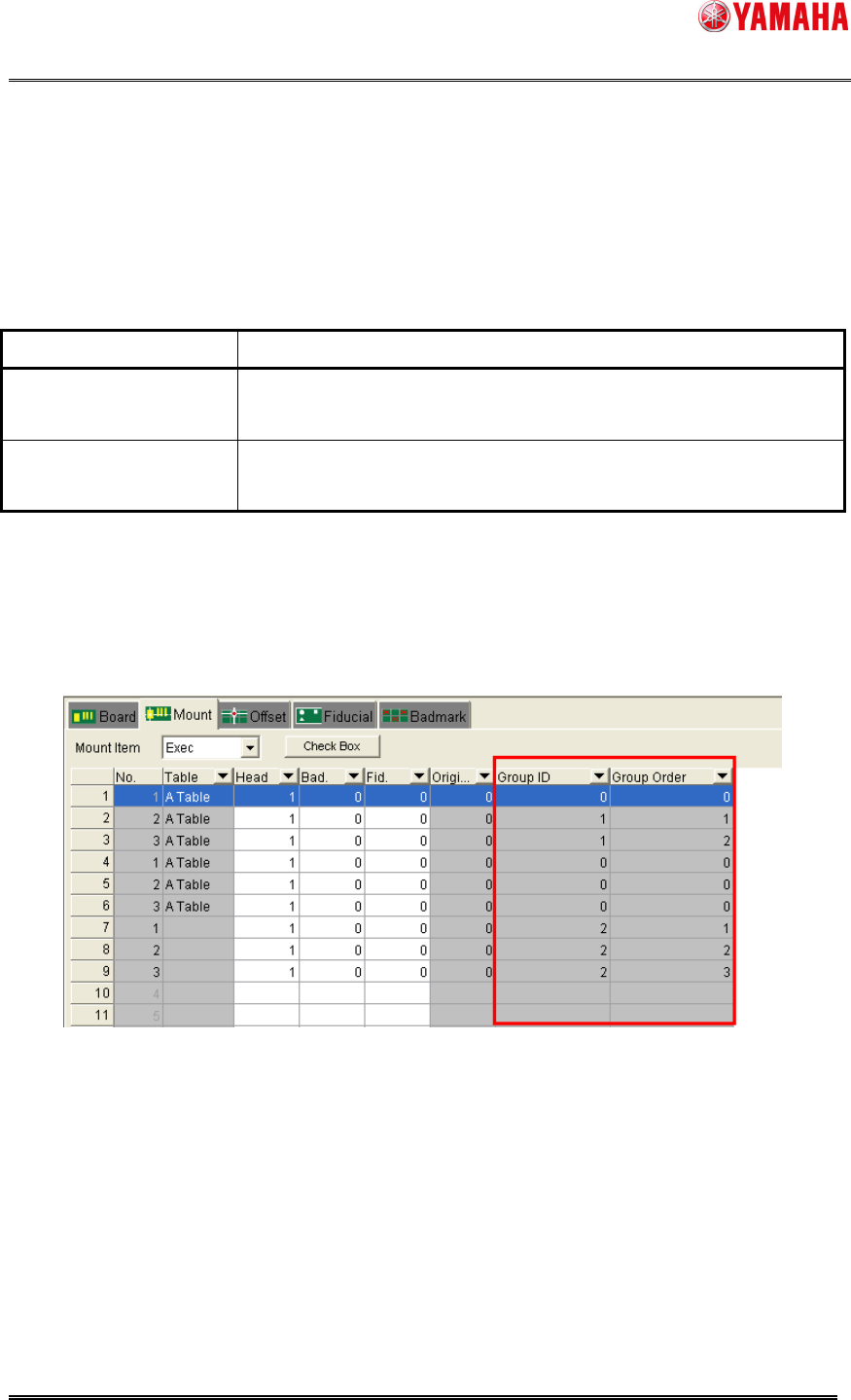
Group ID Indicates groups of mounting points under the control of mounting
order.
Group Order Indicates the number of mounting order among the mounting points
of the same Group ID.
Note: As for a mounting point whose Group ID and Group Order are 0, mounting order control of
each mounting point becomes invalid.
Confirmation of the setting of “Group ID” and “Group Order” is possible in [Board] – [Mount].
These setting may not be edited.
Fig5.2 Group ID and Group Order