TM2596.Functional Specification of Mount Group Number.pdf - 第4页
SMT Software En gineering Group IMOperations YAMAHAMOTORCO.,LTD. MD OC-SOFT50106 4/11 4.2 Setting metho d of M ount Group Number in Optimi z er Please exec ute an o ptimi zation wi th th e f ollo…
SMT Software Engineering Group
IMOperationsYAMAHAMOTORCO.,LTD.
MDOC-SOFT50106
3/11
4. Setting method
Please execute Nozzle Interference Check by using Board Editor or Optimizer of Y.FacT, if you
want to use “Mount Group Number”.
4.1 Setting method of Mount Group Number in Board Editor
Please execute the following procedure.
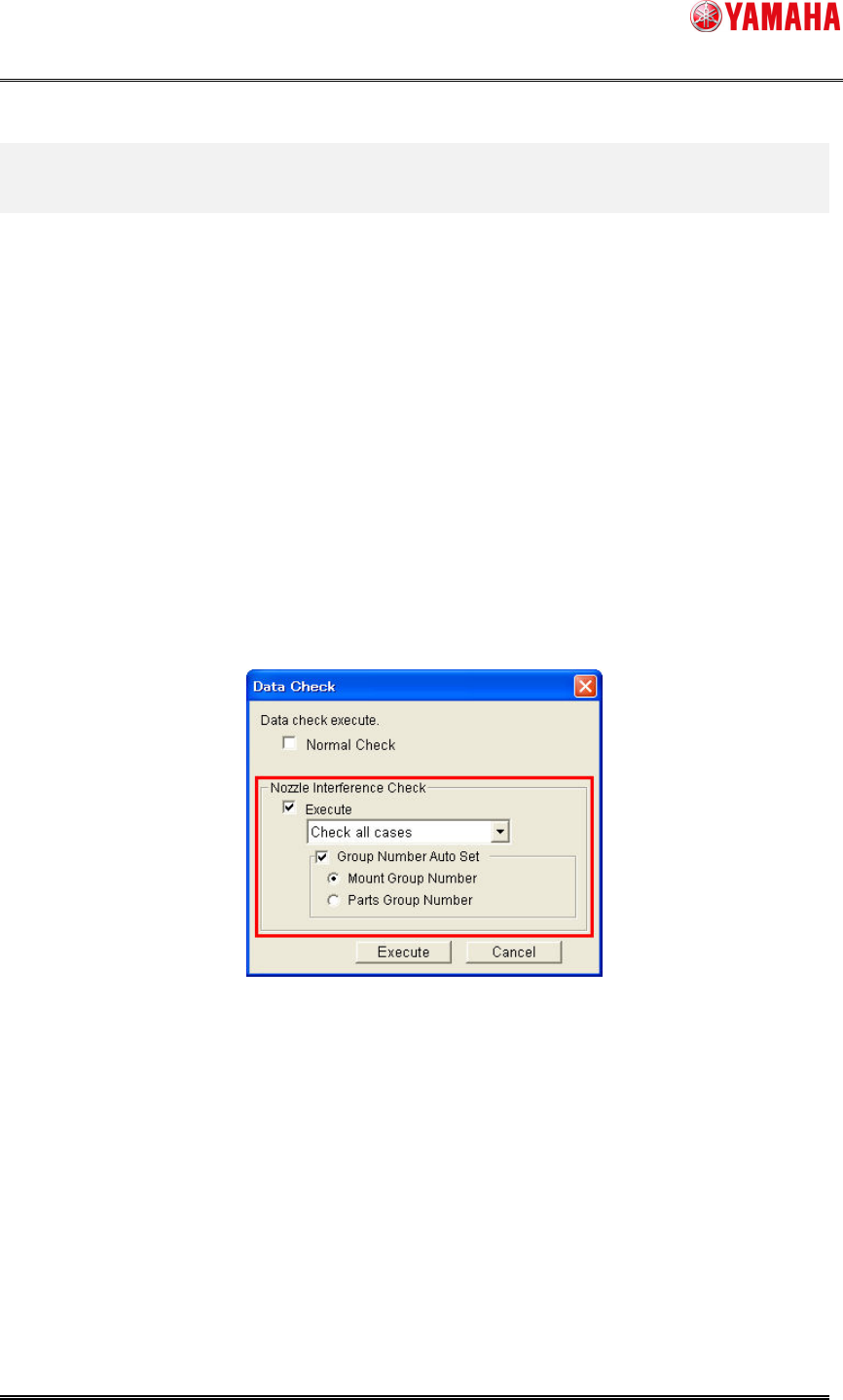
1. Select [Menu] – [Tool] – [Data Check] – [Execute].
2. On the [Data Check] dialog, set as follows.
A) Check the box of [Nozzle Interference Check] – [Execute], and select “Check all
cases” from the combo box.
B) Check the box of [Nozzle Interference Check] – [Group Number Auto Set], and
click the radio button of “Mount Group Number” (or “Mount Group Number
Preferentially”).
Fig4.1 Data Check dialog
3. Click the [Execute] button.
After executing the above procedure, [Board] – [Board] – [Mount Sequence Method] is set with
“Mount Group Number”, and [Mount] – [Group ID] and [Group Order] are set automatically.
Please refer to “5. Additional item of Board Data” for detailed explanation of each item.
SMT Software Engineering Group
IMOperationsYAMAHAMOTORCO.,LTD.
MDOC-SOFT50106
4/11
4.2 Setting method of Mount Group Number in Optimizer
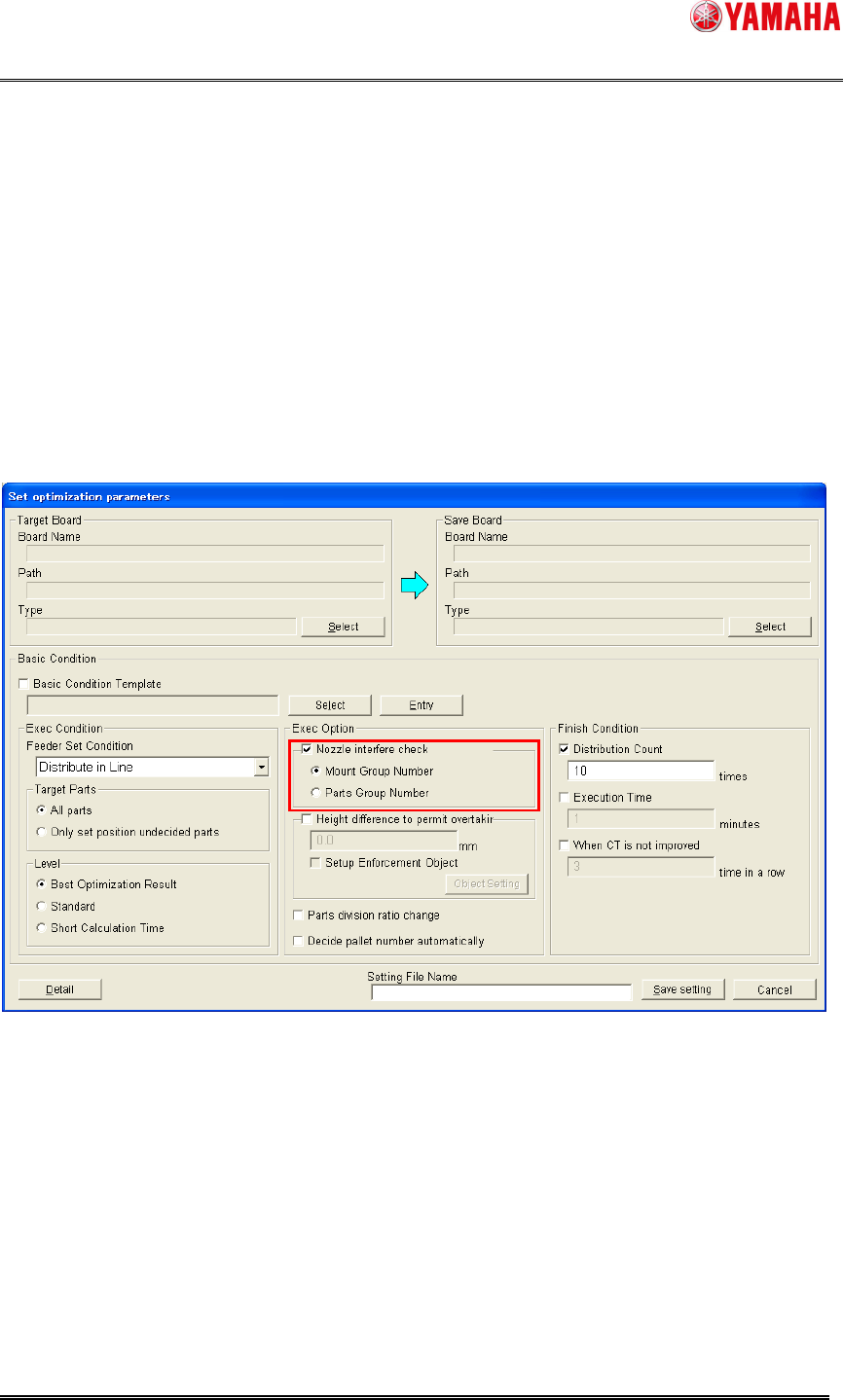
Please execute an optimization with the following procedure.
• [Basic Condition] – [Exec Option] – [Nozzle Interference Check] check the box and select
the radio button of “Mount Group Number” (or “Mount Group Number Preferentially”).
After executing an optimization with the above setting, [Board] – [Board] – [Mount Sequence
Method] is set with “Mount Group Number”, and [Mount] – [Group ID] and [Group Order] are set
automatically.
Please refer to “5. Additional item of Board Data” for detailed explanation of each item.
Fig4.2 Set optimization parameters dialog
SMT Software Engineering Group
IMOperationsYAMAHAMOTORCO.,LTD.
MDOC-SOFT50106
5/11
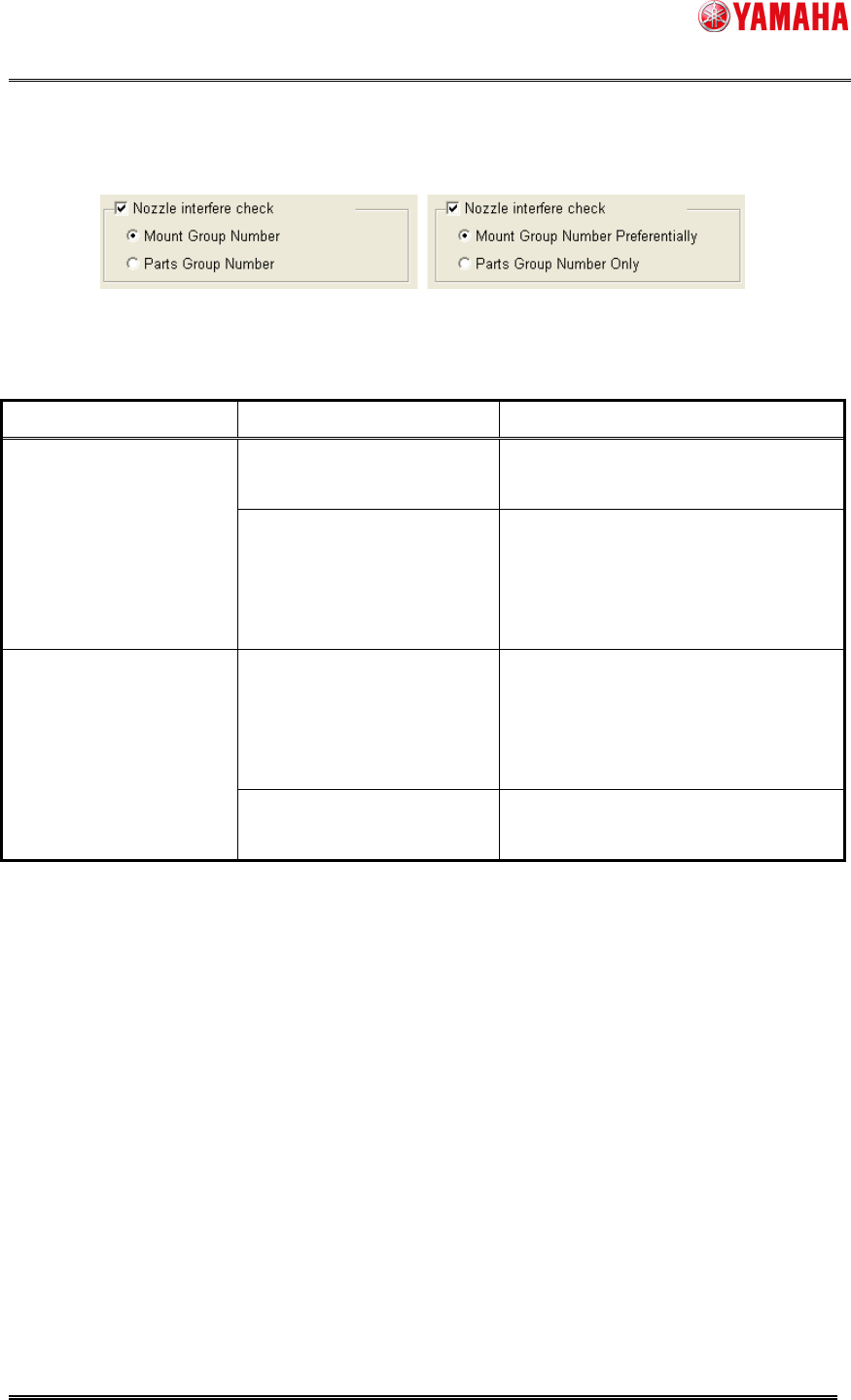
Note: Item name of the radio button and behavior of Nozzle Interference Check are according to
which machine was registered on the line. (Board Editor is the same)
Fig4.3 Setting of Nozzle Interference Check
Table4.1 Behavior of Nozzle Interference Check
Registered machines Radio button item name Nozzle Interference Check behavior
Mount Group Number “Group ID” and “Group Order” are set
to all machines.
Only compliant machines
with the “Mount Group
Number” function
(YS Series, YG12 Series,
YG300)
Parts Group Number “Parts Group Number” is set to all
machines.
Mount Group Number
Preferentially
“Group ID” and “Group Order” are set
to compliant machines, and “Parts
Group Number” is set to noncompliant
machines.
Both of compliant and
noncompliant machines
with the “Mount Group
Number” function.
Parts Group Number Only “Parts Group Number” is set to all
machines.