manual-pedal-P005-0028920_ID-223540.pdf - 第7页
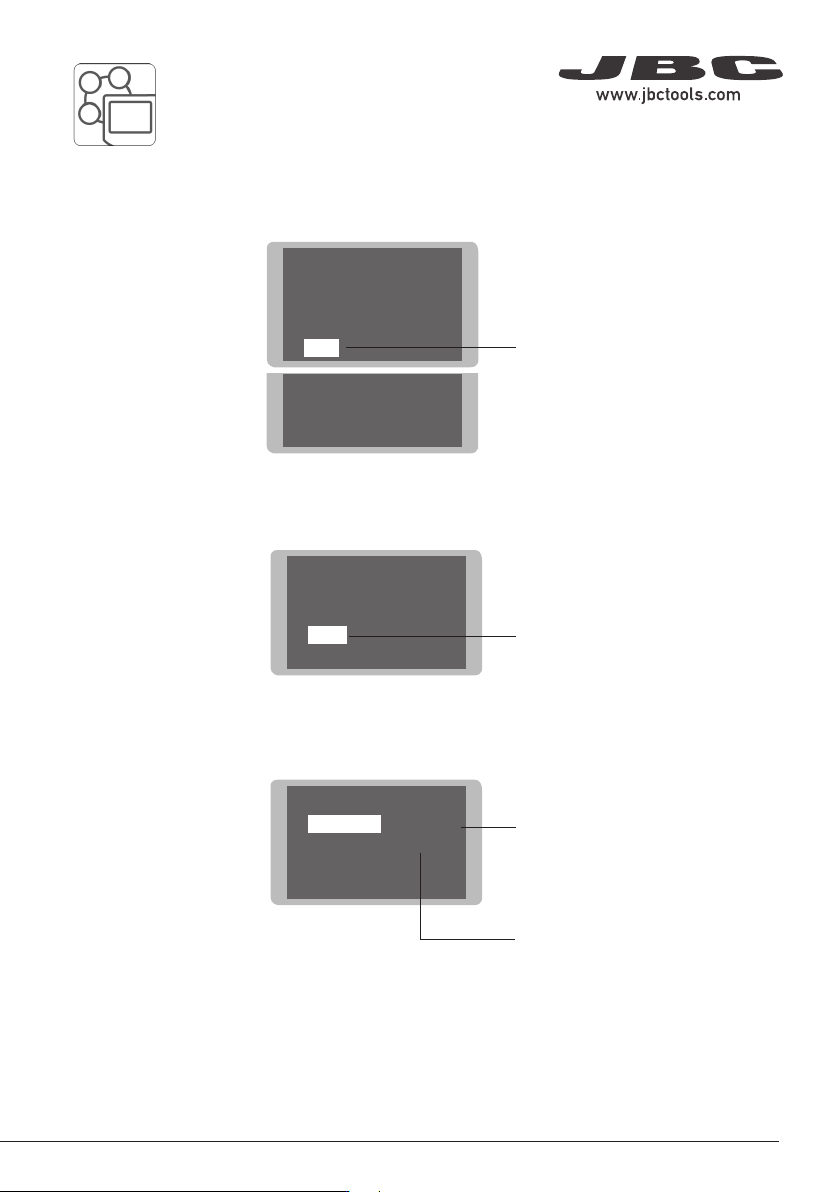
4 Filter set 5 Counters 6 Program version Main menu Main menu Exit 1 Reset 2 Unit 3 Port Port Port 1 Program Ctm - 100% 2 Delay to stop 3 Pedal Back Back Pedal Pedal 1 Activation One-touch 2 Mode Pressed Back Back 7 Peda…
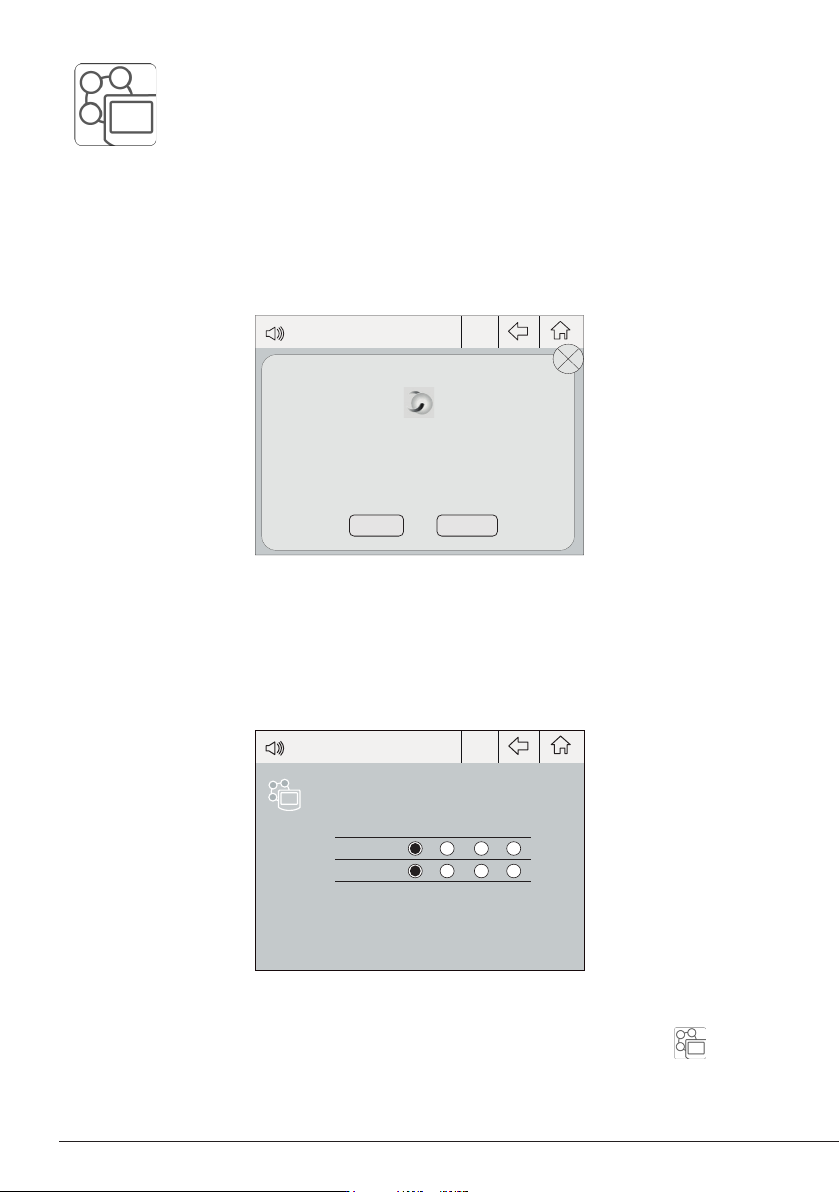
Peripherals
17:14
Port 1 2 3 4
MS a
?
PERIPHERAL
Peripheral 1 plugged:
Electric Suction Module
Setup
Postpone
Peripherals
17:14
Port 1 2 3 4
MS a
PD a
?
6
Note: Peripheral moduls - MSE, MVE or MNE - are needed to connect the pedal to DMU.
After connecting one of the mentioned moduls to the station a popup window opens.
2. Select the module from the list of peripheral connections. Remember your first connection is
denoted as “a”, the second being “b”, etc. (e.g. MS_a, MS_b,...). Do the same with the pedal (e.g.
PD_a,...)
3. Select the port of the tool you want to link to the peripheral.
Pedal Set Up for DMU (Control Unit)
1. To configure the module MSE/MVE/MNE press Setup in the popup window.
4. Press Menu or Back to save changes.
Once set up, the module settings can be changed by entering the Peripherals Menu .
4 Filter set
5 Counters
6 Program version
Main menuMain menu
Exit
1 Reset
2
Unit
3
Port
PortPort
1 Program Ctm - 100%
2
Delay to stop
3
Pedal
BackBack
PedalPedal
1 Activation One-touch
2 Mode Pressed
BackBack
7
Pedal Set Up for FAE1, FAE2 (Fume Extractors)
Select Port
* One-touch activates the pedal funtion until pressed twice. Continous activates the pedal function
while pressing the pedal.
3. Set the pedal function according to your work needs:
2. At the Port Menu select Pedal.
1. Enter the Main Menu and select Port.
Select Pedal
Shows the activation mode.
Choose between One-
touch* and Continous*.
Select the activating mode of
the pedal. Choose between
Pressed and Released.
40 mm
50 mm
60 mm
80 mm
100 mm
130 mm
130 mm
para manuales - color gris
200 mm
300 mm
8
Pedal Set Up for AL (Auto Feed Soldering Station)
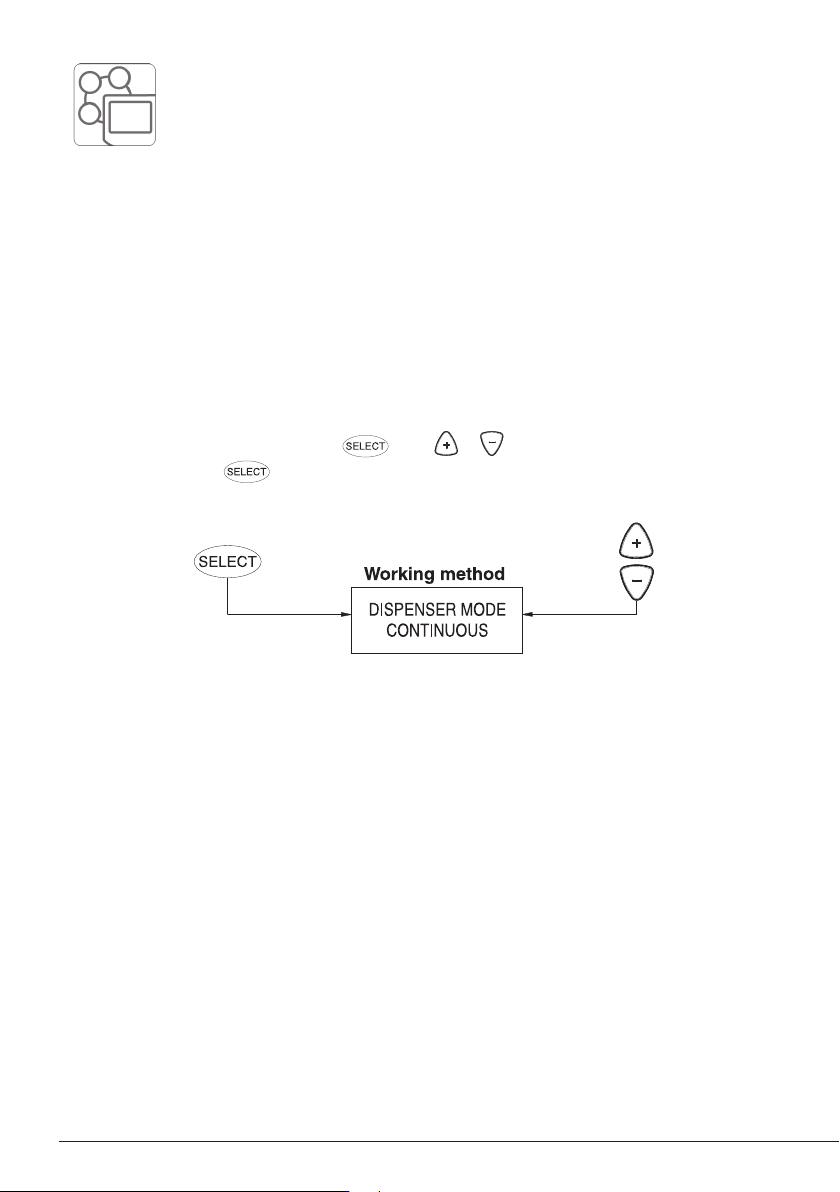
The choosed wire dispensing operation mode will be applied for the tool button as well as for the
pedal activation.
The working mode can be switched to:
- Continous: Solderwire is being fed constantly as long as the pedal or the tool button is activated.
- Discontinous: A predetermined solder wire amount is being fed every time the pedal or tool button
is being pressed.
Navigate throug the menu by pressing , use or to change the value. Confirm the
selection by pressing .