00193854-0402_AI_LBO_HS60-D4_DE+EN.pdf - 第42页
2 Assembly Instructions "Long Board Option" SIPLACE HS-60 / D4 HS-60 / D4 "Long Board Option" 05/2007 Edition 42 2.6 Changes in SIPLACE PRO The option must be entered in the line configuratio n in SIP…
HS-60 / D4 "Long Board Option" 2 Assembly Instructions "Long Board Option" SIPLACE HS-60 / D4
05/2007 Edition
41
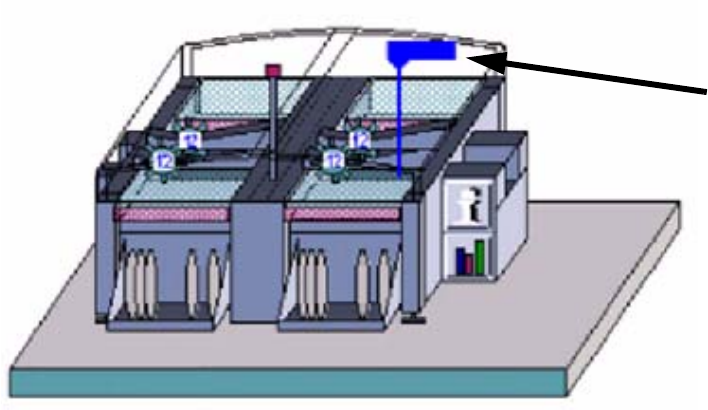
: Enter the placement offset (= distance old stopper – new stopper).
Press “Enter” to confirm.
A blue flag with the offset value then appears on the output conveyor in the machine display on
the desktop. 2
2
2
A large PCB must be programmed with a correspondingly large number of fiducials (up to 6 per
fiducial set). 2
2
2
2
2
2
2
2
2
2
2
2
2
2
Blue flag
2 Assembly Instructions "Long Board Option" SIPLACE HS-60 / D4 HS-60 / D4 "Long Board Option"
05/2007 Edition
42
2.6 Changes in SIPLACE PRO
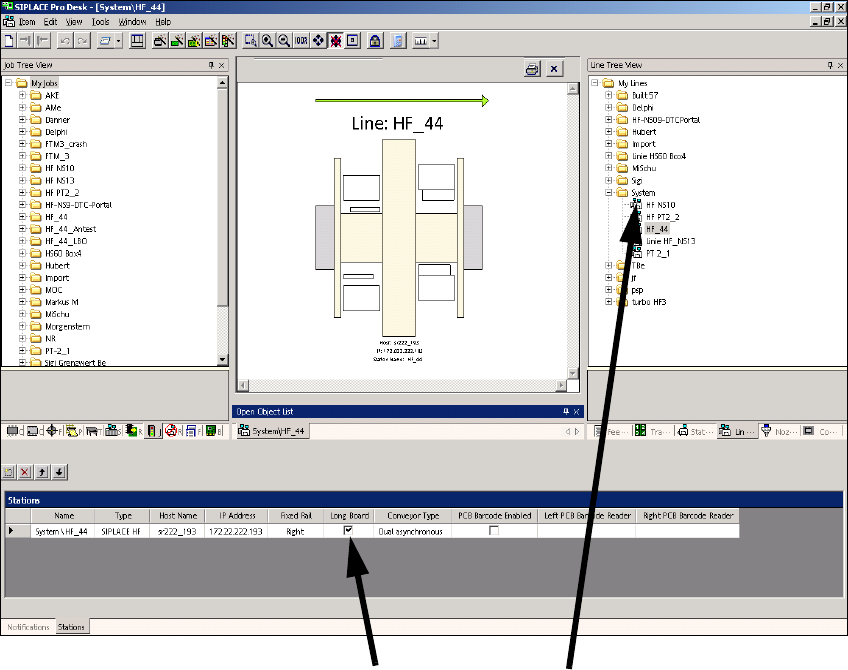
The option must be entered in the line configuration in SIPLACE PRO and in the set-up. 2
2.6.1 Line configuration
: Select a line and check the Long board check box.
2
2
2
2
2
2
Click on Long board Select the lineClick on Long board
HS-60 / D4 "Long Board Option" 2 Assembly Instructions "Long Board Option" SIPLACE HS-60 / D4
05/2007 Edition
43
2.6.2 Set-up
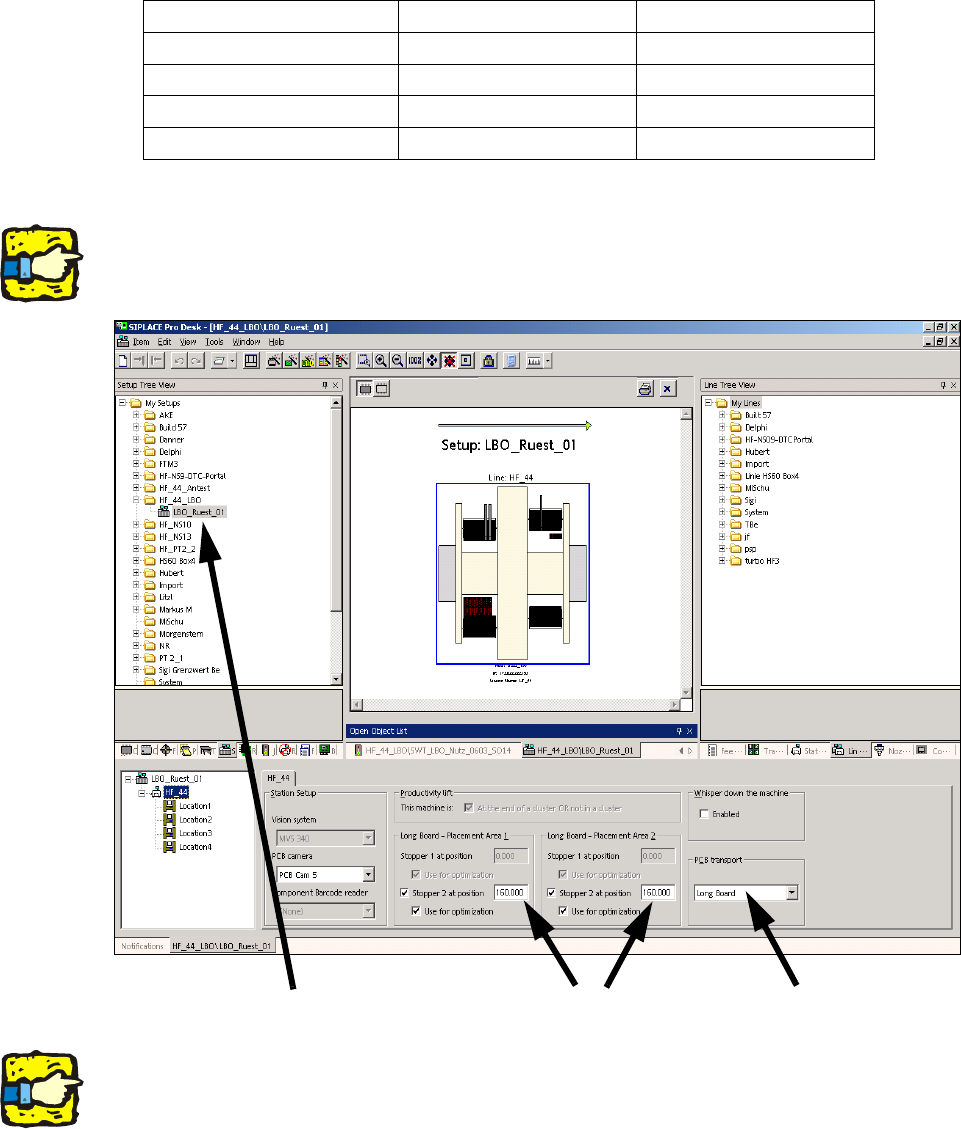
: Select a set-up (see screenshot).
: For the PCB conveyor, select "Long board" and enter one of the values in the table under
"Stopper 2 at position" for both processing areas.
2
2
The screenshot below is from SIPLACE HF-series. At HS-60 no stopper can be entered at place-
ment area 2. 2
2
2
The stopper position is not included in the optimization unless the "Use for optimization" box is
checked. 2
PCB length Stopper position Offset
515 mm 510 mm 142 mm
550 mm 610 mm 242 mm
580 mm 640 mm 272 mm
610 mm 670 mm 302 mm
Select the set-up
Enter 160.000
Select Long board