TT4935_RAS Monitoring Function.pdf - 第3页
SMT Softwa re Engineering Group IM Operations Y AMAHA MOT OR CO., L TD MD OC-SOFT50056 3/17 3. Settings S tart [ VmS pec] sc reen up with [M achine] button and tap [RA S Settin g] butt on of an up per toolba…
SMT Software Engineering Group
IM Operations
YAMAHA MOTOR CO., LTD
MDOC-SOFT50056
2/17
1. Introduction
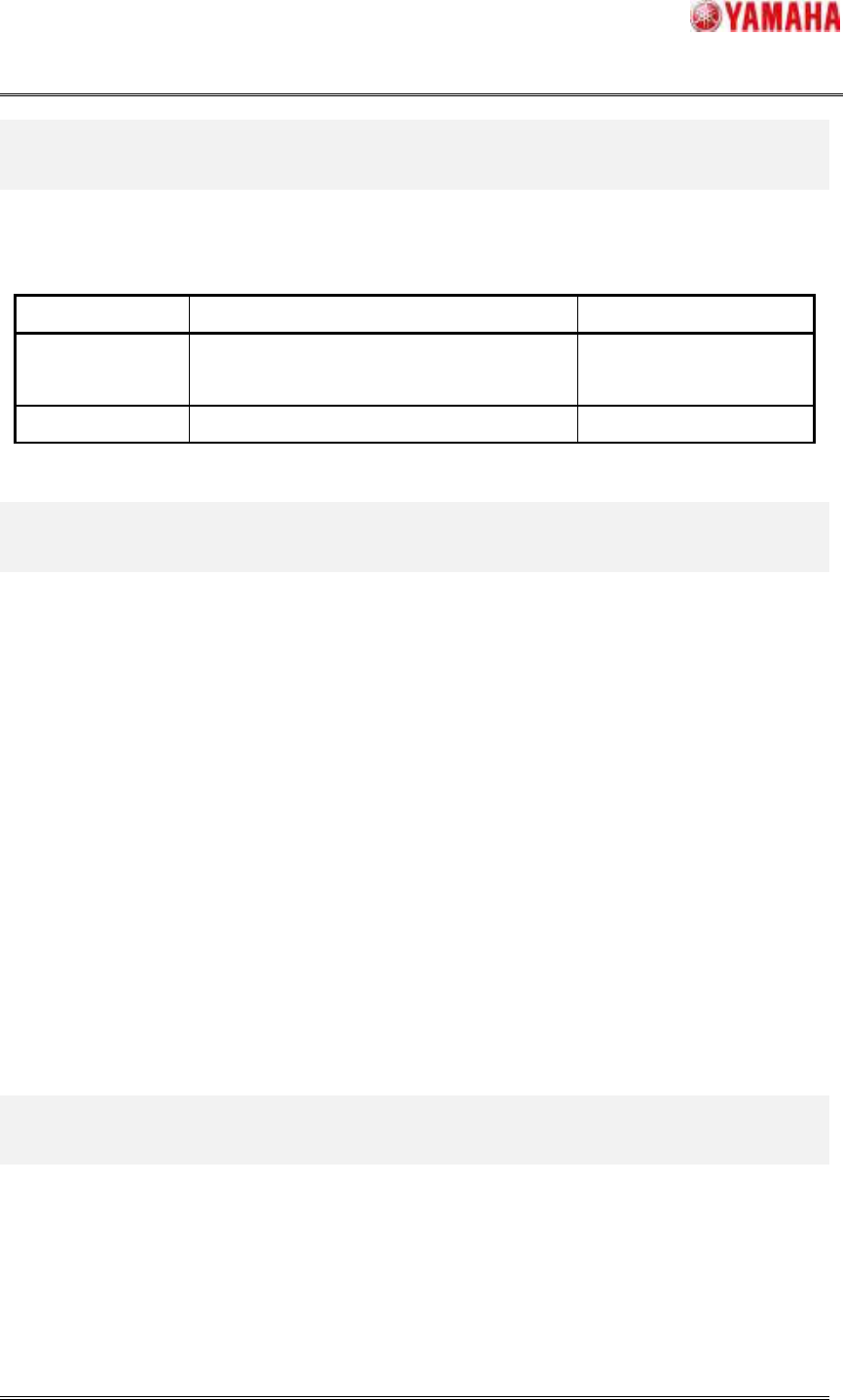
The target model and the version are as follows.
Table 1 Target model and Target version
Item Object Remarks
Target model YS Series Machines, YG300,
YG12 Series Machines
Target version V3.11STD R1.000 or later
2. Summary
RAS(*) monitoring function is a function to monitor the power-supply voltage and the internal
temperature, etc. of the controller (C/R thereafter) and servo (SRV thereafter) that is controlling
the machine, and to notify the fault place when abnormality occurs by any chances, and to
restore the system in a short time.
*"RAS" is the initial of reliability, availability, and serviceability.
The monitoring item in RAS monitoring function is as follows.
1. C/R DC Power Fail
2. C/R Fan Alarm
3. C/R Temp Error
4. SRV Fan Alarm (Excluding YG300)
5. UPS Power Fail (When UPS is connected)
6. UPS Battery Low (When UPS is connected)
SMT Software Engineering Group
IM Operations
YAMAHA MOTOR CO., LTD
MDOC-SOFT50056
3/17
3. Settings
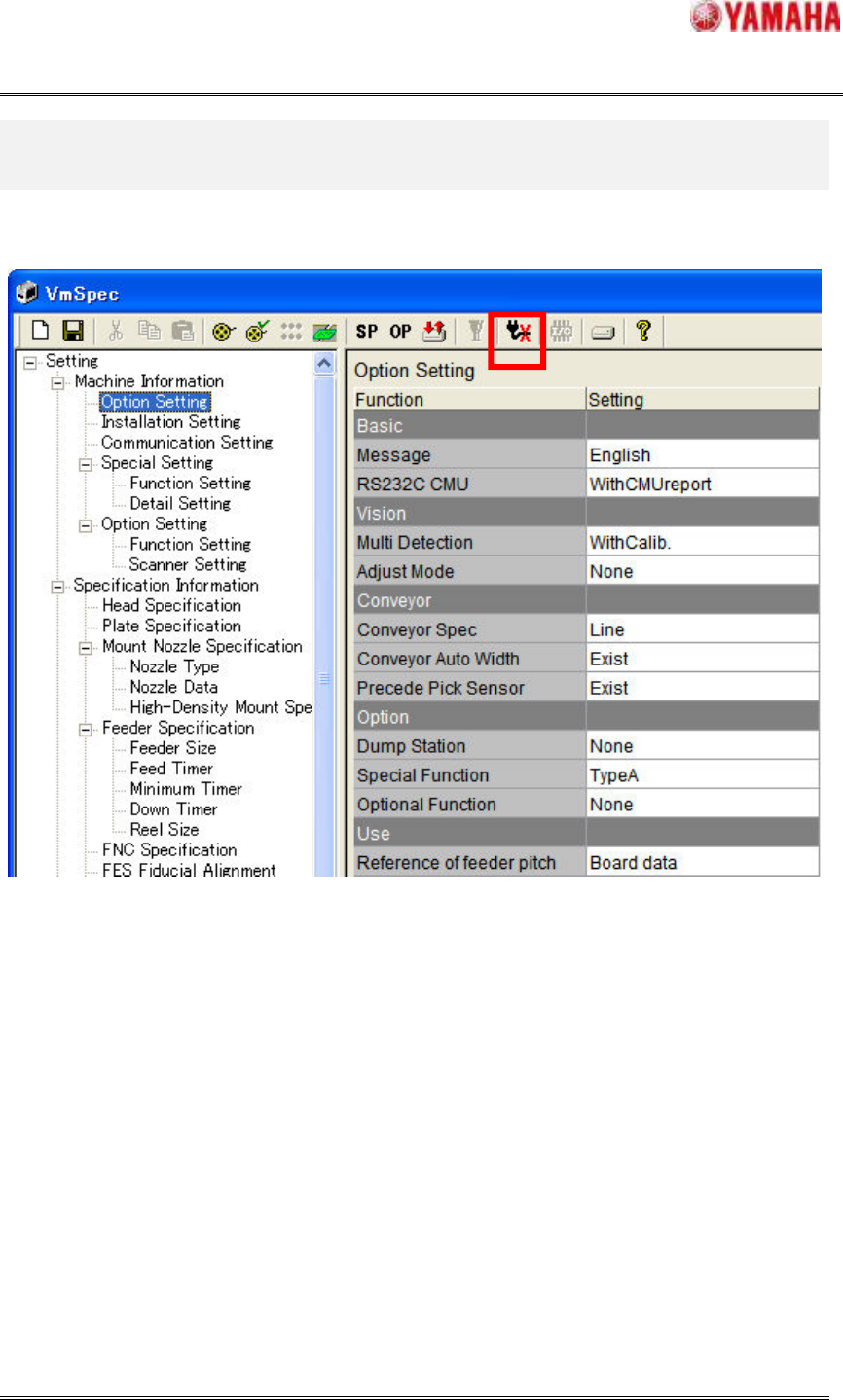
Start [VmSpec] screen up with [Machine] button and tap [RAS Setting] button of an upper
toolbar. (Fig 3.1)
Fig 3.1 [RAS Setting] button
SMT Software Engineering Group
IM Operations
YAMAHA MOTOR CO., LTD
MDOC-SOFT50056
4/17
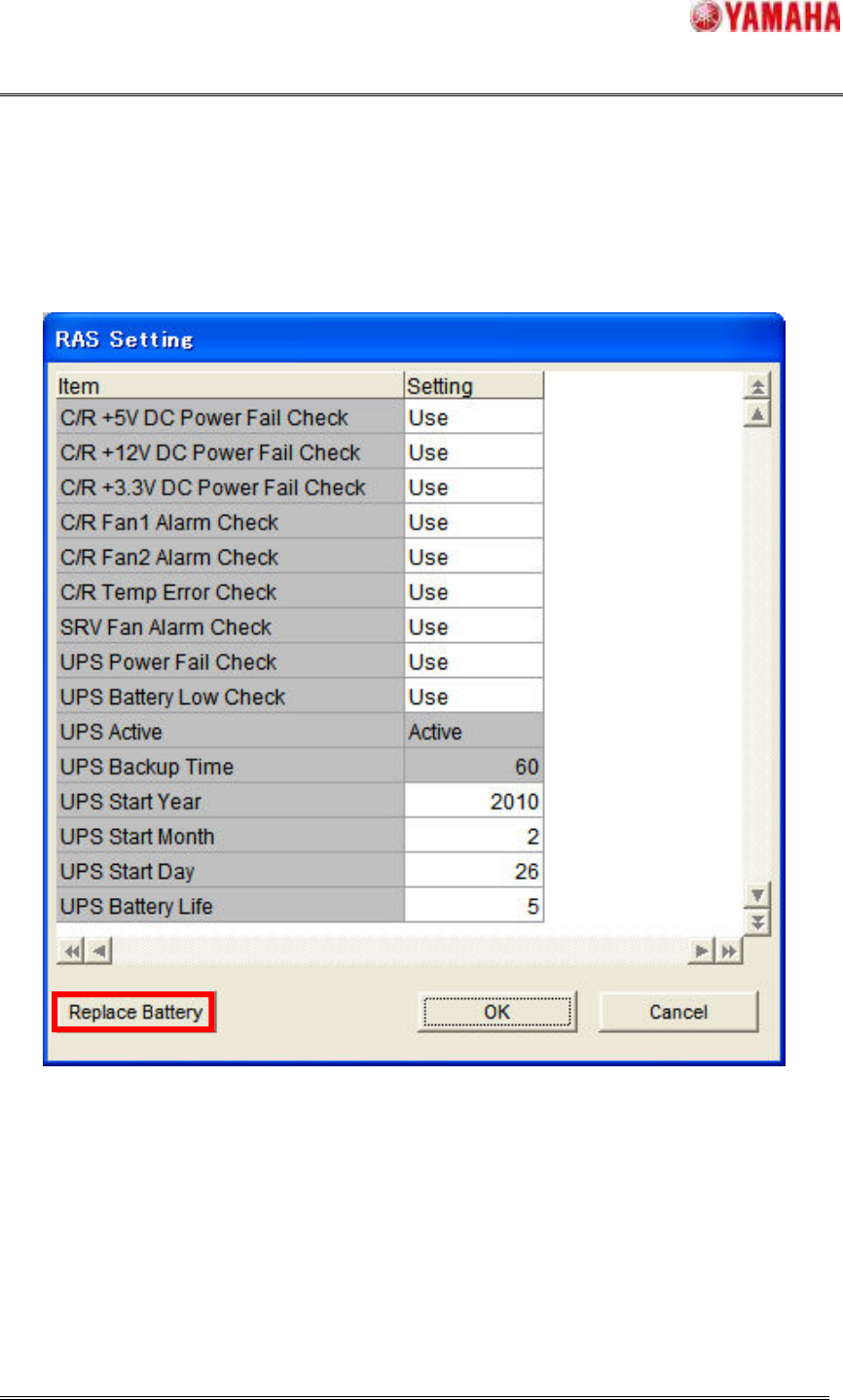
"Use" or "Not Use" can be set by each monitoring item on [RAS Setting] screen in Fig3.2.
When UPS is connected, the start time of the battery use can be updated by tapping the
[Replace Battery] button after the battery is exchanged.
Details of a set each item are as shown in Table 3.1.
It is necessary to restart the machine to do these settings effectively.
Fig 3.2 [RAS Setting] screen
1)
2)
3)
4)
5)
6)
7)
8)
9)
10)
11)
12)
13)
14)