TR7500_Maintenance_en.pdf - 第4页
3 S t e p 1 . l o c a t i o n o f t he s c r e w S t e p 2 . L o o s en t h e sc r e w S t e p 3 . O pe n t h e l i d
2
Mechanisms maintenance
l In order to keep the equipment’s normal operation and prolong its lifespan, please follow
suggests below and shorten the maintenance cycle when it is necessary.
1 Month Maintenance
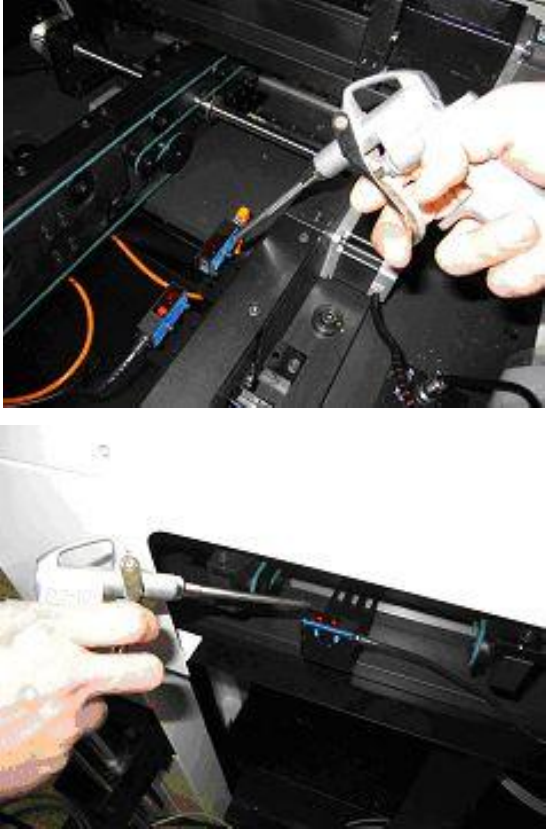
1.1 Cleanse optical sensors
l Use the air pump driven by compressor air to remove dusts on the surface of optical sensors
In order to avoid malfunction of optical sensors.
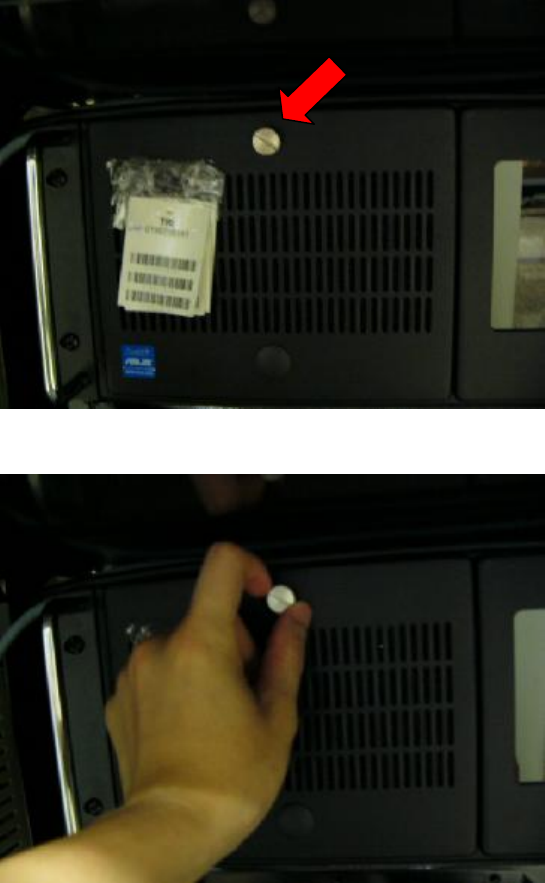
1.2 Cleanse the computer dust filter
l Take out the computer dust filter and use an air pump driven by compressed air to remove
dust in order to prevent the computer from overheating.
3
Step1. location of the screw
Step2. Loosen the screw
Step3. Open the lid
4
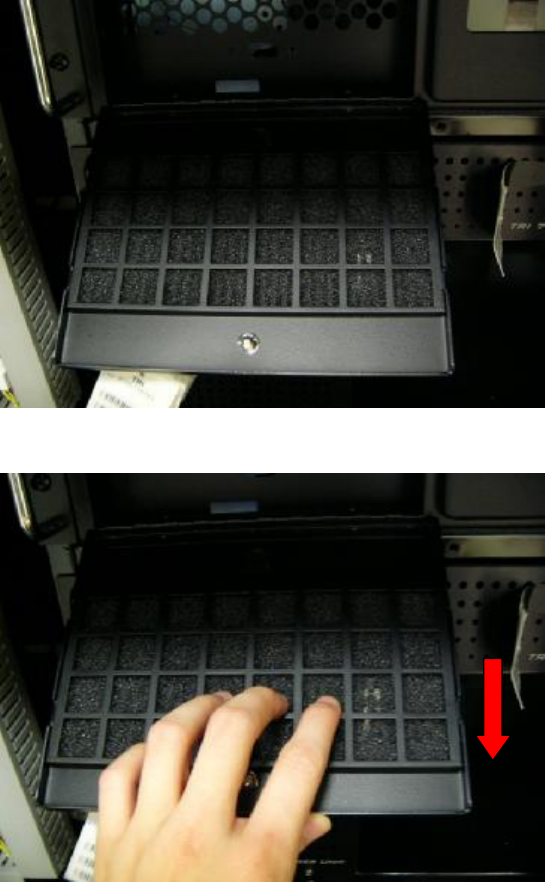
Step4. Pull the filter cover following the direction of arrow and take the filter out
Step5. Take out the computer dust filter and use an air pump driven by compressed air to
remove dust in order to prevent the computer from overheating.