TR7500_Maintenance_en.pdf - 第5页
4 S t e p 4 . P u l l t h e f i l t e r c o v e r f o l l o w i n g t h e d i r e c t i o n o f a r r o w a nd t a k e t h e f i l t e r o u t S t e p 5 . T a k e o u t t h e c o m p u t e r d u s t f i l t e r an d u s …
3
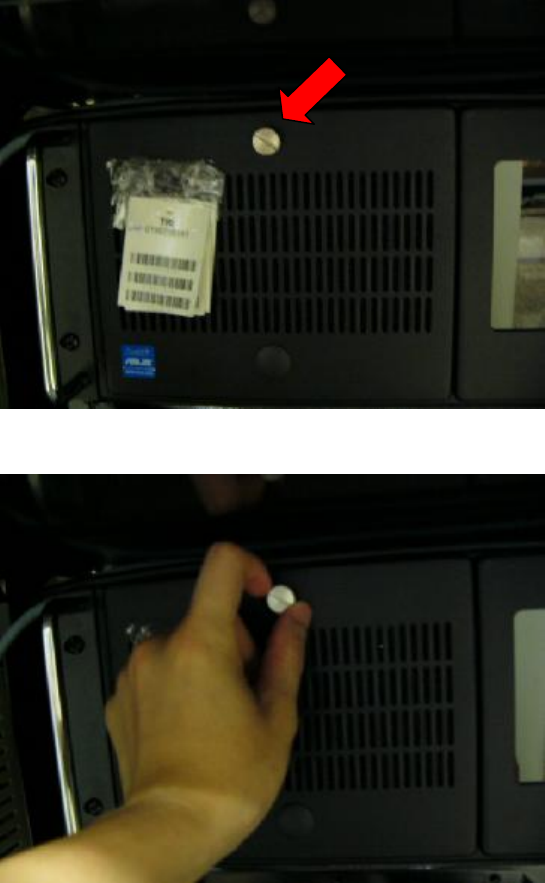
Step1. location of the screw
Step2. Loosen the screw
Step3. Open the lid
4
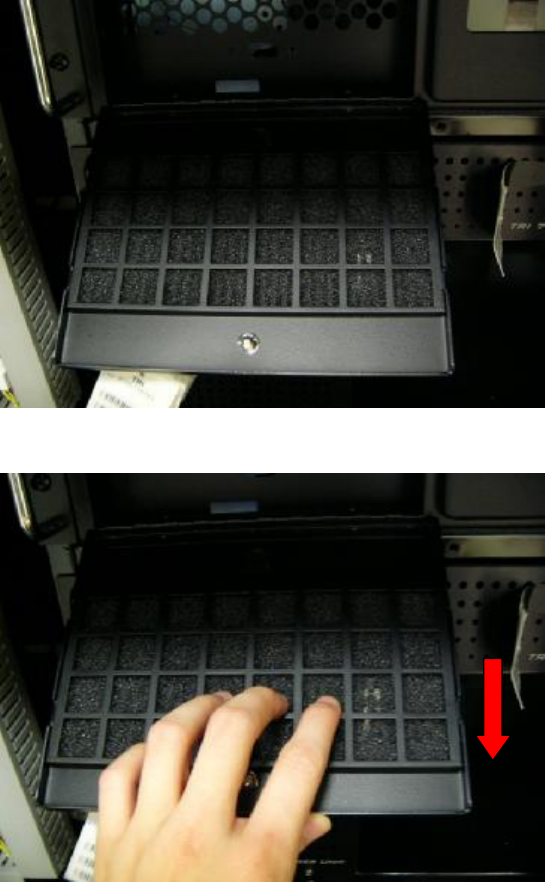
Step4. Pull the filter cover following the direction of arrow and take the filter out
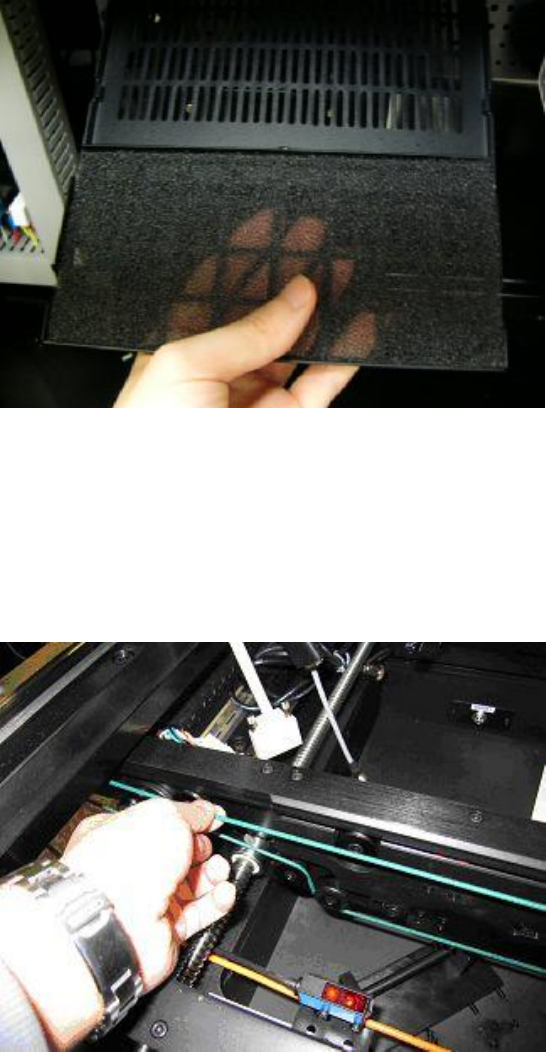
Step5. Take out the computer dust filter and use an air pump driven by compressed air to
remove dust in order to prevent the computer from overheating.
5
1.3 Cleanse conveyor circular belts
l Take off the conveyor circular bolt from the conveyor and wipe the bolt with cleanse fabric
and neutral cleanser in order to maintain the clean and the transport ability of the bolt. After
the bolt is dried, place the bolt to the conveyor.