00191921-01.pdf - 第43页
43 New inventor y level ... Mark the de sired track in the list by mov ing the cyan bar over it. Clic k on the New inv entory level... button. ● Enter the current numb er of compo nents into the N ew level field of the d…
42
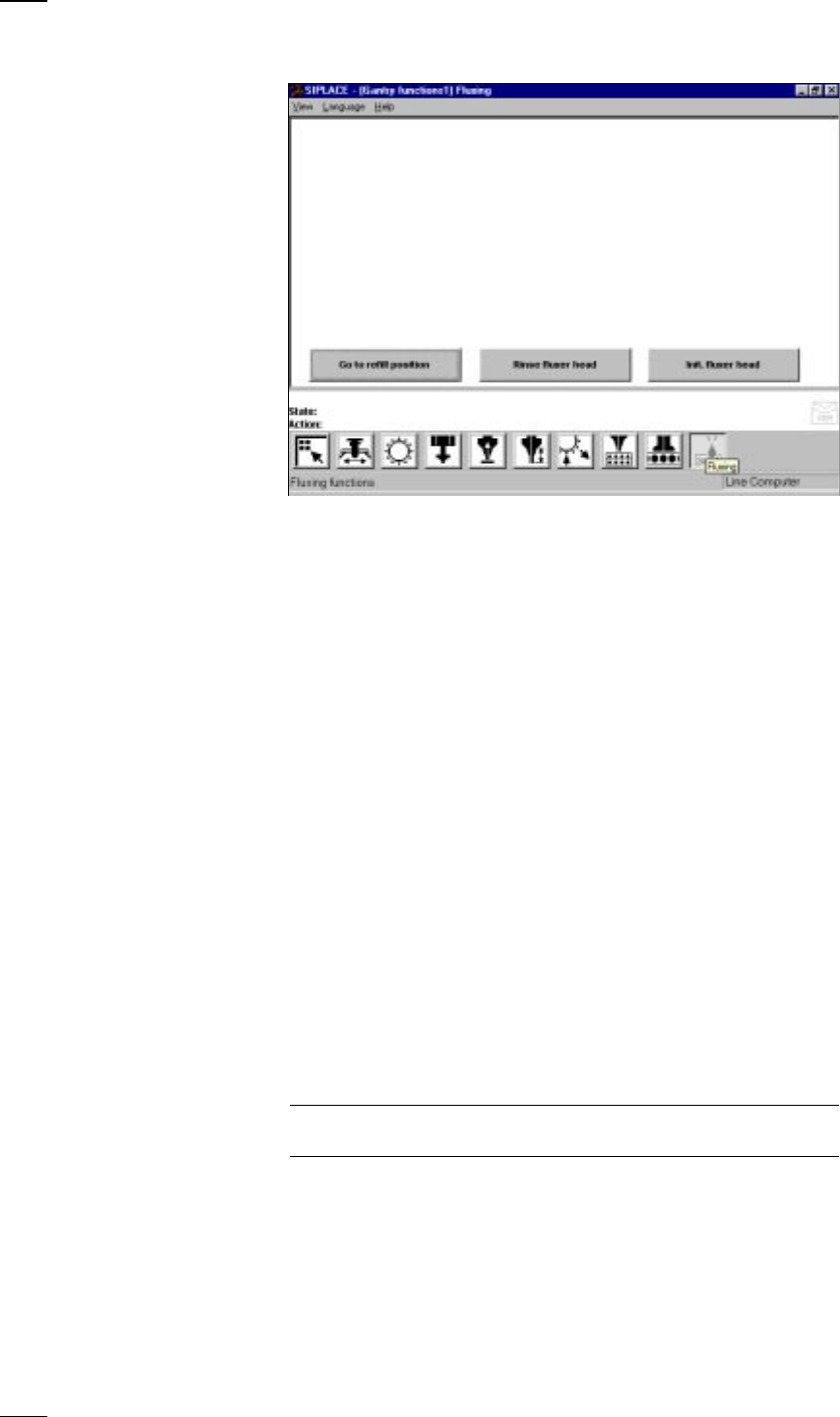
’Flux application’ menu
Go to refill Go to the refill position when you want to carry out the following
position activities:
– Replace syringe
– Refill flux
– Maintenance work on the flux applicator head
The soldering flux applicator head moves into the refill position when you
press the Start button
Rinse fluxer head Rinse the flux applicator head in order to remove any flux residues. This
will prevent hardening of the dispensing hose and the centering nozzle.
Init fluxer head The flux applicator head carries out a reference run.
’Feeders’ menu
↑ UM 4.3 The Feeders menu includes the following submenus for the 80F
4
place-
ment machines:
– Display empty tracks and set full (see page 23).
– Omit components (see page 23)
– Display trays and change inventory levels.
– Display linear feeders and vibrate (see page 24).
– Wafflepack changer
’Display trays and change inventory levels’ menu
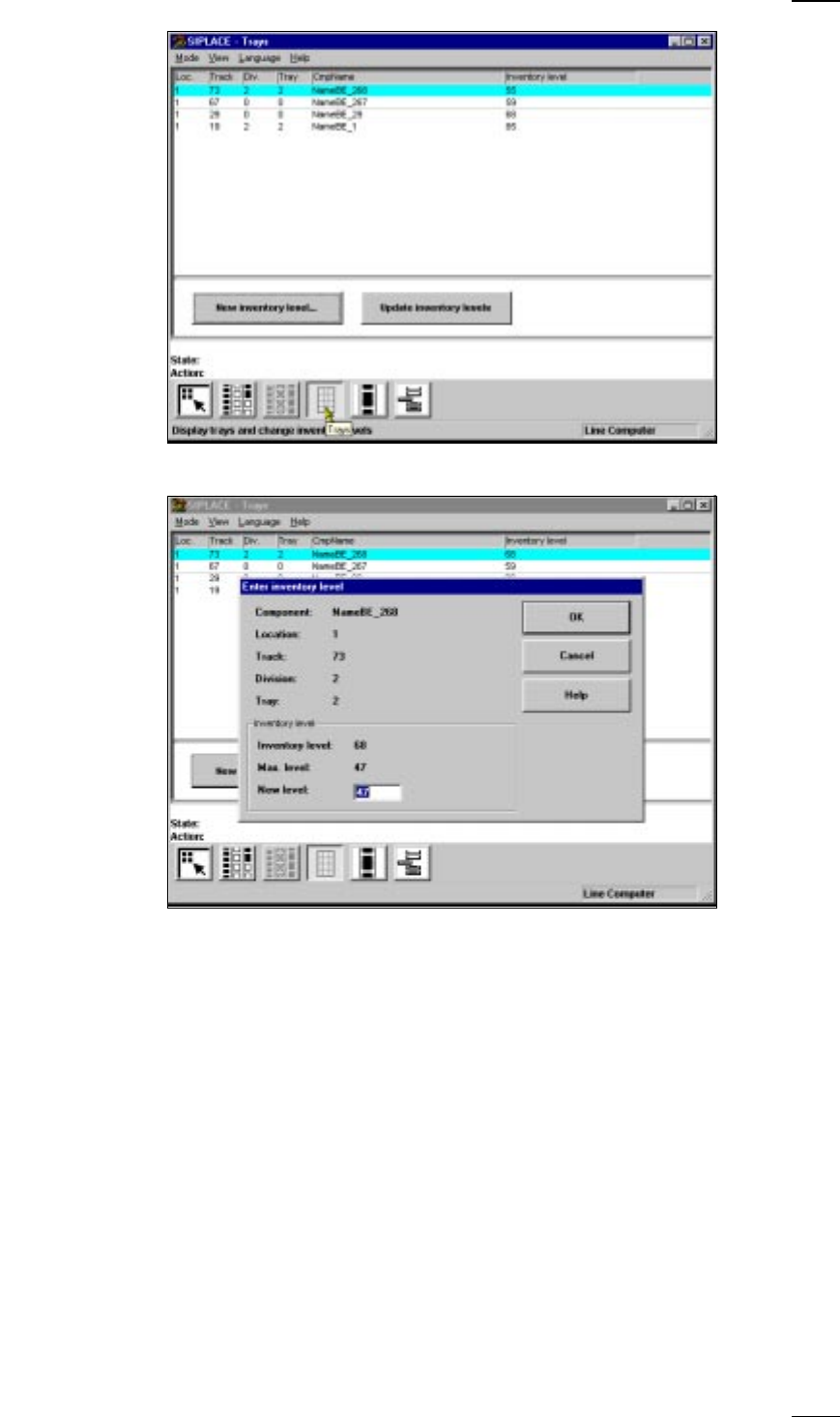
↑ UM 4.3.3 In this menu you can display the inventory levels of flatpack magazines
and update the inventory levels of individual trays.
Update Click on this button and the current status of all flatpack magazines will be
inventory levels displayed.
NOTE
During the placement process itself the inventory levels are not updated.
↑ UM 5.2.10
43
New inventory level ...Mark the desired track in the list by moving the cyan bar over it. Click on
the New inventory level... button.
● Enter the current number of components into the New level field of the dia-
log box. The maximum permissible value for the number of components is
displayed in the Max. level field.
● Click on the OK button to confirm your entry.
44
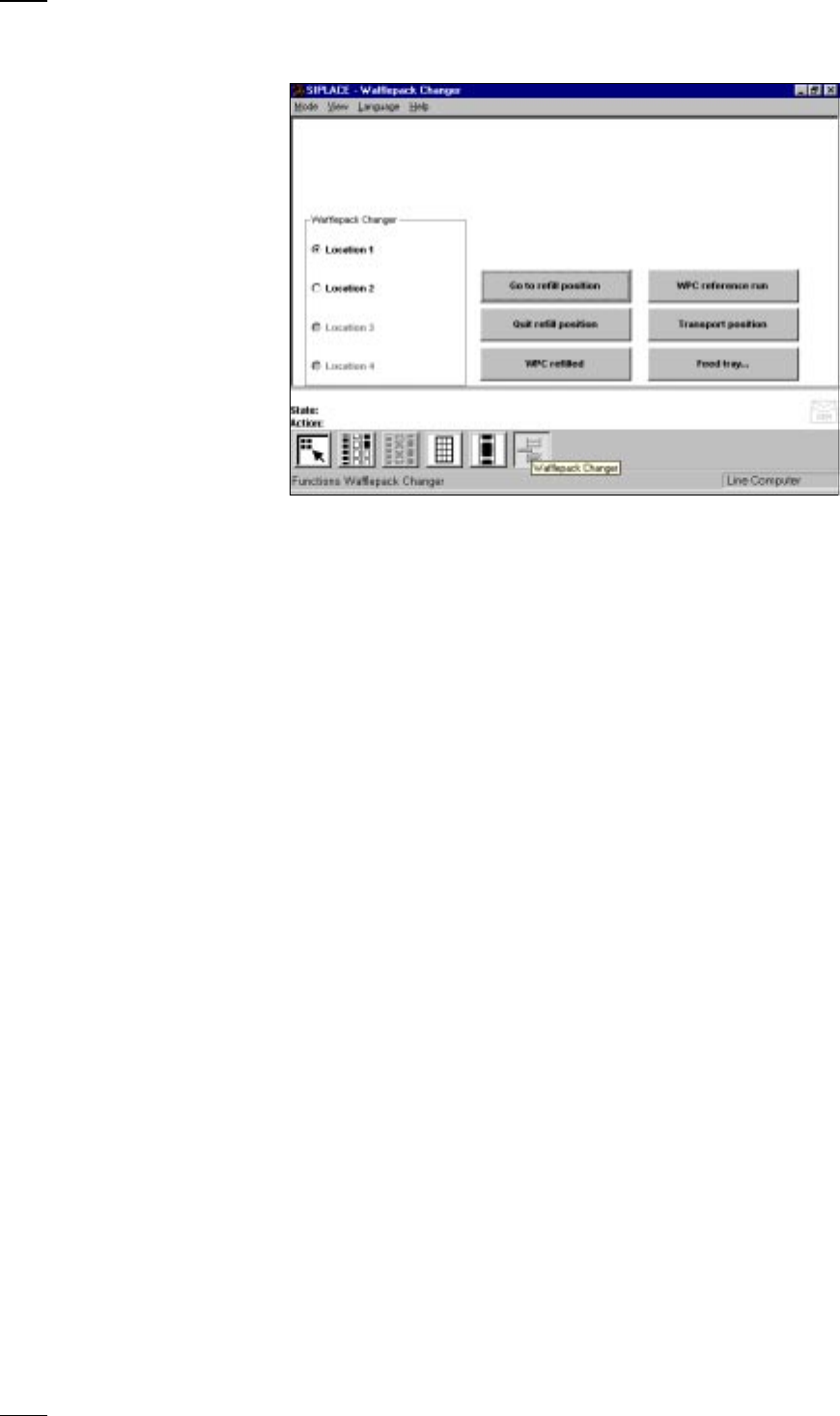
’Wafflepack changer’ menu
Go to refill position The lift is positioned so that all wafflepack magazines can either be
replaced or refilled.
Quit refill position This function is used for checking and aligning all of the flatpack maga-
zines configured in the setup. Any magazines which are missing will be
displayed on the screen.
WPC refilled All of the flatpack magazines configured in the setup are set to full.
WPC reference run First click on the Stop processing button and then on the WPC reference
run button. The wafflepack changer now carries out a reference run.
Transport position Move the lift of the wafflepack changer into the transport position, if you
wish to transport the wafflepack changer.
Feed tray... With this function you can bring up flatpack magazines from different
trays.
● First click on the Stop processing button.
● Now click on the Feed tray... button.
● Enter the magazine number in question into the dialog box which opens.
↑ UM 4.3.5