TM2750.Squeegee_MachineSetup_Manual.pdf - 第5页
SMT Software En gineering Group IMOperations YAMAHAMOTORCO.,LTD. MDOC-SOFT50102 5/9 4. Usage Confir m setup of insuf ficient “Squeegee” in [M o nitor] – [Production]. Figure4.1 Pro duction M onit or 4.1. …
SMT Software Engineering Group
IMOperationsYAMAHAMOTORCO.,LTD.
MDOC-SOFT50102
4/9
3.2. Machine setting
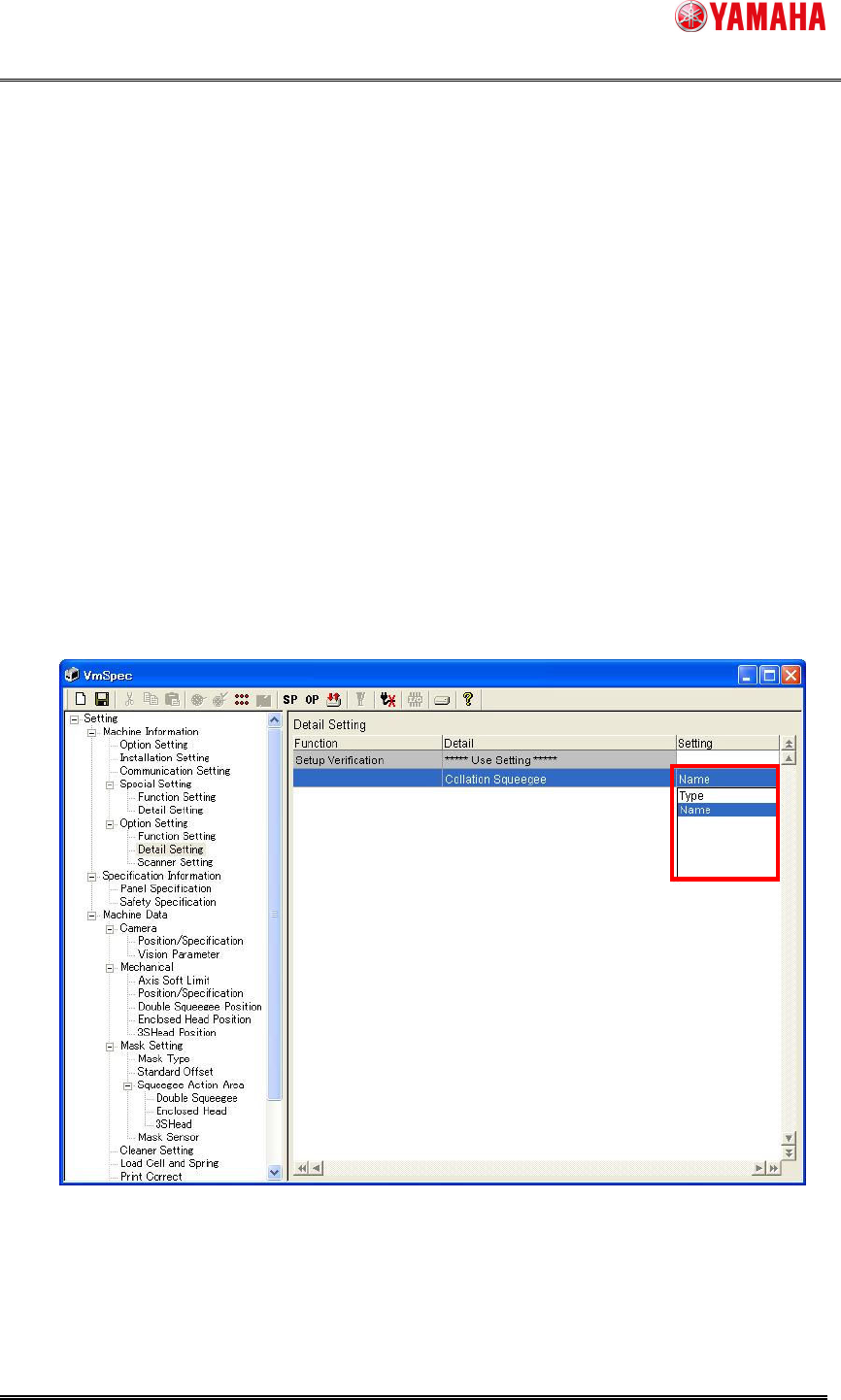
3.2.1. Collation Squeegee
You can ensure the squeegee setup by checking the following items.
- Check by "Squeegee Type".
- Check by "Squeegee Name".
Set “Type" or “Name" in “Collation Squeegee” of [machine] – [setting] – [Machine
Information] – [Option Setting] – [Detail Setting]. (Refer to “Figure.3.2.1.1”)
“Type" Setup checking by “Squeegee Type” and “Squeegee Detail Type” of
[Print] – [Squeegee] in board data.
“Name” Setup checking by “Squeegee Name” of [Print] – [Squeegee] in board
data.
Figure3.2.1.1 Collation Squeegee
SMT Software Engineering Group
IMOperationsYAMAHAMOTORCO.,LTD.
MDOC-SOFT50102
5/9
4. Usage
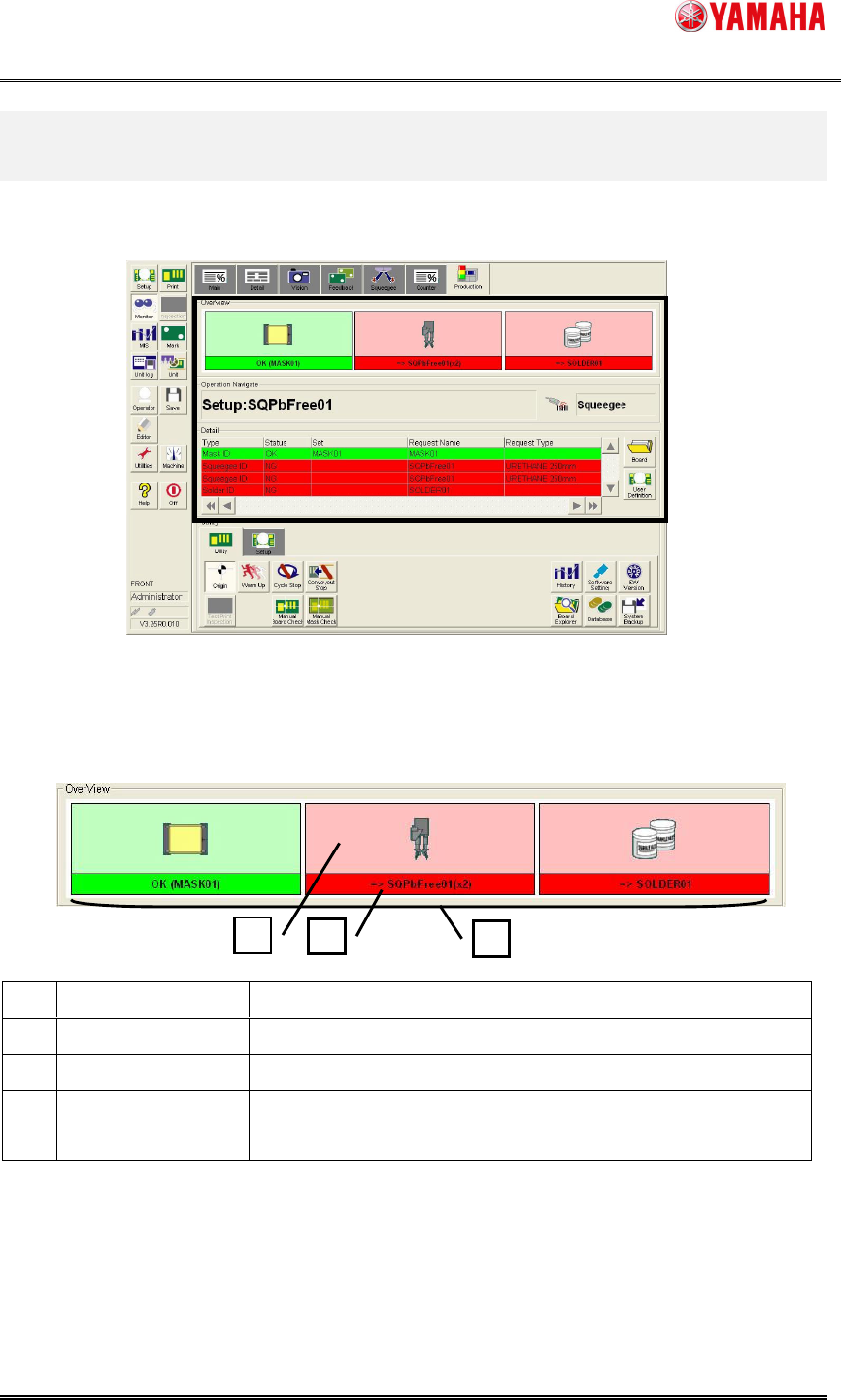
Confirm setup of insufficient “Squeegee” in [Monitor] – [Production].
Figure4.1 Production Monitor
4.1. Over View
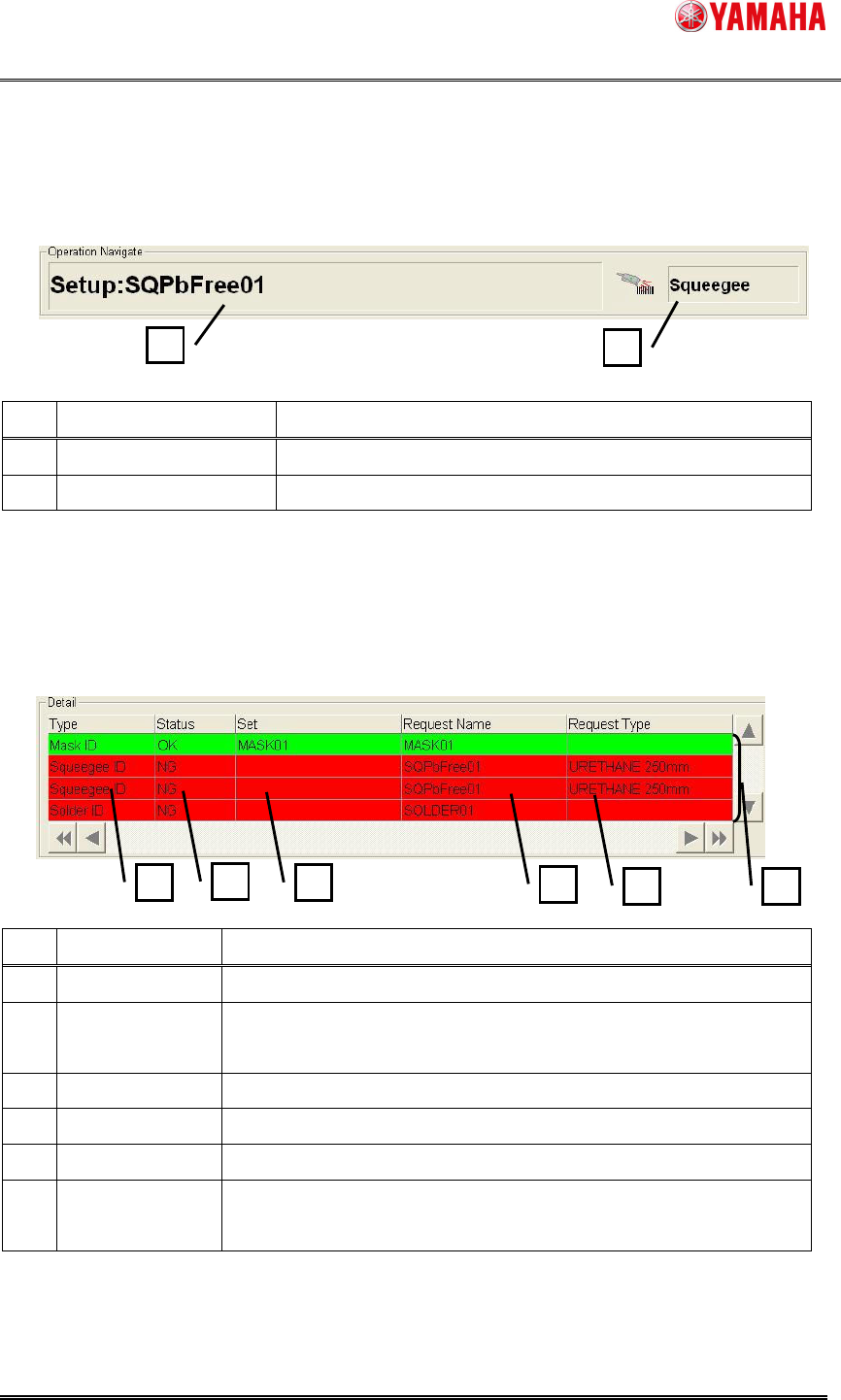
The total situation of squeegee setup is displayed.
Figure4.1.1 OverView
No.
Item name Explanation
1 Squeegee Image The image of “Squeegee Type” is displayed.
2 Setup Information "Type" or "Name" of setup squeegee is displayed.
3 Setup Situation
"Setup OK" displays "Green" and "Setup NG" displays "Red"
and “No Use” displays “White”.
1
2
3
SMT Software Engineering Group
IMOperationsYAMAHAMOTORCO.,LTD.
MDOC-SOFT50102
6/9
4.2. Operation Navigate
When a setup “Squeegee” is necessary, [Setup:…] is displayed.
Figure4.2.1 Operation Navigate
No.
Item name Explanation
1 Operating Navigation “Type” or “Name” displays setup Request.
2 Scanning Object Object to be scanned is displayed.
4.3. Detail
Detail situation of squeegee setup is displayed.
Figure4.3.1 Detail
No.
Item name Explanation
1 Type Object type to be scanned is displayed
2 Status
"Setup OK" displays "OK" and "Setup NG" displays "NG" and
“No Use” displays “NoUse”.
3 Set “Type” or "Name" that has been setup is displayed.
4 Request Name "Name" that setup request with the board is displayed.
5 Request Type "Type" that setup request with the board is displayed.
6 Setup Situation
"Setup OK" displays "Green" and "Setup NG" displays "Red"
and “No Use” displays “White”.
1
2
1
2
3
4
5
6