TM2750.Squeegee_MachineSetup_Manual.pdf - 第8页
SMT Software En gineering Group IMOperations YAMAHAMOTORCO.,LTD. MDOC-SOFT50102 8/9 S tep2. Scan the b arcode of "SQ P bFree01" w ith the barcode reader . Att a ch a barcode, which means "SQP bF re…
SMT Software Engineering Group
IMOperationsYAMAHAMOTORCO.,LTD.
MDOC-SOFT50102
7/9
4.4 Setup work of “Squeegee”
Setup a squeegee you need, and scan the barcode of the squeegee with the barcode
reader.
Ex1: If you want to setup two squeegee names of "SQPbFree01" whose type is “Double
Squeegee”.
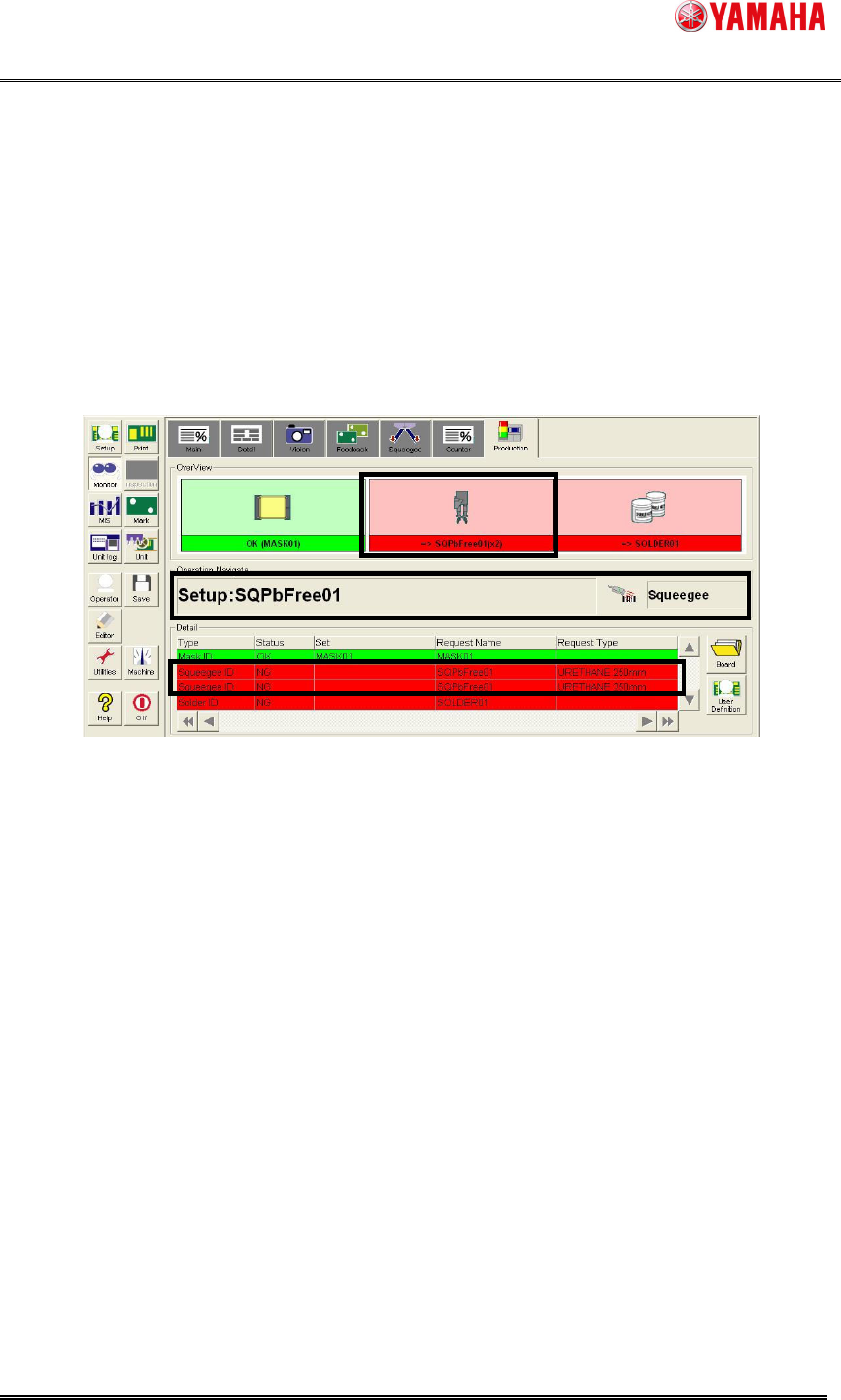
Step1. Setup two squeegees named "SQPbFree01" whose type is "Double Squeegee".
1. Check the content displayed on the [Monitor] – [Production].
2. Attach two squeegees of "SQPbFree01" according to the content.
SMT Software Engineering Group
IMOperationsYAMAHAMOTORCO.,LTD.
MDOC-SOFT50102
8/9
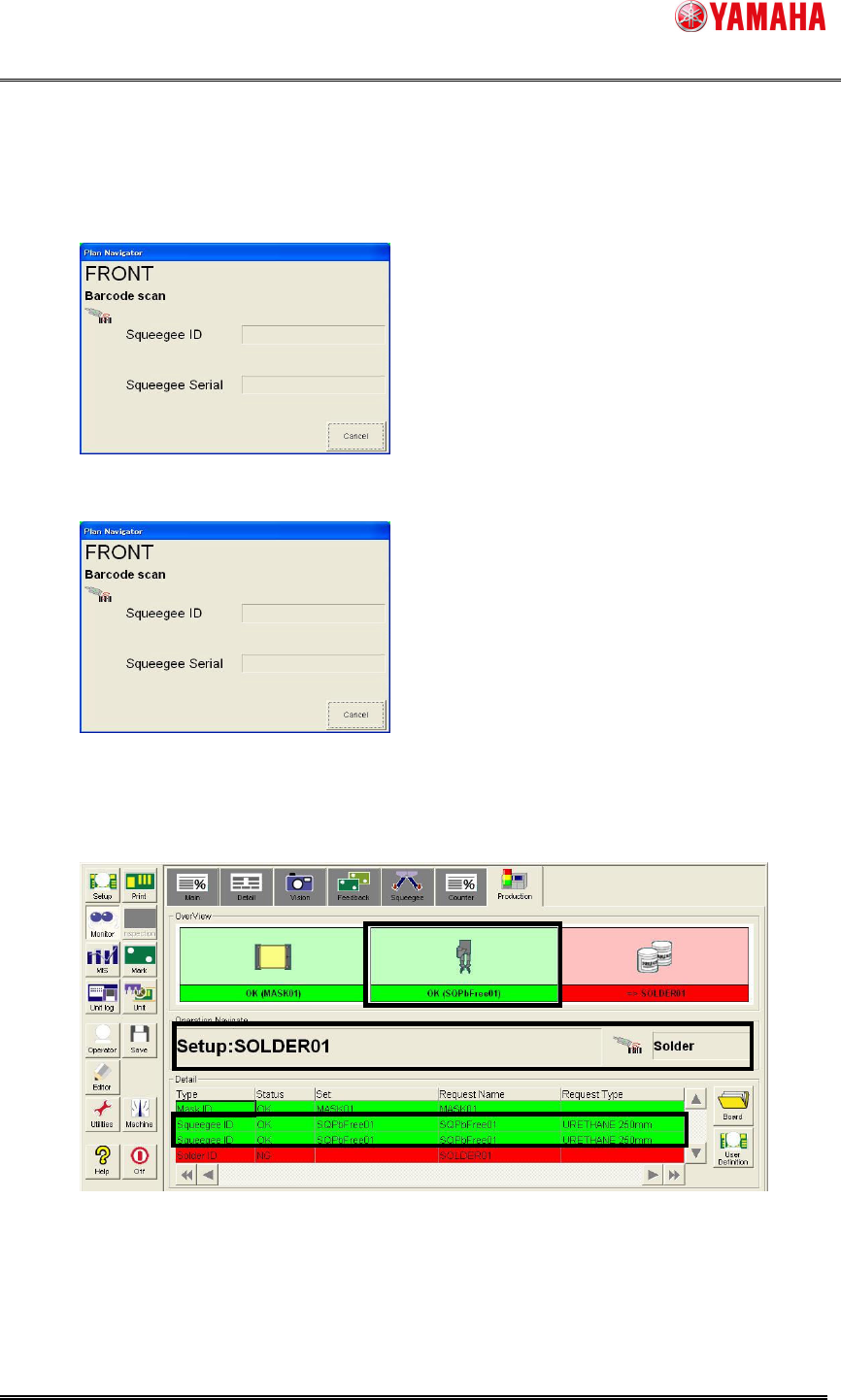
Step2. Scan the barcode of "SQPbFree01" with the barcode reader.
Attach a barcode, which means "SQPbFree01" beforehand.
If more than one barcode are necessary, you need to scan them continuously.
1. Scan one of the “SQPbFree01”.
2. Scan the other one of the “SQPbFree01”.
3. Setup of "Squeegee" is completed.
Step3. The operating navigation of “Squeegee” is closed, when the setup is completed.
SMT Software Engineering Group
IMOperationsYAMAHAMOTORCO.,LTD.
MDOC-SOFT50102
9/9
5. Limitation
When [Setup] - [Board] - [File Format] is "VIOS Text", it is not possible to check by
"Squeegee Name". If you select it, setup is not completed because there is no
"Squeegee Name" collated with board data.